
Are AirPods Good for Gaming? Why Latency Is a Problem
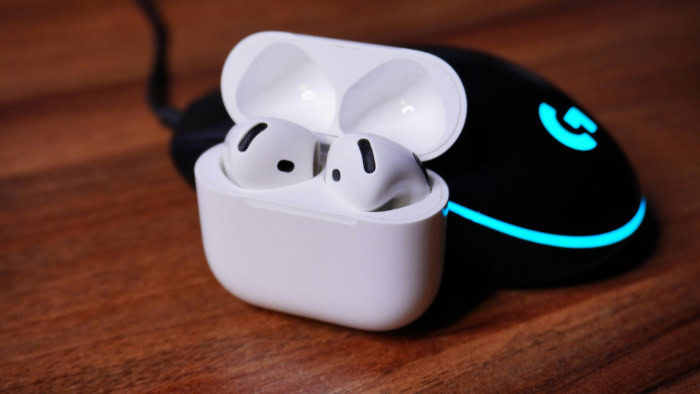
You likely already own a pair of AirPods, and the urge to skip buying a bulky gaming headset is hard to ignore. Using your daily earbuds for a late-night session feels efficient, but that slight delay between pulling a trigger and hearing the shot can be the difference between a win and a respawn.
Apple’s hardware is famous for working perfectly within its own ecosystem, yet the demands of a PC or PlayStation introduce a messy reality of lag and muffled microphones. The convenience of a wireless experience often clashes with the strict requirements of competitive play.
Key Takeaways
- AirPods rely on Bluetooth, which creates a lag of over 150ms, significantly slower than the 2.4GHz wireless dongles used by dedicated gaming headsets.
- Activating the microphone on a PC or console often forces the audio into a low quality mono signal due to severe Bluetooth bandwidth limitations.
- Apple’s H1 and H2 chips reduce latency significantly on iOS and Mac, making them a strong choice for mobile gaming specifically.
- Modern consoles like the PS5 and Xbox Series X do not support AirPods natively, requiring third party USB adapters that often disable microphone functions.
- Active Noise Cancellation in AirPods Pro and Max effectively isolates environmental distractions, though the battery life typically peaks at a brief six hours.
The Latency Barrier: Speed and Synchronization
Electronic signals travel at the speed of light, but audio processing introduces a physical delay that can break the illusion of a digital environment. For gamers, this synchronization is not just a luxury; it is a mechanical necessity.
When the sound of a footstep reaches your ears a fraction of a second late, the information is already useless. AirPods face a fundamental challenge in this area because they rely on transmission methods that prioritize stability over raw speed.
Wireless Standards and Technical Delay
Most dedicated gaming headsets utilize 2.4GHz wireless technology through a USB dongle. This creates a high speed pipe for data that results in almost zero perceptible lag.
AirPods use standard Bluetooth, which must compress and decompress audio data, leading to a delay often exceeding 150 milliseconds. While this is unnoticeable when watching a movie because the software can sync the video to the audio, gaming happens in real time.
The hardware cannot predict your next move, so the audio is constantly playing catch up with the action on the screen.
Competitive Performance in Fast Genres
In high stakes environments like first person shooters or rhythm games, timing is the most important element of play. A delay of 100 milliseconds means you hear an enemy reload after they have already started firing at you.
This creates a disconnect between your visual reflexes and your auditory cues. For professional or highly competitive players, this lag makes Bluetooth earbuds a significant disadvantage compared to wired or low latency wireless alternatives.
Software Enhancements in the Apple Ecosystem
Apple has attempted to mitigate these issues through their proprietary H1 and H2 chips. When paired with an iPhone, iPad, or Mac, these chips use a more efficient handshake to minimize the buffer.
Recent software updates have introduced a specific mode that triggers when a game is launched, prioritizing audio processing to shave off as much lag as possible. While these improvements make the experience much better for mobile gaming, they do not apply when the earbuds are connected to a PC or a console, where the hardware defaults to standard, slower Bluetooth profiles.
Soundstage and Immersion: Environmental Cues

Modern sound design relies on three dimensional cues to build a believable world. While AirPods provide a clean and balanced profile for music, gaming requires a specific type of spatial awareness.
The goal is to translate a flat signal into a map of your surroundings, allowing you to sense depth and height through sound alone.
Directional Audio Performance
AirPods Pro and AirPods Max use advanced drivers, but their physical size limits the natural expansion of sound. In a gaming context, imaging refers to the ability to pinpoint exactly where a sound originates.
While these earbuds handle left and right panning well, they often struggle with front to back depth. In a complex environment where multiple sounds occur at once, the audio can feel crowded, making it harder to separate the distant sound of an engine from the nearby rustle of grass.
Spatial Technology and Audio Engines
Apple’s Spatial Audio technology is designed to create a cinema like experience by using head tracking and software algorithms. This works exceptionally well for media specifically mixed for it, such as Apple Arcade titles or certain movies.
However, many modern games use their own proprietary engines like Dolby Atmos or PlayStation’s Tempest 3D audio. These systems sometimes clash with Apple’s processing, leading to an over-processed sound that can feel artificial or disorienting.
For the best results, users often have to disable Apple’s spatial features to let the game’s native engine do the work.
The Utility of Active Noise Cancellation
One of the strongest arguments for using AirPods Pro or Max is their ability to isolate the user. Gaming environments are rarely silent; loud PC fans, air conditioners, or household noise can ruin the sense of presence.
The active noise cancellation in these devices is among the best in the industry, effectively erasing low frequency hums. This isolation allows the player to focus entirely on the quietest details of the game’s atmosphere without needing to crank the volume to dangerous levels.
The Microphone Trap: Communication Limits

Wireless communication requires a delicate balance of data management. When you try to send high quality audio to your ears while simultaneously sending voice data to a teammate, the available space for that data shrinks.
This technical limitation often results in a frustrating drop in fidelity that affects both what you hear and how you sound to others.
Bandwidth Issues and Audio Degradation
Bluetooth operates using specific profiles. When the microphone is inactive, the earbuds use a high quality stereo profile for music and game sounds.
As soon as a voice application like Discord or in-game chat activates the microphone, the hardware switches to the Hands-Free Profile. This transition severely limits bandwidth, often forcing the game audio into a low bitrate mono signal.
The result is a hollow, metallic sound that makes a premium pair of earbuds sound like an old telephone.
Voice Quality in Multiplayer Scenarios
AirPods use beamforming microphones that are designed to pick up your voice while ignoring background noise during phone calls. This works well in a quiet room, but the lack of a physical boom microphone means your voice is being captured from several inches away at your ear.
Compared to the dedicated microphones on gaming headsets, which sit directly in front of the mouth, AirPods sound distant and less clear. In fast paced matches where clear communication is vital, this lack of clarity can lead to misunderstood callouts.
Windows Configuration and Settings
Using AirPods on a Windows PC is notoriously difficult because of how the operating system handles Bluetooth devices. Windows often creates two separate playback entries: one for high quality audio and one for the hands-free mode.
If a user tries to use the AirPods mic for chat while using the high quality setting for game audio, the system frequently fails to produce any sound at all. Many PC gamers find that they must use a separate dedicated microphone and only use the AirPods for listening to avoid these configuration errors.
Platform Compatibility: Connection Solutions

The convenience of a wireless life often hits a wall when trying to connect different brands of hardware. Most gaming consoles prioritize low latency and controller stability over broad Bluetooth support.
This creates a gap that users must bridge if they want to use their preferred earbuds with a PlayStation or Xbox.
Console Support and Hardware Restrictions
Sony and Microsoft do not support Bluetooth audio natively on their consoles. This decision is primarily based on preventing interference with the wireless controllers, which also use the 2.4GHz band.
If you attempt to pair AirPods directly to a PS5 or Xbox Series X, the console simply will not see them. To get around this, players are forced to look for workarounds that often involve extra hardware or specific mobile app integrations.
The Use of External Transmitters
To use AirPods with a console, most players invest in a third party Bluetooth transmitter that plugs into the USB-C port or the controller’s headphone jack. These adapters act as a bridge, taking the console’s audio and broadcasting it to the earbuds.
While this solves the connection problem, it adds another layer of processing, which can further increase latency. Furthermore, many of these adapters do not support the microphone function, meaning you can hear the game but cannot talk to your friends.
Performance Within the Apple Ecosystem
The experience changes entirely when gaming on an iPhone, iPad, or Mac. In this environment, the hardware and software are built to recognize each other instantly.
Switching from a podcast on your phone to a game on your MacBook is seamless. The stability of the connection is significantly higher, and the software optimization helps keep lag at a minimum.
For someone who primarily games on Apple hardware, the benefits of the ecosystem outweigh the limitations found on other platforms.
Ergonomics and Battery: Long Term Use

A headset might feel comfortable for thirty minutes, but the true test happens at the three hour mark. Physical comfort and power management become the primary concerns during long sessions.
AirPods offer a lightweight alternative to traditional gear, but they bring their own set of physical and power related challenges.
Physical Comfort and Ear Fatigue
The AirPods Pro sit inside the ear canal, which is excellent for weight distribution but can cause irritation over several hours. Earwax buildup and pressure can make them uncomfortable during long raids or marathons.
In contrast, the AirPods Max are over ear headphones that distribute weight across a mesh headband. While they feel more like traditional gaming headsets, they are significantly heavier than many plastic alternatives, which can lead to neck strain if worn for an entire evening.
Battery Management During Play
Battery life is perhaps the most significant hurdle for long term gaming. Most dedicated wireless gaming headsets offer between twenty and fifty hours of use on a single charge.
AirPods Pro generally last between four and six hours. For a casual session, this is plenty of time, but for a dedicated weekend of gaming, you will find yourself forced to take breaks just to charge your gear.
Some users manage this by rotating one earbud at a time, but this destroys the spatial audio experience and makes it impossible to track directional sounds.
The Value of a Single Device
Despite the technical drawbacks, there is a strong argument for the one device lifestyle. Buying a high end gaming headset and a separate pair of premium earbuds is an expensive proposition.
For many people, the AirPods they already carry in their pocket are “good enough” for most gaming scenarios. If you are not playing at a professional level, the ability to use the same pair of earbuds for your morning commute, your office meetings, and your evening gaming sessions provides a level of utility that specialized gear cannot match.
Conclusion
AirPods are an excellent choice for casual players who value portability and primarily play on mobile devices or enjoy single player RPGs. For these users, the minor audio delay is a fair trade for the comfort and noise cancellation quality provided by Apple hardware.
However, competitive players in the FPS or rhythm genres will likely find the Bluetooth lag and microphone quality drops to be deal breakers. If you spend most of your time on a PC or a console, a dedicated headset with a 2.4GHz wireless connection is still the superior tool for the job.
Your choice should depend on your primary platform. If you are deep in the Apple ecosystem, AirPods are highly effective; if you are looking to climb the ranks in a multiplayer shooter on a console, specialized gaming hardware is the more reliable investment.
Frequently Asked Questions
Can I use my AirPods with my PS5?
You cannot connect AirPods directly to a PS5 because the console does not support Bluetooth audio out of the box. You will need to purchase a third party USB-C Bluetooth transmitter to bridge the connection. While this allows you to hear game sounds, the microphone usually will not work for in-game party chat.
Why does my game sound so bad when I join Discord?
Your audio quality drops because Bluetooth switches to a lower bandwidth profile when the microphone is active. This forces the game sound into a low bitrate mono signal to make room for your voice data. To fix this on a PC, you should use a separate dedicated microphone while listening through your AirPods.
Is there a way to fix the audio lag on my PC?
You can reduce but not entirely eliminate audio lag on a PC by using a Bluetooth adapter that supports low latency codecs. Since AirPods use the AAC codec, they often struggle with Windows default drivers. Using a dedicated USB transmitter designed for gaming can help stabilize the signal and shave off a few milliseconds.
Do AirPods Pro spatial audio features work in games?
Spatial audio works natively in many mobile games on iOS, but it can conflict with sound engines on other platforms. Most PC and console games use their own 3D audio processing like Dolby Atmos. For the best experience on non-Apple hardware, you should disable the AirPods’ spatial settings to avoid distorted sound.
How long will the battery last during a gaming session?
You should expect about four to six hours of battery life from a pair of AirPods Pro when using active noise cancellation. This is significantly shorter than the twenty plus hours offered by dedicated gaming headsets. If you plan on playing for longer, you will need to take charging breaks or rotate earbuds.
About the Author: Julio Caesar


