
Are Smartwatches Worth It? Pros and Cons

Smartwatches appear on wrists everywhere, from corporate boardrooms to local grocery aisles. Despite widespread popularity, many everyday consumers hesitate before buying another glowing screen.
Skepticism usually centers on redundancy. Since a smartphone already sits in nearly every pocket, spending hundreds of dollars on a miniature companion device can feel unnecessary.
Evaluating the true value of wearable technology requires looking past marketing hype to see how smartwatches perform during daily routines. Hands-free convenience, continuous health tracking, and emergency safety tools offer clear benefits.
However, daily charging chores, high upfront costs, and constant notification buzzing create real friction. Weighing practical utilities against financial and lifestyle drawbacks, alongside simpler alternatives, reveals if a smartwatch belongs on your wrist.
Key Takeaways
- Streamline daily micro-tasks: Smartwatches cut down on screen time by letting you triage calls, pay for transit via NFC, and set hands-free timers without pulling your phone from your pocket.
- Track actionable health and safety metrics: Built-in biometric sensors passively monitor resting heart rate, sleep stages, and irregular heart rhythms while offering automated fall detection and emergency SOS calls.
- Budget for short lifespans and recurring fees: Expect a $250 to $800 smartwatch to last three to five years before battery degradation or software obsolescence sets in, with optional cellular plans adding $10 to $15 per month.
- Match the watch to your smartphone platform: Apple Watches require an iPhone and Samsung Galaxy or Pixel watches require Android, whereas brands like Garmin, Fitbit, and Amazfit work across both operating systems.
- Consider simpler wearable alternatives: If you dislike daily charging or constant wrist vibrations, a $40 to $100 fitness band, a mechanical hybrid watch, or a screenless smart ring can track health data for days on a single charge.
Daily Convenience and Smartphone Independence
A smartwatch excels at handling quick, everyday tasks that otherwise force you to reach for your phone. By shifting routine interactions to your wrist, the device reduces screen time and keeps your hands free during busy moments.
Glanceable Information and Notification Triage
Checking the time, outdoor temperature, upcoming calendar appointments, or incoming text messages takes less than a second on a watch face. More importantly, a smartwatch acts as a discreet filter for your digital life.
During a business meeting, a family dinner, or a crowded train commute, a gentle tap on the wrist lets you see who is calling or messaging without appearing rude. You can dismiss spam alerts immediately and avoid the common trap of unlocking your phone to check one text, only to lose 20 minutes scrolling through social media feeds.
Contactless Payments and Commute Simplification
Most modern smartwatches include Near Field Communication (NFC) chips that support mobile payment platforms such as Apple Pay and Google Wallet. Double-clicking a side button and holding your wrist near a payment terminal lets you buy groceries, grab a morning coffee, or tap through subway turnstiles without fumbling for a physical wallet or phone. Digital wallet apps on the watch also store scannable boarding passes, concert tickets, and store loyalty cards right on your wrist for effortless access while traveling.
Hands-Free Voice Control and Quick Utilities
Wrist-based voice assistants prove surprisingly practical when your hands are occupied. While kneading dough in the kitchen, carrying laundry, or working in the garage, you can raise your wrist and speak to set multiple countdown timers, add items to a grocery list, or dictate a quick text reply.
Built-in utility tools also solve everyday annoyances. Tapping the “Find My Phone” button forces a misplaced handset to emit a loud chime even when set to silent mode, while the remote camera shutter tool lets you frame and snap group photos from a distance.
Cellular Connectivity for Phone-Free Mobility
Smartwatches generally come in two connectivity versions: standard Bluetooth and Wi-Fi models, and cellular-enabled models. Standard models must remain within roughly 30 feet (9.1 meters) of your smartphone to receive calls and messages.
Upgrading to a cellular model equips the watch with its own eSIM, allowing it to connect directly to mobile networks. Leaving your heavy smartphone at home during an outdoor run, a trip to the beach, or a late-night dog walk becomes completely practical, as you can still stream music to wireless earbuds and take urgent calls.
Health, Fitness, and Personal Safety Capabilities

Beyond everyday convenience, smartwatches pack sophisticated biometric sensors against your skin. Continuous data collection turns passive bodily signals into actionable wellness habits and provides an automated safety net during emergencies.
Continuous Heart Rate and Biometric Data Collection
Optical sensors on the back of a smartwatch continuously measure your pulse, calculating your resting heart rate and heart rate variability over weeks and months. Many mid-range and premium models also track blood oxygen saturation and overnight wrist temperature shifts, which can indicate oncoming illness before symptoms fully appear.
Furthermore, watches equipped with electrocardiogram (ECG) sensors monitor for irregular heart rhythms, alerting users to potential signs of atrial fibrillation (AFib) or unusually high heart rates while sitting still.
Workout Metrics and Daily Activity Motivation
For structured exercise, built-in GPS receivers map outdoor runs, walks, and cycling routes while displaying live pace, distance, and elevation gain. Even for casual movers, smartwatches use gamification to combat sedentary habits.
Visual progress indicators, such as daily activity rings or step counters, encourage you to take the stairs or go for a brisk walk after lunch. If you sit at a desk for nearly an hour without moving, a subtle vibration reminds you to stand up and stretch for a minute.
Sleep Quality Analysis and Rest Insights
Wearing a smartwatch to bed allows its accelerometers and heart rate sensors to estimate how long you spend in light, deep, and REM sleep stages, while logging brief nocturnal awakenings. In the morning, companion apps compile overnight metrics into a single readiness or recovery score.
Seeing how late meals, alcohol, or evening screen time degrade your recovery score makes it much easier to adjust daily habits and swap an intense workout for a lighter recovery day when your body is fatigued.
Fall Detection and Emergency SOS Features
Modern smartwatches include high-g accelerometers and gyroscopes engineered to recognize the sudden impact of a hard fall or a severe car crash. When the watch detects a major impact, it sounds an alarm and displays an on-screen prompt.
If the wearer remains immobile and fails to dismiss the alert within 60 seconds, the device automatically dials emergency services and transmits precise GPS coordinates to dispatchers and designated family contacts. For solo hikers, cyclists, commuters, and older adults living alone, automated emergency calling provides substantial peace of mind.
Common Drawbacks, Friction, and Hidden Costs

While the feature lists are impressive, owning a smartwatch introduces new daily chores and ongoing expenses. Recognizing these practical trade-offs helps prevent buyer’s remorse.
Battery Limitations and Daily Power Demands
Full-featured smartwatches with bright OLED displays, continuous heart monitoring, and active app processors consume power rapidly. Most flagship models from Apple, Samsung, and Google only last 18 to 48 hours on a single charge.
Unlike a phone that charges overnight on a nightstand, a smartwatch must stay on your wrist all night if you want sleep tracking data. Owners have to build a daily charging routine, such as placing the watch on its magnetic puck for 45 minutes every evening while showering or eating dinner.
Upfront Price Tags, Subscriptions, and Obsolescence
A capable smartwatch costs between $250 and $800 upfront, yet its functional lifespan is relatively short. Whereas a quality mechanical or quartz wristwatch can last for decades with minor servicing, a smartwatch relies on a tiny lithium-ion battery that degrades after three to five years of daily charge cycles, alongside processors that eventually lose software support.
Hidden ongoing costs also add up quickly, including replacement straps, screen protectors, $10 to $15 monthly cellular service fees, and optional fitness app subscriptions that lock detailed health insights behind a paywall.
Digital Distraction and Notification Fatigue
Without careful setup, a smartwatch transforms from a helpful filter into a relentless source of distraction. Having every group chat message, breaking news alert, and work email vibrate directly against your skin creates a stressful feeling of being permanently on call.
In addition, constant access to biometric numbers can trigger health anxiety in some users, leading to an unhealthy obsession over an imperfect sleep score or minor day-to-day heart rate fluctuations.
Aesthetic Compromises and Traditional Watch Preferences
From a style perspective, most smartwatches still look like miniature black rectangles or thick plastic pucks strapped to the wrist. Even with customizable digital watch faces and leather or metal bands, a glowing screen often clashes with formal evening wear or tailored business attire.
For traditional horology enthusiasts who appreciate the craftsmanship of mechanical timepieces, wearing a smartwatch means leaving cherished analog watches sitting unused in a drawer.
Ecosystem Compatibility and Lifestyle Alignment

Before looking at specific models, you must evaluate technical compatibility with your current phone and honest alignment with your daily habits.
Smartphone System Compatibility: iOS versus Android
The smartwatch market is strictly divided by smartphone operating systems. An Apple Watch requires an iPhone for setup and daily syncing; it will not pair with an Android device.
Conversely, the Samsung Galaxy Watch and Google Pixel Watch run on Wear OS and pair exclusively with Android phones, leaving iPhone users locked out. If you want the freedom to switch smartphone brands in the future without replacing your watch, you must look to cross-platform manufacturers like Garmin, Fitbit, or Amazfit, which maintain companion apps for both iOS and Android.
Ideal Candidates for a Full-Featured Smartwatch
Three groups of people generally get the highest return on investment from a smartwatch. Fitness beginners and recreational athletes benefit immediately from structured workout tracking and daily movement nudges.
Busy professionals who spend their days in back-to-back meetings or traveling rely on silent wrist notifications to stay responsive without pulling out a phone. Finally, parents of young children and hands-on caregivers appreciate being able to answer calls, check messages, and set timers when their hands are completely full.
Consumers Who Will Find a Smartwatch Redundant
On the flip side, several types of consumers frequently regret buying a smartwatch. Remote workers and office employees who sit in front of a computer monitor and a smartphone for eight hours a day rarely need a third screen to tell them they have an email. People who dislike the physical sensation of wearing jewelry or tight bands on their wrists, especially while sleeping, will quickly abandon the device.
Digital minimalists actively trying to reduce tech dependency will also find that a smartwatch works against their goals.
Practical Solutions and Device Alternatives
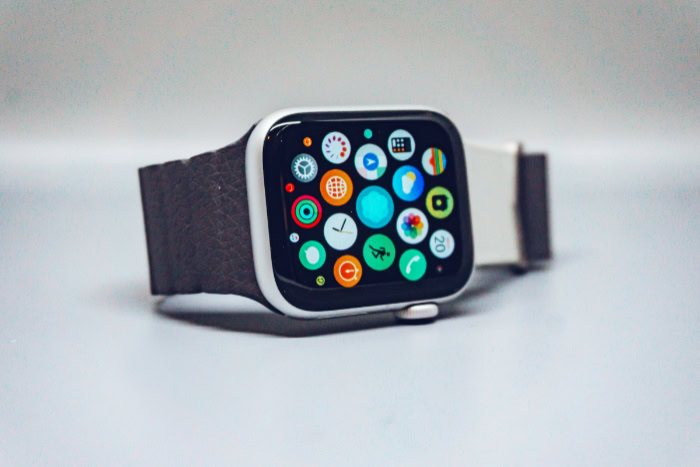
If you like certain aspects of wearable technology but want to avoid the high price, daily charging, or constant distractions of a flagship smartwatch, a few simple adjustments and alternative form factors offer a better balance.
Notification Filters for Digital Minimalism
If you already own a smartwatch or want one primarily for health and utility, spend 10 minutes configuring its notification settings on day one. Turn off wrist mirroring for all social media apps, news outlets, games, and work email clients.
By restricting wrist vibrations strictly to phone calls, direct text messages from family, and calendar reminders, the watch acts as a protective shield rather than a megaphone for every app on your phone.
Budget Fitness Bands for Basic Activity Logs
Consumers who only care about step counts, heart rate tracking, sleep duration, and basic workout timers do not need an expensive smartwatch. Slim fitness bands from brands like Fitbit or Xiaomi cost between $40 and $100, weigh next to nothing on the wrist, and routinely last 7 to 14 days on a single charge.
You give up voice assistants, third-party apps, and cellular calling, but you gain a low-maintenance health tracker at a fraction of the price.
Hybrid Watches for Analog Style and Extended Battery Life
Hybrid smartwatches bridge the gap between classic watchmaking and modern health tracking. Models such as the Withings ScanWatch or the Garmin Vivomove feature real mechanical hands ticking over a traditional analog dial, with a small, hidden digital display that only illuminates when you flick your wrist.
Because they lack power-hungry full-color touchscreens, hybrid watches pair effortlessly with formal attire and run for weeks or even a full month between charges.
Screenless Wearables for Discreet Biometric Data
For people who want comprehensive sleep and recovery data without any screens, vibrations, or watch faces, screenless wearables are the ideal solution. Smart rings and screenless wrist straps pack advanced heart rate, temperature, and movement sensors into a tiny, distraction-free form factor.
They sync data quietly to your smartphone in the background, last up to a week on a charge, and leave your wrists completely free to wear a traditional mechanical watch or nothing at all.
Conclusion
Deciding on a smartwatch comes down to balancing hands-free convenience and continuous health insights against upfront costs, daily battery chores, and the risk of digital distraction. Rather than buying a wearable device simply because it is popular, base your choice on three practical criteria.
First, identify a specific daily problem the watch will solve, such as missing urgent calls while away from your desk or lacking motivation to exercise. Second, be honest about your willingness to charge another battery every day or two.
Third, consider if a simpler, longer-lasting alternative like a budget fitness band, a classic hybrid watch, or a screenless smart ring fits your personal style and routines better than a miniature computer on your wrist.
Frequently Asked Questions
Do I have to pay a monthly fee to use a smartwatch?
No, a monthly fee is not required for standard smartwatch operation. Standard Bluetooth and Wi-Fi models connect directly to your nearby smartphone at no extra cost, handling calls, texts, and fitness tracking for free. You only pay an extra $10 to $15 per month if you buy a cellular model and activate an independent mobile data plan.
Can I use an Apple Watch with an Android phone?
No, you cannot pair an Apple Watch with an Android smartphone. Apple restricts its wearable devices exclusively to the iOS ecosystem, and Samsung and Google apply the same restriction to Android users for their respective watches. If you want cross-platform flexibility, choose a watch from Garmin, Fitbit, or Amazfit that supports both operating systems.
How long does a smartwatch last before it needs to be replaced?
Most full-featured smartwatches last between three and five years before needing replacement. Over time, daily charging cycles degrade the internal lithium-ion battery, reducing its capacity to hold a full day of power. Eventually, the manufacturer also stops providing software and security updates, which causes newer apps and features to stop working properly.
How do I wear my smartwatch for sleep tracking if it needs to charge every day?
The best way to track sleep with a daily-charge smartwatch is to top up the battery during short, predictable windows of downtime. Placing the watch on its fast charger for 30 to 45 minutes while you shower, get dressed, or eat dinner usually restores enough power to last through the night and the following day.
Are smartwatch heart rate and sleep trackers actually accurate?
Consumer smartwatches are reliable enough to spot personal health trends, though they do not replace clinical equipment. Optical wrist sensors measure resting heart rate and sleep duration with strong consistency, while built-in ECG sensors can flag signs of atrial fibrillation. However, exact sleep stage breakdowns and calorie estimates remain approximations rather than medical measurements.
About the Author: Julio Caesar


