
FLAC vs. WAV: What Audiophiles Need to Know

Building a high-quality digital music library requires choosing the right file format to preserve flawless sound. Making the wrong choice can lead to wasted hard drive space or frustrating software compatibility issues down the line.
For audiophiles and producers demanding perfect lossless reproduction, WAV and FLAC stand as the two primary industry standards. Both formats deliver exact studio fidelity, yet they handle digital data in remarkably different ways.
Key Takeaways
- Both WAV and FLAC deliver identical, bit-perfect lossless sound quality with absolutely zero difference in audio fidelity.
- FLAC files reduce storage requirements by 50 to 60 percent compared to WAV files through efficient mathematical compression.
- FLAC natively supports robust metadata tagging for album art and track details, whereas WAV files frequently suffer from inconsistent labeling.
- Audio engineers prefer WAV files for professional recording and mixing because the uncompressed data requires zero CPU decoding.
- FLAC is highly recommended for personal music libraries and audiophile playback due to its space-saving efficiency and superior library organization.
Core Technology of Lossless Audio
Before comparing the practical benefits of different audio files, it helps to look at the underlying technology that makes them function. Both WAV and FLAC aim to preserve the highest possible fidelity, but they utilize entirely different methods to store acoustic information digitally.
Definition of WAV Format
The Waveform Audio File Format, universally known as WAV, was developed by Microsoft and IBM in the early 1990s. It was created as the standard for storing audio on Windows personal computers.
A WAV file typically contains uncompressed audio in a format known as Linear Pulse Code Modulation, or LPCM. This method takes exact snapshots of an analog sound wave at a specific sampling rate and converts them directly into a raw sequence of digital numbers.
Because the data remains completely uncompressed, a WAV file represents the pure, unaltered digital recording exactly as it was captured by the microphone and audio interface.
Definition of FLAC Format
The Free Lossless Audio Codec, or FLAC, emerged much later as an open-source alternative to bulky uncompressed formats. Unlike WAV, FLAC applies a sophisticated mathematical algorithm to shrink the audio data.
The mechanics of this process are very similar to how a ZIP file compresses computer documents. The algorithm identifies patterns and redundancies within the audio stream and encodes them more efficiently.
Because it is open-source, developers can freely integrate FLAC into their software and playback devices without paying licensing fees.
Difference Between Uncompressed and Compressed Data
The fundamental difference between WAV and FLAC lies in how the data is packed. While WAV leaves the raw numbers untouched, FLAC condenses the file to save space.
However, FLAC is strictly a lossless format. This means that when a media player opens a FLAC file, it unpacks the compressed data back into the exact same raw PCM stream found in a WAV file.
Not a single piece of information is lost during this process. In contrast, lossy compression formats like MP3 permanently discard parts of the audio data to achieve drastically smaller file sizes.
Once an MP3 throws away subtle high frequencies and quiet background details, they are gone forever. FLAC offers a perfect bridge by reducing the file size without sacrificing a single drop of the original sound.
Audio Quality and Hardware Performance
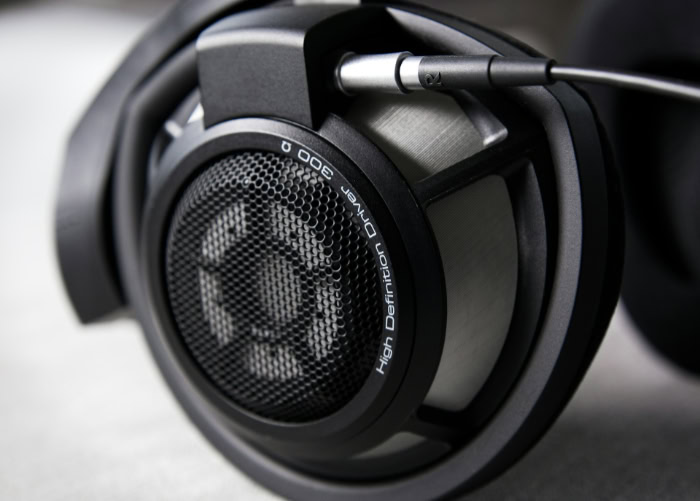
High-fidelity playback demands exact precision from both the audio file and the device playing it. A common point of confusion among music enthusiasts is how file compression might affect the actual listening experience and the physical hardware used to process the sound.
Analysis of Sound Quality
A persistent myth in audio circles suggests that WAV files sound inherently better than FLAC files because they are uncompressed. In reality, the waveform accuracy between the two formats is entirely identical.
Because FLAC decompresses into the exact original state, a digital-to-analog converter receives the exact same bit-perfect audio data whether you press play on a WAV or a FLAC. If you were to invert the phase of a decoded FLAC track and layer it over the original WAV track, they would cancel each other out entirely in absolute silence.
There is absolutely no sonic difference between the two formats.
Decoder Overhead and CPU Utilization
While the audio output is identical, the way a computer handles the files is not. WAV files offer zero-decompression benefits during playback.
Because the data is already in a raw state, the computer simply reads the file and sends it straight to the audio interface. This places virtually zero strain on the central processing unit.
FLAC files require the device to actively decode the compressed data in real time. The processor must work to unpack the audio stream just moments before you hear it.
On modern desktop computers and smartphones, this CPU requirement is negligible and will not impact system performance. However, if you are using older legacy equipment or extremely low-power portable devices, decoding high-resolution FLAC files might drain the battery slightly faster or push an outdated processor to its limits.
File Size and Storage Requirements

Managing a large library of lossless music requires careful planning regarding data storage. The most prominent distinction between these two formats is how much physical space and digital bandwidth they consume.
Compression Ratios and Disk Space Requirements
FLAC files hold a significant advantage in storage efficiency. Thanks to its smart encoding algorithm, a FLAC file typically requires 50 to 60 percent less disk space than an equivalent WAV file.
For example, a three-minute song in standard CD quality might consume 30 megabytes as a WAV file, but only around 15 megabytes as a FLAC. Over an entire music collection containing thousands of albums, this difference becomes massive.
Choosing the compressed format effectively doubles the storage capacity of a physical hard drive, allowing you to store twice as much lossless audio on your computer or dedicated media server.
Impact on Bandwidth and Transmission
The smaller footprint of compressed lossless audio dramatically improves data transmission speeds. Downloading or uploading a gigabyte of high-resolution FLAC files takes about half the time it would take to transfer the WAV equivalents.
This becomes especially noticeable when streaming audio within local home networks or pulling files from cloud servers over the internet. A WAV stream requires a constant, heavy flow of data that might buffer or stutter if your network connection slows down.
FLAC requires significantly less bandwidth, ensuring smooth and uninterrupted high-fidelity streaming without compromising a single detail in the sound.
Metadata and Organization Capabilities

A massive music collection is only useful if you can actually find the songs you want to play. This organization relies heavily on metadata, which consists of the hidden text tags embedded within the audio files.
The way WAV and FLAC handle this embedded information differs drastically, dictating how your library will eventually look and function.
Metadata Limitations of WAV Files
WAV files were created long before digital music libraries existed, meaning they lack standardized tagging mechanisms. While users can force standard ID3 tags into a WAV container, the technical integration is often clunky and poorly supported.
Because there is no universal rule for reading WAV metadata, you will frequently encounter inconsistencies across different media players. One program might read the artist and album name perfectly, while another displays the exact same file as an unknown track with a blank title and missing album art.
Native Metadata Support in FLAC Files
FLAC files were designed from the ground up to support extensive metadata. They utilize a tagging system known as Vorbis comments, offering robust and highly standardized tag storage.
This system allows users to seamlessly embed intricate details directly into the file itself. You can attach high-resolution album artwork, full synchronized lyrics, composer credits, and custom sorting tags with absolute confidence.
Because the Vorbis comment system is universally standardized, these tags will display perfectly across almost any modern software application or hardware player.
Implications for Audio Library Maintenance
Proper metadata tagging greatly impacts the daily maintenance of a personal audio library. When your files contain accurate internal information, your library software can automatically index every song.
This enables instant searchability, allowing you to quickly locate specific tracks by genre, release year, or producer. Reliable metadata also ensures your albums sort perfectly in alphabetical or chronological order, providing a clean and visually appealing interface rather than a chaotic folder of unlabeled audio data.
Format Compatibility and Practical Use Cases
Selecting a file type often comes down to the specific software or hardware you plan to use. Different environments, from professional recording studios to living room stereo systems, demand different functional priorities from the audio files they process.
Software and Hardware Ecosystem Support
WAV enjoys universal compatibility across nearly every audio device and software program ever created. It remains the absolute standard for Digital Audio Workstations, commonly known as DAWs, and plays flawlessly on older legacy media players that predate modern codecs.
FLAC is widely supported across modern operating systems, portable high-resolution music players, and high-end home audio receivers. However, the Apple ecosystem famously presents a hurdle for FLAC users.
Apple Music and iOS devices natively prefer the Apple Lossless Audio Codec. Users wishing to play FLAC files on an iPhone must either use third-party playback applications or convert their FLAC files to Apple’s native format beforehand.
Optimal Choice for Music Production and Archival Storage
In professional music production, WAV remains the primary standard. During the recording, editing, and mixing stages, audio engineers require the uncompressed nature of WAV to ensure maximum processing speed and zero latency.
Recording software can manipulate raw data instantly without waiting for a CPU to decode the audio. On the other hand, long-term digital preservation of completed music collections strongly benefits from FLAC.
Once a track is fully finalized and exported, storing the archive copies as FLAC files preserves the flawless audio quality while saving massive amounts of expensive server space.
Optimal Choice for Consumer Playback and Audiophile Systems
For everyday high-fidelity listening, FLAC provides the best balance of quality and practicality. Mobile devices and home media servers have limited storage capacities, making compressed lossless audio the most logical choice.
FLAC allows audiophiles to carry thousands of bit-perfect tracks on a single portable player while maintaining a beautifully organized, fully tagged library. Although WAV is perfectly capable of consumer playback, its bulky file size and poor metadata support make it highly impractical for casual listening on personal devices.
Conclusion
The choice between WAV and FLAC comes down to evaluating your specific needs for file size, metadata management, and device compatibility. WAV provides an uncompressed format that requires zero processing power, making it the preferred standard for fast, latency-free audio editing in professional studios.
FLAC offers massive storage savings by reducing file sizes by up to 60 percent while retaining the exact same lossless audio quality. Furthermore, FLAC supports robust, reliable metadata tagging for organizing large personal libraries.
If you are producing music or using older legacy equipment, WAV is the safest choice. If you want to efficiently store and perfectly organize thousands of high-fidelity songs on a modern device, FLAC is the superior option.
Frequently Asked Questions
Do FLAC files sound worse than WAV files?
No, FLAC files sound exactly identical to WAV files. FLAC uses lossless compression, meaning the audio data is packed to save space but unpacks into the exact same raw audio stream during playback. You will not lose any sonic detail or frequencies.
Will FLAC files play on an iPhone?
Apple devices do not natively support FLAC playback through the standard Apple Music application. You must use third-party media player apps from the App Store to play them. Alternatively, you can convert your audio into Apple Lossless Audio Codec files for native support.
Why do professional studios still use WAV?
Professional studios rely on WAV files because the uncompressed data requires absolutely zero processing power to decode. This allows recording software to edit, mix, and apply effects instantly without any latency. The massive file sizes are a fair trade for flawless editing performance.
Does converting a WAV to FLAC reduce the quality?
Converting a WAV file into a FLAC file does not reduce the audio quality in any way. The conversion process merely compresses the data mathematically without discarding any sound information. If you convert that FLAC back to a WAV, the file remains perfectly identical.
Which format is better for archiving my music collection?
FLAC is the best format for archiving digital music collections. It completely preserves the pristine, uncompressed sound quality of the original recording while cutting the required hard drive space in half. It also allows you to embed permanent artwork and text tags.
About the Author: Elizabeth Baker


