
Free vs. Paid Antivirus: Do You Really Need to Pay?

Every new computer setup brings the same hesitation. You want robust security to protect your files, yet you hate the idea of adding another monthly subscription to your bank statement.
This internal conflict is harder to resolve today because free software has evolved significantly. Options like Microsoft Defender have grown from barely functional utilities into competent tools that often match the detection rates of top-tier brands.
The gap between spending money and spending nothing has narrowed.
We must look past the marketing to answer a critical question. Does sticking with a free version leave you vulnerable to actual attacks, or are you simply missing out on extra conveniences? It is time to determine if premium suites offer necessary protection or if they are just peace of mind with a price tag.
Core Detection and Malware Engines
Many consumers assume that a free antivirus product uses older technology or a weaker scanner than its premium counterpart. They imagine the paid version possesses a secret library of virus definitions withheld from the public.
The reality of the software market is quite different. The fundamental ability to spot a malicious file usually remains identical across all price points because vendors rely on a massive user base to identify threats effectively.
The Reality of Identical Engines
Security companies almost always deploy the exact same scanning engine and virus definition database for every tier of their product. It would be counterintuitive and financially draining to maintain two separate databases.
If a vendor discovers a new trojan on a paid user's machine, they must immediately push that update to their free users as well. Leaving millions of free users vulnerable would damage their reputation and reduce the effectiveness of their global sensor network.
Signatures and Heuristics
Modern protection relies on two methods. Signature-based detection looks for specific digital fingerprints of known malware.
Heuristic analysis looks for suspicious behavior, such as a program trying to rewrite system files or hide itself. Free versions typically include both of these mechanisms.
The software monitors your system in real-time and acts against anything that matches a known threat or behaves like one.
The Windows Defender Baseline
Windows Defender was once considered a bare-minimum solution that users replaced immediately. Microsoft has invested heavily in changing this perception.
The native security suite included with Windows 10 and 11 now consistently scores high marks in independent lab tests. It provides robust real-time protection that rivals many third-party options.
For a typical home user, the built-in defenses are often sufficient to handle standard virus threats without requiring additional software installation.
Verdict on Basic Safety
A user running a free antivirus solution is generally not more likely to get infected by a common virus than a paid subscriber. The shield that blocks a standard malicious download works the same way in both versions.
If your primary concern is simply stopping traditional malware and viruses from executing on your hard drive, the free tier does the job without compromise.
Advanced Security Layers: Ransomware and Web Protection
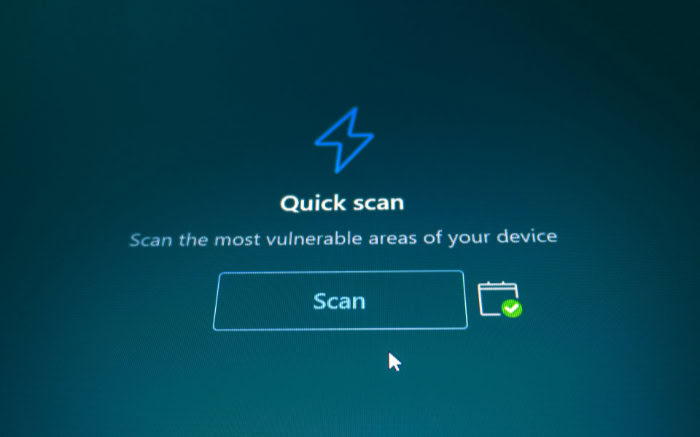
While the core engine effectively stops known viruses, modern threats have become more complex than simple infection. Hackers now focus on stealing data, locking files for ransom, or tricking users into handing over credentials.
This is where the gap between free and paid software widens. Premium suites add specialized layers of defense designed to catch threats that slip past a standard virus scan or operate outside the file system entirely.
Ransomware Recovery Tools
Free antivirus tools can often detect the ransomware program itself and stop it from running. However, if a sophisticated strain manages to execute, the damage is usually permanent for a free user.
Paid suites often include a remediation layer or a “rollback” feature. These tools take snapshots of your important files or monitor for mass encryption.
If an attack occurs, the software can kill the process and automatically restore your data to its pre-attack state.
Phishing and Fraud Defense
There is a distinction between a virus and a scam. A virus is a file that corrupts your system.
A scam is a website that tricks you into entering your bank password. Basic antivirus often lacks the browser extensions required to spot these fake sites in real-time.
Premium Internet Security suites inspect web traffic to block fraudulent URLs, fake login pages, and malicious scripts before the browser even loads them.
Intelligent Firewall Management
Windows includes a functional firewall, but it requires manual configuration to offer maximum security. Paid security suites replace this with a “smart” firewall.
These programs monitor inbound and outbound traffic to spot irregularities. If a new application suddenly tries to send data to an unknown server in a foreign country, the smart firewall can block the connection automatically.
This prevents hackers from exploiting open network ports and stops malware from “phoning home” with your stolen data.
Handling Zero-Day Threats
A zero-day threat is an attack that is so new that no security company has a signature for it yet. Paid subscribers often benefit from prioritized cloud processing.
When the software encounters an unknown file, it sends a digital fingerprint to the vendor's cloud server for immediate analysis. While free versions may also have this feature, premium tiers often use more aggressive algorithms or offer faster response times to neutralize these unseen dangers.
The Suite Value: Identity, Privacy, and Utilities

Security software has transformed from simple virus scanners into comprehensive digital life management tools. Vendors know that users worry about privacy and identity theft as much as they worry about malware.
To justify the annual cost, premium subscriptions bundle various utilities that would be expensive if purchased separately. These features focus on proactive privacy rather than reactive virus removal.
Identity Monitoring
Identity theft protection is a common addition to top-tier plans. These services monitor the “Dark Web” and public databases for your personal information.
If your email address, social security number, or credit card details appear in a data breach dump, the software alerts you immediately. This allows you to freeze your credit or change passwords before criminals can use the stolen data.
VPNs and Privacy Tools
Maintaining digital privacy often requires a Virtual Private Network (VPN) to encrypt internet traffic and hide your location. Standalone high-quality VPN services can cost as much as an antivirus subscription on their own.
Many paid security suites now include a VPN with unlimited or generous data caps. They also provide anti-tracker tools that stop advertisers from following your browsing habits across different websites.
Integrated Password Vaults
Using unique, complex passwords for every account is a basic security requirement, yet it is difficult to manage without help. Premium suites frequently integrate a password manager that stores your credentials in an encrypted vault.
While excellent free standalone password managers exist, the benefit here is integration. The antivirus suite manages the security of the vault and often provides seamless synchronization across computers and mobile devices.
Family Safety and Controls
Managing what children see and do online is a priority for parents. Free antivirus products almost never include parental controls.
Paid versions offer comprehensive dashboards where parents can filter website categories, limit screen time, and even track the physical location of mobile devices. This centralized control simplifies the task of protecting family members from inappropriate content and digital addiction.
User Experience and System Impact

Software should serve the user rather than demand attention. The difference between free and paid antivirus often lies in how the application behaves on a daily basis.
While both might offer protection, the experience of living with them varies significantly. Paid suites generally aim to be invisible background utilities, while free versions often require active management and tolerance for interruptions.
The Distraction of Nagware
Free software developers need to monetize their user base eventually. They often achieve this through aggressive marketing tactics known as “nagware.”
Users on free plans frequently encounter pop-up notifications, upsell advertisements, and ominous warnings that their “advanced protection is disabled.” These distractions can break focus during work or leisure.
Premium subscriptions remove these internal advertisements completely so the software runs silently in the background without constantly asking for money.
Resource Management and Gaming Modes
Performance impact is a major concern for gamers and professionals who need every ounce of system power. Paid antivirus suites typically feature a “Game Mode” or “Silent Mode.”
When the software detects a full-screen application, it suspends background scans and suppresses notifications to prevent lag or interruptions. Free versions rarely offer this level of sophistication.
They may initiate a heavy system scan or download updates in the middle of a gaming session or a video render which causes noticeable slowdowns.
Multi-Device Compatibility
The modern user rarely relies on a single Windows PC. Most households have a mix of smartphones, tablets, and MacBooks.
Free antivirus licenses are almost strictly limited to one device and usually only cover the Windows operating system. To protect a phone or a Mac, the user must find and install separate apps.
Paid plans solve this fragmentation by offering multi-device licenses. A single subscription can often cover five to ten devices across different operating systems which creates a unified security network for the entire home.
Simplicity and Configuration
Time is a valuable resource. Paid security suites are designed with a “set and forget” philosophy.
They come pre-configured with optimal settings that balance security and performance. Free tools often require more hands-on maintenance.
During installation, users must carefully uncheck boxes to avoid installing unwanted browser toolbars or trial software. They may also need to manually adjust settings to stop the software from being overly aggressive or intrusive.
The Hidden Costs: Data Privacy and Technical Support

A zero-dollar price tag does not mean the software has no cost. Companies that develop sophisticated security algorithms employ hundreds of engineers and researchers.
They must generate revenue to sustain operations. When a user chooses a free product, they often pay with their data or their time rather than their credit card.
The Data Economy of Free Software
The adage that “if you are not paying for the product, you are the product” often applies to free antivirus. Some vendors monetize their free user base by collecting data on browsing habits, search history, and application usage.
This information is anonymized and sold to advertisers or data brokers to subsidize the development costs. While this practice is usually outlined in the Terms of Service, many users are unaware that their security tool is also a marketing tracker.
Paid versions generally have stricter privacy policies that preclude selling user data.
Technical Support Tiers
When software malfunctions or a complex infection takes hold, access to human help is invaluable. Free users typically find themselves at the bottom of the support hierarchy.
Their only recourse is often browsing community forums, reading FAQ pages, or hoping a stranger online has a solution. Paid subscribers receive priority access.
This usually includes 24/7 live chat or telephone support where a technician can guide them through troubleshooting steps immediately.
The Protection Promise
The most significant safety net found in paid subscriptions is the virus removal guarantee. Companies are often so confident in their premium protection that they offer a pledge.
If a device becomes infected while the software is active, the company’s support team will remotely access the computer to remove the malware manually. If they cannot fix it, they refund the subscription fee.
Free users do not have this insurance. If a virus slips past a free scanner, the user is solely responsible for cleaning up the mess or wiping their hard drive.
Conclusion
Choosing between free and paid antivirus software is a negotiation between your wallet and your peace of mind. The core protection against viruses is largely the same, so the extra money buys convenience, privacy features, and silence.
You are essentially deciding if you prefer to save cash while tolerating potential data tracking and notifications, or if you prefer to pay a premium for a seamless, private experience that manages itself.
Staying with a free solution makes sense for a specific type of user. If you are tech-savvy, practice safe browsing habits, and know how to avoid suspicious links, the combination of Windows Defender and common sense is powerful.
This path is ideal for students, gamers on a budget, or anyone who feels comfortable troubleshooting their own technical issues without a support hotline.
A paid subscription becomes necessary when you need to protect more than just a single computer. Families with children benefit from parental controls, while business owners require the safety net of ransomware rollbacks.
It is also the best choice for those who are not technologically inclined and simply want their devices to remain secure without manual intervention. The cost of a subscription is often less than the cost of recovering from identity theft or a catastrophic data loss.
Every computer needs some form of protection. Leaving a system unguarded is reckless in an era of automated attacks.
While free tools effectively lock the front door against viruses, premium internet security suites install a security system for the entire house. They offer a layer of comprehensive safety that allows you to browse, bank, and shop without constantly looking over your digital shoulder.
Frequently Asked Questions
Is Windows Defender enough protection for a modern PC?
Windows Defender is a competent security tool that offers strong real-time protection against viruses and malware. It consistently performs well in independent lab tests and rivals many paid competitors. However, it lacks the advanced features found in premium suites, such as a built-in VPN, password manager, or identity theft monitoring.
Do free antivirus programs really sell my data?
Many free antivirus companies subsidize their development costs by collecting anonymized data from their users. This often includes browsing history, search habits, or application usage data which is sold to advertisers. Paid subscriptions usually have strict privacy policies that prevent the vendor from tracking your online behavior or selling your information.
Can free antivirus software stop a ransomware attack?
Free antivirus tools typically use signature detection to identify and block the ransomware program before it runs. If the malware manages to execute, however, free versions rarely offer a way to fix the damage. Paid versions often include a “rollback” feature that can decrypt and restore your files after an attack occurs.
Will antivirus software slow down my computer while gaming?
Paid antivirus suites usually feature a “Game Mode” or “Silent Mode” that detects when you are playing and suspends background scans. Free versions often lack this optimization and may initiate updates or scans that cause lag. Generally, paid software is better optimized to minimize impact on system resources during heavy use.
Why should I pay for antivirus if the scanning engine is the same?
While the core virus detection is often identical, a paid subscription unlocks critical layers of defense beyond simple file scanning. You are paying for advanced ransomware protection, smart firewalls, and phishing filters. Additionally, paid suites remove annoying ads and provide access to live technical support if you ever get infected.
About the Author: Elizabeth Baker


