
How Do Touchscreens Work? Your Finger Is the Circuit

You likely arrived at these words with a simple flick of your finger. The touchscreen stands as the definitive interface of the modern era because it merges a high-resolution display with a highly sensitive input surface.
We have moved past the mechanical clatter of physical keyboards to embrace direct manipulation on smartphones, car dashboards, and bank kiosks. While this interaction feels seamless, the underlying mechanics rely on precise engineering rather than magic.
A touchscreen is essentially a device waiting for a specific trigger. Your finger acts as the catalyst that disrupts an electrical field or physically closes a gap to complete a circuit and tell the processor exactly where to look.
The Anatomy Of A Touchscreen
While a smartphone appears to be a solid block of glass and metal, the screen is actually a complex assembly of bonded layers. Manufacturers compress these components into a unified stack that is thinner than a coin.
This layered approach allows a single surface to handle the distinct tasks of displaying an image and sensing where a user places their finger.
The Sandwich Structure
A touchscreen is effectively a hardware sandwich. It consists of several transparent sheets stacked on top of one another.
The arrangement varies slightly depending on the specific technology used, but the general principle remains consistent. Engineers bond these layers together to eliminate gaps that could trap dust or reflect light, which results in the solid, singular look of modern devices.
Digitizer Versus Display
The two most critical layers in the stack serve opposite functions. The bottom layer is the display panel, typically an LCD or OLED screen, which generates the pixels, colors, and light you see.
The top layer is the digitizer. This transparent component acts as a sensing grid that sits over the image.
When you tap an app icon, you are technically tapping the digitizer, which then tells the software which pixels beneath it were targeted.
The Protective Cover Lens
The outermost layer of the stack is the cover lens. This is usually made from chemically strengthened glass, such as Gorilla Glass, or a durable plastic.
Its primary job is to shield the delicate digitizer and display panel from scratches, impacts, and environmental damage. This layer must be optically clear to let the display shine through and thin enough to allow the sensors beneath it to detect input.
The Controller Board
A touchscreen cannot function without a brain to interpret the signals. The controller board is a small processing chip located inside the device.
It acts as a translator. When the digitizer detects a touch, it sends raw electrical signals to the controller.
The controller processes this information into digital coordinates and sends that data to the device's main processor, which then executes the command.
Resistive Touchscreens and the Pressure Method
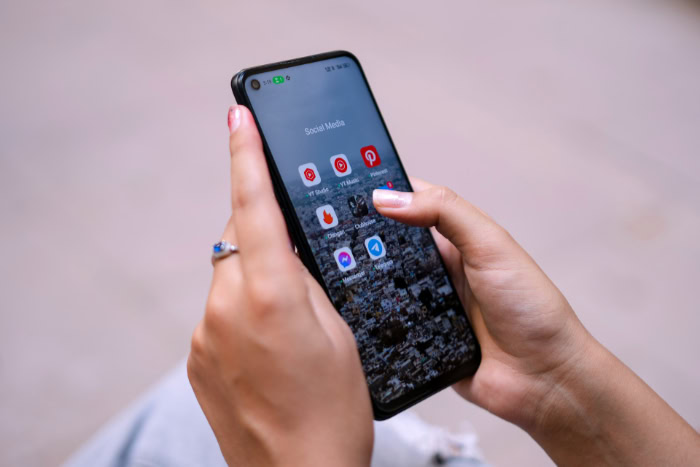
Resistive touchscreens rely on physical force to register input. This technology is less common in modern consumer electronics but remains prevalent in environments that require durability and simplicity, such as ATMs, supermarket signature pads, and industrial control panels.
These screens prioritize function over high-definition clarity.
Mechanism Of Action
The system operates by sensing pressure. A resistive screen consists of two flexible sheets coated with a resistive material, usually separated by a tiny gap.
When a user presses down on the screen, the top sheet flexes physically and touches the bottom sheet. This contact closes an electrical circuit at that specific point.
The device registers the change in voltage and calculates the precise location of the press.
The Air Gap
To prevent accidental touches, the two conductive layers are kept apart by microscopic dots known as spacers. These spacers maintain a consistent air gap between the sheets when the screen is idle.
Because the layers must remain separated until pressed, the top surface of a resistive screen is usually made of plastic rather than glass, which gives it a slightly soft or “squishy” feel when touched.
Input Versatility
One of the distinct advantages of resistive technology is its indifference to the object used for input. Since the system relies entirely on physical pressure to close the circuit, it does not matter what applies the force.
A bare finger, a gloved hand, a plastic stylus, or even the edge of a credit card will all work effectively. This makes resistive screens ideal for medical or industrial settings where users wear protective gear.
Trade Offs
The mechanics of resistive screens come with noticeable limitations. The multiple layers and the air gap can reduce the brightness and sharpness of the display, making images appear slightly washed out.
Furthermore, because the screen relies on registering a specific pressure point to close a circuit, it generally cannot support multi-touch gestures like pinching or swiping with two fingers.
Capacitive Touchscreens and the Electrical Method
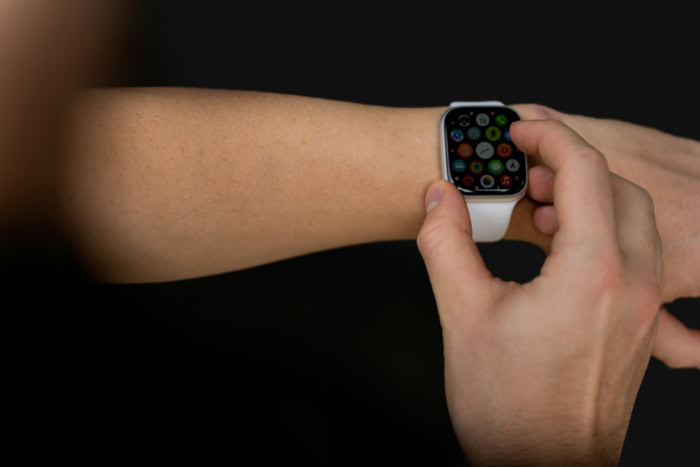
Capacitive touchscreens represent the modern standard found in nearly all smartphones, tablets, and high-end laptops. Unlike resistive screens that wait for a physical push, capacitive screens constantly monitor an electrical field.
This technology allows for the smooth, highly responsive interface that defines current mobile computing.
The Human Circuit
This technology works because the human body is naturally conductive. We contain electrolytes and water that allow us to carry an electrical charge.
Capacitive screens leverage this biological fact to detect input. When you use a smartphone, your finger acts as an electrical conductor that interacts with the device's own field.
The Electrostatic Field
The glass panel of the screen is coated with a transparent conductive material, most commonly Indium Tin Oxide (ITO). The device applies a very low voltage to this grid, creating a uniform electrostatic field across the surface.
This field remains static and balanced as long as nothing conductive interacts with it.
Disruption And Detection
When a conductive object, such as a finger, touches the glass, it draws a minute amount of current to the point of contact. The finger effectively acts as a capacitor, absorbing some of the electrical charge from the screen's field.
The controller detects this attenuation, or drop in voltage, and uses the data to triangulate the exact position of the touch.
Projected Capacitive Technology
Most modern devices use a specific variation called Projected Capacitive Technology (PCT). This method uses an etched grid of sensors to project an electrostatic field through the protective glass layer.
This architecture is significant because it allows the sensor to detect touch without the finger making direct contact with the conductive material itself. It enables the use of thick, durable cover glass and supports multi-touch functionality by tracking changes in capacitance at multiple intersections on the grid simultaneously.
Signal Processing and Coordinate Calculation

The hardware component of a touchscreen is only half the equation. Once the sensors detect a physical interaction, that raw electrical data must be instantly converted into a digital command the operating system can understand.
This process happens in milliseconds. It involves a constant dialogue between the controller board and the device software to ensure that a physical finger placement translates into the correct digital action on the screen.
Calculating Coordinates
The primary job of the touchscreen controller is to map the physical screen to a digital grid. When a change in capacitance or resistance is detected, the controller measures the signal intensity across the horizontal and vertical axes.
By determining exactly which row and column on the sensor grid experienced the disruption, the system assigns a specific pair of X and Y coordinates. This numerical location is sent to the processor, which updates the display to reflect the interaction, such as scrolling a webpage or drawing a line.
Multi-Touch Logic
Early touchscreens could only register one coordinate pair at a time, which meant they would get confused if a user pressed two buttons simultaneously. Modern processors utilize multi-touch logic to track independent movements of multiple contact points.
The system scans the grid at a high frequency to monitor the position of each finger relative to the others. This capability is what enables complex inputs like pinching to zoom or rotating a map with two fingers.
Gesture Recognition
Raw coordinate data acts as the vocabulary, but gesture recognition provides the grammar. The software uses algorithms to analyze the timing and velocity of the input to determine the user's intent.
A quick touch and release is interpreted as a “tap,” while maintaining contact for a specific duration registers as a “long press.” Similarly, the software calculates the speed and direction of coordinate changes to distinguish a slow scroll from a rapid swipe.
Palm Rejection
One of the more sophisticated background processes is palm rejection. Since capacitive screens detect any conductive material, resting your hand on the screen while drawing or typing could trigger accidental inputs.
To prevent this, the software analyzes the size and shape of the contact area. If the sensor detects a large, amorphous blob of contact rather than a precise fingertip, the algorithms classify it as unintended contact and ignore the signal completely.
Conductivity, Materials, and Interference

Because capacitive touchscreens rely on electrical fields rather than simple pressure, they are selective about what they interact with. This reliance on conductivity explains why certain objects work flawlessly while others elicit no response at all.
The materials used in accessories and the environment around the device can significantly alter how the sensors perceive input.
Why Gloves Fail
Standard winter gloves create a barrier between the user and the device. Most fabrics, such as wool, cotton, and synthetic blends, are electrical insulators.
When you wear them, they block the flow of electricity between your fingertip and the screen. Even though you are applying pressure, the screen cannot detect the necessary change in capacitance.
Touchscreen-compatible gloves solve this by weaving conductive threads, usually silver or copper, into the fingertips to bridge the electrical gap.
Active Versus Passive Styluses
Not all digital pens function the same way. A passive stylus typically features a squishy, conductive rubber tip that mimics the electrical properties of a finger.
It requires no batteries and acts as a simple extension of the user's hand. In contrast, an active stylus contains internal electronics that generate their own electrical field.
This allows the screen to detect the tip with greater precision and enables features like pressure sensitivity and hover detection without the stylus needing to be as wide as a fingertip.
Environmental Interference
Water is a conductive substance, which causes significant problems for capacitive sensors. If raindrops fall on a screen, the device may register them as touches because the water absorbs charge from the electrostatic field.
This results in “ghost touches,” where apps open or screens scroll without user input. Conversely, a wet finger may not register correctly because the water disperses the electrical signal across a wider area than intended.
Screen Protectors
Adding a layer of tempered glass or plastic over a screen increases the distance between the finger and the sensors. In physics terms, this adds a dielectric layer that weakens the signal.
High-quality protectors are thin enough to minimize this effect, but thicker or poorly made protectors can dampen the sensitivity significantly. To counter this, many devices include a software setting that boosts the voltage in the sensing grid to penetrate the extra layer of material.
Conclusion
The technology behind the glass ultimately comes down to two distinct methods of closing a loop. Resistive screens operate on a mechanical premise where the user physically forces two layers together to create a connection.
Capacitive screens rely on biology and physics. They utilize the natural conductivity of the human body to interfere with an electrostatic field.
This split-second translation of physical intent into digital response defines how we interact with modern electronics. It is a coordination of transparent circuits, sensitive controllers, and predictive algorithms working in unison.
When these elements function correctly, the complexity of the engineering disappears entirely, leaving only a surface that seems to instinctively know what you want to do.
Frequently Asked Questions
What is the difference between resistive and capacitive touchscreens?
Resistive screens rely on physical pressure to push two layers together and close a circuit. They work with any object but offer lower clarity. Capacitive screens use the electrical charge from your body to disrupt an electrostatic field. This method is more responsive but requires a conductive object like a bare finger.
Why do touchscreens not work when wearing gloves?
Most modern smartphones use capacitive screens that require electrical conductivity to function. Standard fabrics like wool or cotton act as insulators and block the electrical current from your fingertip. To fix this, you need special gloves with conductive threads woven into the tips to bridge the connection.
Why does water cause ghost touches on my screen?
Water is conductive and holds an electrical charge similar to the human body. When droplets land on the screen, the sensors mistake them for finger inputs. This confusion causes the device to register taps or swipes that you did not actually make, resulting in erratic behavior.
Do screen protectors reduce touch sensitivity?
Thick glass or plastic protectors add distance between your finger and the sensors. This acts as a barrier that can weaken the electrical signal the screen detects. While high-quality protectors minimize this issue, cheaper or thicker options may require you to increase the touch sensitivity in your device settings.
How does a stylus work on a touchscreen?
A passive stylus uses a conductive rubber tip to mimic the electrical properties of a human finger. An active stylus contains internal electronics to generate its own electrical field for higher precision. Both types essentially trick the screen into registering a touch without requiring direct skin contact.
About the Author: Julio Caesar


