
What Is a VPN? How It Works and Why You Need It

Every time you connect to the internet, your browsing habits, physical location, and personal data are exposed to service providers and hidden trackers. Taking control of your online privacy is a necessity if you want to protect your sensitive information from constant surveillance.
As tracking methods become more aggressive, the Virtual Private Network has emerged as a popular defense tool for everyday internet users. Originally designed for corporate security, a VPN now serves as a protective layer for anyone connecting to a public network or browsing from home.
Moving past the technical jargon reveals exactly how this technology shields your data and what practical limitations exist.
Key Takeaways
- A Virtual Private Network redirects your internet traffic through an intermediary server, masking your original IP address to hide your true physical location.
- The software encrypts your data into unreadable code, protecting sensitive information like passwords and bank details from hackers on public Wi-Fi networks.
- Active encryption prevents your Internet Service Provider from monitoring, logging, or selling your personal browsing history and file downloads.
- Routing your data through distant servers and applying cryptography will slightly reduce your maximum connection speeds and increase network latency.
- Free providers often sell your data to advertisers, making subscription-based services with strict no-logs policies the only reliable choice for actual privacy.
Core Concept of a Virtual Private Network (VPN)
A Virtual Private Network exists to protect digital privacy. While the terminology sounds complex, the underlying function is straightforward once broken down into its basic components.
Acronym Explanation and Definition
The term itself explains the basic function. “Virtual” means the connection is established via software rather than dedicated physical cables. “Private” indicates that the data passing through is hidden from unauthorized observers. Finally, “Network” refers to the linked devices communicating with one another.
For beginners, a VPN is simply an application you run on your device that secures your internet connection and hides your identity.
Standard Internet Traffic Flow vs. VPN Traffic Flow
Normally, when you type a web address, your device sends a request directly to your Internet Service Provider. The provider then forwards this request to the website.
This means the provider can see exactly where you go online. With a VPN active, the traffic path changes.
Your device routes the data through an intermediary server operated by the VPN provider. The website only sees the intermediary server, and the internet provider only sees an encrypted connection to that server.
Analogy of the Secure Tunnel
To visualize this process, think of the internet as a public highway where anyone can see the cars driving by. Standard browsing is like driving a transparent car.
Your destination and passengers are visible. Using a VPN is like driving through a private, armored tunnel constructed directly on that highway.
No one outside the tunnel can see who is inside, what they are carrying, or where they are ultimately heading.
Mechanism and Technology Behind a VPN
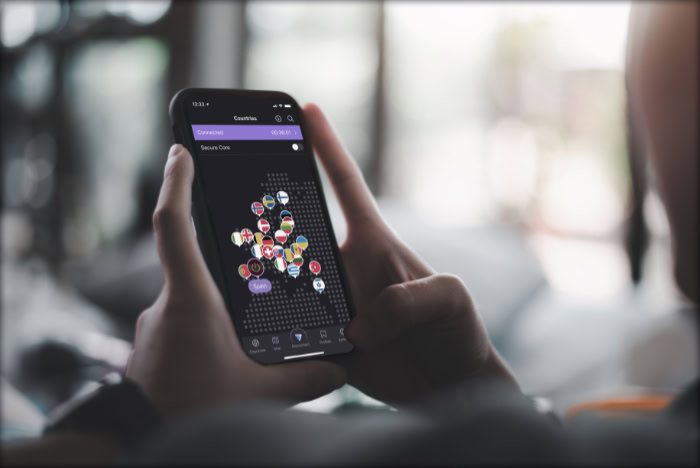
The protective tunnel analogy works well for a visual representation, but the actual security relies on specific software processes. A secure connection uses advanced cryptography and routing protocols to manipulate how data travels and how your device is identified online.
Data Encryption
Encryption is the process of scrambling readable information into a complex, unreadable code. As your data leaves your device, the VPN software applies a cryptographic algorithm.
If anyone intercepts this information while it travels, they will only see a random string of characters. Once the scrambled data reaches the VPN server, a unique decryption process translates the code back into its original form so the destination website can understand the request.
Concealment of IP Addresses
Every device connected to the internet receives an Internet Protocol address. This numerical label acts like a digital home address, allowing networks to know exactly where to send information.
Because it is tied to your physical location and network provider, an IP address can reveal significant personal details. A VPN replaces your actual address with the address of its own server.
Websites log the server location instead of your real location.
Connection Protocols
The specific rules governing how your device communicates with the server are known as connection protocols. Options like OpenVPN and WireGuard dictate how the encryption is applied and how data packets are transmitted.
These protocols determine the balance between maximum security and fast connection speeds. Some protocols prioritize heavy encryption, while others streamline the code to improve performance without sacrificing safety.
Primary Benefits of a VPN

Rerouting traffic and scrambling data provides several distinct advantages for everyday internet users. These technical mechanisms translate directly into improved personal privacy and broader access to online resources.
Privacy from Internet Service Providers and Trackers
Without a secure connection, your Internet Service Provider can monitor, log, and even sell your browsing history to advertising companies. Network administrators at your school or workplace have similar access.
Because a VPN encrypts the traffic before it reaches the provider, those entities cannot monitor which websites you visit or what files you download. Trackers lose the ability to build accurate profiles based on your browsing habits.
Security on Public Wi-Fi Networks
Open Wi-Fi hotspots in cafes, airports, and hotels are notoriously insecure. Cybercriminals frequently monitor these open networks to intercept sensitive data.
When you connect to a public network without protection, your passwords and financial transactions are highly vulnerable. The encryption provided by a VPN secures your data against these local threats, making it safe to check your bank account or send private emails on a shared connection.
Access to Restricted Content and Websites
Because a VPN conceals your real IP address, you can choose a server located in a completely different city or country. This creates virtual location spoofing.
By appearing to browse from another region, you can access streaming platforms, news sites, or social media networks that are otherwise blocked in your physical location. It is a highly effective method for bypassing local censorship and geographic content restrictions.
Key Limitations and Risks

Despite the substantial security improvements, utilizing an encrypted server connection is not a flawless solution. Users must understand the practical drawbacks and the potential risks associated with relying on third-party network providers.
Impact on Connection Speed
Routing your data through an intermediary server inherently slows down your connection. The encryption and decryption processes require computational power and time.
Furthermore, if the server is located thousands of miles away, the physical distance the data must travel will cause noticeable latency. This performance trade-off can affect activities like downloading large files or competitive gaming.
Trust and Data Logs of the Provider
When you bypass your Internet Service Provider, you transfer that monitoring power to the VPN company. The provider handles all your internet traffic.
This creates a significant risk if the company is malicious or operates with poor security standards. Untrustworthy providers might log your data and sell it, completely defeating the purpose of using the service.
This risk is especially high in unregulated markets where oversight is minimal.
Service Detection and IP Blocks
Many streaming platforms, banking institutions, and secure networks actively identify and block connections coming from known server addresses. If a website detects that you are using location spoofing software, it may restrict your access entirely.
You might frequently encounter error messages or blocked login attempts until you disconnect the software or switch to an undetected server.
Evaluation and Selection of a VPN Service

Choosing the right provider requires careful consideration of security practices and business models. With hundreds of options available, selecting a reliable service involves evaluating specific features and understanding how the software will function on your devices.
Comparison of Free and Paid Services
Companies offering free access usually have alternative methods of generating revenue. Free services often rely on intrusive advertisements, restrict your connection speeds, or collect and sell your browsing data.
Conversely, subscription-based premium providers like NordVPN charge a monthly fee to maintain high-quality servers and robust security infrastructure. Paid services generally offer significantly better performance, stronger encryption, and reliable customer support.
Essential Security Features
A premium service must include critical privacy safeguards. A strict no-logs policy ensures the company never records your online activities.
Another vital feature is a kill switch. If your connection to the server drops unexpectedly, the kill switch instantly cuts your internet access to prevent your unencrypted data from leaking onto the public network.
Device Compatibility and Setup Process
Modern security applications are designed to work across various platforms, including smartphones, desktop computers, and household routers. Installing the software usually involves downloading an application and logging into your account.
Once installed, the setup process is typically as simple as selecting a server location and clicking a connect button. Operating a secure connection on a router requires more technical configuration but offers the advantage of protecting every device in your home simultaneously.
Conclusion
A Virtual Private Network scrambles your data and hides your true location, making it much harder for internet providers and local networks to track your behavior. While the technology offers robust protection on public Wi-Fi and allows you to bypass geographic restrictions, it is not a perfect shield.
You must accept potential speed reductions and trust the company managing your server. Ultimately, deciding to use this software depends on your daily internet habits.
If you frequently connect to public hotspots or actively want to prevent your internet provider from logging your traffic, a premium provider is a smart investment. If you only browse from a secure home network and prioritize maximum connection speeds, you might not need this extra layer of security.
Frequently Asked Questions
Do I really need a VPN at home?
You do not strictly need a VPN on a secure home network unless you want to hide your browsing history from your internet provider. While home routers are generally safe from local hackers, your provider can still log and sell your data. An encrypted connection prevents this tracking completely.
Will using a VPN slow down my internet speed?
Yes, routing your connection through an encrypted server will almost always reduce your maximum internet speed. The process of scrambling data requires computing power, and sending that data to a distant server adds physical travel time. However, premium services minimize this delay to keep browsing perfectly smooth.
Are free VPNs safe to use?
Most free VPNs are not safe because they often collect and sell your browsing data to make a profit. Without revenue from subscriptions, these companies rely on advertising trackers and rarely invest in proper security infrastructure. It is always better to pay a small monthly fee for reliable protection.
Can websites still track me if I use a VPN?
A VPN hides your physical location and IP address, but websites can still track you using other methods. Browser cookies, account logins, and device fingerprinting allow platforms to identify you regardless of your network connection. You must combine server encryption with private browser settings for complete anonymity.
Is it legal to use a VPN?
Using a VPN is entirely legal in most countries around the world. Businesses and individuals use them daily to secure sensitive information. However, a few restrictive governments ban or heavily regulate the software to enforce internet censorship. Always check local laws before connecting while traveling abroad.
About the Author: Julio Caesar


