
Is ChatGPT Plus Worth It? Read Before Upgrading

Handing over $20 every month for ChatGPT Plus sits right on the borderline between a casual subscription and a serious software investment. Users everywhere face the same dilemma: does that recurring charge actually pay off? OpenAI complicates the choice by offering a highly capable free version powered by the GPT-5.3 Instant model.
You can brainstorm ideas, draft emails, and run standard queries without spending a single dime. That generous baseline makes the upgrade decision surprisingly difficult.
Key Takeaways
- The free tier handles everyday tasks and casual queries easily, making it perfectly sufficient for light, daily use.
- Upgrading to Plus unlocks advanced reasoning models, image and video generation tools, and robust data analysis capabilities.
- Paid subscribers benefit from guaranteed priority server access during peak traffic hours and noticeably faster response times.
- Power users can quickly offset the monthly subscription fee through massive time savings in coding, writing, and research workflows.
- Market alternatives like Microsoft Copilot Pro, Claude Pro, and Google Gemini Advanced offer strong competition based on your preferred software ecosystem.
The Core Differences: Free vs. Plus Tier
OpenAI splits its offering into two distinct paths: a completely free version and a paid subscription model. Figuring out which one suits your daily routine requires looking closely at what separates them.
The divide primarily revolves around which AI models you can access, the limits placed on your usage, and the specific toolsets hidden behind the paywall.
Access to Advanced Models
The free tier provides access to highly capable baseline models, like GPT-5.3 Instant, that handle everyday questions, simple writing tasks, and general brainstorming quite well. However, Plus subscribers receive prioritized access to OpenAI’s state-of-the-art reasoning models, such as GPT-5.5 Pro and GPT-5.5 Thinking.
These premium models exhibit superior reasoning, logic, and coding capabilities. If you need the AI to debug complex software, solve intricate math problems, or follow highly specific multi-step instructions without losing context, the advanced models available in the Plus tier perform noticeably better than their free counterparts.
The Shifting Boundaries of the Free Tier
What you get without paying is not static. OpenAI frequently updates the free experience, giving non-paying users a taste of newer models, basic web browsing, and limited file uploads.
This creates a highly functional baseline that satisfies millions of casual users. You can search the internet for recent news or ask the AI to summarize a short text file without entering credit card details.
Because these boundaries constantly shift, the free version often handles many tasks that previously required a paid subscription.
Feature Availability Overview
The paywall creates a hard line between basic utility and a comprehensive productivity suite. Free users operate within a confined space with strict limits on how many prompts they can send to the newest models, alongside restricted access to advanced tools.
Upgrading unlocks a broader toolset. Subscribers gain the ability to generate videos with Sora, edit long-form content in a dedicated Canvas workspace, and build customized AI assistants.
This division transforms the platform from a simple conversational chatbot into a robust workspace for handling complex, multi-layered projects.
Deep Dive into Exclusive Premium Features

The most compelling argument for the monthly fee lies in the specialized tools that are entirely inaccessible or heavily restricted on the free plan. These additions turn the chat interface into an all-in-one platform for visual creation, data processing, and workflow automation.
Advanced Data Analysis and Document Handling
Subscribers can upload complex spreadsheets, such as Excel or CSV files, directly into the chat. The AI can then process the numbers, clean up messy formatting, and generate visual charts or graphs based on your instructions.
Beyond numbers, the premium tier handles massive text documents and multi-step Deep Research requests. You can upload large PDFs, lengthy reports, or entire book chapters.
The AI will read through the extensive text to provide comprehensive summaries, extract specific data points, or answer detailed questions about the material, saving you hours of manual reading.
Integrated Image Generation (DALL-E)
The Plus subscription includes built-in text-to-image capabilities through DALL-E, along with exclusive access to Sora for high-quality video generation. Instead of switching to a separate software program to create graphics or short video clips, you can generate visual assets directly within your current chat thread.
You simply type a descriptive prompt, and the AI produces professional media assets in seconds. This convenience is incredibly useful for creating presentation slides, social media graphics, or conceptual art without needing any graphic design skills or extra software licenses.
Building and Using Custom GPTs
Instead of starting from scratch every time you open a new chat, Plus allows you to build personalized AI assistants known as Custom GPTs. You can pre-instruct these bots with specific guidelines, tones of voice, and custom knowledge bases by uploading your own files.
For instance, you could create a bot trained entirely on your company’s brand guidelines to write marketing copy. Additionally, subscribers gain access to the wider GPT Store, where they can search for and use thousands of specialized bots created by other users for tasks ranging from language learning to complex programming.
Performance, Reliability, and Usage Limits

Beyond the exclusive tools, the subscription fundamentally alters the underlying user experience. Paying the monthly fee changes how fast the platform responds, if you can log in during peak hours, and how much you can actually use the most powerful versions of the AI.
Priority Access and Uptime
During hours of peak global traffic, the platform experiences heavy server loads. Free users frequently encounter lockouts or significant lag, forcing them to wait until traffic dies down before they can log in.
Plus subscribers bypass this issue with guaranteed server access. If you rely on the AI for time-sensitive work or academic deadlines, this priority access ensures the tool is available exactly when you need it, eliminating the frustration of being locked out mid-project.
Response Speeds and Processing Power
Premium users benefit from noticeably faster text generation. When you input a prompt, the response begins generating almost instantly and completes at a rapid pace.
Furthermore, the processing power allocated to paying subscribers allows the AI to handle highly complex, multi-step prompts without timing out or crashing. The advanced thinking models can maintain their logic through long conversations, remembering earlier context much better than the free versions, which often struggle or lose their train of thought during extended chats.
Understanding Message Caps
One critical limitation often surprises new subscribers: paying for the service does not grant unlimited usage of the absolute best models. Even on the Plus tier, users face strict message limits on the most advanced AI systems over rolling time windows.
For example, you might be restricted to roughly 150 messages every three hours on standard premium models, with much tighter weekly caps for the deepest reasoning tasks. Once you hit that limit, the system temporarily downgrades your access to a less powerful model until your time window resets.
Power users must manage their queries strategically to avoid running out of premium messages during intensive work sessions.
Cost-Benefit Analysis by User Persona

Deciding if the $20 monthly fee makes sense ultimately depends on who you are and what you do every day. A universal answer does not exist because value is highly subjective.
Breaking down the user base into distinct categories helps clarify if the subscription acts as an unnecessary luxury or an essential tool for daily productivity.
The Casual User and Hobbyist
For the casual user or hobbyist, the free version is more than enough. If your primary use cases involve drafting an occasional email, brainstorming gift ideas, or asking general trivia questions, paying for a subscription makes little financial sense.
The unpaid tier handles these basic text generation tasks smoothly. Paying $20 a month to write a grocery list, troubleshoot a minor home repair, or summarize a short article is an inefficient use of money.
The free models provide plenty of intelligence for everyday inquiries without requiring any financial commitment.
Students and Academics
Students and academics face a tighter financial situation, making a $20 monthly charge a significant consideration against a typical student budget. However, the advanced reasoning, Deep Research tools, and document handling features can serve as a highly effective study aid.
A student writing a complex thesis or an academic processing massive volumes of text might find the cost highly justifiable. One practical approach is treating the subscription as a temporary expense.
You can activate it during midterms, finals week, or a heavy research phase, and then cancel the subscription once the heavy workload subsides.
Professionals, Developers, and Marketers
For professionals, software developers, and marketers, the calculation shifts from a basic expense to a strict Return on Investment (ROI). Power users quickly offset the monthly fee through the sheer amount of time saved.
A developer using the AI to debug software, a marketer generating varied ad copy, or a financial analyst visualizing spreadsheet data can condense hours of manual work into minutes. In these high-productivity scenarios, the $20 cost pays for itself almost instantly, acting more like an inexpensive virtual assistant than a standard software subscription.
Evaluating Market Alternatives
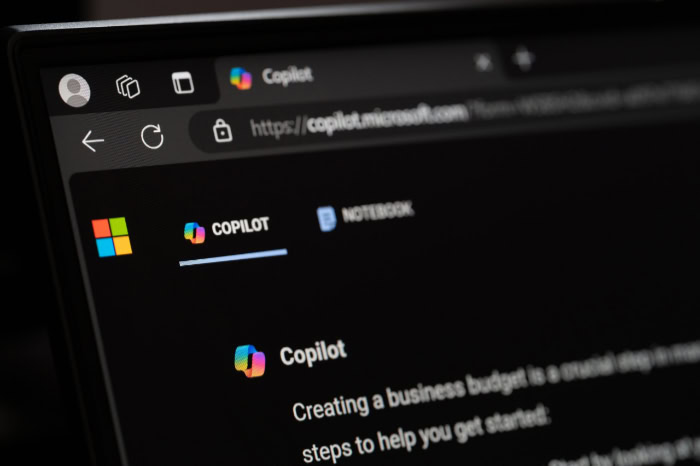
OpenAI does not operate in a vacuum. Other major tech companies offer competing premium subscriptions that cost exactly the same amount.
Comparing the competition ensures you spend your money on the tool that best aligns with your existing software ecosystem and specific workflow requirements.
Microsoft Copilot Pro
Microsoft Copilot Pro directly challenges ChatGPT Plus, particularly for users deeply entrenched in the Office 365 ecosystem. Because Microsoft integrates its AI directly into Word, Excel, and PowerPoint, users can generate slide decks or draft documents natively within the software they already use.
If your daily routine relies heavily on Microsoft applications, Copilot Pro offers a smoother, more integrated experience than constantly copying and pasting text back and forth from a separate chat interface.
Claude Pro
Anthropic offers Claude Pro for $20 a month as a strong alternative, often favored by professional writers, researchers, and developers. Powered by the newly released Claude Opus 4.7 model, this platform stands out primarily due to its massive context window and its ability to handle long-running coding tasks with extreme precision.
Additionally, many users find that Claude produces a more natural and human-like writing style out of the box, while the Projects feature allows for excellent document organization. This makes it a highly attractive option for authors, coders, and anyone focused heavily on long-form content creation.
Google Gemini Advanced
Google Gemini Advanced serves as the premium tier for users anchored in the Google Workspace environment. Now powered by Gemini 3.1 Pro, this $19.99 subscription integrates AI capabilities straight into Google Docs, Drive, and Gmail.
You can draft emails natively in your inbox or pull data directly from your cloud storage to generate reports. While its core conversational abilities closely match what OpenAI offers, the main draw of Gemini Advanced is the seamless connection to the tools millions of people already use for their daily communication and file management.
Conclusion
Deciding on ChatGPT Plus comes down to recognizing the hard limits of the free tier and matching them against your daily workflow. The unpaid version remains a highly capable tool for standard text generation, casual brainstorming, and general inquiries.
However, the premium subscription transforms the platform into a comprehensive work environment. Access to the GPT-5.4 and GPT-5.5 reasoning models, Sora video generation, integrated coding agents, and massive data analysis tools represent a massive leap in capability.
If your daily routine relies heavily on processing massive documents, writing complex code, or creating professional visual assets, the $20 investment easily justifies itself through hours of saved time. If you only use AI to draft the occasional email or answer simple trivia questions, sticking to the free version makes perfect sense.
Evaluate your specific tasks, consider the market alternatives that might better fit your preferred software ecosystem, and let your actual usage dictate your financial choice.
Frequently Asked Questions
What is the main difference between the free and paid versions?
The free version gives you access to capable baseline AI for standard questions and simple writing tasks. The paid subscription provides guaranteed server access, faster response times, and the absolute latest reasoning models for handling complex coding or deep data analysis.
Do I need to upgrade if I only use the AI casually?
Casual users generally do not need a paid subscription to get great results. The free tier is incredibly capable and easily handles brainstorming, writing basic emails, or answering standard everyday questions. Paying is only necessary if you require advanced automated tools.
Are there usage limits on the premium subscription?
Yes, paying for a premium subscription does not grant you unlimited access to the smartest AI models. Plus users still face strict message caps over rolling time windows. If you hit your limit, the system temporarily restricts you to basic models.
Can the paid version create images and videos?
Yes, the premium tier includes built-in media generation tools that are not fully available to free users. You can create high-quality images using DALL-E directly within your chat window. Subscribers also gain exclusive access to tools like Sora for generating videos.
Are there good alternatives to paying for this specific subscription?
Several major technology companies offer strong competing AI subscriptions for the exact same monthly price. Microsoft Copilot Pro connects directly to Office software, Claude Pro excels at long-form writing tasks, and Google Gemini Advanced links seamlessly to your Google Drive files.
About the Author: Elizabeth Baker


