
Is Wireless Charging Bad for Battery Health? Explained

Placing a smartphone onto a sleek pad has quickly replaced the daily hassle of plugging in cables. While resting a device on a modern dock offers effortless convenience, it also brings persistent worries about hardware health.
Many users fear that the extra warmth generated by cordless chargers silently wears down internal lithium-ion cells, shortening the overall lifespan of expensive electronics. Lingering concerns regarding rapid battery degradation and overheating leave device owners questioning if ditching the cord causes lasting harm.
Key Takeaways
- Heat is the primary cause of wear: Wireless charging operates at roughly 70% to 80% efficiency compared to 85% to 95% for cables, converting the lost energy into ambient heat that strains internal battery chemistry.
- Proper alignment reduces thermal stress: Magnetic standards like MagSafe and Qi2 lock coils into exact positions, eliminating the high resistance and excess heat caused by off-center placement.
- Protective cases can trap damaging heat: Phone cases thicker than 0.1 inches (2.5 mm), as well as accessories with metal plates or kickstands, retain heat and should be removed during extended wireless charging sessions.
- Built-in software safeguards protect battery health: Modern devices feature thermal throttling and optimized charging features that pause power delivery at 80% to prevent prolonged high-voltage exposure.
- Wireless pads preserve physical ports: Contactless charging eliminates mechanical friction, bent pins, and debris buildup inside USB-C and Lightning ports, protecting the physical lifespan of device connectors.
Fundamentals of Battery Chemistry and Inductive Power
Modern smartphones rely on precise electrochemical systems and magnetic physics to store and receive electrical energy. Reviewing how portable power storage pairs with wireless transmission provides clarity on how batteries function internally and how magnetic fields deliver power through the air without physical contact.
The Mechanics of Lithium-Ion Cells
Rechargeable mobile devices use lithium-ion batteries containing three primary components: a positive cathode, a negative anode, and an internal electrolyte solution. During charging, lithium ions move from the cathode through the electrolyte to the anode, storing potential energy.
When the device powers on, those ions travel back to the cathode, releasing electrical current to run the screen, processor, and antennas.
Every complete drain and recharge represents a full cycle. Over time, repeated movement of ions causes microscopic structural changes to the internal materials.
Chemical side reactions gradually degrade the electrolyte and cause the active materials on the electrodes to break down, resulting in natural aging that reduces total energy capacity.
The Process of Electromagnetic Power Transmission
Wireless power delivery uses the principle of electromagnetic induction. A transmitter coil inside the charging pad receives electrical current from a wall adapter and generates an alternating magnetic field.
When a compatible device rests on the pad, a receiver coil inside the phone captures this magnetic field and converts it back into an electrical current to charge the battery.
Transferring electricity across an open air gap is less direct than sending power through a copper wire. Because the magnetic field disperses into the surrounding area, a portion of the electrical energy is lost during transmission.
This inherent inefficiency means inductive pads draw more power from the wall than what actually enters the phone battery.
Standard Lifespan Metrics for Modern Devices
Manufacturers design modern smartphone batteries to retain roughly 80% of their original capacity after completing 500 to 800 full charge cycles. For an average user, this baseline translates to roughly two to three years of daily usage before capacity decline becomes noticeably apparent.
Battery wear occurs naturally over time, regardless of how a user charges their device. Constant chemical reactions, normal usage cycles, baseline environmental temperatures, and the depth of discharge all contribute to degradation.
Even a phone stored in a drawer without regular use will experience slow chemical aging as its internal components oxidize over months and years.
Thermal Stress and Energy Inefficiency
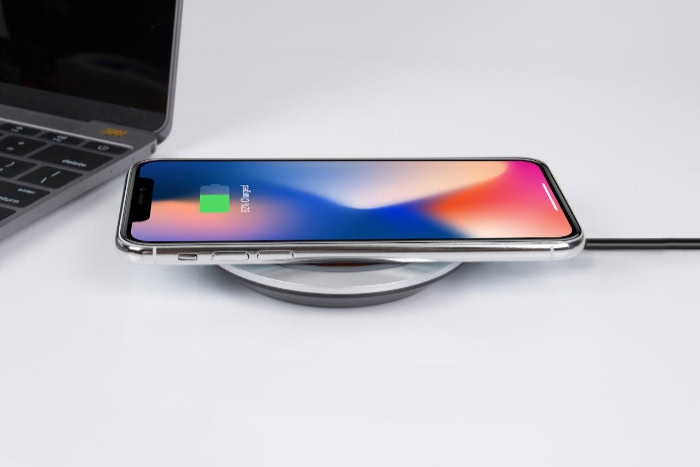
Power loss during wireless charging directly translates into thermal output, creating specific conditions that challenge battery chemistry. Evaluating how heat develops and lingers around the device highlights why temperature control remains central to battery health.
Heat Output in Inductive Coils
The electrical energy lost during inductive transfer does not disappear; instead, it converts directly into ambient heat. Both the transmitter coil in the pad and the receiver coil inside the phone generate warmth as electrical currents flow through their copper windings and interact across the air gap.
Elevated temperatures accelerate the internal breakdown of lithium-ion cells. Excessive heat speeds up unwanted chemical reactions within the electrolyte, which thickens the internal resistance layer on the electrodes.
Operating at higher temperatures also weakens the chemical stability of the cathode, permanently reducing the total amount of charge the cell can hold.
Coil Misalignment and Temperature Elevation
Optimal wireless charging requires the transmitter and receiver coils to line up precisely. When a phone sits off-center on a flat charging pad, the magnetic coupling between the coils weakens significantly.
To maintain the requested wattage, the charging pad must draw additional power, which increases electrical resistance.
This extra resistance creates higher temperatures while simultaneously slowing down the power transfer rate. Because the device charges at a slower pace, the internal battery remains exposed to elevated temperatures for a longer duration, compounding the thermal strain on sensitive chemical components.
Heat Retention from Protective Phone Cases
Protective phone accessories often act as thermal insulators. Cases made from heavy rubber, thick silicone, or multi-layered plastic trap heat against the back of the device, preventing passive dissipation into the surrounding room.
A case thicker than 0.1 inches (2.5 mm) can raise internal battery temperatures by several degrees during an extended charging session.
Accessories containing metallic plates, magnetic mount rings, or built-in kickstands present an additional thermal issue. Metal objects absorb stray magnetic fields produced by the charging pad, causing the metal itself to heat up rapidly through eddy currents.
This concentrated heat transfers directly into the phone chassis and battery enclosure.
Comparison of Power Delivery Methods

Choosing between direct cable connections and wireless pads involves balancing electrical efficiency, thermal loads, and mechanical wear. Comparing these methods demonstrates how each approach affects different components of modern mobile devices.
Standard Cable Power Versus Inductive Power
Direct copper cables offer a highly efficient electrical connection, typically transferring 85% to 95% of incoming electricity directly into the device circuitry. In contrast, standard inductive pads operate at roughly 70% to 80% efficiency, with the remaining energy lost as wasted heat.
Because wired charging wastes less power, wired devices generally remain cooler throughout the charging process. Furthermore, higher efficiency enables wired connections to fill a battery faster, significantly reducing the total time the phone spends actively absorbing power and experiencing elevated operating temperatures.
High-Wattage Fast Protocols Across Form Factors
High-wattage charging raises thermal output regardless of whether the power travels through a cable or over an inductive field. Rapid wired adapters operating at 30W, 65W, or 100W push high current into the battery, generating internal heat within the cell itself.
Fast wireless charging stations running at 15W to 50W generate heat both inside the battery and across the inductive coils.
Pumping high wattage into a battery stresses the chemical structure by forcing lithium ions to move at an accelerated pace. While fast wireless charging introduces dual sources of heat from the coils and the battery, high-power wired charging creates substantial internal thermal spikes due to high amperage.
Port Wear and Tear Versus Thermal Degradation
Plugging and unplugging a cable multiple times each day causes mechanical friction inside USB-C and Lightning ports. Over two to four years, repeated physical insertions can bend internal pins, loosen port tension, or pack debris into the socket, eventually leading to hardware failure.
Wireless charging completely eliminates physical strain on charging ports, preserving the mechanical integrity of the connector for the entire life of the phone. The trade-off involves accepting minor thermal stress on the battery in exchange for protecting the external port from permanent physical damage.
Built-In Safety Mechanisms and Technological Safeguards
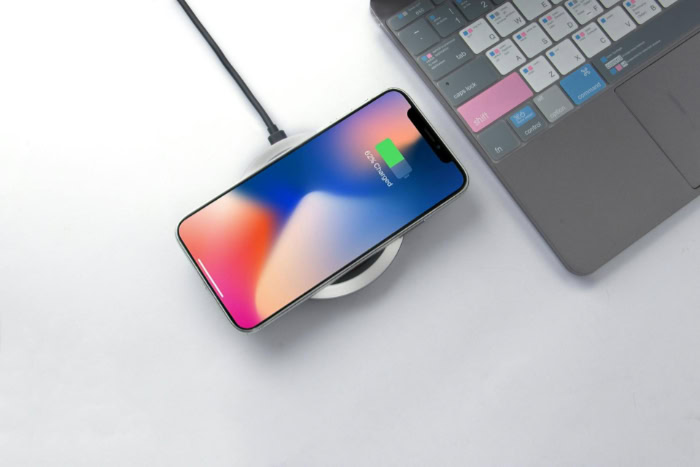
Modern charging hardware and mobile operating systems incorporate multiple layers of defense to manage temperature and power transmission. These automated safeguards work together to mitigate the risks associated with inductive charging.
Magnetic Alignment Standards and Efficiency Gains
Magnetic charging standards such as MagSafe and Qi2 resolve the problem of misaligned coils by using an array of built-in magnets. These magnets pull the transmitter and receiver into precise alignment every time the device touches the pad.
Perfect alignment creates a tighter electromagnetic coupling, which boosts energy transfer efficiency and minimizes wasted power. By preventing stray magnetic fields, magnetic systems lower operating temperatures and ensure consistent, predictable charging speeds.
Active and Passive Thermal Dissipation Systems
High-quality wireless charging stands incorporate dedicated cooling hardware to keep temperatures manageable. Many premium stands include small, silent internal fans that blow cool air across the back of the phone, while others use aluminum heat sinks and thermal pads to draw heat away from the inductive coils.
Phones and certified chargers also feature hardware-level thermal throttles. Temperature sensors constantly monitor the battery and coil conditions; if temperatures cross safe thresholds, the system automatically reduces charging wattage or pauses power delivery entirely until the hardware cools down.
Smart Firmware Controls and Charge Thresholds
Modern device operating systems use intelligent charging software to protect battery health. Features like optimized battery charging monitor daily habits and delay charging past 80% until shortly before the user typically unplugs the phone in the morning, minimizing the hours a battery sits fully charged at high voltage.
Users can also set manual charge ceilings in device settings, capping maximum capacity at 80% or 85%. Keeping the battery below full charge reduces structural stress on internal electrodes, especially when the phone remains mounted on a wireless desk dock throughout the workday.
Recommended Practices for Maximum Cell Longevity
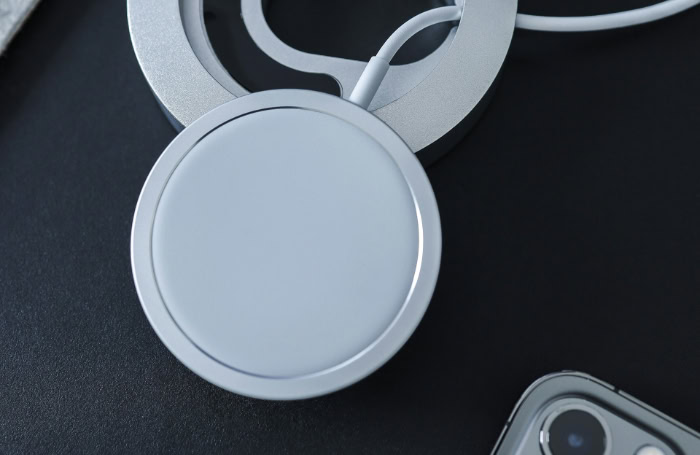
Applying intentional charging habits allows users to enjoy the convenience of wireless power without accelerating battery degradation. Simple adjustments to hardware selection and daily routines preserve battery capacity over years of use.
Selection of Certified and High-Grade Hardware
Always select charging accessories certified under established standards like Qi or Qi2, or hardware approved directly by device manufacturers. Certified charging pucks and stands undergo strict testing for thermal control, foreign object detection, and voltage regulation.
Uncertified, budget charging pads often cut costs by omitting thermal sensors and cooling components. These cheap accessories can deliver erratic power levels, fail to detect overheating metal objects, and generate dangerous amounts of excess heat that quickly degrade internal battery cells.
Optimization of Ambient Temperature and Case Materials
Keep charging stations in cool, well-ventilated areas away from direct sunlight, heating vents, and warm electronics. Charging a phone on a sunny car dashboard can cause internal temperatures to surge past safe limits within minutes.
Select slim, breathable phone cases that do not trap heat during power delivery. If a case measures more than 0.12 inches (3 mm) in thickness, or contains heavy leather, kickstands, or metal plates, consider removing the case before placing the phone onto a wireless charger.
Routine Adjustments to Daily Power Habits
Follow these practical steps to maintain healthy battery capacity across daily charging cycles:
- Set an 80% charge limit in device settings if the phone sits on a wireless desk stand throughout the working day.
- Turn on optimized battery charging software to prevent the battery from resting at 100% capacity for extended overnight hours.
- Use standard 5W to 7.5W wireless chargers for overnight charging, as lower wattage produces less heat than high-speed wireless docks.
- Reserve high-speed wired fast chargers for situations where rapid power replenishment is necessary in under 30 minutes.
- Discontinue charging immediately and allow the device to cool down if the phone feels uncomfortably hot to the touch.
Conclusion
Wireless power transfer is not inherently destructive to your phone, but unmanaged heat caused by energy loss and misaligned coils accelerates standard chemical wear. Modern smartphones and certified charging pads feature advanced thermal throttles, smart power algorithms, and magnetic alignment to keep heat within safe limits for typical two-to-three-year upgrade cycles.
By choosing certified accessories, avoiding thick insulating cases, and setting charge limits when docked for long hours, you can enjoy the seamless convenience of cordless power while keeping your battery healthy over the entire service life of your device.
Frequently Asked Questions
Is it bad to leave my phone on a wireless charger overnight?
Leaving your phone on a wireless charger overnight is generally safe because modern smartphones automatically manage power intake. Once the battery reaches 100%, the internal software stops active power flow to prevent overcharging. Using built-in optimized charging features further protects battery health by holding power at 80% until just before you wake up.
Does wireless charging make your phone hotter than cable charging?
Yes, wireless charging produces more ambient heat than cable charging due to energy loss during inductive transmission. Contactless power transfer operates at roughly 70% to 80% efficiency, turning wasted electricity into warmth across the coils. Direct copper cables transfer up to 95% of incoming energy directly to the battery, resulting in cooler overall operation.
Should I take my phone case off before using a wireless charger?
You do not need to remove thin cases, but removing thick or heavy cases helps keep your battery cool. Cases thicker than 0.1 inches (2.5 mm) or those made of thick leather trap heat against the phone. Removing bulky cases or accessories with metal plates prevents thermal buildup and ensures efficient magnetic power transfer.
Does fast wireless charging degrade batteries faster than standard wireless charging?
Fast wireless charging can increase cell wear over time because higher wattage generates higher operating temperatures. Pumping 15W or more creates thermal stress inside the battery and across the inductive coils simultaneously. For overnight charging where speed is unnecessary, using a lower-wattage 5W or 7.5W pad significantly reduces heat exposure.
Why do magnets like MagSafe or Qi2 make wireless charging better?
Magnetic alignment systems ensure the transmitter and receiver coils line up perfectly every time you charge. Exact alignment reduces electrical resistance and prevents wasted power from converting into excess heat. By eliminating coil misalignment, magnetic chargers deliver faster, more efficient power transfer while keeping battery temperatures lower throughout each charging session.
About the Author: Elizabeth Baker


