
SD Card vs. MicroSD Card: What’s the Difference?

Staring at a wall of memory cards often triggers a moment of hesitation. You see two distinct sizes and naturally wonder if the larger card offers better performance for your camera or console.
While Secure Digital (SD) and MicroSD cards look nothing alike, they utilize identical storage technology beneath the plastic. The difference is purely physical.
One fits the industry standard for professional gear while the other squeezes that same power into a fingernail-sized chip.
Physical Dimensions and Form Factors
The most immediate distinction between these two formats lies in their exterior design. While they fulfill identical electronic functions, manufacturers build them to satisfy drastically different spatial constraints.
The standard card prioritizes durability and handling, while the smaller variant focuses on fitting into the tightest possible spaces inside compact electronics.
Comparing Size and Scale
A standard SD card measures 32mm by 24mm. This rectangular profile is roughly the size of a postage stamp, making it large enough to label clearly and handle with gloves.
Its thickness gives it a rigid feel that inspires confidence during frequent insertion and removal.
The MicroSD card shrinks these dimensions down to a mere 15mm by 11mm. It is approximately the size of a fingernail and is undeniably easy to misplace.
Despite the massive reduction in surface area, the thickness remains relatively similar to ensure the internal memory chips have adequate protection.
Pin Layouts and Interfaces
Flipping the cards over reveals the gold contact pins responsible for data transfer. On a standard UHS-I SD card, you will see a single row of pins protected by plastic ribs.
A UHS-II card adds a second row of pins to facilitate faster transfer speeds.
MicroSD cards utilize the exact same electrical interface but arrange the pins differently to accommodate their tiny stature. A MicroSD card crowds its pins at the very edge of the casing.
Even though the physical arrangement varies, the digital signals passing through these contacts are identical for both formats.
The Write-Protection Switch
One functional feature exists solely on the larger format. The left side of a full-size SD card typically houses a small, sliding plastic tab.
This is the write-protection switch. Sliding it down physically locks the card, preventing any device from deleting or overwriting data.
MicroSD cards lack this switch entirely because their chassis is simply too small to support the mechanism.
Device Compatibility and Interchangeability
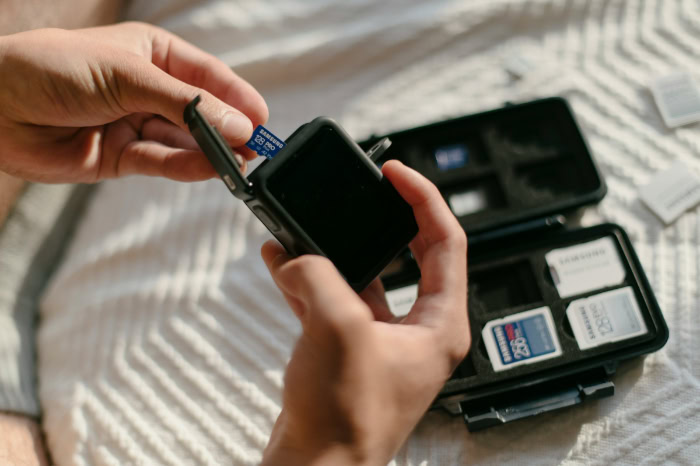
Hardware manufacturers select card slots based on the available internal volume of a device. Identifying which format your gear requires is the first step in the selection process.
While one format dominates professional imaging, the other is the standard for portable entertainment and action videography.
Native Device Requirements
Full-size SD cards are the standard for equipment where space is not the primary constraint. Professional DSLRs, mirrorless cameras, and field audio recorders almost exclusively use SD slots.
The larger form factor is easier to swap quickly during a shoot and less likely to vanish in a gear bag.
Conversely, MicroSD cards rule the market for ultra-compact devices. Smartphones, Nintendo Switch consoles, drones, and GoPro action cameras rely on MicroSD cards because a full-size slot would consume too much internal real estate.
The Function of Adapters
You can physically convert a MicroSD card into a standard SD card using a passive adapter. These plastic sleeves usually come included with the purchase of a MicroSD card.
The adapter contains no electronic chips, software, or memory. It acts as a mechanical bridge that extends the contact pins of the MicroSD card to match the layout of a standard SD slot.
This allows a drone operator to take a card out of a Mavic Mini and plug it directly into a laptop SD slot for editing.
Unidirectional Compatibility
Interchangeability only works in one direction. You can size up, but you cannot size down.
A MicroSD card fits into an SD slot via an adapter, giving it excellent flexibility. However, a standard SD card will never fit into a MicroSD slot.
This physical reality makes the MicroSD card the more versatile option for users who own a mix of cameras, drones, and handheld consoles.
Performance, Speed, and Capacity Standards

A common misconception suggests that the larger card offers superior performance or higher capacity. In reality, the physical shell has no bearing on the internal capabilities of the memory.
Both form factors utilize the same NAND flash technology and adhere to the same rigorous industry standards for speed and storage.
The Speed Myth
Size does not dictate speed. A top-tier V90 MicroSD card is just as fast as a V90 standard SD card.
Manufacturers use the same silicon wafers to produce the memory chips for both sizes. The only limit to speed is the bus interface (UHS-I vs.
UHS-II) and the quality of the flash memory controller, neither of which depends on the external plastic dimensions.
Interpreting Card Labels
Since the technology is identical, both formats share the same labeling system. You will find “Class 10,” “UHS-I,” and “U3” markings on both sizes.
Video Speed Classes, denoted as V30, V60, or V90, assure users that the card can sustain specific write speeds for video recording.
Capacity standards also apply universally. An SDHC (High Capacity) label indicates storage up to 32GB, while SDXC (Extended Capacity) covers up to 2TB.
The newer SDUC standard promises capacities up to 128TB. These designations appear on both SD and MicroSD cards.
Impact of Adapters on Performance
Photographers often worry that using a MicroSD card inside an adapter will create a bottleneck. This is a myth.
Since the adapter is merely a pass-through device connecting one set of pins to another, it introduces no latency or speed reduction. As long as the adapter is in good condition and the contacts are clean, data transfer occurs at the full speed of the MicroSD card.
Durability, Heat Management, and Handling

While the internal electronics determine how fast a card operates, the external shell dictates how well it survives daily use. The physical differences between the two formats create distinct advantages regarding ruggedness, thermal efficiency, and ease of handling.
Physical Robustness and Security
Standard SD cards benefit from a thicker, more rigid casing that resists bending and snapping. This structural integrity offers peace of mind for photographers who frequently swap cards in hurried environments.
The larger housing also provides better protection against impact if the card is dropped on a hard surface.
MicroSD cards are significantly more fragile due to their razor-thin profile. They can snap under pressure if handled roughly.
Beyond structural weakness, the primary physical risk with MicroSD is loss. A single slip of the finger can send a MicroSD card tumbling into tall grass or deep carpet pile, effectively vanishing forever.
Their diminutive size makes them difficult to track and organize without a dedicated carrying case.
Thermal Performance
High-resolution video recording generates substantial heat. When a camera records 8K or high-bitrate 4K video, the memory card can become extremely hot.
The larger surface area of a standard SD card allows for more efficient heat dissipation. The plastic casing acts as a heatsink, pulling thermal energy away from the memory controller and flash chips.
MicroSD cards crowd the same high-performance components into a much smaller space. This density can lead to faster heat buildup during sustained write operations.
While modern MicroSD cards are engineered to withstand high temperatures, the standard SD format physically manages thermal load more effectively simply because there is more material to absorb and release the heat.
Ergonomics and Usability
Field conditions often complicate simple tasks. Changing a memory card on a freezing mountain peak while wearing gloves is a standard procedure for many landscape photographers.
The full-size SD card is large enough to grip, orient, and insert without removing hand protection.
MicroSD cards demand precision. Inserting them requires fine motor skills and often a fingernail to push the card into the spring-loaded slot.
This process becomes frustrating or impossible with gloves or cold hands. For professionals working in adverse weather or rushing to reload during an event, the superior handling of the larger SD format is a practical necessity.
Cost, Value, and Versatility

Selecting a memory format involves balancing immediate costs against long-term utility. Market dynamics have shifted pricing structures in interesting ways, often favoring the smaller format due to the sheer volume of smartphones and tablets that utilize them.
Price Per Gigabyte
Manufacturing volume heavily influences the price tag on the shelf. Because the mobile phone industry consumes billions of MicroSD cards, manufacturers produce them at a scale that drives down unit costs.
Consequently, high-capacity MicroSD cards are often less expensive than their full-size SD counterparts. A shopper looking for a 256GB card will frequently find the MicroSD version offers a lower price per gigabyte, making it the more budget-friendly option for general storage needs.
The Versatility Advantage
Buying a MicroSD card enables a “one card, many devices” workflow. A single high-speed MicroSD card paired with an adapter works perfectly in a professional camera, a drone, an action cam, and a Nintendo Switch.
This flexibility means the user buys one high-quality card that adapts to whatever device they are using that day.
Standard SD cards suffer from a lack of downward compatibility. A card bought for a DSLR can only ever be used in devices with full-size slots.
It cannot migrate to a drone or a smartphone. This limitation forces users to purchase separate media for their compact devices, potentially increasing the total cost of ownership for a multi-device kit.
Long-Term Reusability
Technology tends to shrink over time. Devices that once used full-size SD slots are gradually moving toward MicroSD or internal storage.
Investing in MicroSD cards provides a degree of future-proofing. If you upgrade from a DSLR to a compact drone or a new tablet, your MicroSD card collection remains useful.
A collection of standard SD cards risks becoming obsolete if your future hardware only supports the smaller standard. The ability to migrate the card to newer, smaller gadgets extends the useful life of the purchase.
Conclusion
The technical divide between SD and MicroSD cards is practically nonexistent regarding internal performance. Both deliver the same speed and capacity when built to the same standards.
The decision ultimately rests on the physical requirements of your primary gear rather than any difference in data quality.
For professional photographers who work in demanding environments, the standard SD card remains the superior choice. Its larger chassis withstands rough handling and offers easier manipulation in cold or hurried conditions.
However, for most users juggling drones, action cameras, and portable consoles, the MicroSD card offers unmatched value. Pairing a high-quality MicroSD card with an adapter grants the freedom to move a single card between almost any device in your kit without sacrificing speed or reliability.
About the Author: Julio Caesar


