
The Best VPN Service: How to Choose the Right One for You

Your internet provider, coffee shop Wi‑Fi, and favorite apps see far more of your life than you may realize. A virtual private network (VPN) helps push back, encrypting your traffic and masking your IP address so prying eyes have a harder time following you around the web.
No surprise that millions search for the best VPN service for help with privacy, safer public Wi‑Fi, and access to content that is locked to certain countries. But the best choice for someone who streams every night can look very different from the best choice for a frequent traveler, remote worker, gamer, or anyone mainly focused on basic privacy.
What a VPN Actually Does
Many people install a VPN because they hear it makes the internet safer or more private, but the details often feel vague. A VPN works quietly in the background, changing how your device connects to the internet without changing what you actually do online.
To see why that matters, it helps to separate what a VPN really does from the myths that often surround it.
Core Functions of a VPN
A VPN has two main jobs: encrypting your internet traffic and hiding your real IP address. Encryption turns the data leaving your device into scrambled text that outsiders cannot easily interpret.
Anyone who intercepts that traffic on a public Wi‑Fi network or through a compromised router only sees unreadable data instead of the websites you visit or the information you send.
The VPN app creates an encrypted tunnel between your device and a VPN server operated by the provider. All of your traffic first travels through that tunnel, then exits to the public internet from the VPN server.
Your internet provider, local network owner, or anyone snooping on the connection can still see that you are using the internet, but they no longer have a clear view of which sites you visit or what you send through them.
Hiding your IP address is the second core function. Without a VPN, websites and apps see the IP address assigned by your internet provider, which usually reveals your approximate location and network.
With a VPN, they see the VPN server’s IP address instead, often in a different city or even a different country. That does not turn you into a ghost, but it makes your activity less directly tied to your physical location or home network.
Everyday Benefits for Typical Users
For most people, the most obvious benefit of a VPN shows up on public Wi‑Fi. Cafés, airports, hotels, and other shared networks are convenient, but they are often poorly secured and easy to eavesdrop on.
A VPN adds a strong layer of protection on top of those weak networks, so your logins, messages, and basic browsing are much harder for anyone on the same Wi‑Fi to intercept.
Home users gain privacy benefits as well. Your internet provider can usually see which domains you connect to, even if the content of each page is protected by HTTPS.
With a VPN, that view becomes far less detailed, because the provider mainly sees encrypted traffic heading to a VPN server instead of a list of individual sites. That reduces how much data can be collected about your habits, which can limit profiling and tracking tied to your connection.
VPNs can also make targeted advertising slightly less precise on a network level. Many advertisers and trackers link behavior to IP addresses, which reveal approximate location and household-level activity.
By routing traffic through shared VPN servers that many users share, it becomes harder to connect your browsing to a single home or workplace. You still need to care about cookies, app permissions, and account settings, but the network view of you becomes fuzzier.
What a VPN Cannot Do
Despite the strong marketing claims, a VPN is not a magic cloak that makes you completely anonymous. Websites and services can still identify you through accounts you log into, browser fingerprints, cookies, and other tracking methods that do not rely solely on your IP address.
If you sign into your social media profile through a VPN, that service still knows exactly who you are, even if it sees a different IP.
A VPN also does not replace basic security tools. It does not automatically block viruses, ransomware, or other malware.
If you download unsafe files, click on phishing emails, or install shady browser extensions, a VPN will not save you from the consequences. It protects the path your data takes across the network, not the decisions you make on websites or the software you choose to trust.
Legal and policy limits still apply as well. A VPN cannot make illegal activity safe or consequence‑free, and it does not give you a free pass to ignore terms of service for sites and services.
Think of a VPN as one important layer in a broader personal security setup, useful for privacy and safer connections, but only effective when combined with careful browsing habits, strong passwords, and up‑to‑date devices.
Privacy and Security: The Heart of “Best”
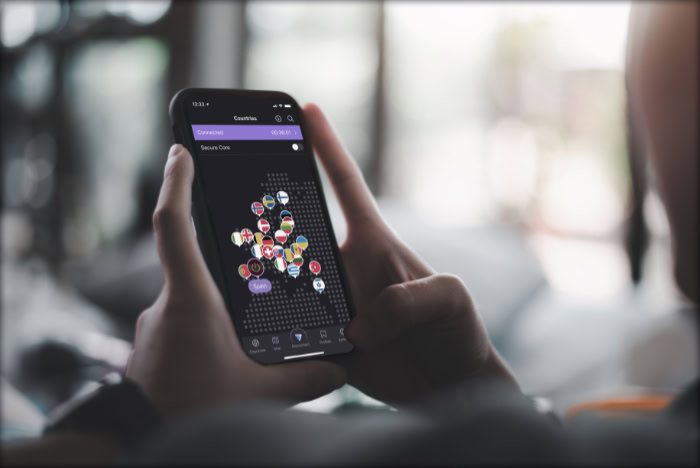
Privacy and security sit at the center of any serious VPN choice. Speed, apps, and streaming access all matter, but none of that helps if the service mishandles your data or leaves gaps that others can exploit.
A VPN that looks impressive on a marketing page can still fall short if its policies or technology are weak.
To judge a provider properly, you need to look at how it treats your data, which technical safeguards it uses, and how it behaves in higher risk situations. Logging rules, company location, encryption standards, and special protections for sensitive users all play a direct role in how safe you actually are once you click “connect.”
Logging Policies and Trust
A VPN sits between you and the rest of the internet, so its logging policy directly affects how much of your activity could be stored or exposed. A strict no‑logs or minimal‑logs policy means the provider avoids collecting details that can identify what you did online, such as visited websites, connection timestamps tied to your IP, or data content.
The less a service records, the less there is to leak, hand over, or misuse at a later time.
Independent audits add another layer of confidence. Instead of asking you to rely only on marketing claims, a serious provider can hire external security firms to review its servers, code, and logging practices.
Public audit reports do not guarantee perfection, but they show a willingness to let outsiders inspect the service and verify that actual behavior matches the privacy promises on the website.
Jurisdiction also plays a major role. A VPN company operates under the laws of the country where it is registered, and that country influences how easy it is for authorities to demand user information.
Some locations have strong data protection rules and more transparent legal processes, while others allow broad surveillance powers or secret orders. A provider based in a privacy‑friendly jurisdiction, with minimal logging and clear policies on handling requests, gives you a more predictable level of protection.
Security Standards and Protocols
The strength of a VPN rests heavily on the technology it uses to protect your traffic. Strong encryption prevents outsiders from reading your data, even if they capture the traffic itself.
Modern VPNs often rely on algorithms such as AES‑256 or similarly robust ciphers combined with secure handshakes, which together make casual interception and targeted snooping far more difficult.
Secure VPN protocols shape how that encryption is applied. Options like OpenVPN and WireGuard are widely respected because they are well scrutinized and built to resist common attacks.
A good VPN client also offers a kill switch, which cuts off internet access if the VPN connection drops. That prevents your real IP address from leaking during brief interruptions.
DNS and IPv6 leak protection add further safeguards so your device does not quietly send some requests outside the encrypted tunnel through your normal internet provider.
Outdated protocols and weak encryption can quietly undo any claim of being the “best” VPN. Older options such as PPTP are known to be vulnerable and should generally be avoided, even if they promise higher speeds.
If a provider still pushes legacy protocols, does not clearly explain its encryption, or lacks basic tools like a kill switch, then the service may look modern while relying on technology that no longer offers serious protection.
Handling Sensitive Use Cases
Some people rely on VPNs in situations where exposure carries serious consequences. Activists, journalists, and users in regions with heavy censorship often face monitoring of online activity, blocking of independent news, or punishment for visiting certain websites.
For them, a VPN is not just a convenience, it can become a critical part of staying safe, sharing information, or reaching uncensored content.
High risk users need to look beyond standard marketing claims. Features such as obfuscated servers, which make VPN traffic look more like normal HTTPS traffic, can help bypass censorship systems that try to detect and block VPN connections.
Multi‑hop routes, where traffic passes through two or more VPN servers, can further separate entry and exit points. Clear, detailed documentation, regular security updates, and transparent policies all matter far more than flashy advertising or gimmicks.
Free or obscure VPNs deserve particular caution in sensitive scenarios. Running a secure VPN network costs money, so a provider offering completely free and unlimited service has to earn revenue in other ways, such as logging and selling user data or injecting ads.
Lesser known services with no track record, no public audits, and vague ownership details can introduce new risks instead of solving old ones. For anyone dealing with surveillance, censorship, or real‑world threats, a well established VPN with a strong privacy record is usually far safer than the cheapest or most convenient option.
Performance, Servers, and Streaming Access

Privacy is important, but many people judge a VPN on how it feels to use day to day. Slow pages, buffering videos, or laggy calls quickly push users to switch services or turn the VPN off.
Performance, server choice, and access to streaming platforms all play a direct role in how comfortable a VPN feels during normal use.
Speed and Stability
Every VPN adds some overhead, because your data has to be encrypted and routed through a remote server before reaching a website or app. Distance to the VPN server has a big impact here.
Connecting to a server close to your physical location usually gives lower latency and higher speeds, while a server on the other side of the world often feels slower due to the longer travel path for your data.
Network quality on the provider’s side also plays a serious role. Well maintained servers with enough bandwidth and sensible load balancing handle many users at once without grinding to a halt.
Overloaded or poorly connected servers, on the other hand, can introduce random slowdowns, high ping, or frequent disconnects, even if your local internet connection is strong.
Protocol choice influences speed and stability as well. Modern protocols such as WireGuard are designed to be both secure and efficient, which often results in faster connections and quicker reconnections than older options.
OpenVPN remains popular and reliable, but can be slightly slower on some devices. Choosing the right protocol can make activities like browsing, streaming, or large downloads feel much closer to your normal, non‑VPN speed.
Performance matters most in activities that are sensitive to delay or bandwidth. Online gaming relies on low latency, so a sluggish server can cause lag and make fast reactions harder.
Video calls need consistent, stable connections, otherwise audio breaks up and video becomes choppy. High quality streaming, especially 4K content, requires plenty of bandwidth and smooth delivery, so any bottleneck in the VPN connection often shows up as buffering or forced drops in video quality.
Server Network and Locations
A broad and well distributed server network gives you more flexibility and usually more reliable performance. If a provider offers servers in many countries and multiple cities within popular regions, you are more likely to find one that is close enough to be fast and not overloaded.
A limited network can push many users onto the same few servers, which often hurts speed during busy hours.
Server locations matter for latency and routing. Connecting to a server in your own country, or a nearby one, usually keeps delays low for everyday browsing, online games, and calls.
Long‑distance connections are sometimes useful, for example to access region‑specific content, but they should not be your default choice for daily use if performance is a priority.
Personal habits and travel patterns should guide location choices. People who travel often may prefer providers with good coverage in the regions they visit, so they can always switch to a nearby server.
Others might care most about access to a specific country for work tools, banking, or media libraries. A practical approach is to check where you live, where you might connect from, and which countries you need virtual access to, then compare that list to each VPN’s server map.
Streaming and Content Unblocking
Many users sign up for VPNs to access streaming libraries and websites that are restricted to certain countries. By connecting to a VPN server in a chosen region, your visible IP address changes to that location, which can grant access to local catalogs on platforms, region‑locked sports streams, or country‑specific services that normally refuse foreign connections.
Performance still matters here, because unlocking a library is not very helpful if the video constantly buffers.
Services that focus on streaming often maintain specialized servers or settings aimed at popular platforms. Some even label certain servers for specific sites.
Success is never guaranteed, because media companies keep adjusting how they detect and block VPN traffic. A server that works today might fail tomorrow if a streaming service decides to blacklist that IP range.
For that reason, users sometimes need to try several servers in the same country to find one that works smoothly.
Policies can also change without much notice. Streaming platforms may tighten restrictions, add new detection methods, or launch separate libraries that are harder to access through VPNs.
A reliable provider usually responds by refreshing IP addresses, improving obfuscation techniques, or offering updated guidance through support articles. No VPN can promise permanent access to every service, but some put far more effort into staying compatible and offering practical workarounds.
Pricing, Plans, and Overall Value

Price matters for almost everyone, but VPN costs can be confusing at first glance. Providers advertise big discounts, long terms, and bundles, which makes it hard to see what you are really paying over time.
On top of that, each service sets its own rules for how many devices you can connect and which platforms are covered.
Understanding Pricing Models
VPN subscriptions usually follow a simple pattern: the shorter the commitment, the higher the monthly price. Monthly plans cost more per month, but they give flexibility, which is useful if you only need a VPN for a trip or a short project.
Annual or multi‑year plans often slash the effective monthly rate, sometimes by half or more, in exchange for paying upfront. It helps to calculate the total cost over the full term, not just look at the biggest discount number.
Auto‑renewal is another point to watch. Many providers renew at the standard rate after the first term, which can be higher than the initial promotional price.
Checking renewal pricing, cancellation rules, and how easy it is to manage your subscription can save you from surprises later. A VPN that is transparent about renewals and allows simple cancellation shows more respect for customers than one that buries details in fine print.
The number of simultaneous devices is just as important as raw price. Some services cap usage at five or six devices, while others allow ten or even unlimited connections.
Think about your phone, laptop, desktop, tablet, smart TV, and possibly a router. If you share the account with family members or housemates, that device count can climb quickly.
A slightly more expensive plan that covers your whole household often beats juggling multiple cheaper subscriptions.
Platform support also shapes value. Most major VPNs offer apps for Windows, macOS, Android, and iOS, but support for Linux, smart TVs, streaming boxes, and routers can vary.
If you plan to protect a home network through a router or want to use a VPN directly on a TV, make sure those devices are supported before locking into a long contract. Paying for a service that cannot run where you need it wastes money, even if the headline discount looks attractive.
Free vs Paid VPN Services
Free VPNs look tempting, especially for casual use, but they come with trade‑offs. Many free plans impose monthly data caps, lower speed limits, and queues during busy times.
Some also restrict you to a handful of servers, which can mean slower connections, crowded locations, or no access to the country you actually need. For basic, occasional browsing on a single device, that might be acceptable, but it rarely suits heavier use.
Privacy risks can be more serious than simple limits. Running a VPN network costs money, and free providers have to cover those costs somehow.
Some log user activity and sell data to advertisers, inject ads into web pages, or bundle tracking libraries inside the apps. Others provide little information about who owns the service or how data is handled. That kind of opacity is hard to justify if privacy and security are your main reasons for using a VPN in the first place.
Paid VPNs, especially well known ones with clear policies, usually offer stronger security, better performance, and more consistent support. You are paying for server capacity, development, audits, and customer service instead of having your data treated as the product.
For anyone who expects to use a VPN regularly, needs it across multiple devices, or relies on it for sensitive tasks, the subscription fee is often a fair trade for better reliability and lower risk.
Evaluating Value for Your Use Case
Value depends heavily on how you plan to use the VPN. A light user who mainly wants safer public Wi‑Fi and occasional privacy at home may be happy with a lower cost plan that covers a few devices and offers solid, if not spectacular, speeds.
Someone who streams daily in 4K, downloads large files, or works remotely eight hours a day through a VPN tunnel needs more consistent performance and may benefit from a higher tier or better resourced provider.
Work requirements can push VPN needs even further. Remote workers connecting to company systems, developers working with servers, or professionals handling sensitive documents often need steady connections, strong security, and fast support.
In that context, saving a few dollars each month by choosing a cut‑rate or unreliable service can backfire quickly if outages, leaks, or poor speeds interrupt important tasks.
Trials and money‑back guarantees are practical tools for judging real value. Many VPNs offer a free trial, a short refund window, or both.
Testing the service on your own devices, networks, and routines reveals far more than any marketing page. You can see how it handles your streaming platforms, how fast local and distant servers feel, and whether the apps make daily use simple or frustrating.
A VPN that performs well during that trial period often justifies a longer commitment, while a disappointing test run shows that the cheapest option is the one you cancel early.
Ease of Use, Setup, and Safe Usage Practices

A VPN only helps if you actually keep it turned on. Complicated apps, confusing settings, or poor device support often lead people to disable the service and forget about it.
Ease of use, simple setup, and safe habits all play a major role in how much real protection you get from a VPN in daily life.
Apps, Interfaces, and Device Support
The quality of a VPN app has a direct effect on how often you use it. Clear buttons, readable labels, and straightforward status indicators make it obvious when you are protected and which server you are using.
If connecting takes one tap, and switching locations feels simple, you are far more likely to leave the VPN running during normal browsing, streaming, and work. Confusing menus or unclear warnings, on the other hand, can lead to mistakes such as staying disconnected without noticing.
Settings should be easy to find and written in plain language. Many users never touch advanced options, so important controls like the kill switch, auto‑connect, and protocol choice should be presented in a friendly, non‑technical way.
A helpful app might explain what each setting does in a short sentence, rather than burying options behind jargon. Good design reduces the risk of misconfigurations that leave gaps in protection.
Device support also shapes how practical a VPN feels. Almost every provider covers Windows, macOS, Android, and iOS, but the experience can vary between platforms.
Some services offer consistent, polished apps across all systems, while others treat certain platforms as an afterthought. If you use Linux, smart TVs, streaming boxes, or game consoles, it is worth checking for native apps or clear setup guides.
Router support can be especially valuable, since a compatible router lets you protect every device on your home network through a single connection.
Getting Started and Configuration Basics
Initial setup is usually straightforward, but a few extra steps can make your VPN far more effective. After creating an account and choosing a plan, you normally download the app for your device from the provider’s site or an official app store.
Once installed, log in with your credentials, then look for an option to let the app configure the VPN profile or connection settings. Granting those permissions allows the software to manage secure connections without repeated prompts.
Choosing a default server is the next important step. Many apps include a “smart” or “recommended” location that automatically selects a nearby, fast server.
For everyday use, that option often gives the best mix of speed and privacy. If you need a specific country for streaming or work, you can create favorites or shortcuts to those locations so they are easy to access later.
Keeping a small list of trusted servers reduces guesswork.
Enabling a kill switch early on is strongly advised. With that feature turned on, your device blocks internet traffic if the VPN connection drops, which prevents sudden IP leaks.
Auto‑connect on startup, or on untrusted Wi‑Fi networks, is another helpful setting for non‑technical users. Once enabled, the app automatically secures your traffic at boot or whenever you join public hotspots, so you do not have to remember to turn it on manually.
For most people, the best approach is a “set and forget” style configuration. Use the recommended protocol, smart server selection, kill switch, and auto‑connect.
Avoid changing advanced parameters unless you have a clear reason. That way, the VPN quietly does its job in the background while daily tasks feel as normal as possible.
Using a VPN Safely and Responsibly
A VPN boosts privacy, but it does not remove rules or legal obligations. Some websites and services restrict or forbid VPN use in their terms, especially where location matters, such as streaming platforms, gaming services, or banking portals.
Certain countries also regulate or limit VPN use, require registration, or block many VPN servers outright. Checking local laws and service policies before relying on a VPN can help you avoid unexpected account problems or legal issues.
Safe VPN use also means recognizing what it cannot fix. Encrypted tunnels do not protect you if you hand your password to a fake site, fall for phishing emails, or install malicious apps.
Strong passwords, a reputable password manager, and two‑factor authentication remain essential. Regular software updates for your operating system, browser, and VPN client close known security holes that attackers might try to use.
Combining VPN use with security tools provides stronger protection overall. A good anti‑malware or security suite can block dangerous downloads and malicious websites that a VPN alone cannot stop.
Browser privacy settings, tracker blockers, and cautious app permissions further limit how much data companies and advertisers can gather. The VPN then acts as a strong extra layer on top, protecting your network traffic while other habits and tools protect your accounts, devices, and identity.
Conclusion
The search for the “best VPN service” does not end with a single name, it depends on what you actually need and how you plan to use it. Privacy‑focused users should pay close attention to logging policies, jurisdiction, and security standards.
Heavy streamers and gamers will care more about speed, server locations, and access to regional content. Remote workers and high‑risk users may place reliability, strong encryption, and careful handling of sensitive use cases above everything else.
Price, device limits, and long‑term value sit across all of those priorities.
A practical way forward is to turn the ideas in this guide into a simple checklist. Compare providers on logging policies, security features, speed and stability, server network, streaming access, pricing and plans, ease of use, and safe usage options such as kill switches and auto‑connect.
Test a few candidates using trials or money‑back guarantees, then choose the one that fits your privacy needs, performance expectations, content goals, and budget closely enough that you will actually leave it turned on.
About the Author: Julio Caesar


