
What Is Bluetooth? How Modern Devices Connect

You likely used a Bluetooth connection three times before finishing your morning coffee. From the wireless headphones streaming your favorite podcast to the smartwatch monitoring your morning run, this invisible short-range wireless communication technology dictates how your personal gadgets function.
Despite its modern dominance, the name holds a fascinating historical origin. It pays tribute to Harald Bluetooth, a 10th-century Danish king famous for uniting disparate Scandinavian tribes, just as the standard unites different electronic devices.
Even the iconic logo is a simple combination of his runic initials. While we rely on these signals daily, most people know very little about how those radio waves actually link our accessories or why a pairing suddenly drops.
Key Takeaways
- Bluetooth devices communicate using localized UHF radio waves on the 2.4 GHz frequency band, meaning they operate entirely independently of Wi-Fi networks and cellular data.
- The technology is designed strictly for short-range communication, with a functional maximum distance of approximately 33 feet that can be reduced by thick concrete walls or overlapping router signals.
- A central host device like a computer or smartphone can manage simultaneous connections with up to seven different peripherals at the exact same time.
- Devices like fitness trackers and smart tags utilize the Low Energy protocol, which keeps transmitters in a deep sleep state to preserve battery life for months or years.
- You can proactively protect your hardware from unauthorized access and potential location tracking by turning off the broadcasting feature while traveling through crowded public areas.
The Underlying Technology of Bluetooth
While it often feels like magic, the invisible tether linking your phone to your wireless speaker relies on well-established principles of physics and computer science. The hardware operates by translating digital data into analog signals that can travel freely through the air.
Understanding the mechanics behind this communication standard requires looking at the specific frequencies it utilizes and how the hardware behaves in localized environments.
Mechanics of Radio Waves
Instead of using physical cables made of copper or fiber optics, Bluetooth technology transmits data through the air using Ultra-High Frequency (UHF) radio waves. These waves operate on the globally available Industrial, Scientific, and Medical (ISM) band, specifically transmitting at frequencies between 2.402 GHz and 2.480 GHz.
When you send a file or stream a song, a microchip inside your device translates the digital data into rapid pulses of radio waves. A receiver antenna on the paired device catches these waves and instantly translates them back into digital information.
To prevent signals from colliding and causing errors, the technology uses a method called frequency-hopping spread spectrum. This technique rapidly switches the transmission between 79 distinct channels hundreds of times per second.
Independence from the Internet
A frequent point of confusion is the assumption that a device requires an active internet connection to maintain a wireless link. Bluetooth operates entirely independently of Wi-Fi networks and cellular data plans.
The hardware chips inside the devices communicate directly with one another without routing data through an external server or router. Because it relies strictly on direct radio transmissions, you can pair a set of headphones to a smartphone in the middle of a remote forest where absolutely no internet access or cellular service exists.
Piconets and Local Networks
When two or more devices establish a connection, they create a miniature, localized network known as a piconet. Within a single piconet, one device assumes the role of the central hub while the other devices act as peripherals.
A single hub, such as a laptop, can actively connect with up to seven peripheral devices at the exact same time. The central hub dictates the timing of the data transfers and controls the frequency-hopping sequence to ensure all connected peripherals operate in harmony.
If you need to connect even more devices, multiple piconets can overlap to form what engineers call a scatternet.
Primary Use Cases and Core Benefits

The elimination of physical cords has fundamentally changed how consumers design their workspaces, arrange their entertainment systems, and interact with portable electronics. The technology is highly versatile, supporting everything from high-fidelity audio transfers to simple data exchanges between small microprocessors.
Audio Streaming and Entertainment
The most widespread application of the standard is undoubtedly wireless audio. Portable speakers, wireless earbuds, and vehicle infotainment systems all utilize the technology to receive audio streams without relying on auxiliary cables.
The digital audio files are compressed by the source device, transmitted over the UHF radio waves, and decompressed by the receiving audio equipment in real time. Modern compression algorithms allow these audio streams to maintain excellent sound quality with minimal latency, making wireless setups ideal for listening to music, watching movies, and taking hands-free phone calls while driving.
Peripherals and Smart Devices
Beyond audio, the technology serves as the primary communication method for computer peripherals and smart home gadgets. Wireless mice, keyboards, and trackpads transmit tiny packets of data containing your physical inputs straight to your computer.
Mobile phones frequently use the connection to facilitate direct file sharing between nearby users. In the smart home sector, the technology allows automated door locks, smart light bulbs, and temperature sensors to receive commands from a central hub or a mobile application securely and efficiently.
The Advantage of Universal Compatibility
A major benefit of this technology is its strict global standardization. The system is maintained by a specialized oversight group that ensures all manufacturers follow the exact same communication protocols.
Because of these universal standards, a consumer can purchase a pair of headphones manufactured by a company in Japan and confidently connect them to a smartphone built by an entirely different company in the United States. This guaranteed interoperability prevents consumers from being locked into a single brand ecosystem and encourages a highly competitive electronics market.
Understanding the Connection Process

Establishing a link between two pieces of hardware requires a systematic digital handshake. Devices must be able to identify each other, agree on the type of data they will exchange, and verify that the connection is secure.
Device Discovery and Pairing
Before two devices can communicate, they must go through a process called pairing. One device must enter a specific discovery mode, which prompts it to broadcast its presence and capabilities to any listening electronics nearby.
The host device scans the area for these broadcasts and displays a list of available names. Once the user selects the correct name, the two devices exchange cryptographic security keys to establish a trusted bond.
After this initial pairing process is complete, the devices store these security keys in their memory. This allows them to instantly recognize and reconnect with each other in the future without requiring the user to repeat the discovery process.
The Role of Bluetooth Profiles
Because the standard is used for vastly different applications, devices rely on specialized instruction sets known as profiles to understand how to interact. Profiles dictate the rules of engagement for specific tasks.
For example, the Advanced Audio Distribution Profile (A2DP) is specifically designed to handle the streaming of high-quality stereo audio from a phone to a speaker. Conversely, the Human Interface Device (HID) profile is optimized to transmit brief, precise inputs from a keyboard or mouse with minimal delay.
During the pairing phase, the two devices compare their supported profiles to determine exactly what functions they can perform together.
Managing Multiple Connections
Modern host hardware handles simultaneous connections through advanced multiplexing techniques. A modern smartphone can stream music to a wireless speaker while simultaneously receiving health data from a smartwatch and accepting input from a wireless stylus.
The host device manages this by rapidly dividing its attention and bandwidth among the connected peripherals. Advanced multipoint technology even allows peripheral devices, such as professional headsets, to maintain active connections to two separate host devices simultaneously.
This lets a user listen to a video on their laptop and instantly take an incoming phone call from their mobile phone without having to manually unpair and repair the headset.
Hardware Generations and Technical Limitations
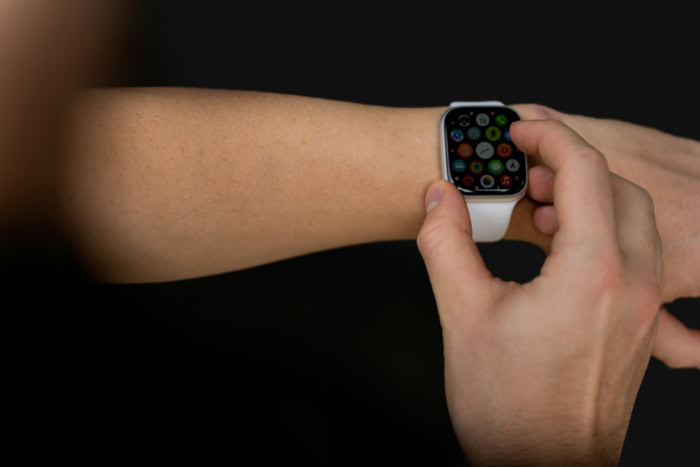
Like all hardware components, the internal chips powering these wireless connections have undergone significant technical upgrades over the past two decades. However, the technology still operates within the fixed boundaries of physics and radio frequency laws.
The Evolution of Bluetooth Versions
The specification is continually refined to meet the demands of modern electronics. Early iterations like version 1.0 were notoriously slow and prone to dropped connections.
The jump to version 4.0 introduced massive improvements in power efficiency, while version 5.0 and its subsequent updates drastically increased data transfer speeds and broadcasting capacity. Modern versions of the standard can transfer data at speeds up to 2 Megabits per second.
These newer iterations also feature more sophisticated error-correction capabilities, resulting in a significantly more stable connection even in environments flooded with competing radio signals.
Bluetooth Low Energy
A major milestone in the technology was the introduction of Bluetooth Low Energy. This specialized subset of the standard was engineered specifically for devices that require long-term battery life but only need to transmit small amounts of data.
Fitness trackers, medical monitors, and smart tags utilize this protocol to stay continuously connected to a host device without draining their internal batteries. By keeping the radio transmitter in a deep sleep state and only waking it up for micro-seconds to send a burst of data, devices utilizing this low-energy protocol can operate for months or even years on a single coin-cell battery.
Physical Range and Interference
Despite the impressive advancements in transmission speed, the technology remains fundamentally limited by its physical range. The standard is designed exclusively for short-range communication.
Most consumer devices utilize Class 2 radios, which have a functional maximum range of approximately 10 meters, or 33 feet, under ideal conditions. Physical obstacles severely impact this range.
Thick concrete walls, metal appliances, and even human bodies can absorb or reflect the UHF radio waves. Because the technology shares the 2.4 GHz frequency band with traditional Wi-Fi routers, baby monitors, and microwave ovens, overlapping signals can sometimes cause interference and temporarily degrade the connection quality.
Security Considerations and Troubleshooting
Any technology that broadcasts data through the open air presents inherent security challenges. While the modern standard features robust encryption, users must still understand how to protect their hardware and how to resolve common software hiccups.
Recognizing Vulnerabilities
Early versions of the technology suffered from exploits like “bluejacking,” where pranksters would send unsolicited messages to vulnerable phones in public areas. While modern security updates have largely eliminated these basic attacks, other vulnerabilities persist.
Sophisticated attackers can sometimes exploit outdated firmware to gain unauthorized access to a device or extract sensitive personal data. Additionally, because devices constantly broadcast their unique identification numbers when searching for connections, malicious parties can potentially track an individual’s physical movements through crowded areas by monitoring these automated pings.
Best Practices for Device Safety
Maintaining device security requires a few proactive habits. You should routinely review the list of trusted paired devices on your smartphone or computer and delete any hardware you no longer own or recognize.
Applying firmware updates to your headphones, speakers, and host devices is crucial, as manufacturers regularly patch known security flaws. For maximum protection against unauthorized access and location tracking, it is highly recommended to completely turn off the wireless feature on your mobile devices when walking through crowded public spaces like airports or shopping malls.
Resolving Common Connection Issues
Even the most expensive hardware will occasionally experience connection failures. If you experience audio stuttering, the easiest fix is usually moving the peripheral closer to the host device to eliminate physical interference.
When two devices outright fail to pair, restarting both pieces of hardware clears out temporary software glitches that might be blocking the handshake protocol. For persistent dropped connections, forcing the host device to completely “forget” the peripheral in the settings menu and then performing a fresh pairing process will almost always resolve corrupted security keys and restore a stable link.
Conclusion
By stripping away the physical cords that once cluttered our desks and living rooms, Bluetooth technology fundamentally transformed how we interact with personal electronics. A simple radio wave transmission protocol has evolved into a highly secure, energy-efficient system capable of handling high-fidelity audio and rapid data transfers.
As mobile hardware continues to shrink and smart home gadgets multiply in a device-driven society, this standardized communication method will remain absolutely necessary. It guarantees that our diverse ecosystem of hardware can communicate securely, reliably, and seamlessly for decades to come.
Frequently Asked Questions
Why does my Bluetooth keep disconnecting?
Your connection is likely dropping due to physical interference or distance limitations. Bluetooth signals work best within a 33-foot range and can be blocked by thick concrete walls, metal appliances, or overlapping signals from nearby Wi-Fi routers. Moving your devices closer together usually restores a stable link instantly.
Do I need Wi-Fi to use Bluetooth?
You do not need any internet connection or cellular data to use Bluetooth. The technology relies entirely on direct radio waves to send data between two localized devices. This means you can pair your wireless headphones to your smartphone perfectly well while camping in a remote area without Wi-Fi.
Can someone hack my phone through Bluetooth?
Hackers can potentially access your device if you leave your signal broadcasting in crowded public spaces while running outdated software. You can easily prevent unauthorized access by keeping your hardware firmware updated and turning off your wireless settings when walking through busy areas like airports.
How many devices can connect to my laptop at once?
A single host device like a modern laptop can actively connect to up to seven peripheral gadgets simultaneously. The central computer acts as a hub and rapidly manages the bandwidth between your wireless mouse, keyboard, and headphones to ensure all accessories operate together smoothly without noticeable delays.
Why is there a delay when I watch videos with wireless earbuds?
You are experiencing latency because the audio data takes time to be compressed, transmitted over radio waves, and decompressed by your earbuds. While older hardware struggled with this delay, upgrading to devices that support newer standards like version 5.0 will significantly speed up the transfer and eliminate noticeable lag.
About the Author: Julio Caesar


