
What Is Chromecast? Turn Any TV Into a Smart TV

Chromecast represents the simplest way to upgrade your home entertainment setup without buying a new television. This compact family of media streaming devices developed by Google plugs directly into an HDMI port and instantly modernizes your existing hardware.
Its primary function is transforming any standard display into a smart TV capable of streaming internet content like Netflix, YouTube, and Spotify. While early iterations were simple dongles that relied entirely on a smartphone to “cast” video, the hardware has matured significantly.
Modern Chromecasts have shifted from phone-dependent accessories to standalone entertainment hubs complete with their own on-screen interfaces and physical remotes. This evolution offers users a seamless experience that combines the flexibility of internet streaming with the familiarity of traditional television controls.
The Hardware: What Exactly Is the Device?
The Chromecast is a distinct piece of hardware because of its unobtrusive nature. Unlike traditional cable boxes or DVD players that demand shelf space and complicate your entertainment center, this device is designed to disappear.
It functions as a bridge between the internet and your television screen but does so with a minimalist approach that prioritizes function over flashiness.
Form Factor and Design
The physical unit typically resembles a small, rounded puck or a compact dongle. It is lightweight and usually constructed from matte plastic.
An integrated short flexible cable extends from the body of the device and ends in an HDMI connector. This design choice allows the unit to hang freely from the back or side of a television without blocking adjacent ports or requiring a flat surface to rest on.
Once installed, the device remains completely hidden behind the TV screen.
Connectivity and Power
Setting up the hardware involves two primary connections. First, the device plugs directly into an open HDMI port on the television, which transmits both video and audio signals.
Second, the unit requires a power source to operate. A USB cable connects to the back of the device, which can then be plugged into a standard wall outlet using an included adapter.
In some scenarios involving older models or specific TV configurations, users might power the device directly from a USB port on the TV itself, though using a wall outlet is generally recommended for consistent performance and 4K streaming capabilities.
Portability and Convenience
The compact size of the Chromecast makes it a highly portable travel companion. Because it fits easily into a pocket or small bag, users can take their streaming preferences with them on vacation or business trips.
It connects to hotel televisions just as easily as it does to a home theater setup. This portability also applies within the home.
Moving the device from the living room to a bedroom or a projector requires nothing more than unplugging it and walking to the next room.
How It Works: Casting vs. Google TV Interface

The technology driving Chromecast has shifted over time to offer two distinct ways of accessing content. Originally, the experience centered entirely on using a secondary device to control the TV.
Modern iterations have expanded this functionality to include a standalone operating system that functions much like a traditional media player.
The Google Cast Protocol
The “Google Cast” technology is the foundation of the device. When a user taps the Cast icon on their smartphone or tablet, they are not sending the video file from their phone to the TV.
Instead, the phone acts as a remote control that sends a command to the Chromecast. This command tells the device exactly where to find that specific video file on the internet.
The Chromecast then streams the content directly from the server (cloud) to the TV. This method ensures the highest possible video quality and allows the phone to go into sleep mode or accept calls without interrupting the movie.
Screen Mirroring
Mirroring is a different process used for viewing content that does not natively support the Cast protocol. This feature replicates exactly what is visible on a smartphone, tablet, or Chrome browser tab onto the television screen.
If you are viewing a website, a document, or a local photo gallery on your laptop, mirroring forces the TV to display that live image. While this is useful for presentations or unsupported apps, it requires the sending device to stay awake and uses significantly more battery power than the standard casting method.
The Google TV Operating System
Newer models, specifically the “Chromecast with Google TV,” have moved beyond simple casting. These devices run a full operating system directly on the hardware.
This means they have an on-screen visual interface where users can browse menus, search for titles, and install applications like Netflix or Disney+ directly onto the storage of the dongle. These models come with a dedicated physical remote, allowing users to navigate their entertainment without ever touching their smartphone.
System Requirements and Compatibility

One of the main advantages of the Chromecast line is its low barrier to entry. The system requirements are minimal, meaning almost any household with high-speed internet can utilize the device.
It is designed to be platform-agnostic, working seamlessly with a wide variety of hardware from different manufacturers.
TV Prerequisites
You do not need a “Smart TV” to use a Chromecast. The device actually serves as a substitute for smart capabilities.
The only hardware requirement for the television is a functioning HDMI input, which has been a standard feature on TVs for well over a decade. The device works equally well on a high-end 4K OLED display, a basic computer monitor, or an older 1080p television that lacks internet connectivity.
Network Requirements
Since the device streams content directly from the internet, a stable and reasonably fast Wi-Fi connection is essential. The hardware does not typically have an ethernet port for wired internet, so it relies on the strength of the wireless signal in the room where the TV is located.
For standard high-definition streaming, a basic broadband connection is sufficient. However, streaming 4K content with HDR requires a faster, more robust bandwidth to prevent buffering or drops in quality.
Device Compatibility
Controlling the Chromecast is versatile. For mobile users, the Google Home app and the Cast protocol are compatible with both Android devices and Apple products like iPhones and iPads.
Almost every major streaming app on the iOS App Store supports casting. For computer users, the functionality is built directly into the Google Chrome web browser.
This allows anyone with a Windows PC, a Mac, or a Chromebook to send video or mirror their browser tabs to the big screen without installing extra drivers or complex software.
Content Ecosystem and Smart Home Integration
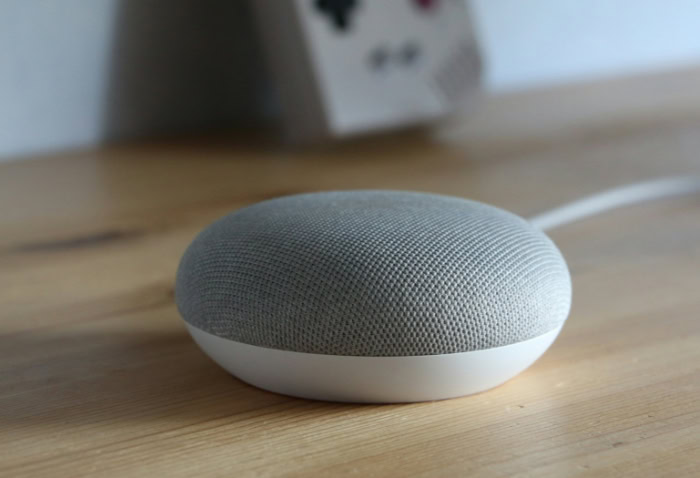
The true utility of a streaming device lies in its ability to consolidate entertainment sources into one accessible location. Chromecast serves as a central hub for virtually every major media platform available today.
Beyond simply playing movies or music, the hardware integrates tightly with the broader Google ecosystem to offer voice control and personalization features that extend the functionality of the television even when nothing is actively streaming.
Supported Streaming Services
The device supports a vast library of applications, covering nearly every significant streaming service on the market. Users can access video platforms like Netflix, Disney+, Hulu, Amazon Prime Video, and HBO Max directly through the interface or via casting.
This extensive support ensures that regardless of which subscription services a household uses, the content is viewable on the big screen. The ecosystem extends to audio as well, with robust support for music platforms such as Spotify, Pandora, and YouTube Music.
This transforms the television and its connected sound system into a modern jukebox, allowing users to control playlists from their phones or the on-screen menu.
Google Assistant Integration
Voice control is a major component of the modern Chromecast experience. Models equipped with a remote feature a dedicated Google Assistant button.
Pressing this allows users to issue verbal commands to search for specific movies, launch apps, or pause playback without navigating through text menus. The integration goes further for those who own smart speakers like the Google Nest Audio.
You can issue hands-free commands to a separate speaker, such as “Hey Google, play Stranger Things on the Living Room TV,” and the system will automatically wake the television and begin the stream. This creates a hands-free environment where the remote is optional for basic tasks.
Personal Media Display
When the television is not actively playing video, Chromecast can utilize “Ambient Mode” to turn the black screen into a dynamic digital canvas. Users can link their Google Photos account to the device, allowing it to display selected albums of family, friends, or travel memories as a slideshow.
If personal photos are not preferred, the system offers professional art galleries, satellite imagery, and weather reports. This feature prevents the TV from being an eyesore when idle and instead allows it to function as a large digital picture frame that cycles through images automatically.
Distinguishing Between Current Models

Choosing the right device depends largely on the television it will connect to and the viewing habits of the user. Google has segmented its current lineup to cater to different needs, offering high-end specifications for home theater enthusiasts and budget-conscious options for secondary screens.
Chromecast with Google TV (4K)
The 4K model is the flagship device designed for the main living room television. It is intended for users who have a 4K UHD display and want to maximize that resolution.
This unit supports high dynamic range formats like Dolby Vision and HDR10+, as well as Dolby Atmos for immersive audio. It comes with the full Google TV interface and a voice remote, offering a premium experience that rivals built-in smart TV operating systems.
It requires a power outlet rather than a TV USB port to ensure it has enough energy to process high-resolution content smoothly.
Chromecast with Google TV (HD)
The HD model serves as an entry-level option that retains the modern interface but cuts back on video resolution. It is capped at 1080p High Definition, making it the logical choice for older televisions that do not support 4K.
Despite the lower resolution, it offers the exact same user experience, remote control, and smart features as the more expensive model. It is ideal for guest rooms, children's bedrooms, or any setup where the display hardware is older or smaller.
The lower power requirements often allow this model to run off the TV's USB port, though this depends on the specific television.
Legacy Models: 3rd Generation and Ultra
You may encounter older versions of the hardware on the used market or in a drawer at home. These are easily identifiable because they do not come with a remote control and do not have an on-screen menu.
The standard 3rd Generation Chromecast is a 1080p device that relies entirely on a smartphone to cast content. The Chromecast Ultra is a 4K capable version of this older design, often recognizable by its slightly larger size and glossy black finish.
While these units are still functional for casting, they lack the standalone Google TV operating system, meaning you must always have a phone or tablet in hand to use them.
Conclusion
Chromecast serves as a highly effective bridge between traditional television hardware and the modern demand for internet-based content. It eliminates the need to replace perfectly functional televisions simply because they lack built-in smart capabilities or run outdated software.
By condensing a powerful streaming interface into a compact dongle, Google has provided a way to maintain access to services like Netflix, YouTube, and Spotify on almost any screen with an HDMI port. This makes the device an exceptional value for users who want to upgrade their viewing experience with minimal financial investment.
It remains the ideal solution for anyone seeking a straightforward and reliable method to bring the internet to the big screen without the complexity or cost of purchasing a new home theater setup.
About the Author: Elizabeth Baker


