
What Is Haptic Feedback? Tactile Tech Explained

Your phone screen is a flat, cold sheet of glass, yet it can somehow mimic the satisfying click of a mechanical button. This sensation is haptic feedback, a technology that bridges the gap between digital actions and physical feelings.
The term haptics refers to any interface that communicates through the sense of touch, using vibrations or resistance to provide immediate tactile confirmation. While sight and sound dominate most interfaces, touch adds a layer of immersion that makes virtual environments feel grounded.
The goal is to create a more intuitive experience by replacing visual clutter with physical cues. By adding texture and weight to software, haptics allows users to perceive information through their fingertips, turning every interaction into a tangible conversation between person and machine.
Key Takeaways
- Modern haptics provide precise tactile feedback that mimics the feel of mechanical buttons.
- The technology uses actuators to create physical resistance and textures on flat surfaces.
- Perfect synchronization between hardware and software is necessary to prevent user lag.
- Safety features in cars use touch based alerts to keep drivers focused on the road.
- Customization options allow users to manage battery consumption and prevent sensory fatigue.
Defining Modern Haptics
Modern haptic technology has moved far beyond the generic vibration motors found in early electronics. While the basic goal remains the same, the execution has transitioned from simple alerts to a sophisticated method of interaction that mimics the nuances of the physical world.
This evolution allows users to feel subtle differences in texture and weight that were once impossible to replicate on a flat surface.
Precision and Power
Early mobile devices relied on basic motors that produced a heavy, unfocused rumble. These older components were effective for getting a user’s attention from across a room but lacked the finesse required for subtle interaction.
Modern high definition haptics use smaller, faster components that can start and stop almost instantly. This precision allows hardware to produce sharp taps or gentle pulses rather than a sustained, blurry buzz.
These refined movements allow for a wide range of sensations that can mimic different materials or levels of urgency.
Simulating Tactile Confirmation
One of the most practical uses of this technology is providing tactile confirmation on flat surfaces. Because glass screens lack physical buttons, users often find typing or navigating menus less satisfying than using mechanical hardware.
High quality haptics solve this by generating a tiny, high speed pulse when a finger presses a specific area. This pulse tricks the brain into feeling a physical click even though the surface remains completely rigid.
This sensation provides immediate feedback that an action has been registered, reducing the need for constant visual monitoring.
Communicating Through Rhythms
Haptics can serve as a silent language by using varying rhythms and intensities to convey information. Instead of a single type of vibration for every event, devices can use specific patterns to distinguish between a text message, an incoming call, or a calendar alert.
For example, a slow, pulsing beat might indicate a low battery warning, while a sharp, double tap signals a successful payment. This method of communication allows users to stay informed without needing to look at a screen or listen for audio cues.
The Mechanics of Tactile Technology

The physical sensations produced by a device are the result of complex hardware working in perfect coordination with software. To create a believable experience, the physical movement must match the digital event with extreme accuracy.
The hardware must be capable of firing at exactly the right moment to maintain the illusion of physical interaction.
Actuator Hardware
Two main types of hardware components create these movements. The first is the Eccentric Rotating Mass motor, which uses a spinning weight to create a familiar rumble.
These are powerful but relatively slow to start and stop. The second type is the Linear Resonant Actuator, which uses a magnetic mass and a spring to move back and forth.
This design allows for much faster response times and more delicate sensations. By using these components, manufacturers can control exactly how much energy is felt by the user and for how long.
Software Synchronization
Software plays a vital role in ensuring that haptics feel natural. The operating system must send precise electrical signals to the hardware at the exact millisecond an animation appears on the screen.
If the physical pulse occurs even a fraction of a second too late, the brain perceives the interaction as lagging or broken. Developers spend significant time mapping specific physical pulses to on screen events to ensure the experience feels cohesive.
This synchronization ensures that the sensation of a virtual slider moving across a screen feels smooth and consistent with its visual motion.
Force Feedback Principles
Force feedback is a specialized form of haptics that focuses on creating resistance rather than just vibration. This is often found in advanced gaming peripherals like racing wheels or specialized controllers.
These devices use internal motors and gears to push back against the user’s movements. If a virtual car turns a corner, the steering wheel can become harder to rotate, simulating the physical tension of a real vehicle.
Similarly, triggers on a controller can provide resistance to simulate the weight of a heavy object or the tension of a bowstring.
Modalities of Haptic Feedback

Tactile sensations are categorized based on how they interact with the human body and which senses they stimulate. While vibration is the most recognizable form, several other methods exist to simulate physical presence and interaction.
These modalities allow developers to target different nerve endings to create a more realistic sense of touch.
Vibrotactile Feedback
The most common modality is vibrotactile feedback, which relies on surface vibrations to stimulate the skin’s touch receptors. This is the primary method used in smartphones, smartwatches, and most handheld controllers.
By adjusting the frequency and amplitude of these vibrations, devices can simulate different textures or provide simple alerts. It is a highly effective way to provide subtle cues that do not require the user to divert their eyes from their current task.
Kinesthetic Feedback
Kinesthetic feedback involves forces that act upon the user’s muscles, joints, and tendons. Unlike simple vibrations that stay on the surface of the skin, kinesthetic sensations make the user feel as if they are interacting with an object that has mass or tension.
This is common in flight simulators or industrial training tools where users need to feel the weight of equipment or the pressure of a hydraulic system. It provides a deeper level of physical engagement by involving the entire hand or arm in the interaction.
Thermal and Air-Based Sensations
Beyond mechanical movement, some advanced haptic systems use temperature or air pressure to create sensations. Thermal haptics use heating and cooling elements to simulate the feeling of touching different materials like cold metal or warm wood.
Air based haptics use focused pulses of air or ultrasonic waves to create the sensation of touch without any physical contact between the device and the user. These methods expand the possibilities for immersive environments, allowing for sensations that go beyond what traditional motors can provide.
Practical Uses and Advantages

Haptic feedback is integrated into various industries to solve specific interaction problems. It moves beyond novelty to provide functional improvements in how people interact with machines every day.
By adding a physical dimension to digital tasks, these applications make technology feel more responsive and grounded in reality.
Consumer Electronics
Tactile interactions are now standard in smartphones and computers. On mobile devices, haptic pulses provide a sense of resistance while typing, which helps users identify successful button presses and reduces errors.
Laptop trackpads often use haptics to simulate a physical click mechanism, allowing the surface to remain thin and sealed while providing the expected mechanical feel. This makes moving through complex interfaces feel more certain and physically consistent.
Gaming and Virtual Reality
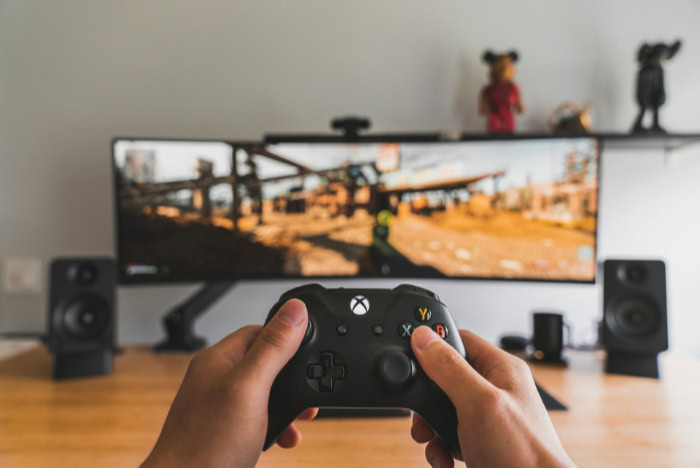
High fidelity haptics are essential for creating believable virtual environments. In gaming, controllers can simulate the distinct sensation of footsteps on different surfaces or the sharp recoil of a weapon.
Virtual reality uses these sensations to help users feel the boundaries of a digital space. If a player reaches out to touch a virtual wall, a precisely timed vibration can provide the necessary feedback to confirm the object exists, making the experience far more immersive.
Safety and Automotive Technology
Modern vehicles use touch based alerts to improve driver awareness without adding more noise to the cabin. Vibrating steering wheels or seats can notify a driver if they are drifting out of their lane or if another vehicle is in their blind spot.
These silent warnings allow the driver to react quickly while keeping their eyes on the road and their ears open for other environmental sounds, providing an extra layer of protection during travel.
Improving Digital Accessibility
For users with visual or hearing impairments, haptic cues provide a vital channel for information. A smartphone can use specific vibration patterns to describe what is happening on the screen, such as a successful login or a directional instruction.
This ensures that digital interfaces remain usable for people who may not be able to rely on traditional screens or speakers. By translating visual icons into physical sensations, technology becomes more inclusive for a wider variety of users.
Design Challenges and Considerations
While the benefits of tactile feedback are clear, implementing these systems requires a balance between performance and practicality. Hardware constraints and human biology must both be considered to ensure the technology remains helpful rather than burdensome.
Impact on Energy Consumption
Mechanical parts require power to move, and haptic actuators can drain battery life in portable devices. While modern motors are more efficient than older versions, frequent or intense vibrations still consume a meaningful amount of electricity.
Manufacturers must balance the frequency of feedback with the need for long lasting battery performance, often limiting haptics to the most essential interactions to preserve energy.
Meeting Latency Requirements
The effectiveness of a tactile response depends entirely on speed. If the physical sensation occurs even a few milliseconds after the visual prompt, the user feels a sense of disconnection.
This lag breaks the illusion that the screen is a physical object. To maintain a convincing experience, the communication between the software commands and the hardware motor must be near instantaneous, requiring highly optimized processing and hardware coordination.
Managing Haptic Fatigue
Too much feedback can become overwhelming or physically tiring for the user. When a device vibrates constantly for every minor event, the user may become desensitized to the sensation or find it annoying.
Designers must carefully choose which actions deserve a physical response to avoid sensory overload. Ensuring that the feedback remains subtle and purposeful prevents the technology from becoming a distraction during daily use.
User Control and Customization
Personal preference plays a large role in how people perceive touch. What feels like a helpful tap to one person might feel like an aggressive buzz to another.
Providing options to adjust the intensity of sensations or to turn them off entirely is a necessary part of hardware design. Allowing users to tailor their experience ensures that the technology accommodates different levels of physical sensitivity and situational needs.
Conclusion
Touch has transitioned from an optional novelty to a standard expectation in modern interfaces. By grounding digital events in physical sensations, haptics make technology feel less like a sequence of code and more like a tangible tool.
This human centric approach ensures that interactions remain intuitive by mirroring how people engage with the physical world. As software continues to grow in complexity, the reliance on sight and sound alone will no longer be sufficient.
Reclaiming the sense of touch creates a more balanced, multi sensory future where digital tools respond with the same physical presence as the objects in our physical surroundings.
Frequently Asked Questions
What is the difference between haptics and vibration?
Vibration is a simple, continuous buzz used for basic alerts. Haptics refer to a more precise technology capable of producing specific textures, sharp clicks, or varying intensities. While vibration only gets your attention, haptics provide meaningful data and feedback that mimic the sensation of physical contact.
Does haptic feedback drain battery life?
Yes, haptic motors require physical energy to move internal components. While modern actuators are designed for efficiency, frequent use can impact the battery life of portable electronics. Most devices allow users to lower the intensity or disable these sensations to preserve power when lasting performance is a priority.
Why do some people find haptic feedback annoying?
Excessive or poorly timed sensations can lead to sensory fatigue. If every notification triggers a pulse, the user may become distracted or irritated. Providing options to customize the frequency and strength of these sensations is necessary to ensure the technology remains a helpful tool rather than a distraction.
How do haptics help with typing on smartphones?
Because touchscreens are flat, they provide no physical indication that a button has been pressed. Haptics simulate the feeling of a mechanical key by sending a tiny pulse to your fingertip. This tactile confirmation improves typing accuracy and makes the digital keyboard feel more responsive to the user.
What is force feedback in gaming?
Force feedback is a specialized form of haptics that creates physical resistance against a user’s movements. In racing games, a steering wheel might become harder to turn during a sharp corner. This resistance simulates the physical weight and tension of real world objects, making the simulation feel authentic.
About the Author: Elizabeth Baker


