
What Is Network Address Translation (NAT)? How It Works

Every time you connect a phone, laptop, or smart appliance to your Wi-Fi, you rely on a silent coordinator inside your router. The internet was originally built using IPv4, a protocol providing roughly 4.3 billion unique addresses.
Since billions of users and devices are now online, those addresses were exhausted years ago. Network Address Translation (NAT) emerged as the solution for this scarcity.
By functioning as a clever middleman, NAT allows a router to remap one IP address space into another, consolidating a local network into a single public identity. This process hides your internal hardware from the global internet while ensuring data packets find their way back to the correct device.
NAT is the main reason the global web remains functional and reachable despite the finite limits of its original design.
Key Takeaways
- NAT allows multiple devices to share a single public IP address by remapping private addresses during transit.
- The process extends the usability of the IPv4 protocol, which would have otherwise reached total exhaustion years ago.
- Internal security is improved because private network structures and individual device identities are masked from outside observers.
- Different implementation methods, such as Static NAT and Port Address Translation, are used to meet specific organizational and hosting needs.
- Connectivity issues can arise when protocols require direct end to end visibility or when multiple routers perform translation on the same path.
Mechanics of Network Address Translation
NAT functions as a communication bridge that modifies data packets as they pass through a router. This process allows a local network to use one set of IP addresses for internal traffic and another set for external communication.
By rewriting the packet information, the router ensures that the internal structure of a home or office network remains hidden while still allowing every device to access the global internet.
Modifying IP Headers
Every piece of data sent over a network is wrapped in a header containing the source and destination IP addresses. When a device on a local network sends a request to a website, the NAT gateway intercepts the packet.
The router strips away the private source IP address and replaces it with its own public IP address. This modification is necessary because private addresses are not routable on the public internet.
By changing these headers in real time, the router acts as a proxy for all connected devices.
Private and Public Address Spaces
Networking standards reserve specific blocks of IP addresses for internal use, known as RFC 1918 addresses. These include ranges like 192.168.x.x and 10.x.x.x, which can be reused in millions of different homes and offices without conflict.
Public IP addresses, however, must be globally unique. NAT provides the link between these two spaces, allowing thousands of private networks to exist simultaneously while using a very small number of unique public identifiers.
The NAT Lookup Table
To ensure that a returning data packet reaches the specific laptop or phone that requested it, the router maintains a NAT lookup table. This internal database records the private IP address, the source port, and the corresponding public port used for every active connection.
When a response arrives from a server, the router consults this table to determine which internal device should receive the information. Without this record, the router would have no way of knowing where to send incoming traffic.
Managing Traffic Flow
The workflow of NAT differs depending on the direction of the traffic. For outbound requests, the router focuses on translating the internal source address to a public one.
For inbound responses, the process is reversed as the router translates the public destination address back into a private one. This bidirectional translation happens instantly for every packet, creating the illusion of a direct connection between an internal device and a remote server.
Primary Implementation Methods
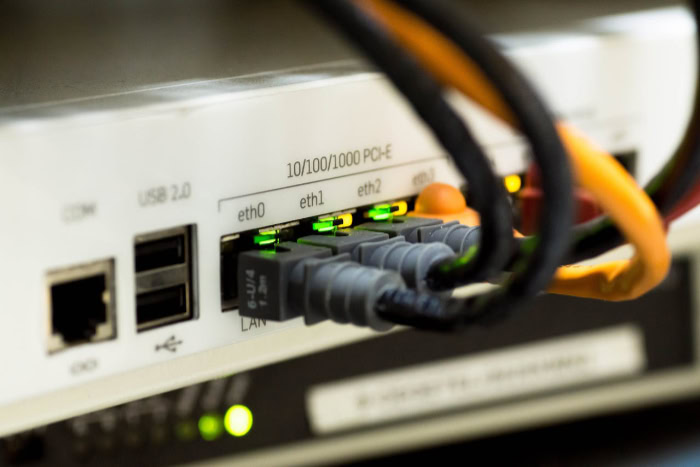
There are several ways to deploy NAT, depending on the goals of the network administrator. Some methods are designed to provide a permanent public presence for specific servers, while others focus on maximizing the efficiency of a single public IP address for hundreds of users.
Static Mapping
Static NAT creates a fixed, one-to-one relationship between a private IP address and a public IP address. This setup ensures that an internal device is always reachable from the outside world using the same external identity.
This method is common for organizations that host their own web servers or mail servers. Because the mapping never changes, external users can consistently find the server, even though the server itself stays protected within a private network.
Dynamic Mapping
Dynamic NAT uses a pool of public IP addresses provided by an internet service provider. When an internal device needs to access the internet, the router assigns it an available public IP from the pool.
This mapping lasts only as long as the connection is active. Once the session ends, the public IP returns to the pool for another device to use.
This method is useful when an organization has multiple public addresses but not enough to give one to every single employee.
Port Address Translation
The most common form of NAT is Port Address Translation, often called NAT Overload. This method allows an entire network of devices to share a single public IP address.
To keep the traffic separate, the router assigns a unique port number to each internal connection. For example, one computer might communicate through port 5001 while another uses port 5002.
This allows the router to distinguish between hundreds of different streams of data all arriving at the same public IP address.
Networking Terminology and Address Designations

To accurately describe how NAT functions, engineers use four specific terms to categorize IP addresses based on their location and perspective. Understanding these terms helps clarify which part of the network is being referenced during the translation process.
These designations describe whether an address is viewed from the internal local area network or the external wide area network.
Inside Local Address
The inside local address is the IP assigned to a device within the private network. This is the address you see when checking the network settings on your personal computer or smartphone.
These addresses are usually assigned by a local router via DHCP and are only used for communication within the building or home. They are not recognized by the public internet.
Inside Global Address
The inside global address is the public IP address that the outside world sees when your internal devices communicate. From the perspective of a website you are visiting, this is your identity.
In most home setups, the inside global address is the IP assigned to your router by your internet service provider. Every device in your house typically shares this same inside global address when browsing the web.
Outside Local Address
An outside local address is the IP of an external destination as it appears to the devices on the internal network. In many standard configurations, this address is identical to the actual IP of the external host.
However, in complex networking scenarios, a router might translate an external address into a different local format to simplify internal routing or to avoid conflicts with existing IP ranges.
Outside Global Address
The outside global address is the real, globally unique IP address assigned to a host on the internet. This is the actual address of the server or resource you are trying to reach.
For example, when you connect to a search engine, the server’s public IP address is its outside global address. It is the final destination for outbound packets and the starting point for returning data.
Strategic Benefits of Network Address Translation

NAT offers significant advantages that go beyond simple connectivity. It serves as a layer of abstraction that simplifies how large organizations manage their hardware and how they interact with the broader internet.
By decoupling internal network decisions from external constraints, administrators can maintain more efficient and controlled environments while maximizing their existing resources.
IPv4 Address Conservation
The most immediate benefit is the preservation of the limited IPv4 address pool. Because NAT allows thousands of unique devices to share a single public IP address, it has prevented the exhaustion of the internet’s addressing system.
This efficiency allows businesses and households to expand their number of connected devices without needing to purchase additional public addresses from their service provider.
Internal Security Enhancements
NAT provides a natural layer of security by hiding the internal structure of a network. External actors cannot see the specific IP addresses of individual workstations, printers, or cameras.
This prevents direct reconnaissance and makes it much more difficult for malicious entities to target specific internal machines. Since the router only passes through traffic that was requested from the inside, most unsolicited external attempts to connect are simply dropped.
Administrative Flexibility
Changing an internal network layout can be a massive undertaking. However, because NAT separates internal and external addressing, administrators can renumber their internal IP schemes without needing to coordinate with an internet service provider.
This independence means a company can move offices or change its internal subnetting structure without losing its public identity or needing to reconfigure external DNS records.
Traffic Load Balancing
NAT can be used to manage high volumes of traffic by distributing incoming requests among several internal servers. Instead of sending all traffic to one machine, the NAT gateway can rotate requests to different servers in a farm.
This ensures that no single server becomes overwhelmed, improving the overall performance and reliability of hosted services for the end user.
Operational Challenges and Connectivity Issues

Despite its widespread use, NAT introduces several technical complications that can interfere with smooth network operations. These issues often arise because NAT breaks the original design principle of the internet, which assumed that every device would have a direct, end-to-end connection with every other device.
When a gateway device modifies headers, certain applications and tracking methods begin to fail.
End-to-End Traceability
Tracking the path of a packet from its source to its final destination becomes significantly more difficult when NAT is involved. Because the source IP is rewritten at the gateway, logs on the receiving end only show the router address, not the specific device that sent the data.
This complicates troubleshooting and forensic analysis, as network engineers must correlate NAT logs with application logs to find the true origin of a connection.
Application Incompatibility
Some older or more complex protocols do not work well with NAT because they include IP addresses within the actual data payload. Voice over IP (VoIP) using the SIP protocol and File Transfer Protocol (FTP) are common examples. When the router changes the IP in the header but leaves the IP inside the data payload untouched, the receiving server gets conflicting information.
This often leads to dropped calls or failed file transfers unless specialized gateways are used to inspect and fix the payload data.
Performance Overheads
The process of inspecting, modifying, and re-calculating checksums for every packet header requires computational power. In high-speed environments with thousands of concurrent connections, this can lead to increased latency and heavy CPU usage on the router.
Managing a massive lookup table also consumes memory, which can become a bottleneck if the router hardware is underpowered for the amount of traffic it handles.
The Double NAT Problem
Complications frequently occur when two routers on the same path are both performing address translation. This often happens when a user connects their own router to a gateway provided by an internet service provider.
Double NAT creates a situation where data must be translated twice, which often breaks online gaming sessions, VPN connections, and port forwarding rules. It adds an extra layer of complexity that can be difficult for the average user to diagnose or resolve.
Conclusion
Network Address Translation functions as an essential bridge between local hardware and the global internet. By translating private identities into public ones, it preserves the limited pool of IPv4 addresses while providing a basic layer of security for internal networks.
While the process introduces technical complexities and minor performance trade-offs, its presence remains mandatory for modern connectivity. NAT ensures that billions of devices can continue to interact across a shared, finite addressing space without requiring a complete overhaul of global networking protocols.
Frequently Asked Questions
What is the difference between NAT and PAT?
NAT is a broad term for translating IP addresses, while Port Address Translation (PAT) is a specific type. PAT allows hundreds of devices to share one public IP by assigning unique port numbers to each connection. This makes PAT the most common method used in home and small office routers.
Does NAT replace the need for a firewall?
NAT provides basic security by hiding internal IP addresses, but it is not a replacement for a dedicated firewall. While it stops unsolicited incoming traffic, it does not inspect data packets for malware or malicious behavior. A robust security strategy requires both NAT and a stateful inspection firewall.
How does NAT affect online gaming?
Gaming consoles often require direct connections to other players for low latency communication. Because NAT acts as a middleman, it can block incoming requests from other consoles. This results in strict NAT errors, which can prevent players from joining lobbies or using voice chat functions during gameplay sessions.
Is NAT still necessary with IPv6?
IPv6 provides a massive number of unique addresses, theoretically removing the need for NAT to conserve space. However, some organizations still use it for security or to maintain internal control over their network prefixes. While less common in IPv6 environments, the concept still exists for specific administrative purposes.
What is a double NAT and why is it bad?
Double NAT occurs when two routers on the same network both perform address translation. This typically happens when a personal router is plugged into an ISP gateway. It creates multiple layers of private networks, which often breaks port forwarding, VPN connections, and other services that require a transparent path.
About the Author: Julio Caesar


