
Wired vs. Wireless Keyboard: Which Is Better?

A single millisecond of input delay can mean the difference between a successful project delivery and a frustrating technical failure. The keyboard you touch for hours every day determines your productivity and your comfort levels during long sessions.
While tactile switches remain popular, the method of data transmission defines the true flexibility of your workstation. Some users require the unwavering stability of a physical copper tether to ensure every command registers instantly.
Others prioritize a clean aesthetic that allows them to move from a desk to a couch without fighting a tangled mess. Making the right decision requires looking past the marketing jargon to see how these devices actually hold up under the pressure of heavy use.
Key Takeaways
- Wired keyboards provide a consistent 1000Hz polling rate, ensuring that every keystroke registers with zero lag for gaming or high-speed typing.
- Wireless “tri-mode” models allow users to switch between a PC, tablet, and smartphone using a single button, which improves multi-device productivity.
- A wired connection eliminates the need for battery maintenance, preventing the long-term issue of battery degradation that limits the lifespan of wireless devices.
- Using a wireless keyboard enables a minimalist desk setup by removing cable clutter, although it usually requires paying a price premium for internal radio components.
- Wired setups offer a higher degree of physical security because keystrokes are transmitted through a cable rather than being broadcast over the air where they could be intercepted.
Performance and Input Latency
The speed at which a computer registers a keystroke often dictates the fluidity of the user experience. For many, a slight delay is an annoyance, but for high-stakes tasks, it is a failure.
Input latency measures the time between pressing a physical switch and the corresponding action appearing on the screen. While modern engineering has narrowed the gap between different connection types, the physical properties of how data travels still result in distinct performance profiles.
Wired Reliability and the High Polling Rate Advantage
A physical USB connection remains the gold standard for users who demand zero-lag performance. Because data travels through a shielded copper cable, there is virtually no interference to slow down the transmission.
Most high-quality wired keyboards offer a polling rate of 1000Hz, meaning the device reports its status to the computer 1,000 times every second. This high frequency provides instantaneous feedback that feels connected and crisp, ensuring that even the fastest typing speeds or rapid-fire commands are captured without dropping a single input.
Wireless Performance: 2.4GHz RF vs. Bluetooth
Not all wireless connections are equal. Most performance-oriented wireless keyboards utilize a 2.4GHz radio frequency (RF) via a dedicated USB dongle.
This method mimics the high polling rates of wired connections, providing a near-seamless experience that is difficult to distinguish from a cable. In contrast, Bluetooth is designed for energy efficiency rather than raw speed.
While Bluetooth is convenient for general use, it often suffers from higher latency and a lower polling rate, which can result in a perceptible “floaty” feeling during fast-paced activities.
Identifying Gaming and Productivity Needs
The necessity for millisecond-level precision depends entirely on the task at hand. Professional gamers and competitive players rely on the absolute lowest latency possible to ensure their reflexes are not bottlenecked by their hardware.
For these users, any delay can be catastrophic. On the other hand, office professionals and writers rarely find that a 10-millisecond delay affects their work.
In a productivity environment, the focus shifts from raw response times to the consistency of the connection and the comfort of the hardware.
Connectivity and Connection Stability
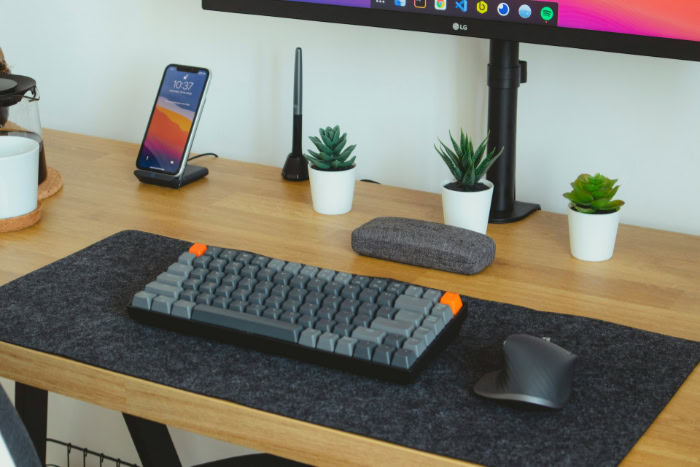
Maintaining a steady link between the keyboard and the computer is essential for preventing interrupted workflows. A connection that drops out or stutters can lead to missed letters and significant frustration.
While a cable offers a permanent and unyielding link, wireless technology has introduced new ways to interact with multiple machines, though it introduces new variables regarding signal strength and environment.
Signal Integrity and Radio Frequency Interference
Wireless devices must compete for space in a crowded airwave environment. In many homes and offices, routers, smartphones, and even microwave ovens operate on similar frequencies, which can lead to signal interference.
This interference might cause a wireless keyboard to lag or briefly disconnect. A wired keyboard bypasses this issue entirely.
The shielded cable acts as a private lane for data, protected from the invisible traffic of other electronic devices, ensuring that the connection remains solid regardless of how many other gadgets are nearby.
Multi-Device Versatility and Tri-Mode Benefits
One of the most significant advantages of modern wireless hardware is the ability to manage multiple devices simultaneously. Many premium models feature “tri-mode” connectivity, allowing the user to toggle between a wired connection, a 2.4GHz dongle, and multiple Bluetooth profiles.
This enables a professional to type a report on a desktop PC and then switch to a tablet or smartphone with the press of a single button. This level of flexibility is impossible with a standard wired keyboard, which is physically tethered to one machine at a time.
Security and Encryption Concerns
Data security is an often-overlooked aspect of the keyboard debate. When you type on a wireless keyboard, your keystrokes are broadcast through the air.
To prevent unauthorized interception, most modern wireless protocols use encryption to protect sensitive data like passwords and credit card numbers. However, no wireless encryption is entirely immune to sophisticated attacks.
A wired connection offers a higher level of inherent physical security, as the data never leaves the cable, making it much harder for a third party to “sniff” or record your typing from a distance.
Power Management and Maintenance
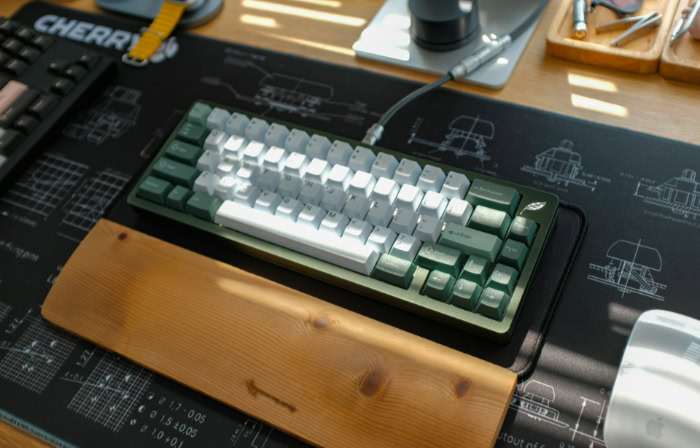
The way a keyboard receives its power affects both its daily convenience and its long-term viability. A device that requires constant attention to its power levels introduces a layer of maintenance that some users find cumbersome.
Passive Power vs. Active Charging
Wired keyboards are passive devices that draw a small amount of electricity directly from the computer via the USB port. This creates a “set and forget” experience where the user never has to worry about the device dying in the middle of a project.
Wireless keyboards, however, require active power management. Users must keep track of battery percentages and remember to plug the device in to charge or keep spare batteries on hand.
While many wireless models have long battery lives, the need for periodic charging remains a constant requirement for operation.
Battery Lifecycles: Internal vs. External
Wireless keyboards generally fall into two categories: those with built-in rechargeable lithium-ion batteries and those that use replaceable alkaline cells like AA or AAA batteries. Built-in batteries are convenient and can be recharged via a cable, but they have a finite number of charge cycles before they begin to hold less power.
Replaceable batteries offer the advantage of an instant “recharge” by simply swapping in fresh cells, and they eliminate the risk of the keyboard becoming useless if an internal battery fails.
Long-Term Durability and Device Lifespan
The presence of a battery inherently limits the lifespan of a wireless peripheral. Over several years, lithium-ion batteries naturally degrade, eventually leading to a situation where the keyboard must remain plugged in to function at all.
A wired keyboard does not have this biological clock. Without a battery to wear out, a high-quality wired keyboard can easily last a decade or more, provided the cable and internal switches are well-maintained.
For those looking for a long-term investment, the simplicity of a wired connection often translates to superior endurance.
Workspace Ergonomics and Aesthetics

The physical layout of a workspace has a direct impact on focus and comfort. For many, the visual appeal of a desk setup is as important as the hardware performance itself.
Choosing between a wired or wireless interface fundamentally alters the geometry of the desk and determines how much freedom a user has to adjust their environment throughout the day.
Achieving the Minimalist Desk Setup
Wireless technology is the primary driver behind the modern minimalist movement in workspace design. By removing the physical tether to the computer, users eliminate cable clutter, creating a clean and open environment.
This lack of wiring allows for greater flexibility in positioning the keyboard, making it easier to center the device perfectly with the monitor or clear the desk entirely when the space is needed for non-digital tasks. For those who use large mouse pads and low-sensitivity settings, the absence of a cable also removes the risk of the mouse bumping into a stiff wire during rapid movements.
Mobility and Portability
Freedom of movement is a distinct advantage for those who do not work exclusively at a traditional desk. A wireless keyboard allows a user to type from a distance, which is particularly useful for controlling a media center PC from a couch or using a standing desk without worrying about cable length.
Portability is another major factor; traveling with a wireless keyboard is often more convenient because there are no extra cords to coil or tangle in a bag. This makes wireless models a common choice for professionals who frequently move between a home office and remote locations.
Customization Through High-End Cable Management
While wireless setups focus on removal, many enthusiasts use wired connections as a form of visual expression. The rise of detachable USB-C cables has allowed for a massive market of custom-made “aviator” cables.
These cables often feature coiled sections and heavy-duty metal connectors, turning a functional power cord into a centerpiece of desk aesthetics. For these users, the cable is not an eyesore but a deliberate design choice that adds color and texture to the setup.
Additionally, a detachable cable makes it easier to swap between different keyboards without needing to reach behind the computer, blending convenience with customization.
Cost Analysis and Value Proposition

Financial considerations often serve as the final deciding factor in hardware procurement. Every feature included in a peripheral carries an associated manufacturing cost, and wireless capabilities are no exception.
Users must weigh the convenience of a cable-free experience against the potential sacrifice in raw build quality or the higher price tag required to maintain those features.
The Financial Reality of the Wireless Tax
Adding wireless functionality introduces a significant price premium. Manufacturers must account for the cost of internal lithium-ion batteries, radio transmitters, and USB receivers.
These components, along with the engineering required to manage power savings and connectivity, typically raise the retail price by a noticeable margin compared to an identical wired version. For those on a strict budget, this extra cost may not translate to a better typing experience, as the internal mechanical components often remain the same despite the higher price.
Assessing Build Quality per Dollar
When comparing a wired and wireless keyboard at the same price point, the wired model frequently offers superior physical construction. Since the manufacturer does not need to spend part of the budget on batteries and wireless radios, those funds are often redirected toward premium materials.
This might result in higher-quality plastic keycaps, a heavier aluminum frame, or more sophisticated mechanical switches. For users who value the tactile feel and structural rigidity of their hardware above all else, a wired keyboard generally provides more substantial hardware for every dollar spent.
The Practicality of Hybrid Dual-Mode Solutions
Many modern keyboards attempt to bridge the gap by offering hybrid connectivity. These devices function as standard wired keyboards when plugged in, which simultaneously charges the internal battery for later wireless use.
This dual-mode approach offers high value for users who want the security and speed of a wire during intensive tasks but the freedom of wireless mobility for casual browsing or travel. While these hybrid models are often the most expensive options on the market, their versatility makes them a sound investment for those who want the benefits of both connection types in a single unit.
Conclusion
Selecting a keyboard requires balancing the need for absolute speed against the desire for a clean workspace. Wired models offer the most stable performance for competitive tasks while avoiding the ongoing maintenance of battery charging.
Wireless models provide unmatched flexibility for multi-device setups but often come with a higher price tag. Ultimately, the best choice depends on a preference for a permanent, high-speed connection or the convenience of a cable-free environment.
Those who demand the highest durability often prefer a wired tether, while mobile professionals favor the portability of modern Bluetooth or RF connections.
Frequently Asked Questions
Is a wired keyboard really faster than a wireless one?
Yes, wired keyboards provide the lowest possible input latency because they use a direct physical connection. While high-end 2.4GHz wireless models are very fast, a wired USB cable ensures a consistent 1000Hz polling rate without any risk of signal interference. This makes wired options the best choice for fast typing and gaming.
Do wireless keyboards ever run out of battery during use?
Wireless keyboards will eventually run out of power, though many modern versions offer dozens or hundreds of hours of use. You must monitor battery levels or keep a charging cable nearby to avoid interruptions. Some models use replaceable batteries, allowing for an immediate swap, while others require being plugged in to recharge.
Can I use one wireless keyboard with my laptop and tablet at the same time?
Many wireless keyboards feature multi-device connectivity that allows you to switch between different screens instantly. By using Bluetooth or a dedicated USB dongle, you can pair the device with a PC, a tablet, and a phone. This functionality is a major advantage for professionals who manage multiple platforms throughout the day.
Why are wired keyboards usually cheaper than wireless ones?
Wired keyboards are more affordable because they do not require expensive internal components like batteries, radio transmitters, or receivers. Manufacturers can pass these savings on to the buyer or use the budget to include higher-quality mechanical switches and better frame materials. For budget-conscious users, wired devices offer more value per dollar.
Will my wireless keyboard interfere with my Wi-Fi?
It is possible for wireless keyboards to experience interference since they often share the 2.4GHz frequency used by Wi-Fi routers. While most modern devices use advanced signal hopping to prevent this, users in crowded offices might notice occasional lag. A wired keyboard avoids this issue entirely by using a shielded cable for data.
About the Author: Julio Caesar


