
144Hz vs. 165Hz Monitors: Does 21Hz Matter?
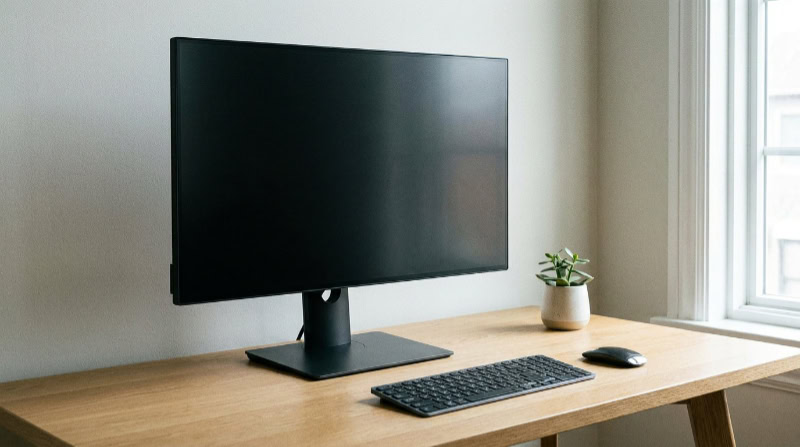
Selecting the right gaming monitor often comes down to budget and performance, where small hardware differences can impact your overall play style. The choice between 144Hz and 165Hz is one of the most common dilemmas, leaving buyers wondering if the extra cost translates to a noticeable competitive edge.
While both options offer a massive step up from older 60Hz displays, the physical gap between them is deceptively narrow. A mere 21 frames per second separates these two standards, creating confusion about which option provides genuine value.
Key Takeaways
- The time difference in frame delivery between 144Hz and 165Hz is only 0.88 milliseconds, which is visually imperceptible to the vast majority of human eyes.
- A 165Hz monitor requires 15 percent more frames to be rendered by your graphics card and processor compared to a 144Hz monitor, which can strain mid-range or budget hardware.
- DisplayPort is the standard requirement to achieve a stable 165Hz refresh rate, as older HDMI ports lack the bandwidth needed to handle high refresh rates at higher resolutions.
- Many monitors marketed as 165Hz are actually native 144Hz panels that have been factory-overclocked, which can sometimes cause screen flickering or stability issues.
- Panel type, color accuracy, and pixel response times have a much greater impact on overall visual quality and motion blur reduction than a 21Hz increase in refresh rate.
Fundamentals of Monitor Refresh Rates
Before comparing 144Hz and 165Hz displays, it is helpful to look at the basic mechanics of how monitors display movement. Every visual on your monitor is a series of still images flashed in rapid succession.
The speed and efficiency of this process dictate how smooth your system feels during use, forming the baseline for all high-performance gaming setups.
Definition of Refresh Rate and Frame Rate
The refresh rate of a monitor refers to how many times the screen updates its image per second, measured in Hertz (Hz). A 144Hz monitor refreshes 144 times every second, while a 165Hz screen updates 165 times.
In contrast, frame rate, measured in frames per second (FPS), is determined by your computer’s graphics card and processor. FPS represents how many frames of gameplay the system can render each second.
While the graphics card generates these frames, the monitor acts as the window that displays them. If your computer outputs 200 FPS but your monitor is capped at 144Hz, you will only see 144 updates per second, meaning hardware performance and display capabilities must align to get the best experience.
Mathematical Comparison of Frame Delivery Times
To understand the mechanical difference between 144Hz and 165Hz, we can break down the time it takes for a monitor to display a single frame. This interval is known as frame time.
A 144Hz monitor refreshes once every 6.94 milliseconds. By comparison, a 165Hz display refreshes once every 6.06 milliseconds.
The difference between these two refresh cycles is exactly 0.88 milliseconds. While this sub-millisecond gap is mathematically real, it represents an incredibly brief window of time, meaning the actual hardware demands change only slightly between the two standards.
Visual Experience and Human Perception

How these frame times translate to actual use depends largely on the limits of human biology and the type of content on screen. While hardware can measure fractional differences in milliseconds, the human eye processes visual information differently.
Limits of Human Visual Perception
The transition from a standard 60Hz office monitor to a high-refresh-rate 144Hz display is immediately noticeable to almost everyone, as the frame delivery time drops by over 10 milliseconds. However, refresh rates operate on a curve of diminishing returns.
The leap from 144Hz to 165Hz represents a drop of only 0.88 milliseconds in frame delivery. Because this difference is so tiny, the average user cannot actively detect the extra 21 frames per second.
The human visual system struggles to differentiate such minor updates under normal conditions, making the two refresh rates appear virtually identical in side-by-side tests for most people.
Impact on Motion Blur and Fluidity
High refresh rates reduce perceived motion blur, making fast camera panning look clearer and sharper. On a 165Hz monitor, images shift slightly faster than on a 144Hz screen, which technically improves fluid transitions.
However, this visual improvement is highly dependent on pixel response time, which is the time it takes for a pixel to change from one color to another. If a monitor has a slow response time, ghosting and trailing artifacts will appear, ruining the clarity regardless of the refresh rate setting.
Therefore, pixel response speed matters just as much as the refresh rate for maintaining a clean image.
Performance in Fast-Paced Game Genres
The slight advantage of 165Hz is most relevant in competitive esports titles, such as first-person shooters and racing simulators, where split-second tracking is vital. In these fast-paced environments, any reduction in input lag or increase in image fluidity can offer a minor competitive advantage.
For casual single-player games and general productivity tasks, the extra 21Hz offers no practical benefit. Operating systems, web browsers, and casual games feel equally fluid at either standard, meaning the extra frames are wasted outside of competitive gaming.
Technical Constraints and Connectivity Requirements
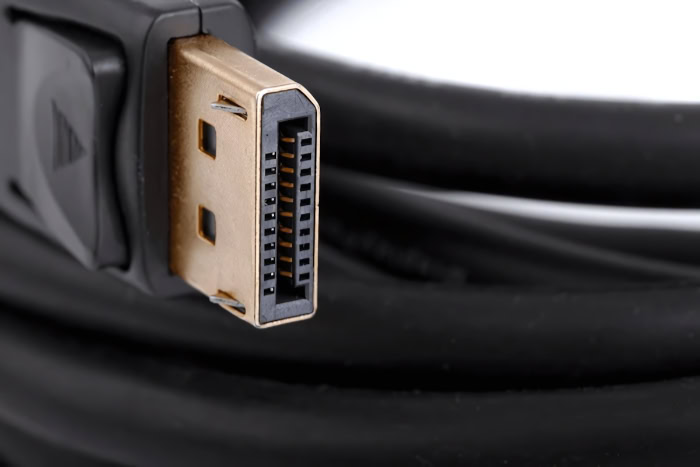
Achieving these high refresh rates requires proper hardware compatibility and connectivity setup. Even if you purchase a fast monitor, your computer will not run at its full potential if the cable, port version, or panel configuration is incorrect.
Interface Standards (DisplayPort vs. HDMI)
To output high refresh rates, you must use a cable and port with sufficient bandwidth. Older versions of HDMI, such as HDMI 1.4, are limited in bandwidth and generally cannot support 1080p resolutions at 144Hz, let alone 165Hz.
While HDMI 2.0 and HDMI 2.1 can handle these high speeds at 1080p and 1440p resolutions, DisplayPort remains the industry standard. Most monitors require a DisplayPort connection to achieve a stable 165Hz output, especially when running at 1440p or 4K resolutions.
Choosing the right connection type is vital to prevent signal loss or automatic downscaling.
Variable Refresh Rate Compatibility (G-Sync and FreeSync)
Variable Refresh Rate (VRR) technologies, such as Nvidia’s G-Sync and AMD’s FreeSync, are essential for keeping gameplay smooth. These technologies synchronize the monitor’s refresh rate with the output of your graphics card to eliminate screen tearing.
Both 144Hz and 165Hz monitors support these features across wide frequency ranges. However, running a monitor at 165Hz requires the graphics card to maintain G-Sync or FreeSync synchronization up to 165 frames per second, which demands slightly more processing power to prevent visual stuttering when frames dip.
Native Refresh Rates vs. Factory Overclock Status
Many monitors marketed as 165Hz displays do not run at this speed natively. Instead, they feature native 144Hz panels that are factory-overclocked to reach 165Hz.
While this overclock is officially supported by the manufacturer, enabling it through the monitor’s on-screen menu can sometimes lead to drawbacks. Overclocked settings can cause screen flickering, increased heat generation, or minor visual artifacts over time.
If stability is your priority, running a monitor at its native 144Hz setting is often the safer option for long-term use.
Hardware Demands and System Performance

Achieving a high refresh rate on paper is easy, but your computer must actually be capable of rendering games at matching frame rates. High-speed displays place a significant tax on your internal components, requiring a balanced system to avoid performance bottlenecks.
Graphics Processing Unit Demands
Outputting a consistent 165 frames per second requires your graphics card to render approximately 15 percent more frames each second compared to a 144 FPS target. While modern mid-range and high-end graphics cards can easily hit these targets in lighter esports titles, demanding modern blockbusters will push your GPU to its limits.
In graphically intensive games, achieving a stable 165 FPS often requires lowering visual settings, making the jump from 144Hz a challenge even for capable hardware.
Central Processing Unit Bottlenecks
While the graphics card renders the pixels, the processor is responsible for game physics, logic, and preparing frame instructions. In high-frame-rate scenarios, the processor must work incredibly fast to keep up with the graphics card.
If your processor is weak or outdated, it will create a bottleneck, preventing your system from reaching 165 FPS. No matter how powerful your graphics card is, an insufficient processor will cap your performance, often leading to stuttering and unstable frame delivery.
Resolution and Frame Rate Trade-offs
The performance impact of running 144Hz versus 165Hz changes dramatically depending on your display resolution. At 1080p, the system is highly CPU-bound, making 165Hz relatively easy to achieve if you have a modern processor.
At 1440p, the workload shifts more toward the graphics card, requiring a balanced setup to maintain those extra frames. At 4K resolution, the rendering demands are so immense that even top-tier graphics cards struggle to maintain frame rates above 100 FPS in modern titles, rendering the difference between 144Hz and 165Hz practically irrelevant for high-end gaming.
Purchase Decision and Value Assessment

Choosing between these two display standards often comes down to overall value rather than raw performance metrics. Since the visual difference is minimal, buyers must look at pricing, their current setup, and other display features to make a logical choice.
Price-to-Performance Ratio
In the current display market, the price gap between 144Hz and 165Hz monitors is often negligible, as 165Hz has largely succeeded 144Hz as the baseline standard for entry-level gaming screens. However, if there is a noticeable price premium for a 165Hz model, paying extra is rarely worth the investment.
A 15 percent theoretical increase in refresh rate does not justify a higher cost if it comes at the expense of other important monitor specifications.
Upgrade Path Decisions for Current Monitor Owners
For users transitioning from an old 60Hz display, choosing either 144Hz or 165Hz will provide an immediate and drastic improvement in smoothness. In this scenario, simply buy the best-reviewed monitor that fits your budget.
Conversely, if you already own a functional 144Hz monitor, upgrading to a 165Hz panel is highly discouraged. The sub-millisecond improvement in frame delivery is unnoticeable in everyday use, meaning your money is better spent elsewhere.
Panel Quality and Other Monitor Specifications
Instead of focusing purely on a minor refresh rate difference, it is far more beneficial to prioritize panel technology and color accuracy. An IPS, VA, or premium OLED panel will have a much greater impact on your visual experience than an extra 21Hz.
Additionally, features like low input lag, contrast ratios, and high-quality HDR capabilities contribute far more to overall image quality and responsiveness than a slight bump in frame rate.
Conclusion
The choice between 144Hz and 165Hz monitors comes down to a minuscule 0.88-millisecond difference in frame delivery times, which translates to an extra 21 frames per second. For the vast majority of users, this minor bump is visually indistinguishable and has no impact on casual gaming or daily productivity.
Buyers upgrading from a standard 60Hz display will experience a massive leap in smoothness with either option, making budget and other hardware specifications the best guiding factors. If you currently own a 144Hz monitor, upgrading is not recommended, as your funds are better spent on a more powerful graphics card or a panel with better color accuracy.
Frequently Asked Questions
Will I actually notice the difference between 144Hz and 165Hz?
No, you will not notice a visual difference between these two refresh rates under normal circumstances. The gap in frame delivery is a tiny 0.88 milliseconds, which is too brief for the human eye to detect. Most people find both monitors appear identical during standard gameplay.
Do I need a DisplayPort cable to get 165Hz?
Yes, a DisplayPort connection is usually required to output a stable 165Hz refresh rate. While some newer HDMI versions support higher speeds, older HDMI ports lack the bandwidth necessary to drive high refresh rates, especially at 1440p resolution. Using DisplayPort ensures your screen runs at its full speed without issues.
Can a slow processor ruin my monitor’s high refresh rate?
Yes, an outdated processor can create a bottleneck that prevents your system from hitting 165 frames per second. Even if you have a powerful graphics card, the processor must work incredibly fast to manage game physics and logic. If it fails, your frame rate will drop below your monitor’s capabilities.
Is it safe to overclock my 144Hz monitor to 165Hz?
Yes, it is safe to use factory-overclocked settings, but they can occasionally cause minor stability issues over time. Some displays are native 144Hz panels pushed to 165Hz by the manufacturer. While supported, this setting can sometimes result in screen flickering, increased heat generation, or pixel degradation during long gaming sessions.
Should I upgrade my 144Hz monitor to a 165Hz model?
No, upgrading from a 144Hz monitor to a 165Hz screen is not worth the expense. The performance difference is practically imperceptible, meaning you would pay for a feature you cannot see. Your money is better spent upgrading your graphics card or investing in a monitor with a superior OLED panel.
About the Author: Julio Caesar


