
Are Gaming Laptops Worth It? The Real Cost of Portability
Cramming desktop-grade computing power into a slim, portable chassis is an absolute engineering marvel. The appeal of taking high-performance gaming anywhere is undeniable, giving players the freedom to load up demanding titles from a hotel bed or a crowded dorm room.
However, that freedom comes with a significant catch. The primary dilemma for buyers is balancing the steep financial cost of miniaturized hardware against the raw convenience it provides.
You always pay a premium for mobility. Figuring out if a gaming laptop is the right investment requires stepping back from the flashy spec sheets.
It demands a realistic look at your personal budget, your daily physical routine, and your genuine performance expectations. Before dropping thousands of dollars on a machine that will inevitably run hot and loud, you must determine if the trade-offs actually make sense for the way you play.
The Primary Advantages of Gaming Laptops
Gaming laptops offer distinct benefits that traditional stationary computers simply cannot match. The massive appeal of these machines lies in their ability to combine raw computational power with physical flexibility.
Users are no longer forced to choose between playing modern titles and leaving their homes.
Ultimate Portability
The most obvious benefit of a mobile gaming rig is the sheer physical freedom it provides. Players can launch graphically demanding games from virtually anywhere.
A university student can play in a dormitory, a traveling professional can log into their favorite multiplayer matches from a hotel room, and anyone can move from the living room couch to the bedroom without interrupting their session. You are never permanently tethered to a single room or a heavy desk setup.
The All-in-One Ecosystem
Purchasing a traditional computer requires buying multiple external components to actually use the machine. A mobile setup bypasses this completely by integrating a high-refresh-rate monitor, a tactile keyboard, built-in speakers, and all the core internal hardware into a single chassis.
You open the lid and immediately have a fully functional gaming station. This convenience eliminates the hassle of researching, buying, and cable-managing separate monitors and peripherals.
Space Efficiency
Many users live in small apartments or shared living spaces where dedicating a large corner of a room to a massive desk and a computer tower is physically impossible. Gaming laptops beautifully solve these strict spatial constraints.
They take up minimal surface area on a small table and can be easily folded shut and stored in a drawer or backpack to free up room when not in active use.
Dual-Purpose Utility
The same powerful internal components required to render high-resolution video games are exactly what professionals and students need for heavy digital workloads. A mobile gaming machine doubles perfectly as a high-end workstation.
Users can seamlessly transition from rendering 3D models, editing high-bitrate video files, or running complex CAD software during the workday to playing the latest graphically demanding releases at night.
The “Portability Tax” (Cost vs. Performance)

Attaining the freedom of a mobile setup requires accepting specific financial and performance trade-offs. The cost of shrinking high-end technology into a portable form factor is substantial, and the physical limits of that form factor prevent the hardware from matching stationary desktop variants.
The Price Premium
Miniaturizing complex hardware significantly increases manufacturing costs. Engineers must design custom motherboards and specialized cooling apparatuses to fit everything into a chassis that is roughly an inch thick.
Because of these intense design and engineering requirements, a mobile computer will always carry a noticeably higher price tag than a stationary desktop tower built with strictly comparable specifications.
Mobile vs. Desktop Components
Hardware manufacturers often use the exact same model names for mobile and desktop graphics cards, which easily misleads consumers. A graphics card like an RTX 4070 in a laptop does not perform identically to an RTX 4070 installed in a desktop tower.
The mobile variants are physically smaller chips with fewer active cores and slower clock speeds. This physical reduction is necessary to keep the laptop from overheating, but it guarantees a noticeable performance gap between the two platforms.
Power Limits and Performance Ceilings
High frame rates require massive amounts of electrical power. Laptops are severely restricted by strict wattage limits.
A desktop graphics card might draw well over 300 watts of power to render a modern game at maximum visual settings. A mobile graphics card might be permanently capped at 100 or 140 watts simply because the slim chassis cannot safely dissipate the intense heat generated by drawing more power.
These fixed wattage restrictions establish a hard ceiling on the maximum frame rates you can achieve.
Compromises in Daily Operation
Beyond the initial financial barriers and hardware limits, relying on a high-powered mobile computer introduces physical realities that users must manage on a daily basis. The sheer laws of physics ensure that high-performance components inside a tiny enclosure will behave differently than a standard office laptop.
Thermal Management and Noise
Cramming electricity-hungry components into a thin metal or plastic box creates immense thermal challenges. To prevent the internal hardware from literally melting, gaming laptops rely on highly aggressive cooling systems.
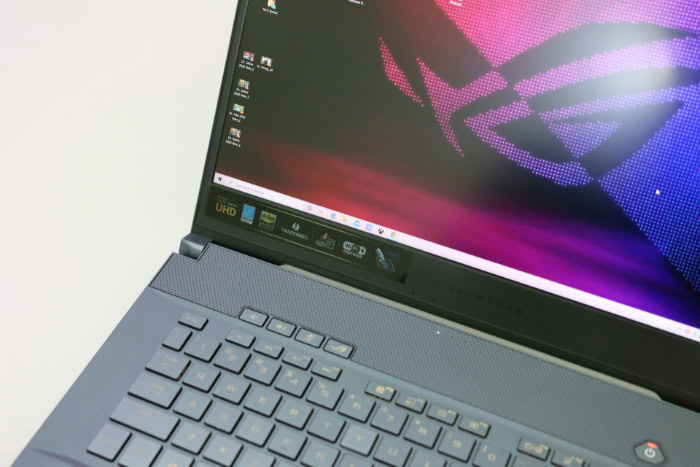
During heavy gameplay, the internal fans spin at incredibly fast speeds, producing a loud whining noise that can easily bleed into voice calls or distract people sitting nearby. Furthermore, the surface of the laptop, particularly the metal area directly above the keyboard, often becomes uncomfortably hot to the touch.
The Reality of Battery Life
The phrase “mobile gaming” comes with serious asterisks regarding battery operation. Trying to play a modern, graphics-intensive game solely on battery power yields terrible results.
A laptop battery cannot discharge energy fast enough to feed the demanding processor and graphics card, causing in-game frame rates to plummet to unplayable, stuttering levels. Even outside of gaming, these powerful internal components drain the battery exceptionally fast.
Simple tasks like web browsing or streaming videos will completely deplete a fully charged gaming machine in just a few short hours.
Ergonomics, Weight, and Bulk
While they are technically portable, these machines are rarely lightweight. Carrying a heavy gaming laptop in a backpack takes a physical toll on your shoulders and back over time.
Furthermore, because the internal battery drains so quickly, users must carry the massive, brick-like power adapter everywhere they go. This adds significant bulk to a daily commute or travel routine, making the entire setup much more cumbersome than carrying a standard thin-and-light computer.
Maintenance, Upgrades, and Hardware Lifespan

Buying a premium machine naturally leads to questions about how long it will actually last. Unlike stationary desktop computers, mobile setups offer very little flexibility after the initial purchase.
Users must think carefully about the future before spending a large amount of money today.
The Locked Hardware Dilemma
The biggest drawback to a mobile setup is the total inability to swap out core performance components. To fit inside the incredibly thin chassis, the central processing unit and the graphics card are permanently soldered directly to the motherboard.
If a highly demanding video game releases next year and your current graphics card struggles to run it, you cannot simply buy a newer card and install it yourself. Your graphical performance is forever locked at the exact hardware level you purchased on day one.
Permissible Upgrades
While the core processors are untouchable, most manufacturers do allow users to make minor internal modifications. You can usually swap out the system memory to increase the total RAM, which helps with heavy multitasking and specific creative workloads.
You can also add larger solid-state drives to store massive modern game files. These minor physical adjustments can make the device feel faster for daily administrative tasks, but they will never improve your maximum frame rates in demanding visual titles.
Lifespan Expectations
Predicting exactly how long a mobile setup will remain relevant depends entirely on your personal performance standards. Generally, a high-end model will play new releases at maximum graphical settings for about two to three years.
After that period, visual technology advances rapidly, and you will have to systematically lower the in-game graphics settings to maintain smooth frame rates. By year five, most mobile hardware struggles heavily with brand-new major releases, eventually forcing the user to consider a complete system replacement.
Hardware Depreciation
Because the core internal components cannot be upgraded, these machines lose their financial value rapidly on the second-hand market. A desktop tower holds value better because a potential buyer knows they can easily swap out the older parts.
A portable rig is a rapidly depreciating asset. Once the internal graphics card is two generations out of date, the resale value plummets.
People planning to sell their used device to fund a future upgrade are often severely disappointed by how little of their original investment they can recover after three or four years.
Evaluating Practical Alternatives

Before committing to a costly, heavy mobile rig, buyers should carefully consider if a different hardware configuration better suits their daily routine. Several alternative setups provide excellent gaming experiences while completely eliminating the major frustrations of heat generation, fan noise, and terrible battery life.
The Two-Device Strategy
Instead of forcing one single machine to do absolutely everything, many people choose to split their budget across two different systems. You can build a powerful, stationary desktop computer for your house and buy a cheap, lightweight device like a Chromebook for travel or taking notes in a classroom.
This completely solves the battery and weight issues of a daily commute. Your desktop stays home to handle the heavy graphical lifting with excellent cooling, while your lightweight travel device easily lasts through a full day of meetings on a single electrical charge.
Consoles and Productivity Laptops
Another highly popular alternative separates your entertainment and your work entirely. Purchasing a current-generation PlayStation or Xbox provides a guaranteed, highly optimized gaming experience on a large television without any frustrating driver issues or hardware bottlenecks.
You can then use the remainder of your hardware budget to buy a premium thin-and-light ultrabook for daily computing. This strategy gives you a high-end console experience at night and a sleek, completely silent work computer with a twelve-hour battery life during the workday.
Cloud Gaming Solutions
Fast, reliable internet connections have made local physical hardware much less important. Services like GeForce Now and Xbox Cloud Gaming allow you to stream high-end titles directly to a basic, non-gaming computer.
All the intense graphical processing happens on distant corporate servers, and the video feed is sent directly to your screen in real time. As long as you have a stable Wi–Fi connection, you can play beautifully rendered titles on a quiet, cool machine without worrying about fan noise or paying for expensive internal hardware.
Conclusion
Deciding to purchase a mobile gaming rig requires a careful evaluation of what you truly value in a computer. The fundamental trade-off is clear.
You pay a premium price for the undeniable convenience of portability, but you sacrifice raw performance, upgrade potential, and battery life in the process. For specific people, this exchange is absolutely justified.
If you are a student moving between dorm rooms, a frequent traveler spending nights in hotel beds, or someone living in an apartment without the physical space for a dedicated desk, a gaming laptop is an exceptional tool. It condenses an entire entertainment and productivity center into a single backpack.
However, buyers must look beyond flashy hardware specifications. The best choice always aligns with your actual daily physical routine.
If your computer rarely leaves your living room, the mobility tax is simply not worth paying. Evaluate how you physically move through your day before making a final commitment to a mobile system.
Frequently Asked Questions
How long do gaming laptops typically last?
A premium model will easily run modern releases at high graphical settings for about three years. After that period, you must lower the visual settings to maintain smooth frame rates. Most users completely replace their portable systems after five years.
Can you upgrade the graphics card in a gaming laptop?
You cannot upgrade the graphics card or processor in almost all modern mobile setups. These critical performance components are permanently soldered to the motherboard to save physical space. You can usually only upgrade the system memory and internal storage drives.
Why are gaming laptops so loud during gameplay?
High-performance internal components generate massive amounts of heat under heavy load. To prevent the hardware from melting inside the thin chassis, small internal fans must spin at incredibly high speeds. This aggressive cooling process creates the loud noise you hear.
Do gaming laptops have good battery life?
Portable gaming machines have notoriously poor battery life due to their power-hungry processors and bright screens. Playing an intensive title will deplete a full charge in under an hour. Even basic web browsing rarely lasts more than four to five hours.
Is a gaming desktop cheaper than a gaming laptop?
A stationary desktop computer is significantly cheaper than a portable rig with strictly comparable specifications. Miniaturizing technology and designing custom cooling solutions drastically increases manufacturing costs. A desktop also saves you money over time by allowing individual part upgrades.
About the Author: Julio Caesar


