
What Is Audio Passthrough? Explained
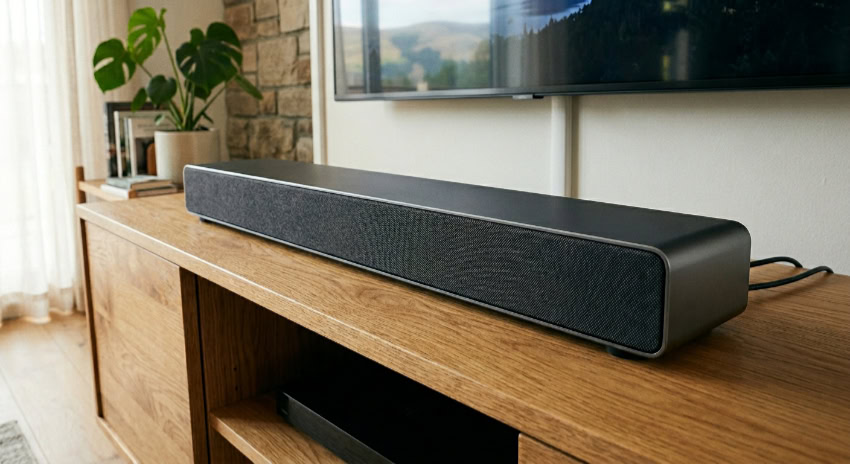
Setting up a home theater often leads to a frustrating surprise when expensive speakers produce flat, delayed, or completely silent audio. This disappointment usually stems from a mismatch in how your TV, gaming console, and soundbar communicate sound data to one another.
Resolving these conflicts requires coordinating the audio settings across your entire media stack so that each device plays its proper role. At the center of this configuration is a setting that acts as a silent coordinator, allowing pristine audio data to travel untouched from your media source straight to your speakers.
Key Takeaways
- Audio passthrough bypasses a source device’s internal audio processor, sending raw, untouched digital data directly to a receiver or soundbar for decoding.
- Traditional HDMI ARC has a strict bandwidth limit of 1 Megabit per second, restricting it to compressed 5.1 surround sound or two-channel uncompressed LPCM.
- HDMI eARC expands bandwidth to 37 Megabits per second, allowing the transmission of uncompressed lossless audio and spatial formats like Dolby Atmos and DTS:X.
- Legacy optical and coaxial digital cables cannot support modern spatial audio or lossless formats, limiting output to basic compressed 5.1 or stereo.
- Enabling passthrough requires setting your TV’s digital audio output to “Passthrough” and configuring your console or media player to output bitstream or Dolby Atmos.
Definition and Fundamental Concept
Modern home entertainment setups rely on a chain of devices to deliver a single movie or game. To get the best possible sound, you must decide which device is responsible for translating the audio data.
Setting up passthrough ensures that this translation happens at the best possible point in your system.
Basic Definition of Audio Passthrough
In plain language, audio passthrough is a setting that instructs a playback device to send raw, untouched audio data directly to an external sound system. Normally, a media player or gaming console wants to open and process audio files before sending them to your speakers.
When you activate passthrough, you tell that playback device to bypass its internal audio processors entirely. The device acts as a simple messenger, handing the raw digital files over to a dedicated audio processor, such as a soundbar or an audio-video receiver, which is far better equipped to decode the signal.
The Path of an Unaltered Signal
To see how this process functions, consider the path of a digital audio signal from your media file to your ears. The process begins at the source, which could be a Blu-ray player, a streaming box, or a video game console.
Rather than decoding the audio, this source transmitter packages the raw, encoded data and sends it over an HDMI cable. If the signal travels through a television first, a TV with passthrough enabled will act as a neutral conduit, transferring the digital package without reading or modifying it.
Finally, the signal reaches the endpoint, a dedicated audio processor, which decodes the data and sends it to the speakers as sound waves.
Comparison: Internal Signal Conversion vs. Direct Passthrough
By default, many media devices are set to convert audio internally. This means the console or streaming stick decodes the Dolby or DTS signal itself, turning it into an uncompressed format before sending it to your TV or soundbar.
While this ensures that almost any connected screen can play the sound, it strips away advanced spatial metadata. In contrast, direct passthrough keeps the original audio package sealed until it reaches your sound system.
This structural difference ensures that your high-end soundbar or receiver, rather than a general-purpose streaming stick, performs the crucial final decoding.
Audio Formats and Stream Comparison

Digital audio travels in different states depending on how it is stored and sent between devices. Knowing how these audio formats function helps clarify why your setup might require a specific transmission method.
Linear Pulse Code Modulation (LPCM)
Linear Pulse Code Modulation, commonly known as LPCM or PCM, is a method of transmitting uncompressed digital audio. Because the audio is already uncompressed, it does not require complex decoding by your receiver.
It represents the sound in its rawest digital state. LPCM is often the standard output format for devices like personal computers and certain gaming consoles, such as the Nintendo Switch, which perform all audio processing internally and send multi-channel sound directly to your screen or speakers.
Bitstream Audio Formats
Bitstream audio refers to data that is compressed or encoded into a specific package before transmission. This format is widely used for proprietary surround sound technologies developed by Dolby and DTS.
Instead of sending large, uncompressed audio channels, a bitstream condenses this information so it can travel easily over digital connections. The receiving device, such as a home theater receiver, must possess the correct license and decoder to unpack this bitstream and translate it into audible sound.
Differences in Sound Quality and Compatibility
While both formats can deliver excellent sound, they carry distinct risks regarding signal degradation and hardware compatibility. LPCM offers highly reliable sound quality because it does not undergo lossy compression, but its high bandwidth requirements can cause compatibility issues with older cables and televisions.
Conversely, bitstream formats allow for highly complex surround sound packages, but they require every device in your entertainment chain to support the specific Dolby or DTS format you want to use. If a television in the middle of your chain cannot decode or pass a specific bitstream, you may experience downgraded stereo sound or complete silence.
Benefits and Advantages

Choosing to bypass internal device processing offers major improvements to your home theater experience. By sending an unaltered signal directly to your speakers, you solve several common performance issues.
Preservation of High-Definition Audio
One of the primary advantages of this setup is the preservation of advanced, high-definition audio formats. Modern object-based spatial audio, such as Dolby Atmos and DTS:X, relies on specific metadata to place sounds in a three-dimensional space, including overhead.
If a source device decodes the audio internally, it often strips away this spatial metadata, reducing the sound to a standard surround format. Passthrough retains this lossless metadata, ensuring your premium speakers receive the exact directions needed to create a realistic, three-dimensional sound field.
Reduction in Audio Delay and Latency
Processing audio takes time, and when multiple devices try to decode the same signal, it creates a delay. This latency can cause distracting lipsync issues where the actors’ voices do not match their lip movements.
In gaming, even a slight delay in sound effects can hurt your reaction times and break your concentration. Utilizing passthrough eliminates this secondary decoding lag by forcing intermediate devices to ignore the audio signal, allowing for synchronized video playback and faster gaming response times.
Simplification of Sound System Architecture
Relying on a single device for all audio tasks greatly simplifies your home entertainment system. Instead of configuring different audio settings on your gaming console, streaming box, and television, you delegate all decoding to your AV receiver or soundbar.
This creates a centralized control point where you can manage volume, adjust equalization, and apply sound profiles without worrying about conflicting settings on your other playback devices.
Hardware Requirements and Cable Interfaces

Before setting up your system, you need to know the physical cables and connection types that link your devices. Your hardware determines whether your audio can pass through in its full, uncompressed glory or if it must be downscaled to fit through smaller pipes.
HDMI Audio Return Channel (ARC) Capabilities
HDMI Audio Return Channel, commonly known as ARC, was designed to simplify cabling by allowing audio to travel in both directions through a single HDMI cable. However, traditional ARC operates under strict bandwidth limitations, sharing its audio pipeline with old S/PDIF technology.
This restricts standard ARC connections to a maximum bandwidth of about 1 Megabit per second. As a result, traditional ARC cannot transmit uncompressed surround sound.
It is limited to two-channel uncompressed LPCM, or compressed 5.1 surround sound formats like standard Dolby Digital and DTS Digital Surround. If you attempt to send modern lossless audio through a standard ARC port, the signal must be compressed or converted down to stereo.
HDMI Enhanced Audio Return Channel (eARC) Improvements
HDMI Enhanced Audio Return Channel, or eARC, solves the bandwidth bottleneck of its predecessor. Introduced with the HDMI 2.1 specification, eARC expands the audio bandwidth from a mere 1 Megabit per second to a massive 37 Megabits per second.
This massive expansion of physical space allows the cable to transmit uncompressed multi-channel audio without any bottlenecking. With an eARC connection, you can easily transmit lossless high-resolution formats like Dolby TrueHD and DTS-HD Master Audio, as well as object-based audio like Dolby Atmos and DTS:X.
This makes eARC the ideal choice for connecting modern smart TV apps or connected consoles to an external sound system without sacrificing sound quality.
Optical and Coaxial Digital Cables
Before HDMI became standard, optical (Toslink) and coaxial digital cables were the standard methods for sending digital audio. These legacy physical connections are highly reliable, but they suffer from severe bandwidth limitations compared to modern HDMI standards.
They can only carry two channels of uncompressed stereo audio, or compressed 5.1 Dolby Digital and DTS Digital Surround. Legacy optical and coaxial setups completely lack the speed and space required to transmit lossless formats or modern spatial audio.
If your sound system relies on these older connections, your source devices must be configured to output standard compressed surround formats to avoid losing multi-channel sound entirely.
Configuration and Technical Resolutions

Enabling audio passthrough requires adjusting the settings on your television and each connected source device. When these devices are configured correctly, they work together to ensure your audio processor handles the raw signal.
Common Menu Settings on Television Sets
If your media player is connected directly to your TV and your TV sends audio to your soundbar via ARC or eARC, your television settings are crucial. Most modern smart TVs include an audio output menu with options such as Auto, PCM, and Passthrough.
Selecting PCM forces the television to decode the signal, often downmixing it to basic stereo before sending it to your soundbar. Choosing Auto allows the TV to decide, which often results in compatibility-based compression.
To get the best results on a modern smart TV, you should set the digital audio out format to Passthrough. This tells the television to act as a silent bridge, handing the raw audio stream directly to your receiver without modifying it.
Console and Media Player Audio Settings
To successfully pass your audio through, you must also configure your individual source devices. On a PlayStation 5, navigate to Settings, select Sound, and then Audio Output.
Scroll down to Audio Format (Priority) and select Dolby Atmos or DTS, and ensure your HDMI Device Type is set to AV Amplifier to send the bitstream signal. On an Xbox Series X or Series S, open Settings, choose General, select Volume and Audio Output, and then check the box under Additional Options to Allow Passthrough.
For streaming devices like an Apple TV or Roku, access the audio settings menu and set the output mode to Auto or Bitstream rather than Stereo. If you are playing physical discs on a Blu-ray player, you must open the player’s in-app settings during playback and change the audio output from PCM to Bitstream to ensure the raw master tracks reach your soundbar.
Resolution of Format Mismatch and Silence Issues
Setting up audio passthrough can sometimes result in compatibility errors, leading to a degraded signal or complete silence. If you experience silence after enabling passthrough, the issue is often an incompatible hardware handshake.
This occurs when a source device tries to send a format that your television or soundbar cannot read. To resolve this, verify that every device in your connection chain supports the chosen format, and try updating the firmware on all your devices.
If your TV cannot decode DTS but your soundbar can, you may need to connect your playback device directly to the soundbar instead of running it through the TV first. Additionally, verify that you are using high-speed HDMI cables capable of handling the bandwidth required for eARC.
Conclusion
Audio passthrough serves as a vital bridge in modern home theater setups, ensuring that digital sound data travels from your media source to your speakers without undergoing unnecessary processing. By forcing intermediate devices like televisions to act as neutral conduits, this configuration preserves the original quality of your audio files.
Consolidating the decoding work to a single dedicated receiver or soundbar prevents audio delay, maintains spatial metadata for formats like Dolby Atmos, and simplifies your overall system management. Investing the time to align your device settings ensures that your high-end sound equipment performs exactly as its designers intended, providing a synchronized and pristine listening experience.
Frequently Asked Questions
Why is my soundbar silent when I turn on passthrough?
Your soundbar is likely silent because it cannot decode the specific audio format sent by your source device. When passthrough is active, the TV sends raw audio without altering it, so if your soundbar lacks the proper Dolby or DTS decoder, no sound plays. You can fix this by selecting a widely compatible format.
Do I need a special HDMI cable for audio passthrough?
You do not need a special cable for basic passthrough, but you will need a High Speed HDMI cable to support high-bandwidth formats over eARC. Standard HDMI cables handle compressed 5.1 surround sound easily over traditional ARC connections. However, lossless formats like Dolby Atmos require the higher speed and bandwidth that only newer High Speed HDMI cables can provide.
Should I set my TV audio output to PCM or passthrough?
You should set your TV audio output to passthrough if you are using an external soundbar or AV receiver. Selecting PCM forces your television to decode the audio internally, which often downmixes the signal to basic stereo and strips away spatial metadata. Passthrough preserves the raw multi-channel stream so your sound system can process it correctly.
Does optical cable support Dolby Atmos passthrough?
No, digital optical cables do not have enough bandwidth to transmit Dolby Atmos or other lossless spatial formats. Optical connections are physically limited to transmitting standard two-channel stereo or compressed 5.1 Dolby Digital surround sound. To experience modern spatial audio, you must use an HDMI connection with ARC or eARC capability instead.
Will turning on passthrough fix my audio delay when gaming?
Yes, enabling audio passthrough is one of the most effective ways to eliminate sound delay while gaming. When you bypass the television’s internal audio processor, you remove the extra time the TV takes to decode the signal before sending it to your speakers. This direct transmission synchronizes the game audio with the on-screen action.
About the Author: Julio Caesar


