
Can You Run a PC Without a Case? Yes, Here’s How

Yes, you can absolutely run a PC without a case. A computer requires power and compatible components to function, but it does not strictly require a metal enclosure.
Enthusiasts refer to this practice as “breadboarding.” This technique involves assembling the motherboard, CPU, and GPU on a non-conductive surface to verify they work before finalizing the build.
You might find yourself doing this to troubleshoot a faulty part or simply because your new chassis is delayed in shipping. While running exposed hardware is electrically functional, it leaves expensive electronics vulnerable to physical accidents.
The Electrical Reality: Why a Case Is Optional
A computer case serves two primary purposes, neither of which is strictly electronic. It protects the delicate internal components from physical damage and helps direct airflow over hot surfaces.
However, the computer itself does not rely on the chassis to compute. The motherboard acts as the central nervous system, and as long as it receives power and connects to the necessary parts, it will function perfectly fine sitting on a wooden table.
Function Versus Form
The chassis is effectively a mounting bracket and a wind tunnel. It holds drives in place and allows fans to pull cool air through a specific path.
Electrically, the case is inert. It does not provide processing power, memory, or storage.
When you strip away the steel and glass, the actual computer is simply the motherboard and the components attached to it. As long as these parts are connected correctly and receive electricity, the system will boot, run an operating system, and play games without issue.
The Grounding Myth
A common misconception is that the motherboard requires contact with the metal chassis standoffs to be properly grounded. This is incorrect.
While the case does help bond the system's metal parts together, the primary electrical ground is provided by the power supply unit (PSU). The PSU connects to your wall outlet's ground through the power cord.
It then distributes this ground connection to every component in the system via the 24-pin main cable and the CPU power cables. Therefore, a motherboard sitting on a cardboard box is still fully grounded as long as the power supply is plugged into a grounded wall socket.
Electromagnetic Interference
In the past, unshielded electronics caused significant interference with radios and televisions. This led to strict regulations requiring metal cases to act as Faraday cages, blocking electromagnetic interference (EMI).
Modern components are built to much higher standards with better inherent shielding. While a metal case does block residual EMI, running a PC without one in a modern home rarely causes noticeable issues with Wi-Fi signals or other nearby electronics.
Component Independence
Each major component in a PC is modular and self-contained. The CPU locks into a socket, RAM clicks into slots, and storage drives connect via cables or M.2 ports.
These parts only need to communicate with the motherboard and receive power from the PSU. They do not require the structural support of a case to operate.
For example, a hard drive will spin and read data regardless of whether it is screwed into a drive bay or resting flat on a non-conductive desk surface.
Critical Safety Hazards and Environmental Risks

While breadboarding is electrically sound, it introduces significant physical risks. A case acts as armor against the chaotic environment of a typical room.
Without that armor, your expensive hardware is exposed to static electricity, accidental impacts, and conductive debris. You must remain vigilant to prevent a simple test bench setup from turning into a broken system.
Short Circuits
The most immediate danger is a short circuit. If the soldered points on the back of the motherboard touch a conductive surface, electricity will flow where it should not, potentially frying the board instantly.
Metal tables are the obvious enemy here, but hidden dangers exist too. Dropping a loose screw or a screwdriver onto a live motherboard can bridge connections and destroy components.
Even placing the board on carpet can generate enough static electricity to kill sensitive electronics.
The Anti-Static Bag Trap
New builders often make a dangerous mistake by placing the motherboard on top of the anti-static bag it came in. This seems logical, but it is actually hazardous.
These bags function as a Faraday cage to protect the contents. To achieve this, the exterior of the bag is often coated with a conductive material.
Placing a powered motherboard on the outside of this bag can cause a short circuit across the soldering points on the back of the board. Never use the bag as a building surface.
Physical Vulnerability
An open computer is defenseless against its environment. If you have pets, particularly cats, they may be attracted to the warmth of the components or the movement of the fans.
A single paw swipe can knock a running system off a table or short out a circuit. Children, spilled drinks, and clumsy movements also pose severe threats.
A spilled soda on a case might just get the top sticky; a spill on a bare motherboard is usually fatal to the hardware.
Hardware Stability
Computer cases provide rigid structural support, which is vital for heavy modern components. The PCIe slot on a motherboard is strong, but it is not designed to support the full weight of a massive, triple-fan graphics card on its own.
In a case, a screw secures the GPU bracket to the frame, distributing the weight. Without a case, the heavy card leans entirely on the plastic slot.
This can crack the connector or warp the motherboard over time if the card is not carefully balanced or supported.
A Guide to Proper Setup
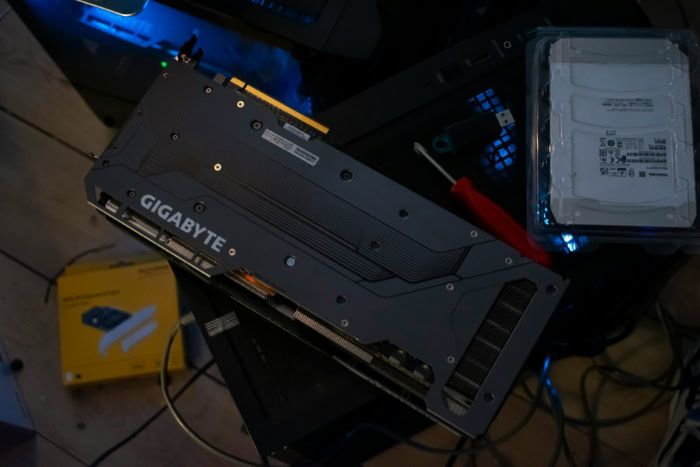
If you decide to run your system without a case, you must set it up methodically to minimize the risks mentioned above.
Choosing the Right Surface
The foundation of your open-air build must be non-conductive. The best and most readily available surface is the cardboard box the motherboard came in.
Cardboard is sturdy, non-conductive, and usually the perfect size. A clean wooden table or a dedicated rubber repair mat also works well.
Avoid fabrics, carpets, or any metal surfaces. Ensure the area is flat so the motherboard does not flex under the weight of the CPU cooler and RAM.
Powering on Without a Button
Since you do not have a case, you do not have a power button connected to the motherboard. To turn the system on, locate the two pins on the motherboard header labeled “PWR_SW” or “Power Switch.”
You can start the PC by briefly touching both pins simultaneously with the metal tip of a screwdriver. This bridges the connection just like pushing a button would.
Some high-end motherboards include an onboard “Start” button, which makes this process much easier and safer.
Securing the GPU
Installing a graphics card requires extra care in a caseless build. Because the metal bracket on the GPU is longer than the connector, it hangs down lower than the motherboard.
If you place the motherboard flat on a table, the GPU bracket will hit the table and force the card out of the slot. To fix this, hang the edge of the motherboard slightly over the side of the box so the GPU bracket can hang freely.
Ensure the card stands up straight and does not lean, as this puts stress on the gold PCIe pins.
Cable Management Basics
In an open build, cables from the power supply tend to sprawl out in every direction. It is critical to keep these wires away from spinning fan blades.
A loose cable falling into a CPU or GPU fan can stop the fan, causing the component to overheat, or the blades might slice the cable insulation. Use twist ties or Velcro straps to bundle excess cable length and direct wires away from the center of the motherboard.
Cooling, Dust, and Acoustic Performance

Running a computer without an enclosure dramatically changes how the system manages heat, debris, and sound. A traditional chassis is designed to create a controlled environment.
When you remove that environment, you gain immediate access to cool room air, but you lose the engineered airflow that many components rely on. This trade-off affects the lifespan of your parts and the user experience in distinct ways.
Ambient Versus Directed Airflow
In a standard PC case, fans work together to create a wind tunnel. Intake fans pull cool air in, and exhaust fans push hot air out.
This creates a directed stream that forces air over every component. When you run a PC open-air, the components have unlimited access to fresh ambient air, which prevents heat pockets from forming.
However, you lose the pressure needed to force air into tight spaces. While the CPU and GPU often run cooler because they draw fresh air directly, the lack of directional flow means heat can linger around other components that rely on passive cooling.
VRM and SSD Cooling
The most significant thermal risk in an open setup involves the passive components on the motherboard. Voltage Regulator Modules (VRMs) and high-speed M.2 SSDs generate considerable heat but rarely have their own dedicated fans.
In a case, the front chassis fans blow air across these heatsinks incidentally. Without that directed airflow, VRMs can overheat, especially during heavy tasks like rendering or overclocking.
If you plan to run a powerful CPU on an open test bench for an extended period, you may need to point a small desk fan at the motherboard to simulate the airflow a case would usually provide.
Dust Accumulation
A computer case acts as a barrier. Most modern enclosures feature dust filters on the intake fans to trap particles before they enter the system.
Without this shield, gravity takes over. Dust settles directly onto horizontal surfaces, including the back of the graphics card and the motherboard circuitry.
While the accumulation occurs faster, cleaning is significantly easier. You do not need to remove panels or unscrew filters.
A quick blast of compressed air removes the buildup in seconds, making maintenance straightforward despite the increased frequency.
Noise Levels
Acoustics are often the biggest surprise for users who switch to an open setup. A metal case lined with glass or sound-dampening foam does an excellent job of muffling high-pitched frequencies.
Without these walls, there is nothing to block the noise. You will hear everything.
The “coil whine” from a graphics card under load becomes audible, and the turbulence of the CPU cooler fans will be much more noticeable. If you appreciate a silent workspace, an open-air rig may be distracting.
When to Go Caseless: Ideal Use Cases

While most users prefer a traditional chassis for long-term use, there are specific scenarios where an exposed setup is superior. Breadboarding is not just for emergencies.
It serves as a practical diagnostic tool and a flexible solution for enthusiasts who swap parts frequently.
Troubleshooting Hardware
The most practical reason to run a PC without a case is to diagnose failures. If you build a PC inside a case and it fails to turn on, you have to disassemble everything to find the problem.
This is tedious and time-consuming. By assembling the core components on a cardboard box first, you can verify that the motherboard, RAM, and CPU are working correctly.
If a part is dead on arrival, it is much easier to pack it up for a return if it was never screwed into a chassis.
The Test Bench Build
Hardware reviewers and competitive overclockers rarely use standard cases. They rely on “test benches,” which are specialized open frames designed for rapid hardware changes.
If you are the type of user who upgrades your graphics card every year or frequently swaps out storage drives, a traditional case becomes an obstacle. An open-air setup allows you to unplug and replace a component in seconds without removing side panels or undoing cable management ties.
Temporary Solutions
Sometimes, logistics dictate the build process. You might have all your expensive internal components, but the case is stuck in shipping or on backorder.
Rather than letting the parts sit in boxes, you can build the system on a non-conductive surface to install the operating system, download games, and ensure everything is stable. This allows you to use the computer immediately.
Once the case arrives, the migration process is simple because the core components are already assembled and tested.
Artistic and Wall-Mounted PCs
For some, avoiding a case is a stylistic choice rather than a functional one. Wall-mounted PCs and open-frame artistic builds use the hardware itself as a visual centerpiece.
These setups use specialized mounting boards to display the components flat against a wall or suspended in an acrylic frame. While these require more maintenance to keep dust-free, they turn the computer into a functional piece of industrial art that highlights the engineering of the parts.
Conclusion
Running a computer without a case is entirely feasible and serves as a valuable skill for any PC builder. If you are troubleshooting a dead component or waiting for a delivery, the hardware will function perfectly fine on an open surface.
However, this setup demands constant vigilance. Without a protective shell, your expensive electronics are one spill or accidental bump away from permanent damage.
While breadboarding is excellent for short-term testing, a proper case or a dedicated test bench remains the superior choice for daily use, offering the necessary protection and noise dampening for a durable system.
Frequently Asked Questions
Is it dangerous to run a PC without a case?
It is electrically safe if placed on a non-conductive surface like wood or cardboard. The main risks are physical, such as accidental spills, falling objects, or pets touching the fans. As long as you keep the area clean and undisturbed, the components will operate normally.
Will my computer overheat without a case?
Generally, no. Open-air builds often run cooler because the CPU and GPU have access to unlimited fresh air. However, passive components like VRMs might run hotter because there are no case fans to move air over them. If you notice high temperatures, point a desk fan at the motherboard.
How do I turn on the PC without a power button?
You can jump-start the motherboard by bridging the two “PWR_SW” pins with a metal screwdriver tip. Touch both pins simultaneously for a moment to complete the circuit. Alternatively, some high-end motherboards feature an onboard start button that performs the same function without needing tools.
Do I need to worry about grounding?
The power supply unit handles grounding for the entire system through its cables. As long as the PSU is plugged into a grounded wall outlet, your components are safe. You do not need the brass standoffs found in a case to complete the ground circuit.
Can I put the motherboard on the anti-static bag?
No, you should never place a powered motherboard on the outside of an anti-static bag. The exterior is often conductive to create a Faraday cage effect, which protects the components inside. Placing live electronics on this surface can cause short circuits and permanent hardware damage.
About the Author: Julio Caesar


