
HDMI 2.1 vs. DisplayPort 2.1: Choosing the Winner
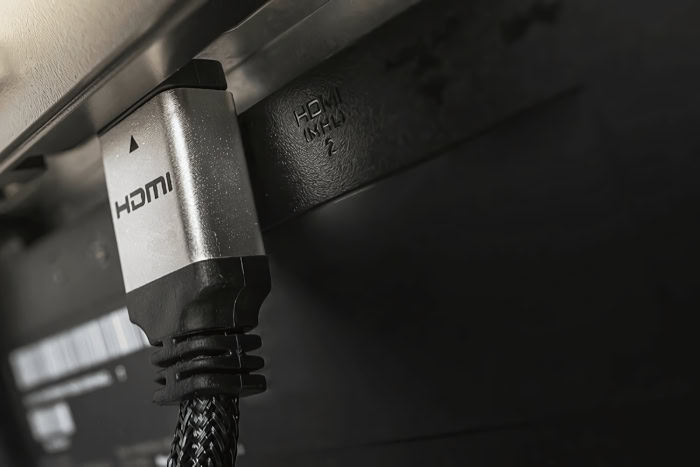
Buying a top-tier graphics card and a high-refresh-rate monitor feels pointless if the cable between them cannot handle the signal. We have finally reached a point where connection standards are struggling to keep pace with the hardware they serve.
Pushing 4K at 240Hz or 8K resolution requires massive data throughput that older cables simply cannot provide.
HDMI 2.1 currently dominates the living room as the universal standard for consoles and televisions. However, DisplayPort 2.1 has arrived as a massive upgrade for the PC space, offering raw speeds that leave its competitor behind.
Choosing between these interfaces is no longer just about matching plug shapes. It is about unlocking the full potential of your rig.
Bandwidth and Data Transmission Speeds
Speed defines the modern display interface. The amount of data a cable can move per second dictates everything from image clarity to motion smoothness.
While both standards have improved significantly over their predecessors, there is a clear divide in their raw capabilities. HDMI 2.1 offers a substantial leap over previous iterations, but DisplayPort 2.1 pushes the ceiling much higher to accommodate the next generation of graphics hardware.
Raw Throughput Comparison
HDMI 2.1 provides a maximum bandwidth of 48 Gbps. This was a massive upgrade from the 18 Gbps limit of HDMI 2.0, allowing consoles and GPUs to push 4K content comfortably.
However, DisplayPort 2.1 nearly doubles that figure with a maximum theoretical bandwidth of 80 Gbps. This massive pipe allows for data-heavy signals that would choke an HDMI connection, giving PC enthusiasts significantly more headroom for future displays.
Transmission Standards
To achieve these speeds, both formats use different architectural approaches. HDMI 2.1 utilizes Fixed Rate Link (FRL).
This technology replaces the older signaling method used in HDMI 2.0 and transmits data in fixed-pattern lanes to maintain stability at higher speeds. DisplayPort 2.1 relies on Ultra High Bit Rate (UHBR) certification.
This system is broken into three distinct tiers: UHBR 10 (40 Gbps), UHBR 13.5 (54 Gbps), and the top-tier UHBR 20 (80 Gbps). It is important to note that a device must specifically support UHBR 20 to unlock the full 80 Gbps potential.
Effective Data Rates
Marketing numbers often represent the total capacity of the pipe rather than the amount of usable video data. Every digital signal requires encoding overhead to ensure the data arrives intact, which consumes a portion of the bandwidth.
HDMI 2.1 uses 16b/18b encoding, meaning its effective data rate for video is roughly 42.6 Gbps. DisplayPort 2.1 utilizes a highly efficient 128b/132b encoding scheme.
Consequently, its effective data rate sits around 77.3 Gbps. This efficiency means DisplayPort retains almost all of its advertised speed for actual content.
Resolution and Refresh Rate Capabilities

Bandwidth numbers are abstract until they are translated into pixels and hertz. The real-world difference between these two standards becomes visible when you attempt to drive high-resolution monitors at competitive refresh rates.
While HDMI 2.1 is sufficient for current mainstream high-end gaming, DisplayPort 2.1 is built to handle the extreme edge cases of performance without compromise.
Uncompressed Performance
Without using any compression tricks, HDMI 2.1 hits a wall relatively quickly. It can handle 4K resolution at roughly 144Hz comfortably.
If you try to push 4K to 240Hz or aim for 8K resolution, the 48 Gbps cap becomes a limiting factor. DisplayPort 2.1 changes this dynamic entirely.
With 80 Gbps available, it can drive a 4K monitor at 240Hz or even higher without needing to compress the signal. It also opens the door for uncompressed 8K gaming at 60Hz, a feat that is mathematically impossible on HDMI 2.1.
Display Stream Compression (DSC)
To bypass bandwidth limits, modern devices use Display Stream Compression (DSC). This technology compresses the video signal before it leaves the GPU and decompresses it at the monitor.
HDMI 2.1 relies heavily on DSC to achieve specifications like 4K 240Hz or 8K 60Hz. While DSC is technically “visually lossless,” some purists prefer a raw signal to eliminate any potential for added latency or artifacts.
DisplayPort 2.1 has enough raw power to run these high-end specifications natively, removing the need for compression in many scenarios where HDMI would require it.
Color Depth and HDR
High Dynamic Range (HDR) requires 10-bit or 12-bit color depth, which increases the amount of data needed for every single frame. When bandwidth runs low, the system is often forced to compromise.
It might drop from 10-bit color down to 8-bit, or use chroma subsampling (4:2:2) which reduces color clarity. Because DisplayPort 2.1 has such a massive data pipeline, it can maintain full 10-bit or 12-bit color accuracy at high resolutions and refresh rates where HDMI 2.1 would be forced to downgrade the image quality to keep up.
Advanced Features and Synchronization Technologies

Beyond raw pixels, a great gaming experience relies on how the image is delivered and synchronized. Screen tearing, audio integration, and input lag are all managed differently depending on which cable you choose.
HDMI has evolved to serve the living room and console market, while DisplayPort remains laser-focused on the specific needs of the desktop PC environment.
Variable Refresh Rate (VRR) Implementation
Variable Refresh Rate allows the monitor to match the frame rate of the GPU, eliminating screen tearing. HDMI 2.1 uses “HDMI Forum VRR,” which is the standard method for the PlayStation 5 and Xbox Series X.
While it works on PCs, it can sometimes be finicky. DisplayPort 2.1 is deeply integrated with the VESA Adaptive-Sync standard.
This is the native foundation for both AMD FreeSync and Nvidia G-Sync technologies. For PC gamers, DisplayPort generally offers a more seamless and consistent VRR experience across a wider range of monitors.
Audio Return and Passthrough
This is the one area where HDMI 2.1 holds a distinct advantage. HDMI features ARC (Audio Return Channel) and eARC (Enhanced Audio Return Channel).
These features allow a TV to send high-quality audio back to a soundbar or receiver through the same cable used for video. This simplifies home theater setups significantly.
DisplayPort 2.1 can carry audio signals to the monitor's built-in speakers or headphone jack, but it lacks the two-way communication capabilities of eARC. It is designed for a desk setup, not a surround sound living room system.
Latency Reduction
HDMI 2.1 introduced Auto Low Latency Mode (ALLM), a feature that tells a television to automatically switch into “Game Mode” when a console is detected. It also utilizes Quick Frame Transport (QFT) to speed up the transmission of each frame to reduce lag.
DisplayPort generally does not need these specific modes because PC monitors are engineered for low latency by default. The DisplayPort architecture is inherently designed to strip away image processing that causes delay, providing a snappy response without requiring special “modes” to be activated.
Hardware Ecosystem and Platform Compatibility

Specifications on paper mean very little if the ports on your devices do not match. The choice between these two standards is often made for you by the hardware manufacturers.
While the cables may look similar, the ecosystems surrounding them are quite distinct. HDMI has firmly rooted itself in the consumer electronics space, while DisplayPort remains the powerhouse for dedicated computing setups.
The Console vs. PC Divide
If you are a console gamer, the decision has already been made. Sony and Microsoft designed the PlayStation 5 and Xbox Series X exclusively around the HDMI 2.1 standard.
These consoles do not feature DisplayPort outputs, meaning you must use an HDMI 2.1 connection to access features like 4K at 120Hz or VRR on a compatible television. Conversely, high-end PC gaming towers and professional workstations prioritize DisplayPort.
While modern graphics cards do include HDMI ports, they are often secondary. DisplayPort is the primary output intended for the main monitor, especially for multi-screen configurations.
GPU and Source Device Support
Adoption of the newest standards varies significantly between graphics card manufacturers. For instance, AMD aggressively adopted DisplayPort 2.1 with their Radeon RX 7000 series, allowing users to tap into higher bandwidths early.
In contrast, Nvidia’s RTX 40 series launched with DisplayPort 1.4, relying on compression to hit high resolutions rather than raw bandwidth. On the mobile side, laptops present a mixed bag.
Many gaming laptops feature HDMI 2.1 ports for easy connection to TVs, while DisplayPort 2.1 functionality is often hidden behind USB-C ports via “Alt Mode,” requiring specific adapters or cables to work.
Display Availability
The device you look at is just as important as the one sending the signal. Televisions are almost exclusively HDMI devices.
Even the most advanced 8K OLED TVs lack DisplayPort inputs, cementing HDMI as the only option for living room entertainment. PC monitors are more flexible, typically offering both connections.
However, finding a monitor that fully utilizes DisplayPort 2.1 is difficult. The market currently has very few displays capable of the full UHBR 20 speed.
Many monitors labeled as “DisplayPort 2.1” only support the lower UHBR 10 or 13.5 speeds, offering little advantage over older standards.
Physical Design, Cabling, and Multi-Monitor Support
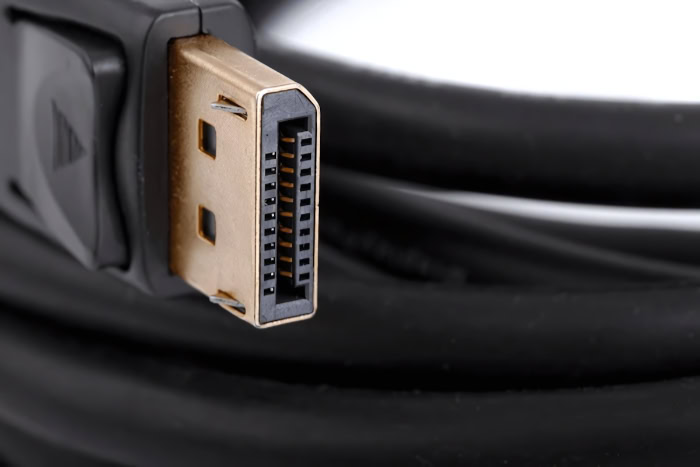
Beyond the digital signal, the physical attributes of the connection play a major role in daily usability. How the cables connect, how far they can run, and how they manage multiple displays differs fundamentally between the two standards.
These practical elements often determine which interface is better suited for a clean desk setup versus a complex home theater installation.
Multi-Stream Transport (MST)
Productivity setups benefit massively from DisplayPort’s Multi-Stream Transport feature. This technology allows a user to daisy-chain multiple monitors together from a single output port on the computer.
You can plug the PC into the first monitor, and then plug the second monitor directly into the first. This reduces cable clutter significantly.
HDMI lacks this capability entirely. If you want to run three monitors via HDMI, you must run three separate cables all the way back to the graphics card or docking station.
Connector Mechanics
Secure connections are vital for ensuring stable data transmission. DisplayPort connectors feature a physical locking mechanism with small hooks that latch into the port.
The cable cannot be removed without depressing the release button, preventing accidental disconnects if a cable gets snagged or the monitor is moved. HDMI relies solely on friction to stay in place.
While this makes it easier to plug and unplug devices blindly behind a TV stand, it also means the cable can wiggle loose over time or be pulled out with minimal force, potentially disrupting the signal during use.
Cable Length and Signal Integrity
As bandwidth increases, the distance a signal can travel without degrading decreases. Both HDMI 2.1 and DisplayPort 2.1 suffer from strict length limitations for passive copper cables.
To get the full 80 Gbps throughput of DisplayPort 2.1, passive cables must be incredibly short, often around one meter or less. HDMI 2.1 is slightly more forgiving but still struggles over long distances.
For any run longer than two or three meters, both standards require Active Optical Cables (AOC). These cables convert the electrical signal to light, allowing for much longer runs without speed loss, though they are significantly more expensive than standard copper options.
Conclusion
DisplayPort 2.1 is the clear winner when looking strictly at the numbers. Its massive bandwidth advantage allows for uncompressed high-resolution gaming that HDMI simply cannot match without relying on display stream compression.
However, HDMI 2.1 remains the king of convenience and compatibility. It is the universal standard for televisions, home theaters, and modern consoles, offering a feature set that prioritizes the living room experience over raw pixel pushing.
Ultimately, the “best” connection depends entirely on where you play. If you are building a cutting-edge PC battle station with the fastest monitor available, DisplayPort 2.1 is the only logical path forward.
For console gamers or those connecting a PC to an OLED TV, HDMI 2.1 is not just the better choice, but often the only one. Remember that your setup is only as fast as its slowest component.
Buying a top-tier cable won't matter if your monitor or graphics card bottleneck the signal before it ever leaves the port.
Frequently Asked Questions
Can I use HDMI 2.1 cables for DisplayPort 2.1 ports?
No, they are physically different connectors and are not interchangeable without an active adapter. While adapters exist, they often limit bandwidth and disable features like variable refresh rates. You must use the specific cable that matches the ports on your device to get the full performance benefits.
Does DisplayPort 2.1 support audio?
Yes, DisplayPort carries high-quality digital audio alongside the video signal to your monitor's speakers or headphone jack. However, it does not support Audio Return Channel (ARC) or eARC like HDMI does. This means you cannot send audio from the monitor back to a receiver or soundbar through the same cable.
Is DisplayPort 2.1 backward compatible?
DisplayPort 2.1 is fully backward compatible with earlier versions like DisplayPort 1.4 and 1.2. You can plug a new cable into an older monitor or graphics card without issues. The connection will simply run at the speed of the oldest standard in the chain.
Do all HDMI 2.1 cables support 48Gbps?
Not all cables labeled “HDMI 2.1” support the full 48 Gbps bandwidth. You need to look for cables specifically certified as “Ultra High Speed HDMI” to ensure maximum throughput. Standard cables may physically fit into the port but will likely fail to display 4K at 120Hz or utilize VRR properly.
Which cable is better for 144Hz gaming?
Both standards can handle 144Hz at 4K resolution, though HDMI 2.1 usually requires Display Stream Compression to do so. DisplayPort 2.1 creates a more stable, uncompressed connection for high refresh rates on PC monitors. For consoles, you are limited to HDMI 2.1 which generally caps at 120Hz.
About the Author: Elizabeth Baker


