
How Do QR Codes Work? The Tech Behind the Grid
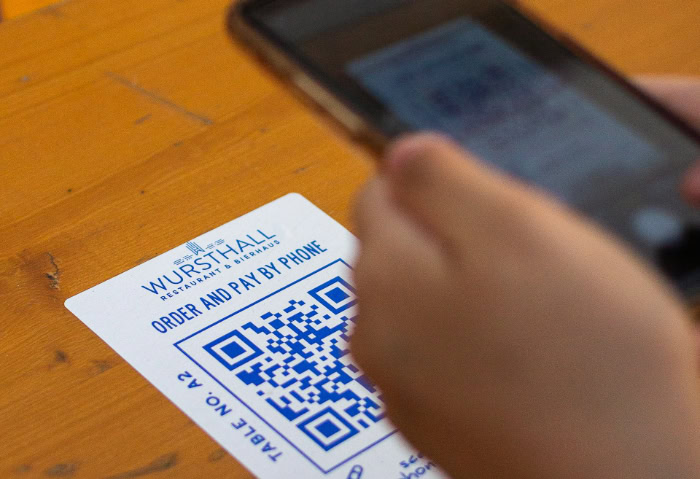
You likely scanned a pixelated black and white square today to view a menu, board a flight, or settle a dinner bill. This instant connection between your physical surroundings and your smartphone has made the technology a vital utility for modern life.
While these boxes look like static noise, they represent a massive leap in data storage compared to the thin stripes found on a cereal box. These grids hold hundreds of times more information than traditional barcodes, serving as a high-speed link for your device.
Key Takeaways
- QR codes use three distinct finder patterns in the corners to help scanners identify position and orientation regardless of the angle.
- High level error correction allows a code to function even if up to 30% of its surface is damaged or obscured.
- Dynamic codes use redirect URLs to allow owners to change the destination data without needing to reprint the physical image.
- The format uses Reed-Solomon mathematical logic to reconstruct missing data and ensure high accuracy in various lighting conditions.
- Built-in security protocols in modern smartphones provide a URL preview so users can verify a site before visiting it.
The Anatomy of a QR Code
A QR code is more than just random pixels. It is a highly organized structure designed for speed and accuracy.
Each element serves a specific purpose in helping a machine read the data correctly regardless of the environment. The placement of every square follows a strict protocol that ensures the scanning device knows exactly where the data begins and ends.
Finder Patterns
The three large squares in the top corners and the bottom left corner are the most recognizable parts of the structure. These patterns help the camera identify the code as a QR format rather than a random image or a different type of barcode.
They tell the scanner the orientation and position of the code, allowing it to be read even if the device is held upside down or at an angle.
Alignment and Timing Patterns
Smaller squares and specific lines act as anchor points throughout the grid. These help the software correct for perspective or distortion, which is common when the code is printed on a curved surface like a soda bottle or captured from a side view.
The timing patterns are the dotted lines connecting the finder patterns, which define the dimensions of the data grid and establish the coordinates for every module.
Data Modules
These are the individual black and white squares that make up the bulk of the internal pattern. Each square represents a bit of binary information.
Black squares are typically read as 1, while white squares are read as 0. These modules are arranged in a specific density depending on the amount of data stored, and they contain the actual message, whether it is a link, a block of text, or a command.
The Quiet Zone
Every code requires a buffer of white space surrounding its perimeter. This zone ensures the scanner does not accidentally incorporate nearby text, graphics, or borders into the code itself.
Without this clear margin, the device might fail to isolate the data modules, leading to a failed scan. This border acts as a visual signal that the data is contained strictly within the interior square.
The Scanning and Decoding Process

Turning a physical image into digital data happens in a fraction of a second through a series of automated steps. The process relies on the camera sensor and the processing logic within the software to translate visual patterns into binary code.
This conversion must be precise to ensure the resulting information matches the intended destination.
Optical Image Capture
The camera sensor captures the light reflected off the code. High contrast between the dark modules and the light background is essential for this step.
The sensor detects the intensity of light to distinguish the data modules from the surrounding noise. Modern sensors are sophisticated enough to filter out shadows or glare that might otherwise interfere with the reading.
Binary Interpretation
Once the image is captured, the software maps the grid. It looks at each module and assigns it a binary value based on its color.
This creates a long string of 0s and 1s that mirrors the physical layout of the square. The software uses the alignment and timing patterns to ensure it reads every module in the correct sequence.
Character Mapping
The software uses a standardized encoding system to translate the binary string into a recognizable format. Depending on the mode used during the code’s creation, these bits represent numbers, alphanumeric characters, or byte data.
This step turns the raw binary into a readable URL, a set of instructions, or a text string that the device can process.
Software Execution
After the text is decoded, the device determines the next action. If the string is a web address, the browser opens.
If it is a Wi-Fi password or a contact card, the operating system prompts the user to save the information or join the network. The software acts as the final bridge that turns a decoded string of text into a functional digital action.
Differentiating Static and Dynamic QR Codes

While most codes look similar, they function differently depending on how the data is stored. Some are permanent records, while others act as flexible links to external resources that can be modified at any time.
Choosing the right type depends on whether the information needs to remain permanent or if it requires future updates.
Static QR Codes
In a static code, the destination data is hard-coded directly into the module pattern. If the code contains a long URL or a large amount of text, the pattern becomes denser and more complex.
Because the information is baked into the image, it can never be changed once printed. These are ideal for information that will never expire, such as a serial number on a piece of equipment.
Dynamic QR Codes
These codes use a shorter redirect URL that points to a final destination hosted on a server. This allows the pattern to remain relatively simple and easy to scan.
The final content can be swapped out behind the scenes without changing the printed code. This approach is common in marketing, where a single printed code might lead to different promotions over several months.
The Editability Factor
Dynamic codes offer a level of flexibility that static codes lack. A restaurant can update its menu or a business can change its contact information while keeping the same physical stickers on their windows.
This eliminates the need for reprinting materials every time a small detail changes, saving both time and resources.
Data Tracking and Analytics
Because dynamic codes pass through a central server, they can capture valuable metrics. This includes the number of scans, the geographic location of the user, the time of day, and the type of device used.
This data provides insight into user engagement and the effectiveness of the code’s placement, which is not possible with static formats.
Error Correction and Durability

QR codes are designed to be resilient in harsh conditions. Unlike traditional barcodes that fail if a single line is scratched, these squares use advanced mathematics to maintain their functionality even when damaged or obscured.
This makes them highly effective for environments where things might get dirty, wet, or worn down over time.
Reed-Solomon Logic
This mathematical algorithm adds redundant data to the code. If a portion of the code is missing or dirty, the algorithm uses the remaining information to reconstruct the original message.
This redundancy is the primary reason why the technology is so reliable for industrial applications and outdoor use.
Error Correction Levels
There are four standard levels of correction, labeled L, M, Q, and H. Level L allows for 7% damage recovery, while Level H can handle up to 30% of the code being destroyed or covered.
Choosing a higher level makes the code more durable but results in a denser module pattern, which may require the code to be printed at a larger size.
Visual Customization
The high level of error correction allows for creative branding. Designers can place a logo in the center of the code or use custom colors and shapes for the modules.
As long as the amount of obscured data stays within the chosen threshold, the code remains fully functional. This feature is often used by companies to make their codes look more professional and integrated.
Physical Resilience
Because they can be read from any angle and withstand significant physical wear, these codes are ideal for outdoor signage or factory floors. They continue to perform in low light or when the surface is slightly scuffed by weather and handling.
This durability ensures that the link between the physical and digital remains intact even in suboptimal conditions.
Security and Privacy Frameworks

As scanning becomes a daily habit, the security measures surrounding the technology have become more robust. Modern hardware and software work together to protect users from malicious links and unauthorized data collection.
Transparency of Data
Most modern smartphones do not automatically open a link when a code is scanned. Instead, they display a preview of the destination URL.
This allows the user to verify the source before they commit to visiting the website. This transparency is a vital defense against clicking on suspicious or unknown links.
QR Phishing (Quishing)
This occurs when a malicious actor creates a code that leads to a fraudulent site designed to steal login credentials or financial information. These sites often mimic legitimate login pages for banks or email providers.
Awareness of the destination URL and a cautious approach to scanning codes in unsolicited mail or suspicious ads can mitigate these risks.
Physical Tampering Detection
In public spaces, scammers may place stickers over legitimate codes on parking meters or posters. Users should inspect the physical surface of a code to ensure it is not an overlay.
A code that looks peeled, feels thicker than the surrounding paper, or is misaligned with the rest of the signage is a common sign of tampering.
Permission Protocols
Operating systems use sandboxing to limit what a scanned code can do. A code cannot automatically download a file, access the microphone, or view your contacts without the user granting specific permissions.
These guardrails ensure that the scanning process remains a safe interaction and that no data is accessed without explicit consent.
Conclusion
The efficiency of the QR code relies on a blend of geometric precision and resilient mathematical algorithms. By combining visual patterns with redundant data, the format ensures that information transfer remains reliable even in difficult physical conditions.
This balance of speed and durability makes the system a practical solution for a wide range of modern tasks. Its ability to serve as a secure, editable, and nearly indestructible link ensures its continued presence in our daily interactions.
Frequently Asked Questions
Can I still scan a QR code if it is scratched or dirty?
Yes, you can usually scan a damaged code because of built-in error correction. The Reed-Solomon algorithm stores redundant data within the grid to compensate for missing pixels. Depending on the setting used during creation, a code can remain functional even if up to 30% of the image is obscured or missing.
Is it safe to scan any QR code I see in public?
You should exercise caution because codes in public spaces can be used for phishing. Most smartphones show a preview of the website address before you click to open it. Always check that the URL looks legitimate and ensure there is no sticker covering the original code before scanning it.
Do QR codes ever expire or stop working?
Static codes do not expire, but dynamic codes may stop working if the hosting service is deactivated. A static code contains permanent data that remains valid as long as the printed image is legible. However, a dynamic code relies on a server to redirect the user to the final destination.
Why do some QR codes have a logo in the middle?
Logos are possible because the high level of error correction ignores the center portion as damage. This feature allows brands to personalize the image without breaking the link. As long as the logo does not cover too much of the data grid, the scanner can still read the surrounding modules.
Can someone change where a QR code sends me after it is printed?
Yes, if the creator used a dynamic QR code, they can update the destination link at any time. This happens on a central server rather than on the physical paper. This flexibility allows businesses to change their menus or promotional links without the expense of reprinting their marketing materials.
About the Author: Julio Caesar


