
What Is Qi Wireless Charging? How It Works
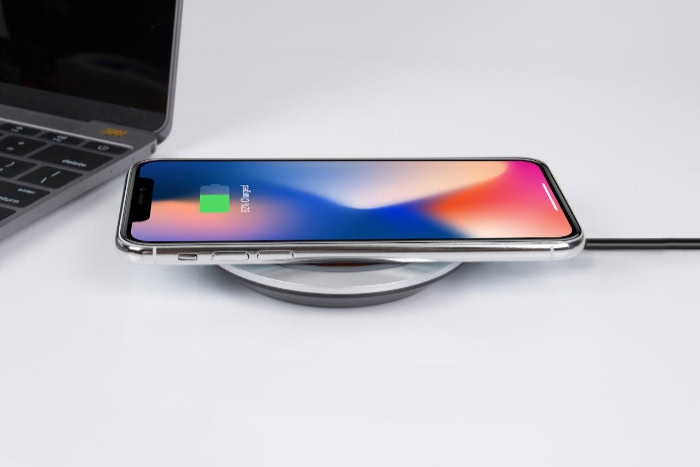
Frayed charging cables and cluttered nightstands are a constant source of daily frustration for almost anyone who owns a modern smartphone or wearable device. Switching to wireless power offers a seamless alternative, yet many users remain unsure if their devices support the technology or how to achieve the fastest charging speeds.
This is where Qi wireless charging comes in. Pronounced “chee” (the Chinese word for vital energy), this technology serves as the universal global standard for cable-free power transfer.
Key Takeaways
- Qi wireless charging uses magnetic induction between a transmitter coil in the charging pad and a receiver coil in the device to transfer power without physical cables.
- Universal compatibility is managed by the Wireless Power Consortium, allowing different device brands to use the same certified charging pads safely.
- Standard Qi charging typically operates at 5 watts, while fast wireless charging standards like Qi2 support up to 15 watts of power.
- Wireless charging is less efficient than wired connections because energy is lost as heat, meaning it will charge devices at a slower rate.
- Standard Qi pads require precise physical alignment to function, whereas newer MagSafe and Qi2 standards use magnetic rings to snap devices into the optimal position.
How Qi Wireless Charging Works
Behind the simple act of placing a device on a charging surface lies a coordinated system of physics and electronics. Standardized wireless power uses invisible fields to transfer energy between a power source and a battery, bypassing the need for physical metal connections.
Magnetic Induction Explained
Wireless charging operates primarily through magnetic induction. Inside every Qi-certified charging pad is at least one transmitter coil made of tightly wound wire.
When you plug the pad into an outlet, an alternating current flows through this coil, generating a localized, fluctuating magnetic field around the pad. Inside your compatible smartphone or accessory sits a matching receiver coil.
Placing the device onto the pad brings these two coils close together. The moving magnetic field from the transmitter induces an electrical current within the device’s receiver coil, which is then converted into direct current to charge the battery.
The Wireless Power Consortium
This intricate process requires tight regulation to ensure safety and compatibility across different brands. The Wireless Power Consortium, a global group of technology companies, established the Qi standard to maintain these strict guidelines.
Because of this shared standard, any device bearing the Qi logo can safely charge on any Qi-certified transmitter, regardless of who manufactured either product. The group constantly updates its guidelines to manage safety features like foreign object detection, ensuring that metal objects like coins or paperclips left on a pad do not accidentally heat up and cause damage.
Power Delivery Levels
Qi technology supports several power delivery tiers to accommodate various devices. Standard wireless charging typically operates at 5 watts, which is ideal for overnight charging or smaller accessories like wireless earbud cases.
For users needing faster recovery times, fast wireless charging standards support up to 15 watts of power. Modern smartphones can actively negotiate the optimal wattage with the transmitter, adjusting the power flow dynamically based on the current battery percentage and operating temperature.
Device Compatibility and Setup Requirements

Utilizing wireless power in your daily routine requires a basic compatibility match between your electronic devices and your charging accessories. While the technology is highly versatile, achieving an efficient charging setup depends on choosing the correct hardware combinations.
Compatible Devices
Modern smartphones from Apple, Samsung, Google, and other major brands feature built-in receiver coils, making them universally compatible with standard Qi chargers. Beyond phones, small accessories like wireless earbud cases frequently feature the same technology.
While many smartwatches also charge wirelessly, some use proprietary variations of inductive charging that require specific docks rather than a universal Qi pad. This cross-brand interoperability means a single Qi charging station in a living room can power an iPhone, a Samsung Galaxy, and a pair of Google Pixel Buds without any configuration.
Hardware Requirements
To utilize this technology, you need a compatible transmitter, which is commonly sold as a flat pad, an angled stand, or a car mount. Equally important is the wall adapter plugged into the outlet.
If you connect a 15-watt wireless charging pad to an older 5-watt USB wall plug, the pad will not receive enough electricity to operate at its full potential. Matching the wireless pad with a high-wattage power adapter, typically one supporting USB Power Delivery, ensures the transmitter has enough power to deliver its maximum wireless speed.
Advantages of Using Qi Wireless Charging
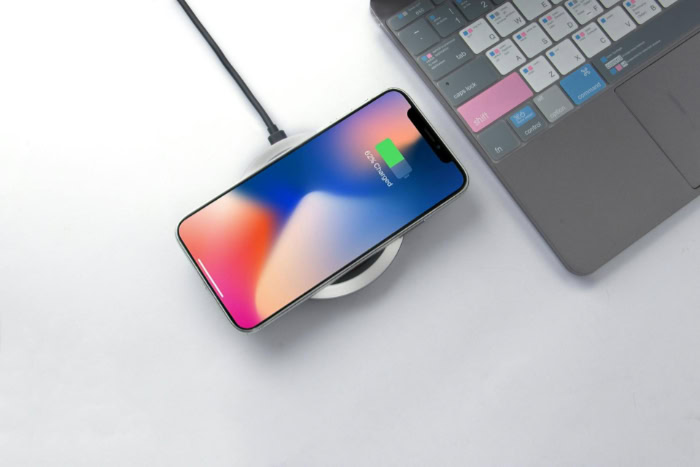
Setting up a wireless power station offers several practical benefits that simplify daily routines. By changing how we keep our electronics powered, this method reduces cable management hassles and protects physical hardware over time.
Daily Convenience and Organization
The most immediate benefit is daily convenience. Instead of searching for the end of a cable and aligning a small plug in a dark room, you simply set your device down.
This simplicity encourages frequent, passive charging throughout the day. Furthermore, replacing multiple cords with a single charging pad helps declutter desks, nightstands, and vehicle consoles, creating a cleaner and more organized living or working space.
Preservation of Device Hardware
Relying on wireless power also protects the physical integrity of your devices. Repeatedly plugging and unplugging a physical connector can eventually wear down the internal pins of a USB-C or Lightning port, leading to loose connections or expensive repairs.
Since Qi technology transfers power through the air, it eliminates physical strain on these ports, keeping them functional for data transfer or emergency wired use.
Public Integration and Shared Spaces
The universal nature of Qi charging has led to widespread integration in public venues. Travelers and remote workers can easily find charging spots embedded directly into the tables of cafes, waiting areas in airports, and center consoles of modern vehicles.
This public infrastructure makes it easier to keep your battery topped off without needing to carry specific wall adapters and cables everywhere you go.
Common Challenges, Limitations, and Physical Hurdles
Despite the clear convenience, wireless power transfer is subject to distinct physical constraints and operational challenges. Recognizing these potential hurdles can help you avoid common frustrations and optimize your daily charging routine.
Charging Speed vs. Wired Connections
Wireless charging is fundamentally slower and less efficient than a direct wired connection. When electricity travels through a copper cable, almost all of it reaches the battery.
During magnetic induction, a notable percentage of the electrical energy is lost as heat in the air gap between the coils. This energy loss means a phone will take significantly longer to reach a full charge wirelessly compared to a modern fast-charging wall adapter connected by a cable.
Phone Cases and Physical Interference
Physical barriers between the transmitter and receiver coils can easily disrupt the magnetic field. Most standard Qi chargers require a distance of less than 3 to 5 millimeters to function.
Heavy-duty phone cases, metal backing plates, magnetic mounts, or wallet cases containing credit cards can block the inductive current entirely. In some cases, metal objects on the back of a phone can trigger safety features on the charging pad, causing it to shut down to prevent overheating.
Precise Alignment and “Dead Zones”
Successful energy transfer requires precise physical alignment between the coil in the charger and the coil in the device. If a phone is placed slightly off-center on a flat pad, the connection may fail, creating a dead zone where no power transfers.
A minor nudge from a notification vibration or a pet can shift the phone during the night, leaving you with an uncharged battery in the morning.
Thermal Management
Because magnetic induction is not perfectly efficient, the wasted energy is converted directly into heat. Both the charging pad and the back of your phone will become warm to the touch during a session.
If a device becomes too warm, internal safety software will automatically throttle the charging speed or temporarily halt power transfer altogether to protect the battery from heat degradation.
Modern Power Standards

The wireless charging market has progressed significantly to address the alignment challenges and speed limitations of early generations. These advancements have created a few distinct pathways for consumers, depending on the brand ecosystem they prefer.
Apple’s MagSafe Technology
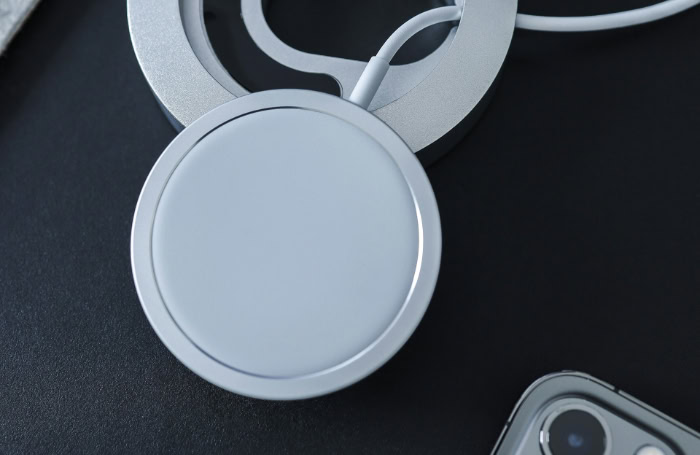
Apple introduced MagSafe to solve the alignment challenge by embedding a ring of precisely positioned magnets around the internal receiver coil of its smartphones. When paired with a MagSafe-compatible charger, the phone automatically snaps into the ideal position, eliminating the risk of dead zones.
This precise magnetic connection also allowed Apple to safely increase power delivery speeds to 15 watts, providing faster wireless charging than standard Qi chargers, which were often capped at lower speeds on iOS devices.
The Qi2 Standard
Building on the success of magnetic alignment, the Wireless Power Consortium collaborated with industry leaders to release the Qi2 standard. This newer specification introduces the Magnetic Power Profile, which brings a standardized magnetic ring to the broader consumer electronics market, including Android devices.
Qi2 ensures that non-Apple hardware can benefit from identical automatic alignment, improved energy efficiency, and reliable 15-watt charging speeds without relying on proprietary accessory ecosystems.
Choosing the Right Standard for Your Device
Selecting the right charger depends primarily on the hardware you own. iPhone users with compatible models can choose either MagSafe or Qi2 accessories, as both offer secure magnetic attachment and 15-watt speeds. Android users looking for the most efficient and securely aligned charging should seek out Qi2-certified devices and matching chargers.
If you own older hardware or accessories like earbuds, a standard, non-magnetic Qi charging pad remains a highly compatible and budget-friendly choice that will work safely with almost any wireless-charging device.
Conclusion
Qi wireless charging functions by using magnetic induction to transfer electricity through the air, simplifying how we power our essential electronics. It removes the daily clutter of physical cords and reduces wear on hardware ports, making it a highly practical solution for homes, offices, and public spaces.
Even with these benefits, wireless power is not a total replacement for traditional wired charging. Because it is slower and less energy-efficient, direct cable connections remain essential when you need the fastest possible charge.
Instead, wireless charging acts as a highly convenient supplement, keeping your battery topped off throughout the day with minimal effort.
Frequently Asked Questions
Why is my phone getting warm when I charge it wirelessly?
Wireless charging generates heat because magnetic induction is not perfectly efficient, converting some of the electrical energy into warmth. This is a normal physical byproduct of transferring power through the air. Your smartphone has built-in thermal sensors that will slow down or temporarily pause charging if the device gets too warm.
Do I have to take my phone case off to charge wirelessly?
You do not need to remove your phone case as long as it is thin and made of non-metallic materials. Most Qi chargers can easily transfer power through plastic, leather, or silicone cases under three millimeters thick. However, cases containing metal plates, magnets, ring holders, or thick credit cards will block the magnetic connection.
Is wireless charging bad for my phone’s battery?
Wireless charging is safe for your phone battery and does not cause damage when using certified hardware. While inductive charging does produce slightly more heat than a cable, modern devices are engineered to regulate their temperature and protect battery health. Simply avoid leaving your phone in direct sunlight while charging to prevent extra thermal stress.
Can I use an Apple MagSafe charger with an Android phone?
You can use an Apple MagSafe charger with an Android phone, but it will only charge at slower, standard Qi speeds. Because standard Android devices lack the matching internal magnetic ring, the charger will not snap onto the phone automatically. To get secure magnetic alignment and full fast-charging speeds, your Android device must support the newer Qi2 standard.
Why did my phone stop charging in the middle of the night?
Your phone likely shifted slightly out of alignment with the charging pad’s internal coil, interrupting the power flow. Minor movements from notification vibrations or pets can easily cause a device to slide into a dead zone. Using a stand instead of a flat pad, or switching to magnetic options like Qi2, prevents this alignment issue.
About the Author: Julio Caesar


