
Intel Core i5 vs. i7: Stop Paying for Power You Don’t Need
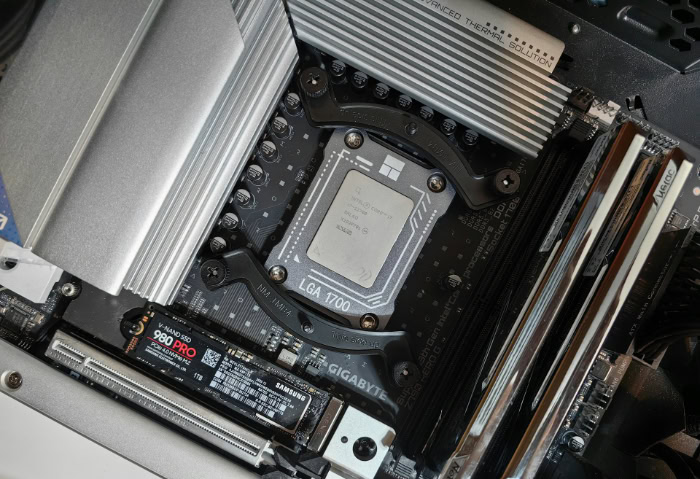
Staring at the price difference between two seemingly identical computers is often the most frustrating part of shopping for a new PC. Most buyers instinctively reach for the Core i7 because marketing suggests that a higher model number guarantees a better experience.
That assumption is frequently a costly error. While the i7 offers necessary muscle for heavy multitasking or professional editing, the Core i5 acts as the value champion for the majority of gamers and office workers.
Buying top-tier silicon for basic tasks is effectively burning money on potential speed you will never utilize. We are here to separate the technical facts from the branding hype.
The goal is simple: find the exact point where your performance needs meet your budget constraints so you can stop guessing and start building.
Technical Architecture: The Hardware Differences
The distinction between these two processors goes beyond a simple sticker or a higher model number. Under the heat spreader, specific physical differences dictate how the chip handles data and manages electricity.
Buying the more expensive option does not just mean getting “more speed.” It often involves architectural changes that prioritize specific types of workload handling.
Core Counts and Configuration
Modern Intel architectures utilize a hybrid design that mixes two specific types of processing units. You have Performance-cores (P-cores) for heavy lifting and Efficient-cores (E-cores) for background tasks.
The primary separation between an i5 and an i7 usually lies in the sheer volume of these cores. An i7 typically ships with a higher count of E-cores and occasionally more P-cores.
This allows the i7 to juggle more background processes without interrupting the main task. Additionally, Hyper-Threading technology, which allows a single core to handle two threads of instructions simultaneously, is standard on i7s.
While many i5s also feature this, lower-tier i5 models sometimes lack the full threading capabilities of their more expensive counterparts.
Clock Speeds and Turbo Boost
Frequency represents how many cycles a processor can execute in a second. Manufacturers list this in gigahertz (GHz).
Chips are generally “binned” at the factory, meaning the highest quality silicon that can sustain the fastest speeds is reserved for the i7 and i9 lines. Consequently, an i7 almost always offers higher base and boost clock speeds out of the box.
However, the gap has narrowed significantly in recent years. You might see an i7 boosting only 200MHz or 300MHz higher than a comparable i5.
For a user browsing the web or typing a document, this difference is imperceptible. The extra speed only becomes tangible during sustained, heavy loads where every cycle counts.
Cache Memory Size
Cache acts as ultra-fast memory located directly on the processor die. It stores frequently accessed data so the CPU does not have to wait for the slower system RAM to fetch instructions.
The Core i7 line consistently features a larger L3 cache compared to the i5. In scenarios involving massive spreadsheets, large database compilations, or complex file compression, this extra cache keeps the data flowing smoothly to the cores.
For gaming or general use, the benefits of a massive cache are less obvious, but for data-heavy professional applications, the larger reservoir of on-chip memory significantly reduces latency.
Desktop Performance: Gaming and Workflows

Raw specifications only tell half the story. The way these chips behave varies drastically depending on the software they are running.
A processor that dominates in video rendering might offer zero benefit in a video game. Allocating your budget effectively requires analyzing where the bottleneck in your system actually lies.
The Gaming Verdict
Gamers often overspend on their processor. In most modern titles, especially when playing at higher resolutions like 1440p or 4K, the graphics card (GPU) bears the brunt of the workload.
The processor simply needs to be fast enough to feed data to the GPU. For this purpose, the Core i5 is widely regarded as the sweet spot.
It provides enough single-core speed to handle physics and game logic without acting as a bottleneck. While an i7 might offer a slight increase in frame rates at 1080p, the difference effectively vanishes at higher resolutions.
Money saved by choosing an i5 is better spent on a more powerful graphics card, which yields a far greater visual improvement.
Content Creation and Heavy Multitasking
This is the arena where the Core i7 justifies its price tag. Applications like Adobe Premiere Pro, Blender, or code compiling environments scale linearly with core counts and thread availability.
If you are rendering a 4K video, the additional cores and threads on an i7 can shave minutes or even hours off the completion time. Furthermore, the i7 excels at multitasking.
A streamer who games on one monitor while encoding video and managing a chat overlay on another will notice the stability provided by the extra cores. For professionals whose time directly translates to income, the reduced wait times offered by an i7 make it a necessary investment.
General Productivity
For the vast majority of users, the computing demands of daily life are surprisingly low. Web browsing, streaming 4K video, and managing Microsoft Office documents rarely push a modern processor past 20% utilization.
In this context, the Core i7 offers diminishing returns. A Core i5 is already more than capable of opening Word documents instantly or handling fifty Chrome tabs without stuttering.
Using a high-end chip for these tasks is like buying a sports car to drive in a school zone. The performance ceiling of the i7 remains untouched, meaning the user paid a premium for potential they will never extract.
The Laptop Equation: Thermals and Battery
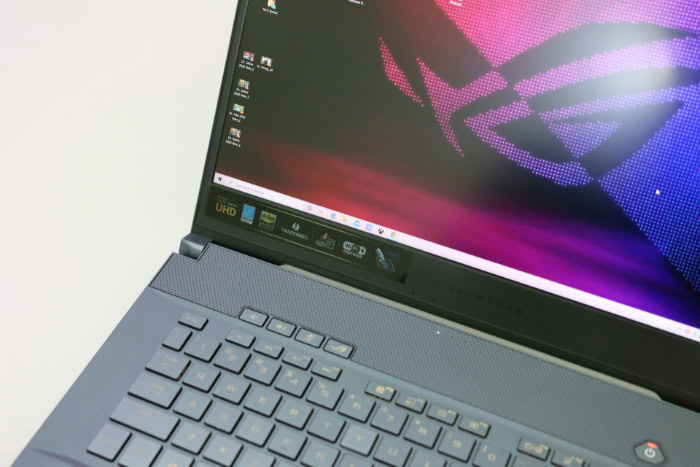
Comparing processors in desktop computers is relatively straightforward because cooling and power are rarely limited. Laptops introduce a complex set of variables that change the math entirely.
You cannot simply look at a spec sheet and assume a thinner laptop with an i7 will outperform a thicker one with an i5. Thermal management and battery capacity often dictate performance more than the model number on the sticker.
The Heat Factor and Throttling
High-performance chips generate significant heat. In a desktop, large fans or liquid cooling dissipate this energy easily.
In a thin laptop chassis, airflow is restricted. When a Core i7 pushes for maximum speed, it generates a heat spike that the small laptop fans may not be able to clear.
To prevent damage, the chip automatically lowers its speed, a process known as thermal throttling. Consequently, a powerful i7 in a slim laptop often throttles down to speeds lower than a Core i5, which runs cooler and can maintain its boost clock longer.
In many thin-and-light designs, the i5 actually delivers more consistent sustained performance because it stays within the thermal limits of the chassis.
Battery Efficiency
Every extra core and every megahertz of speed demands energy. The Core i7, with its higher clock speeds and additional cores, naturally draws more power from the battery.
For a laptop user who needs to work away from a wall outlet for eight hours, the Core i5 is frequently the superior choice. It offers a better balance of performance per watt. While the i7 might finish a specific task slightly faster, the i5 will keep the laptop running for a longer duration.
Prioritizing raw speed often means tethering yourself to a charger, negating the portability benefit of a laptop.
Deciphering Laptop Processor Suffixes
Intel adds letters to the end of laptop processor names to indicate their power class, and these suffixes matter more than the i5 or i7 label. The “U-series” chips are low voltage and designed for thin ultrabooks, while the “H-series” chips are high wattage and found in gaming laptops.
A Core i5-H will vastly outperform a Core i7-U in heavy tasks because it is allowed to draw much more power. Buyers must look closely at these suffixes.
An i7 is not automatically fast if it is a low-power U-series chip designed for battery life, while an i5 H-series chip can rival desktop performance levels.
The Importance of Generation and Architecture

The model number printed on the box is meaningless without context. Processor technology moves at a rapid pace, and a top-tier chip from a few years ago is often slower than a mid-range chip released today.
Comparing an i5 and an i7 is only valid if they belong to the same generation. If you ignore the release year and focus solely on the “i7” branding, you risk purchasing obsolete hardware that performs worse than a cheaper, modern alternative.
New vs. Old
Innovations in manufacturing and architecture allow newer processors to do more work with every clock cycle. Consequently, a modern Core i5, such as a 13th or 14th Gen model, typically outperforms a Core i7 from the 11th or 10th generation.
The newer i5 benefits from faster transistors, improved power efficiency, and the hybrid architecture of P-cores and E-cores that older chips lack. This reality is particularly dangerous when buying refurbished laptops or older desktop inventory.
Sellers often highlight the “Core i7” label to offload aging stock, hoping buyers will assume it is superior to a brand-new i5. In almost every case, the newer mid-range chip is faster, cooler, and more efficient than the older flagship.
Platform Compatibility
Choosing a processor dictates the rest of your system build. Different generations often require specific motherboard sockets, meaning an older CPU will not fit in a modern board, and vice versa.
This choice also impacts memory compatibility. Newer generations support faster DDR5 RAM standards, while older platforms are stuck with DDR4.
Investing in a current-generation platform ensures you have access to faster data transfer speeds and modern connectivity standards like PCIe 5.0. Furthermore, software requirements evolve.
Windows 11 and future operating systems have strict hardware cutoffs. A newer Core i5 guarantees support for security updates and new features for years to come, whereas an older i7 may already be nearing the end of its supported lifespan.
Strategic Budgeting: Where to Allocate Your Money

Building or buying a PC is a zero-sum game regarding your budget. Every dollar spent on the processor is a dollar that cannot be spent on the graphics card, memory, or storage.
For most users, the goal is not to have the fastest CPU, but to have the most balanced system. Overspending on a Core i7 often leads to compromises in other areas that degrade the actual user experience more than a slightly slower processor would.
The Price-to-Performance Ratio
The relationship between price and performance is rarely linear. Moving from a Core i5 to an i7 might increase the system cost by 30% or more, but the real-world performance gain in games or basic applications might only be 5% to 10%.
In economic terms, this is a poor return on investment. You must calculate the cost per frame in gaming or the cost per second saved in rendering.
If the i7 costs $150 more but only adds 4 frames per second, that money is being wasted. The smart buyer looks for the point of diminishing returns and stops there.
The “Better Components” Argument
A computer is an ecosystem of parts working together. If you choose the cheaper Core i5, you free up significant room in your budget to upgrade components that have a more tangible impact on daily use.
That extra $100 or $150 could double your RAM from 16GB to 32GB, allowing for smoother multitasking. It could upgrade your storage from a standard SSD to a high-speed NVMe drive, drastically reducing load times.
Most importantly for gamers, that money could bump the graphics card to the next tier up. A system with a Core i5 and a superior GPU will always outperform a system with a Core i7 and a weaker GPU in gaming scenarios.
Target Audience Segments
To make the final decision, you simply need to identify which user category you fit into.
The Gamer: Your priority is the graphics card. Modern games depend heavily on GPU power. Buy the Core i5 and pour every remaining cent into the best graphics card you can afford. This yields the highest frame rates and best visual fidelity.
The Creator: If you edit video, render 3D models, or compile code, the CPU is your engine. The Core i7 is worth the extra cost because the additional cores directly translate to time saved. You should also prioritize high-capacity RAM to feed those cores.
The Student or Office Worker: Your priority is general responsiveness and battery life. The Core i5 is the ideal choice. It offers snappy performance for all standard applications while consuming less power than the i7, ensuring your laptop lasts through a full day of classes or meetings.
Conclusion
The choice between a Core i5 and a Core i7 ultimately comes down to a realistic assessment of your daily workload. For the vast majority of users, including dedicated gamers and office professionals, the Core i5 remains the sensible default.
It delivers exceptional performance that handles modern software with ease while keeping thermals and power consumption in check. The Core i7 is a specialized powerhouse reserved for those who strictly require it.
Unless your day involves heavy video editing, complex 3D rendering, or running intensive background tasks while streaming, the extra horsepower often goes unnoticed in real-world scenarios.
Resist the urge to upsell yourself based on marketing hype or the fear of missing out. Paying for performance you will not utilize is simply inefficient.
Be honest about what you do with your computer. If you spend most of your time in a web browser or a game lobby, the premium price of an i7 serves no practical purpose.
Instead of chasing the highest model number, focus on building a well-rounded machine. A system with a balanced configuration, featuring a fast SSD, ample RAM, and a capable graphics card, will always feel faster and more responsive than an unbalanced machine relying solely on a powerful CPU.
About the Author: Julio Caesar


