Is 1440p Worth It for Gaming? An Honest Look
Spending hard-earned money on a powerful new graphics card only to pair it with an aging 1080p monitor wastes your hardware’s potential and limits your in-game view. Deciding if it is time to upgrade to Quad HD (2560 x 1440) requires balancing the desire for sharper images with the reality of your budget and hardware capabilities.
While 1440p represents a massive leap in visual clarity, it also demands significantly more processing power and a financial investment that extends beyond just the display itself. Weighing these enhanced visuals against the inevitable frame-rate costs can help you choose the right monitor setup for your specific gaming habits and system specifications, ensuring you do not overspend on performance you cannot actually see.
Key Takeaways
- A 1440p resolution provides 3.69 million pixels, representing a 78 percent increase in visual detail over standard 1080p.
- The optimal size for a 1440p monitor is 27 inches, which offers a high pixel density of 109 pixels per inch for sharp text and smooth images.
- Upgrading to 1440p reduces CPU-bound performance bottlenecks but shifts a major workload to your graphics card, resulting in an average frame-rate loss of 25 to 40 percent.
- Modern console players on PlayStation 5 and Xbox Series X/S can use 1440p screens to run compatible games at higher performance modes targeting 60 or 120 frames per second.
- Upscaling technologies like DLSS and FSR can reconstruct lower-resolution images to native 1440p quality, reclaiming lost frame rates without requiring top-tier graphics hardware.
Visual Fidelity and the Role of Pixel Density
The physical beauty of a modern game depends heavily on how many pixels your screen can display and how tightly those pixels are packed together. Moving from standard high definition to higher tiers of resolution alters how virtual worlds look on your desk.
Understanding the raw math behind these displays reveals why a simple change in resolution can make such a noticeable difference in your daily use.
Pixel Count Breakdown
To appreciate the visual jump, it helps to look at the numbers. A standard 1080p (Full HD) monitor renders a grid of 1920 by 1080 pixels, totaling about 2.07 million pixels on the screen.
Stepping up to 1440p (Quad HD) increases the grid to 2560 by 1440, which yields roughly 3.69 million pixels. This represents an increase of nearly 78 percent more visual information than 1080p.
In contrast, a 4K display pushes the count to 8.29 million pixels. While 4K offers the ultimate clarity, 1440p provides a substantial middle ground that offers a major visual upgrade without demanding the extreme rendering power required by 4K.
The Display Size and PPI (Pixels Per Inch) Relationship
Resolution alone does not tell the whole story; the physical size of your monitor dictates how sharp those pixels actually look. This relationship is measured in pixels per inch (PPI).
If you stretch a 1080p resolution across a 27-inch monitor, the PPI drops to around 81, making individual pixels easy to spot and causing text to look jagged. A 1440p resolution on that same 27-inch screen results in roughly 109 PPI.
This density is widely considered the sweet spot for desktop viewing. At a normal viewing distance, the human eye cannot easily distinguish the individual pixels, resulting in smooth curves, sharp lines, and a complete absence of visible pixelation.
Clarity Beyond Gaming
The advantages of a higher pixel density extend far beyond virtual environments. On a daily basis, the extra desktop space provided by 2560 by 1440 pixels changes how you interact with your operating system.
You gain significantly more screen real estate, allowing you to place two full-sized web browsers or documents side by side without zooming out. Text readability improves dramatically because the higher PPI eliminates the fuzzy edges around letters, reducing eye strain during long reading or working sessions.
General media consumption, from viewing high-resolution photos to watching 1440p video streams, becomes sharper and more lifelike.
Hardware Demands and Performance Cost
Higher visual clarity comes with a literal cost to your computer’s processing hardware. Rendering millions of additional pixels every single second requires a capable graphics card and a balanced system configuration.
Before purchasing a new monitor, you must evaluate how your current hardware will handle the increased workload.
The GPU Performance Tax
Moving from 1080p to 1440p introduces a substantial performance hit because the graphics card has to calculate almost twice as many pixels for every frame. On average, gamers can expect a frame-rate drop of roughly 25 to 40 percent when making this transition on the same graphics card.
For example, a game running at 100 frames per second (FPS) at 1080p might drop to between 60 and 75 FPS at 1440p. The exact impact depends heavily on the game’s optimization and the graphical preset you select, but the performance tax is always a factor to consider.
Shifting Bottlenecks
One interesting consequence of increasing your resolution is how it redistributes the workload across your computer’s components. At 1080p, the graphics card often finishes its rendering tasks so quickly that it must wait for the central processing unit (CPU) to send the next batch of instructions, creating a CPU bottleneck.
At 1440p, the burden shifts heavily to the graphics card. Because the GPU must work much harder to render the extra pixels, the CPU-bound limitations are greatly reduced.
This means that a slightly older processor will not hold back your system’s performance as severely at 1440p as it might have at a lower resolution.
Hardware Tier Requirements
To maintain smooth gameplay at 1440p, your graphics hardware must fall into the appropriate performance tier. Entry-level modern GPUs can handle 1440p, but they often require you to lower graphics settings or use upscaling to maintain 60 FPS in demanding titles.
Mid-range cards are the standard recommendation, comfortably delivering 60 to 100 FPS on high settings in most modern games. High-end graphics cards are necessary if you want to maximize high-refresh-rate monitors, allowing you to push past 144 FPS with maxed-out settings in demanding titles.
Gaming Experiences Across Genres and Platforms
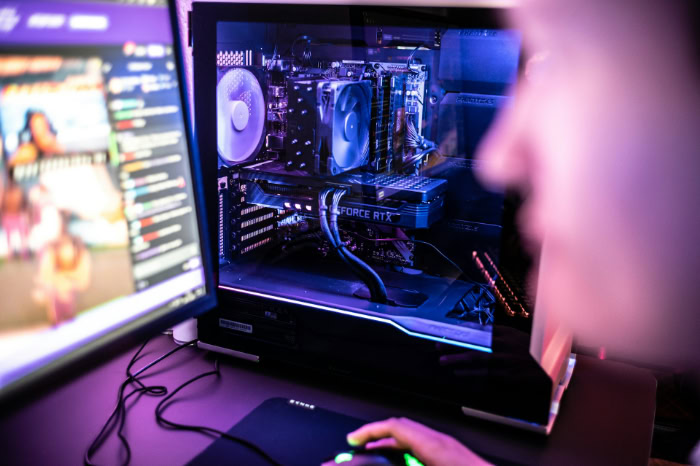
The value of 1440p is not identical for every player, as different types of games and platforms benefit from the resolution jump in unique ways. If you prefer the lightning-fast reactions of multiplayer shooters, the sweeping vistas of role-playing titles, or the convenience of console gaming, the upgrade will affect your experience differently.
Competitive and Fast-Paced Esports
For competitive players, frames per second and motion clarity are usually more important than pure visual beauty. However, 1440p offers a distinct advantage in fast-paced titles by providing greater detail at a distance.
Spotting a tiny opponent peeking over a distant wall is much easier when those distant targets are represented by more pixels. Because modern mid-range hardware can now push competitive titles like first-person shooters past 144Hz or even 240Hz at 1440p, esports players no longer have to sacrifice high refresh rates to get the benefit of cleaner visuals.
Immersive Single-Player and Role-Playing Games
For players who favor expansive, story-driven adventures, the visual upgrade of 1440p is immediately apparent. Open-world games and role-playing titles rely heavily on atmospheric detail, complex environmental textures, and massive draw distances to build believable worlds.
The increased pixel density makes foliage look more natural, adds visible grit to stone and armor textures, and preserves cinematic details across grand landscapes. The overall experience becomes much more immersive, turning cinematic cutscenes and slow exploration into highly detailed visual showcases.
Console Gaming Compatibility
The debate over resolution is no longer exclusive to PC players. Both the PlayStation 5 and the Xbox Series X/S offer native 1440p video output support, making them fully compatible with modern computer monitors.
Consoles utilize this middle-ground resolution to offer flexible performance modes, often running games internally at 1440p to target a smooth 60 or 120 FPS instead of stretching resources to hit a native 4K output. This makes a 1440p monitor an excellent, cost-effective choice for players who want a compact desk setup that serves both a PC and a modern gaming console.
Optimizing Performance with Upscaling and Settings Management

You do not always need a top-tier graphics card to enjoy 1440p gaming, thanks to clever software solutions and smart configuration adjustments. Modern graphics cards employ various technologies to bridge the gap between high resolution and fluid performance, allowing you to fine-tune your experience.
Leveraging Upscaling Technologies
Modern upscaling technologies have transformed how we handle demanding game resolutions. Tools like Deep Learning Super Sampling (DLSS), FidelityFX Super Resolution (FSR), and XeSS allow games to render internally at a lower resolution, such as 1080p, and then upscale the image to a sharp 1440p output.
Because these tools use sophisticated algorithms and temporal data to reconstruct the missing details, they can recover lost frame rates while maintaining an image that looks remarkably close to native 1440p. This makes gaming at higher resolutions accessible even on modest hardware.
Targeted Graphical Adjustments
Not all graphic options in a game’s settings menu are created equal, and adjusting a few heavy settings can dramatically improve your frame rate without ruining your visual experience. Features like ray tracing, volumetric fog, high-resolution shadows, and screen-space reflections demand immense rendering power.
By lowering these specific options from ultra to high or medium, you can regain substantial performance. This targeted approach allows you to keep the crispness of native 1440p while maintaining stable frame rates.
The Downscaling Challenge
While upgrading your monitor is generally positive, running lower-resolution content on a native 1440p display introduces some visual drawbacks. Because 1440p does not scale evenly from 1080p, a standard Full HD image cannot map perfectly onto the screen’s pixel grid.
This uneven distribution results in a slightly blurry or soft image when playing a game set to 1080p or watching standard HD video. It is important to realize that if your hardware cannot handle 1440p, simply lowering the game’s resolution to 1080p will not look as sharp as it would on a native 1080p screen.
Financial Analysis and Value Proposition
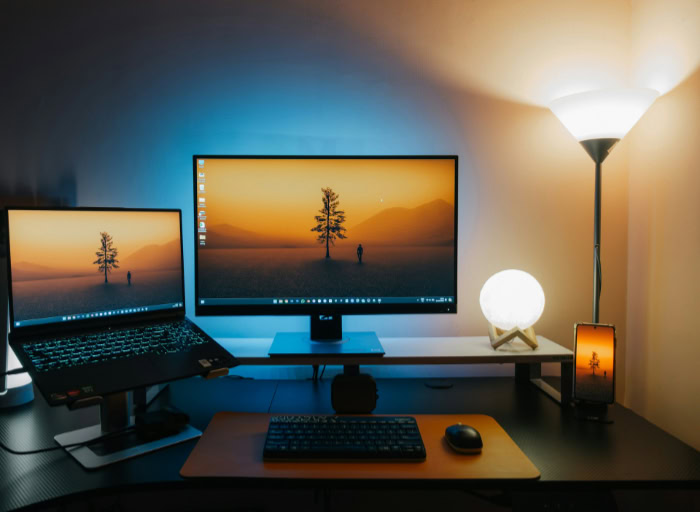
Deciding on a display upgrade requires looking past the performance metrics and looking closely at your wallet. Evaluating the up-front cost of a new monitor alongside the secondary expenses of supporting hardware reveals the true value of moving to a higher resolution.
Monitor Pricing Comparisons
The monitor market has shifted significantly, making higher resolutions much more accessible than they were in the past. High-refresh-rate 1080p monitors remain the cheapest option, making them ideal for strict budgets.
However, 1440p displays with fast response times and high refresh rates have dropped in price, often costing only slightly more than their lower-resolution counterparts. Meanwhile, high-refresh-rate 4K monitors still carry a premium price tag.
This positioning makes 1440p an incredibly attractive option for buyers seeking premium performance without premium pricing.
The True Cost of Ownership
Buying the monitor itself is only one part of the financial equation. If your current graphics card is too weak to run games at 1440p, you must also factor in the cost of a hardware upgrade.
A more powerful graphics card might also require a higher-wattage power supply, adding more secondary expenses to your budget. To avoid unexpected costs, you must view the display upgrade as part of your entire system’s ecosystem rather than an isolated purchase.
Evaluating Return on Investment
When you balance the visual upgrade against the financial requirements, 1440p stands out as the sweet spot for modern gaming. It offers a massive jump in visual clarity over 1080p without demanding the incredibly expensive, top-tier hardware needed to run games smoothly at 4K.
Because a quality monitor can easily outlast several generations of PC components, investing in a display that balances sharp visuals with reasonable hardware demands represents an excellent long-term value for most players.
Conclusion
Upgrading to 1440p represents a significant choice that balances a massive visual upgrade with increased hardware demands. The transition delivers nearly 78 percent more pixels, resulting in remarkable clarity and added desktop space, but it also introduces an average performance drop of 25 to 40 percent.
Deciding if this investment is worthwhile depends on your hardware capabilities and what you value most in your gaming setup.
For budget-conscious gamers, sticking with a high-refresh-rate 1080p monitor remains the most logical financial choice, as it avoids both the price premium of a new display and the hidden cost of system upgrades. Competitive esports players will find 1440p highly beneficial if they possess a mid-range or high-end graphics card, allowing them to spot distant targets without losing their high frame rates.
Finally, visual enthusiasts who enjoy immersive, single-player role-playing games will find 1440p to be the absolute sweet spot, providing gorgeous textures and environmental details at a fraction of the performance cost of 4K.
Frequently Asked Questions
How much performance do I lose going from 1080p to 1440p?
You can expect your game’s frame rate to drop by roughly 25 to 40 percent when upgrading from 1080p to 1440p. This performance hit occurs because your graphics card must calculate almost twice as many pixels for every single frame. The exact impact depends on your graphics card and game settings.
Will 1080p games look blurry on a 1440p monitor?
Yes, running a game at 1080p on a native 1440p display will look slightly blurry and soft. Because 1440p does not scale evenly from 1080p, the pixels cannot map cleanly across the screen. You should use native resolution or upscaling tools like DLSS instead.
Do I need a new graphics card to play games at 1440p?
You do not necessarily need a new graphics card if you already own a modern mid-range GPU. Cards like the RTX 4060 or RX 7600 can handle 1440p comfortably by adjusting game settings or using upscaling tools. However, older or entry-level cards may require major compromises to stay playable.
Why is 27 inches considered the best size for a 1440p monitor?
A 27-inch screen size provides the perfect balance of physical display area and high pixel density. At this size, the resolution produces roughly 109 pixels per inch. This density makes individual pixels invisible at normal viewing distances, resulting in incredibly sharp images and text.
Can I use a PlayStation 5 or Xbox Series X on a 1440p monitor?
Yes, both the PlayStation 5 and Xbox Series X/S natively support 1440p video output. Using this resolution allows modern consoles to target higher performance modes, delivering smoother frame rates of 60 or 120 frames per second. It makes a 1440p monitor an excellent multi-platform option.
About the Author: Elizabeth Baker