
Is 2666MHz RAM Good? See if You Should Upgrade

Buying a used office PC or a budget gaming rig often leaves you staring at 2666MHz RAM and wondering if your hardware is already obsolete. This specific clock speed dictates the literal heartbeat of your system data transfer, often acting as the silent barrier between a fluid experience and frustrating stutter.
While enthusiasts frequently chase the highest numbers on the box, the reality of performance is tied more to your specific goals than a simple benchmark score. A few years ago, this frequency sat at the top of the market, but today it serves as the entry point for value seekers.
Key Takeaways
- 2666MHz is perfectly adequate for office productivity and web browsing where total capacity matters more than raw frequency.
- AMD Ryzen systems experience a significant performance drop with 2666MHz RAM because the internal communication speed of the processor is tied to the memory clock.
- Many budget and older Intel motherboards physically lock memory speeds to a 2666MHz maximum, making faster RAM kits unnecessary for those specific platforms.
- Running two sticks of 2666MHz RAM in a dual-channel configuration provides more bandwidth and better performance than a single stick of much faster memory.
- Prioritizing 16GB or 32GB of total memory at 2666MHz is generally more beneficial for multitasking and modern gaming than having 8GB of higher speed RAM.
Performance Benchmarks for Different Use Cases
The actual utility of 2666MHz memory varies significantly based on the software you run. While benchmarks often highlight the ceiling of what hardware can achieve, the floor for a smooth experience is frequently lower than marketing materials suggest.
For most daily interactions with a computer, this frequency provides a stable and responsive environment.
General Productivity and Web Browsing
For users who spend their time in office applications, 2666MHz is more than enough. Modern web browsers like Chrome and Edge are notoriously memory-hungry, but their performance is tied more to the total capacity of the RAM rather than its raw speed.
Opening dozens of tabs, streaming high-definition video, or working on complex spreadsheets will not feel sluggish at this frequency. The latency involved in these tasks is usually measured in milliseconds, meaning the difference between 2666MHz and faster modules is practically invisible to the human eye during standard workflows.
Gaming Performance
Gaming provides a more nuanced look at memory speed. In many titles, the average frame rate may only see a minor dip when using 2666MHz compared to 3200MHz.
However, the real impact is often found in the 1% lows, which represent the brief moments of stuttering or frame drops during intense action. Faster RAM can help smooth out these inconsistencies.
While a casual gamer might not notice the difference, those playing competitive first-person shooters at high refresh rates may find that 2666MHz slightly limits their maximum potential performance.
Content Creation and Professional Workflows
Professional applications like Premiere Pro or Blender depend heavily on data throughput. In 4K video editing, 2666MHz RAM can act as a minor bottleneck during the scrubbing process or when rendering large files.
For 3D modeling and data processing, the slower speed means the CPU spends more time waiting for data to arrive from the memory. While these tasks are still perfectly functional at 2666MHz, professionals who rely on speed for their income might find that the time saved by upgrading to faster memory justifies the additional cost.
Impact of CPU Architecture
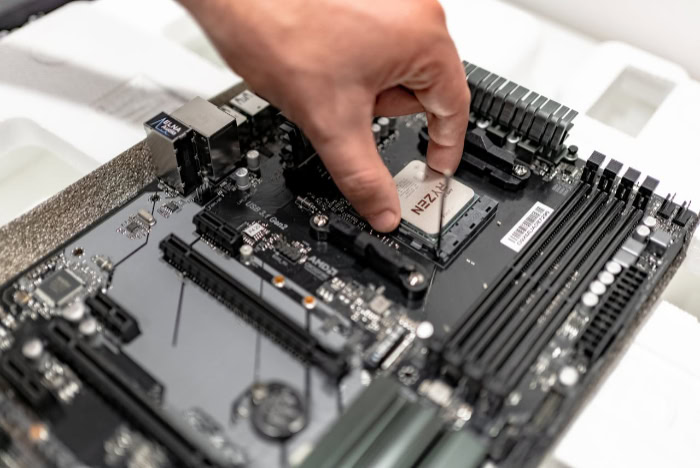
The way your processor communicates with your memory modules changes how much the clock speed matters. Intel and AMD have designed their chips with different internal layouts, leading to varying levels of sensitivity toward RAM frequency.
AMD Ryzen and Infinity Fabric
AMD Ryzen processors utilize a technology called Infinity Fabric to connect different parts of the CPU. The speed of this internal interconnect is directly linked to the speed of the RAM.
When you use 2666MHz memory on a Ryzen system, you are essentially slowing down the internal communication speed of the processor itself. This results in a more noticeable performance penalty compared to other platforms, making 2666MHz a less ideal choice for modern Ryzen builds where 3200MHz or 3600MHz is considered the sweet spot.
Intel Core Performance Scaling
Intel’s architecture has historically been less reliant on high memory frequencies for its basic operations. On older generations, such as the 8th or 9th Gen Core processors, the jump from 2666MHz to higher speeds often yielded very small gains in real-world applications.
While newer Intel chips have started to benefit more from faster RAM, the architecture is still robust enough that 2666MHz does not cripple the system. It remains a viable, stable option for Intel users who are not trying to squeeze every possible frame out of their hardware.
The CPU Bottleneck Factor
The relationship between memory and the processor becomes most apparent when using high-end components. If you pair a flagship CPU with 2666MHz RAM, you might create a bottleneck where the processor is capable of doing more work but is waiting on the memory to deliver data.
In these high-performance scenarios, the RAM speed becomes the limiting factor. For budget or mid-range CPUs, however, the processor is usually the limit anyway, making the slower memory speed a perfectly acceptable match.
Hardware Compatibility and Motherboard Constraints

Even if you want faster memory, your motherboard might not allow it. Compatibility is a major factor in why 2666MHz remains so common in the market today.
Many systems are physically limited by their firmware or chipset to this specific speed.
Chipset Limitations
Intel has a history of segmenting its motherboards by features. For many years, the budget-friendly B-series and H-series motherboards were strictly locked to a maximum RAM speed of 2666MHz for i5 and i7 processors, or even lower for i3 models.
Even if a user purchased a 3600MHz kit, the motherboard would automatically downclock it to 2666MHz. This means that for many pre-built office computers and older budget gaming rigs, 2666MHz is not just a choice; it is the absolute limit of the hardware.
JEDEC vs XMP Profiles
Memory speeds are categorized into standard JEDEC speeds and overclocked XMP profiles. 2666MHz is a standard JEDEC speed, which means it is designed to work immediately upon being plugged in without any manual changes in the BIOS. Faster kits usually require the user to enable an Extreme Memory Profile (XMP) to reach their advertised speeds.
For users who want a “plug-and-play” experience without touching any technical settings, 2666MHz offers the highest level of guaranteed compatibility across almost all DDR4 systems.
Mixing RAM Speeds
When you add a new stick of RAM to an existing system, the computer follows the “lowest common denominator” rule. If you have one stick of 3200MHz RAM and add a 2666MHz stick, the system will force both to run at 2666MHz to ensure stability.
This is an important consideration for those looking to upgrade their memory capacity. Adding more RAM is usually more beneficial than having faster RAM, even if it means the entire system must slow down to the 2666MHz threshold to keep the modules synchronized.
Comparing 2666MHz to Faster DDR4 Standards

Deciding between 2666MHz and faster alternatives like 3200MHz often comes down to a balance of price and performance. While the numbers on the box suggest a large gap, the functional difference in your daily experience might be smaller than expected.
The Value Proposition
The cost of DDR4 memory has dropped significantly over the years, often making the price difference between 2666MHz and 3200MHz negligible. However, in the used market or for bulk enterprise purchases, 2666MHz remains a highly cost-effective option.
If a 2666MHz kit is significantly cheaper than its faster counterparts, it can be a smart way to save money for a GPU or CPU upgrade where the performance gains will be much more obvious.
Latency vs Frequency
Performance is not determined by frequency alone; CAS Latency (CL) also plays a major role. Latency refers to how many clock cycles it takes for the RAM to respond to a request.
A 2666MHz kit with very low latency (such as CL14 or CL15) can sometimes perform as well as or better than a 3200MHz kit with high latency (such as CL22). When evaluating memory, it is important to look at both numbers to understand the true speed at which the hardware can move data.
Diminishing Returns
As memory speeds increase, the noticeable benefit to the user begins to shrink. The move from 2133MHz to 2666MHz is often quite apparent in system responsiveness.
However, moving from 3200MHz to 4000MHz offers much smaller gains that are usually only visible in synthetic benchmarks. For the average person using their computer for a mix of work and entertainment, 2666MHz sits just at the edge of this curve, providing a solid foundation before the law of diminishing returns makes additional spending less efficient.
Optimizing System Memory Beyond Clock Speed
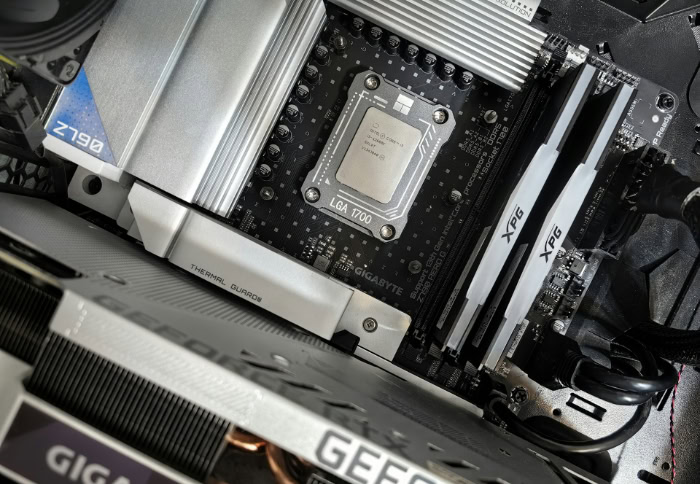
Focusing exclusively on the 2666MHz figure can lead you to ignore other factors that have a bigger impact on how your computer actually feels. Proper configuration and capacity choices often outweigh the benefits of a slightly higher clock speed.
Single-Channel vs Dual-Channel Memory
One of the most common mistakes in budget builds is using a single stick of RAM. Running 2666MHz memory in a dual-channel configuration, which uses two sticks, doubles the available bandwidth to the processor.
A dual-channel 2666MHz setup will easily outperform a single-channel 3600MHz setup in almost every scenario. Ensuring your motherboard has two sticks of memory installed is the most effective way to optimize a 2666MHz system.
Capacity vs Speed
In the modern computing environment, having enough RAM is more important than having fast RAM. If you are choosing between 8GB of 3600MHz memory and 16GB of 2666MHz memory, the 16GB option is almost always the better choice.
Once your system runs out of physical RAM, it begins using your much slower hard drive or SSD as temporary storage, which causes massive slowdowns. Prioritizing the total amount of memory ensures that your system stays smooth during multitasking and modern gaming.
Thermal and Power Efficiency
Lower frequency RAM generally operates at a lower voltage, typically 1.2V compared to the 1.35V or higher required by faster kits. This results in less heat generation and lower power consumption.
In small-form-factor builds or laptops where cooling is limited, using 2666MHz RAM can contribute to a cooler and more stable system. This efficiency makes it a preferred choice for builds where reliability and thermal management are more important than pushing for the highest possible frame rates.
Conclusion
2666MHz RAM remains a reliable baseline for general users, office workers, and budget-conscious gamers using Intel platforms. If your system is already locked to this speed by a motherboard chipset or if you prioritize capacity over raw throughput, sticking with this frequency is a practical choice.
However, users running modern AMD Ryzen processors or high-end gaming setups should consider moving to 3200MHz or 3600MHz to avoid leaving performance on the table. A successful build relies on balance, ensuring that your memory speed complements the tier of your CPU and GPU.
Overspending on high-speed RAM for an entry-level system offers little benefit, just as using slow RAM in a powerhouse rig creates a performance bottleneck. By matching your memory to your specific hardware and goals, you create a stable environment that handles your daily tasks without unnecessary expense.
Frequently Asked Questions
Can I mix 2666MHz RAM with 3200MHz RAM?
Yes, you can mix different RAM speeds, but your system will automatically downclock the faster stick to 2666MHz. This ensures stability between the modules by using the lowest common speed. While it works, you will not get the benefit of the faster kit’s advertised frequency or better timing profiles.
Is 2666MHz RAM enough for gaming in 2026?
Yes, 2666MHz RAM is sufficient for most modern games, though you might see slightly lower minimum frame rates. It is a capable entry-level speed that keeps gameplay smooth for casual players. Competitive gamers or those using high-end GPUs might prefer faster memory to maximize their system’s maximum frame rate potential.
Will 2666MHz RAM slow down my Ryzen CPU?
Yes, using 2666MHz RAM will noticeably limit the performance of an AMD Ryzen processor. Ryzen chips use an internal link called Infinity Fabric that scales directly with your RAM speed. To get the best results from these processors, most builders recommend using at least 3200MHz memory modules to avoid performance loss.
Should I upgrade from 16GB of 2666MHz to 16GB of 3200MHz?
The performance gain from this specific upgrade is usually too small to justify the cost for the average user. You would likely see a much bigger improvement by spending that money on a faster storage drive or a better graphics card. Only consider this if you are already using a high-end processor.
Why is my 3200MHz RAM running at 2666MHz?
Your RAM might be running at 2666MHz because your motherboard chipset has a hardware limit or because XMP is not enabled in the BIOS. Many budget Intel motherboards strictly lock the memory speed regardless of the kit you installed. Check your BIOS settings to see if an XMP profile is available for selection.
About the Author: Julio Caesar


