
Is a 2-in-1 Laptop Worth It? Pros and Cons
Investing in a new computer is a significant financial decision that shapes how you work, study, and relax for years to come. With modern hybrid devices promising to replace both your traditional laptop and your tablet, choosing the right form factor can save you money and physical clutter.
These 2-in-1 systems offer incredible flexibility, transitioning between a productivity machine and an entertainment screen. However, this adaptability often introduces trade-offs in weight, price, and raw processing power.
Key Takeaways
- Convertible laptops with 360-degree hinges are much more stable for lap use, while detachable tablets are easier to hold but require flat, solid surfaces for their kickstands.
- You will pay a price premium for a hybrid device compared to a standard clamshell laptop with the same processor, RAM, and storage.
- Many detachable models do not include the essential keyboard attachment or active stylus in the box, requiring you to budget hundreds of dollars more for separate accessories.
- Hybrid laptops are prone to performance throttling under heavy workloads like 3D gaming or video editing due to thin chassis designs that restrict cooling fan size.
- A hybrid computer reduces physical strain during travel because its compact tent and stand modes fit easily on small airplane tray tables or narrow coffee shop counters.
Form Factors of 2-in-1 Laptops
Hybrid devices come in several physical designs, each offering a distinct balance between tablet portability and traditional laptop utility. Learning how these shapes function physically is essential to finding the setup that matches your daily habits.
Convertible Laptops (360-Degree Hinges)
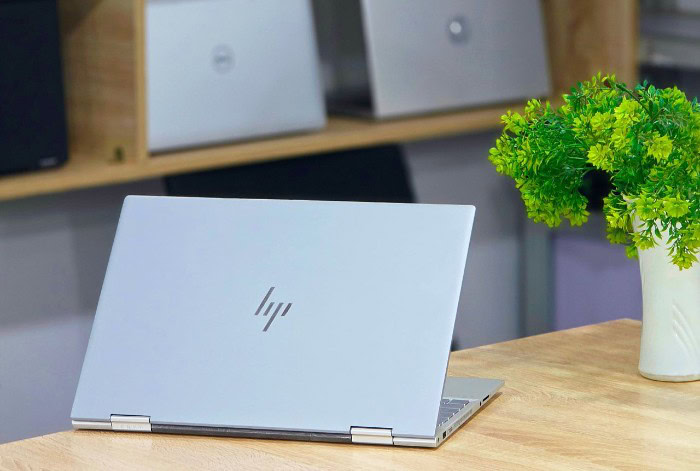
Convertible laptops are designed with a traditional laptop structure first. They feature a permanently attached keyboard and a screen connected by a specialized hinge that rotates a full 360 degrees.
This design allows you to fold the screen all the way back against the underside of the base, turning the device into a thick tablet. When folded back, the operating system automatically deactivates the physical keyboard to prevent accidental keystrokes, though the exposed keys remain on the bottom of the device.
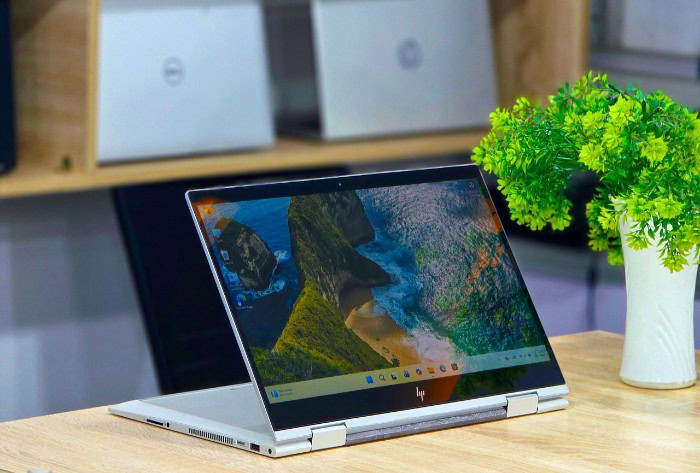
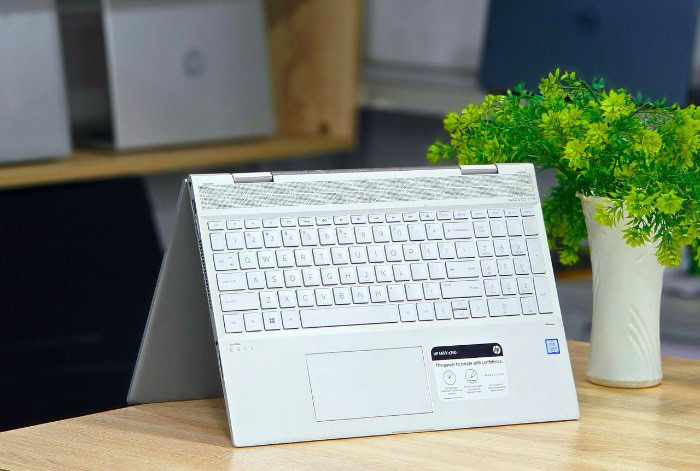
Users can also prop the machine up in a “tent” mode, making an upside-down V-shape, or “stand” mode, with the keyboard resting face-down as a base. Both positions are ideal for watching media or displaying presentations on narrow surfaces.
Detachable Laptops (Removable Keyboards)
Detachable laptops prioritize a tablet-first experience. All the processor, battery, and display components live behind the screen, making the screen itself a fully functional tablet.
To use it as a traditional computer, you connect a separate keyboard cover or rigid dock, which snaps into place using strong magnets and physical alignment pins. Because the screen contains all the heavy components, these devices usually rely on a built-in kickstand on the back of the tablet to hold the display upright.
This kickstand can be adjusted to various angles, making the device highly adaptable on a desk, but reliant on the keyboard cover lying flat to remain stable.
Comparison of Stability and Ergonomics
When evaluated on a flat desk, both designs perform well, but their usability changes dramatically when placed on your lap. Convertible laptops, with their solid, rigid bases, behave exactly like normal clamshell laptops on uneven surfaces.
Detachable systems, however, often feel unstable on your lap because the thin kickstand requires a wide, flat footprint to balance the heavy screen. Furthermore, when typing or using a stylus, convertibles tend to offer better stability with less screen wobble.
Detachables can bounce or slide backward under heavy finger pressure if the kickstand is not firmly supported, although using them flat on a table for drawing provides an incredibly sturdy and natural surface.
Primary Benefits and Strengths
The main appeal of hybrid computers lies in how they streamline daily tasks by merging multiple device experiences into one. For those who frequently swap between reading, writing, and creating, these devices offer functional advantages that standard laptops cannot match.
Versatility across Multiple Modes
Having a single device that shifts shapes allows you to transition smoothly from writing a report to presenting it to a client. Instead of carrying a heavy business laptop and a separate tablet in your bag, you only need to pack one hybrid unit.
During a commute, you can read an electronic book in tablet mode; once you arrive at an office, you can open the keyboard to type emails. This eliminates the hassle of syncing files across multiple operating systems, ensuring your workspace remains unified and clutter-free.
Digital Stylus Support for Handwritten Notes and Art
Most hybrid systems support active digital pens, which offer pressure sensitivity and precision control. This capability is useful for tasks like annotating PDF files, signing contracts electronically, or sketching diagrams during lectures.
For creative hobbies or design projects, a stylus allows for precise photo retouching and vector work that would be tedious with a trackpad. The ability to write directly on the screen makes digital document management feel much more natural, helping you transition to a paperless workflow.
Portability and Space Efficiency for Travel
Travel poses unique spatial challenges, such as tight airplane tray tables or crowded coffee shop counters. Hybrid computers excel in these environments because they can be propped up in tent or stand mode, consuming far less desk space than a standard laptop.
Their slender profiles and lightweight construction also mean they fit easily into small messenger bags and commuter backpacks, reducing physical strain during long travel days.
Drawbacks and Operational Limitations

Despite their adaptability, hybrid systems require clear compromises in physical design and performance. Combining a tablet and a laptop means accepting certain engineering constraints that do not affect traditional, single-purpose computers.
Weight and Tablet Ergonomics
While holding a dedicated mobile tablet like an iPad is comfortable for hours, holding a convertible laptop in tablet mode quickly becomes tiring. Even a lightweight convertible usually weighs around three pounds, which is double the weight of a standard tablet.
Using the device on a couch or in bed without resting it on your lap or a table can strain your wrists and arms. Even detachable tablets, though lighter than convertibles, are often thicker and heavier than their mobile-only counterparts because they require more robust internal components.
Thermal Management and Performance Constraints
Creating a very thin computer limits the amount of physical space available for cooling systems. Hybrid devices often use smaller cooling fans or completely fanless designs, which restricts how effectively the chassis can dissipate heat.
Under sustained, heavy workloads like exporting high-definition video or playing modern 3D games, the processor will generate heat quickly. To prevent damage, the system will automatically throttle, or slow down, its performance.
This means a hybrid computer with a high-end processor may perform worse during intensive tasks than a standard laptop with the exact same chip.
Durability of Hinges and Mechanical Components
Moving parts are always potential points of failure. The complex 360-degree hinges on convertibles undergo significant mechanical stress every time the screen is rotated, which can lead to loosening or physical wear over several years.
Similarly, detachable models rely on magnetic connectors and spring-loaded pins that are exposed to dust, oils, and physical impacts. Inside the hinges of both designs, tiny ribbon cables must bend thousands of times to transmit data and power to the screen, making them vulnerable to wear and eventual signal failure.
Cost Analysis and Value Proposition
Buying a hybrid device involves a clear financial calculation. Because engineering these compact, flexible machines is complex, they usually carry a different cost structure than standard laptops.
The Price Premium Over Standard Clamshell Laptops
When comparing a hybrid to a traditional clamshell laptop with identical internal specifications, such as the same processor, RAM, and storage capacity, the hybrid is almost always more expensive. This price premium exists because manufacturers must build high-resolution touchscreens, integrate active digitizers for stylus support, and develop durable, specialized hinge mechanisms.
These specialized components increase production costs, which are ultimately passed down to the buyer.
Comparison of Single Hybrid Device vs. Two Dedicated Devices
Some buyers debate if they should purchase one premium hybrid device or split their budget to buy a mid-range laptop and a basic standalone tablet. While splitting your budget gives you two separate screens, it often leads to a disjointed software experience.
Managing files, applications, and cloud accounts across two different operating systems, such as Windows and iPadOS, can be inefficient. A single hybrid device keeps all your work, notes, and personal files in one operating system, saving you the hassle of transferring data and paying for duplicate software licenses.
Accessory Costs (Stylus and Keyboard Attachments)
The advertised price of a hybrid computer can be deceptive because essential accessories are rarely included in the box. For detachable models, the keyboard cover is often sold separately, adding a significant cost to the base price.
Active styluses are also frequently sold as extra accessories. When budgeting for your purchase, you must calculate the total cost of ownership by including these essential add-ons, which can easily add hundreds of dollars to your final bill.
Target User Profiles and Ideal Use Cases

Not everyone needs the unique capabilities of a hybrid device. Certain types of users will get incredible value out of this flexibility, while others might find the added costs and physical limitations outweigh the benefits.
Students and Academic Workflows
Students often find hybrid devices incredibly useful for academic tasks. In a single lecture, you can use the keyboard to type out research notes and then quickly fold the screen back to sketch a chemical diagram or a math equation with a stylus.
Reading digital PDF textbooks is also much easier in tablet mode, as you can highlight text and write margin notes directly on the screen. This makes studying more active and eliminates the need to print out hundreds of pages of reading materials.
Creative Professionals and Digital Artists
For graphic designers, illustrators, and photo editors, a hybrid computer provides an accessible canvas for sketching and editing on the go. Active pens allow for natural pressure sensitivity, which is perfect for drawing and photo retouching.
However, creative professionals who work with massive, multi-layered files, high-resolution video editing, or heavy 3D rendering may find the thermal limitations of hybrid devices frustrating. For these intense workloads, a powerful, dedicated workstation or traditional high-performance laptop is usually a better fit.
Business Travelers and Remote Workers
Professionals who travel frequently or work remotely benefit greatly from the space-saving nature of hybrids. In client meetings, you can fold the keyboard away and use the screen in stand mode to share presentations or sign digital contracts easily.
While traveling on trains or planes, the compact footprint allows you to stay productive even when space is highly restricted. This adaptability makes it easier to work efficiently from anywhere without carrying a heavy bag of separate electronic devices.
Conclusion
Deciding if a 2-in-1 laptop is worth your investment comes down to a balance of flexibility, weight, and price. If your daily tasks benefit from a digital stylus, media presentation modes, and tablet reading, a hybrid machine provides unmatched convenience in a single device.
However, if your work demands heavy processor power, maximum lap stability, or a strictly tight budget, purchasing a standard clamshell laptop remains the more practical choice. Matching these physical compromises with your specific workspace needs will point you toward the most sensible option.
Frequently Asked Questions
Can I use a 2-in-1 laptop for playing games?
Yes, you can play casual or older games, but these devices are not suited for demanding modern 3D gaming. Their thin frames restrict cooling systems and cause the processor to slow down under heavy graphical loads. For a smooth gaming experience, a traditional gaming laptop with dedicated cooling is a much better choice.
Do 2-in-1 laptops come with the pen and keyboard included?
Usually, detachable 2-in-1 laptops do not include the keyboard or stylus in the standard retail price. While most convertible models have the keyboard permanently attached, you will still need to purchase the active digital pen separately. It is critical to calculate these extra accessory costs when budgeting for your device.
Is it uncomfortable to hold a convertible laptop like a tablet?
Yes, holding a convertible laptop in tablet mode can feel quite heavy and awkward after just a few minutes. Most 360-degree convertibles weigh around three pounds, which is double the weight of a dedicated tablet like an iPad. They work best when rested on your lap or a flat desk surface.
Do the rotating hinges on these laptops break easily?
While modern 2-in-1 hinges are highly engineered for durability, they are still more prone to wear and tear than traditional laptop hinges. The continuous 360-degree folding action and attachment mechanisms place extra mechanical stress on the joints over time. This wear can eventually loosen the screen or damage the internal wiring.
Why are 2-in-1 laptops more expensive than regular laptops?
Hybrid laptops cost more because they require more complex engineering, high-quality touchscreens, and active digitizer layers for stylus support. Manufacturing durable 360-degree hinges or magnetic detachable mechanisms also increases production costs. You are essentially paying for the advanced hardware flexibility and dual-purpose design rather than just raw computer performance.
About the Author: Julio Caesar


