
Is 64GB of Storage Enough for a Phone? Our Verdict

How often do you delete cherished photos or clear app caches just to install a basic system update? Choosing a budget-friendly or refurbished phone with 64GB of storage saves money upfront, but it can quickly trap you in a constant battle for space. Today, operating systems occupy massive portions of physical drives, while modern apps and high-resolution cameras generate larger files than ever before.
Yet, low-capacity devices remain highly tempting options for cost-conscious buyers. Evaluating how these competing demands impact daily performance helps you decide if a lower-tier model is a smart financial choice or a recipe for ongoing frustration.
Key Takeaways
- Out of the advertised 64GB on a phone, the operating system and default applications occupy up to 20GB, leaving users with only 35GB to 45GB of actual usable space on the first boot.
- Modern camera sensors of 48MP or 50MP generate massive picture files exceeding 10 megabytes each, while 4K video recording at 60 frames per second consumes up to 400 megabytes per minute.
- Mobile phones require a continuous storage buffer of 10% to 15%, which is about 6GB to 10GB on a 64GB phone, to process system cache files and prevent severe device slowdowns or crashes.
- Major software and security updates require a temporary storage buffer of 7GB to 15GB to download, unpack, and install, which can force users on low-capacity drives to delete vital apps.
- Using a physical MicroSD card is not a complete fix, because modern operating systems restrict apps from being installed or run directly from external storage due to slow read speeds.
The Baseline Reality of 64GB Storage
A phone advertised with 64GB of storage space does not actually deliver 64GB of storage to the user. From the moment the device is turned on, the physical drive is already occupied by essential files, system protocols, and native applications.
This structural deficit makes analyzing physical limits critical before assuming a lower-tier storage option can meet daily demands.
System and Operating System Allocations
Operating systems have grown significantly to support advanced processing and security updates. On iOS and Android devices, the base software can consume anywhere from 10GB to over 20GB of space straight out of the box.
Beyond the operating system itself, partition tables and default applications, such as basic web browsers, mail clients, and utility tools, claim their own permanent storage stakes. Some system partitions also reserve dynamic space for ongoing data logging, which permanently reduces the remaining drive volume.
Actual Usable Capacity for the User
The disparity between advertised capacity and actual usable space is a fundamental hardware reality. Manufacturers define a gigabyte as exactly one billion bytes, whereas phone systems calculate storage using binary gigabytes, where one gigabyte equals 1,073,741,824 bytes.
This computational gap reduces a physical 64GB drive to roughly 59.6GB of real storage capacity. When the pre-installed system software and default applications are subtracted, users are often left with only 35GB to 45GB of free space before downloading a single personal app or snapping their first picture.
Primary Drivers of Storage Consumption
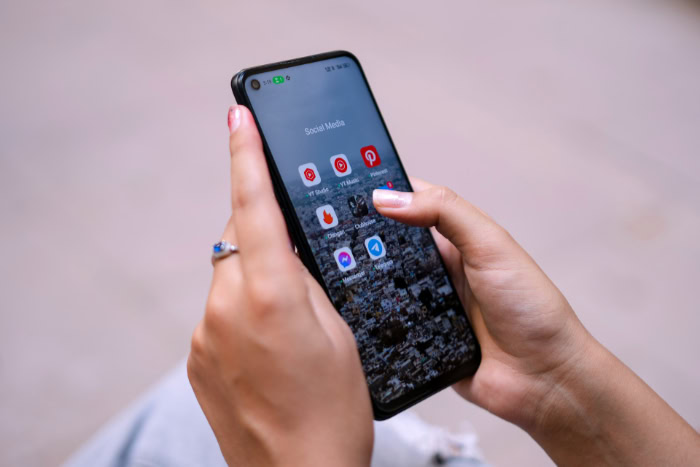
Even with cautious usage habits, modern media and application trends rapidly exhaust a limited 40GB pocket of usable storage. High-end camera specifications, sophisticated app architectures, and offline media requirements mean that standard daily actions eat up megabytes at an unprecedented rate.
High-Resolution Photos and Videos
Modern smartphone cameras feature high-megapixel sensors, with mid-range and budget options frequently employing 48-megapixel or 50-megapixel sensors. Snapping photos at full resolution creates massive image files, occasionally exceeding 10 megabytes per picture.
Video recording is even more demanding. A single minute of standard 1080p video captured at 60 frames per second easily claims over 100 megabytes of storage, while 4K video at 60 frames per second can consume up to 400 megabytes per minute, rapidly filling up a low-capacity device.
Modern Application Sizes and Cache Accumulation
Modern applications are much larger than their predecessors. Everyday social media, navigation, and lifestyle apps that once required only 30 megabytes for initial download now routinely demand 150 to 500 megabytes just for installation.
Furthermore, as these programs are used, they amass significant cache files, user databases, and media downloads. Chat apps like WhatsApp gather massive libraries of shared images, audio notes, and videos, quietly ballooning to several gigabytes of unmanaged storage over a matter of months.
Offline Media Storage
For users who frequently travel or wish to conserve mobile data, saving content locally is a common habit. However, storing offline playlists on streaming platforms, high-quality audio files, or high-definition films is highly demanding.
A few hours of downloaded video content or a couple of extensive offline music playlists can easily consume 5GB to 15GB of space, leaving virtually no room for other operational needs on a 64GB phone.
System Performance and Update Constraints

A severely constrained storage drive does more than just limit media file collection; it directly threatens the basic operation and safety of the device. Mobile hardware requires breathing room to function properly, meaning a nearly full phone often becomes laggy and difficult to maintain.
Impact on Device Speed and Performance
To function smoothly, modern mobile operating systems require a continuous buffer of free storage, typically recommended to be between 10% and 15% of the total capacity. On a 64GB phone, this translates to keeping roughly 6GB to 10GB entirely empty.
The operating system utilizes this empty space for virtual memory swap files, temporary caches, and system-level operations. If this space is exhausted, the device suffers from severe read and write slowdowns, app crashes, and overall system sluggishness.
The Space Required for Software and Security Updates
Installing critical software and security updates presents another significant barrier on lower-capacity devices. Major operating system upgrades often require 7GB to 15GB of free storage to complete.
This space is not just for the final system files, but serves as a temporary landing zone where the update file is downloaded, unpacked, and verified before installation. Consequently, users on low-capacity models are frequently forced to uninstall dozens of apps or clear entire photo libraries just to apply crucial security patches.
Mitigation Strategies and Alternatives

Living with a lower-tier storage capacity requires proactive management and strategic workarounds. While a 64GB phone imposes clear boundaries, users can employ several software and hardware techniques to keep their devices running smoothly without running out of space.
Cloud Storage Integration
Offloading files to cloud platforms represents an effective method to free up physical space. Services such as iCloud, Google One, and OneDrive can automatically back up high-resolution photos, documents, and videos, allowing users to safely delete the local copies from their phone.
However, this approach introduces some complications. Accessing cloud files depends entirely on having a reliable, continuous internet connection, which can be difficult during travel or in areas with poor cellular coverage.
Additionally, while these services often offer a small free tier, storing any substantial amount of data requires a paid monthly or annual subscription, adding to the long-term cost of the phone.
Expandable Memory and MicroSD Cards
Another option is using expandable storage through physical MicroSD cards. While premium flagship models have almost entirely abandoned the card slot, many budget-friendly and entry-level phones still retain expandable memory slots.
This allows users to add hundreds of gigabytes of storage for a very low cost. However, external storage is not a perfect solution.
MicroSD cards have significantly slower read and write speeds compared to a phone’s internal flash memory, leading to slower app loading times. Furthermore, modern versions of Android and iOS highly restrict how external storage is used, often preventing applications from being installed or run directly from the card.
Manual Maintenance and Cache Clearance
Maintaining a healthy storage balance on a 64GB device requires regular, manual upkeep. Users must frequently empty trash folders, delete downloaded files they no longer need, and clear heavy app caches.
Many popular social media platforms and communication apps offer built-in settings to limit cache accumulation or compress received media automatically. Furthermore, deploying “Lite” versions of popular apps, which are specifically designed to have a much smaller installation footprint and use less storage for temporary files, can save significant space on constrained systems.
User Profiles and Suitability Analysis

The practicality of owning a 64GB device ultimately depends on individual usage habits and daily expectations. By analyzing different user profiles, buyers can determine if a smaller storage option aligns with their lifestyle or if it will lead to daily compromises.
The Minimalist User
For minimalist users, a 64GB device is often perfectly adequate. These individuals primarily use their phones for basic communication, such as voice calls, text messages, and emails, along with light web browsing.
They stream music and video directly from online services rather than downloading files for offline use, and they rarely play resource-heavy mobile games. Since their apps are lightweight and their media footprint is negligible, minimalist users can easily avoid storage alerts without changing their habits.
The Standard User
The standard user represents a more delicate balance. These individuals frequently take casual photos, download a moderate number of apps, and enjoy standard streaming services.
While 64GB can work for this group, it demands constant awareness. Standard users must expect to receive storage-full warnings periodically, especially after a vacation filled with taking photos or when updating the operating system.
To avoid running out of space, they must be willing to perform routine digital cleanups, delete older videos, and manage their applications carefully.
The Power User and Creator
For power users and content creators, a 64GB phone is practically unusable. Mobile gamers who play modern, high-fidelity titles will find that just two or three popular games can completely fill a low-capacity drive.
Video creators, vloggers, and travelers who record high-definition footage or need offline entertainment will hit the storage ceiling almost immediately. Professionals who multitask and rely on large offline databases, documents, and specialized work applications will face persistent performance bottlenecks and severe operational limits on such a restricted storage budget.
Conclusion
Selecting a 64GB smartphone requires weighing immediate financial savings against the long-term cost of constant storage maintenance. While budget-conscious shoppers and minimalist users can comfortably manage with 64GB by relying on cloud services and regular manual cleanups, standard and heavy users will likely face ongoing daily limitations.
Between massive system software allocations, large application sizes, and high-resolution camera files, a low-tier storage drive quickly becomes a performance bottleneck. Spending a bit more upfront for a 128GB or higher model provides the necessary breathing room for software updates and media files, preventing the daily frustration of running out of space.
Frequently Asked Questions
How much actual space is left on a 64GB phone?
You will typically have between 35GB and 45GB of usable storage remaining after the first boot. The rest of the advertised capacity is permanently occupied by the binary system calculation difference, the mobile operating system, and pre-installed default apps. This means almost a third of the drive is unavailable for your personal files.
Can I use an SD card to get more space for my apps?
No, you generally cannot run or install modern applications directly from a MicroSD card. While external memory cards are excellent for storing photos, videos, and music files, modern Android and iOS operating systems heavily restrict app installation on external storage due to much slower read and write speeds.
Will a full 64GB storage slow down my phone?
Yes, a nearly full storage drive will cause your phone to lag and crash. Mobile operating systems require 10% to 15% of empty space, about 6GB to 10GB on a 64GB phone, to use as virtual memory and write temporary system cache files. Without this buffer, basic performance drops significantly.
How much cloud storage do I need to offload my files?
You should start with a 50GB or 200GB plan to comfortably offload your phone’s local files. While cloud services like iCloud or Google One safely back up your photo libraries and documents, they require active subscription fees. Keep in mind you will still need a reliable internet connection to access those files.
Why do apps take up so much more space now?
Modern apps are designed with complex features, higher-resolution graphics, and larger codebases than they were years ago. Additionally, apps continuously build up temporary files, database files, and downloaded media files during regular use. This causes a social media or messaging app to quickly expand from 150MB to several gigabytes.
About the Author: Elizabeth Baker


