
Micro-ATX vs. Mini-ITX vs. ATX: How to Choose the Right One

Selecting the wrong motherboard size can force you to return your entire parts list or leave you with a massive PC case that sits mostly empty on your desk. This choice dictates every other component you buy, from the power supply to the number of fans cooling your CPU.
While the motherboard is often the first part picked, it remains the most restrictive decision in any build. Small errors in judgment lead to overheating components or a lack of expansion slots for future upgrades.
Making the right call early on saves both money and frustration during the assembly process. Comparing the three major industry standards ensures you find the perfect balance between a compact footprint and high performance hardware.
Key Takeaways
- ATX boards measure 305 by 244 millimeters, offering the most expansion with up to seven PCIe slots for graphics and sound cards.
- Micro-ATX is the most cost effective option, providing four expansion slots and four RAM slots at a lower price point than other sizes.
- Mini-ITX is the smallest standard at 170 by 170 millimeters, but it usually restricts users to a single PCIe slot and two RAM slots.
- Larger cases are backwards compatible, meaning an ATX chassis can typically hold Micro-ATX and Mini-ITX boards without any modifications.
- Small form factor builds often require more expensive, specialized parts like SFX power supplies and compact cases to manage heat and space.
Physical Dimensions and Chassis Compatibility
The physical footprint of a motherboard determines the size of the computer case required and dictates the overall volume of the finished machine. While the technology inside these boards remains largely similar, the surface area available for mounting components varies significantly between the three standards.
This size difference affects not only where the computer can fit but also how easily a builder can manipulate parts during the assembly process.
Standardized Board Measurements
Industry standards ensure that parts from different manufacturers work together without conflict. A standard ATX motherboard measures 305 by 244 millimeters, or 12 by 9.6 inches.
The Micro-ATX format reduces the height while keeping the width the same, resulting in a square shape of 244 by 244 millimeters. Mini-ITX is the smallest of the trio, measuring only 170 by 170 millimeters.
These fixed dimensions allow case manufacturers to place mounting standoffs in precise locations that align with the holes pre-drilled into every motherboard.
The Downward Compatibility Rule
Most computer cases are designed to support their maximum intended size and anything smaller. A full tower case built for ATX boards will almost always have the mounting points and rear I/O clearance to host a Micro-ATX or Mini-ITX board.
This flexibility allows builders to use a small motherboard in a large chassis if they prefer the extra internal volume for airflow or simplified cable routing. However, the reverse is not possible; you cannot fit a standard ATX board into a case specifically designed for Micro-ATX or Mini-ITX.
Spatial Constraints and Clearance
The motherboard size impacts the clearance for other vital components. Large ATX boards provide ample room around the CPU socket, making it easier to install massive air coolers without blocking the memory slots.
In contrast, Mini-ITX builds require careful planning because the proximity of the RAM, CPU cooler, and graphics card can lead to physical interference. Smaller boards also make cable management more difficult, as the proximity of headers means wires must be tucked away in tighter spaces to avoid obstructing fans or restricting airflow.
Expansion Capacity and Component Support

Beyond physical size, the choice of form factor dictates the limits of what the computer can actually do. Each reduction in size removes physical real estate, which directly translates to fewer slots for hardware upgrades.
Builders must decide early if they need a specialized machine with multiple add-in cards or a simple system that performs a single task efficiently.
PCIe Slot Availability
Expansion slots are the primary way to add functionality to a PC, such as high end graphics cards, sound cards, or high speed networking adapters. A standard ATX board typically offers up to seven expansion slots, allowing for multiple GPUs or a combination of various specialized controllers.
Micro-ATX boards usually provide four slots, which is plenty for a single graphics card and one or two additional accessories. Mini-ITX boards are limited to a single PCIe slot, meaning the builder must choose one primary expansion card and sacrifice all others.
Memory Density and Capacity
Memory support also changes as the board shrinks. Most ATX and Micro-ATX motherboards feature four RAM slots, allowing for dual channel performance and easy capacity upgrades in the future.
Mini-ITX boards almost always feature only two slots. While this still supports dual channel operation, it caps the maximum possible memory capacity at a lower ceiling and forces the user to replace existing sticks rather than simply adding more if they need an upgrade later.
Storage and Internal Headers
The number of storage connections and internal headers scales with the board size. Larger boards have the surface area to host three or more M.2 NVMe slots and six or more SATA ports.
On Mini-ITX boards, space is so limited that manufacturers sometimes place M.2 slots on the back of the motherboard. Similarly, the number of USB headers and fan connections is much lower on smaller boards, often requiring the use of external hubs or splitters to power multiple case fans and front panel ports.
Power Delivery and Thermal Management
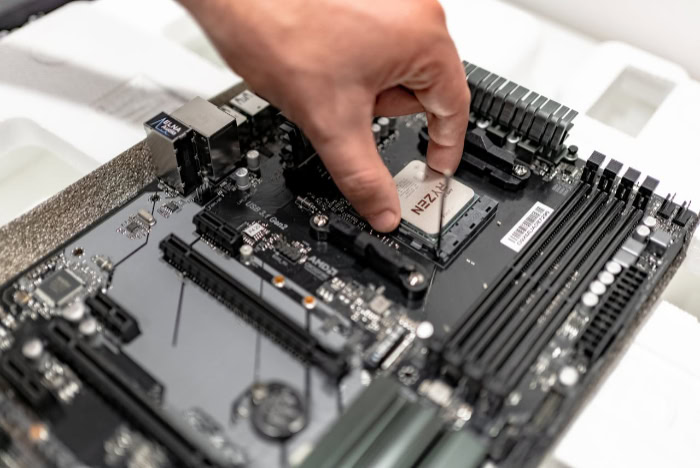
A motherboard serves as the electrical nervous system of the computer, and its size affects how it handles heat and power. High performance processors require stable voltage, which is managed by the Voltage Regulator Modules surrounding the CPU.
The physical layout of these components can determine whether a system remains stable under heavy loads or suffers from thermal throttling.
VRM Design and Performance
Large motherboards offer more space for complex power delivery systems. Engineers can fit more power phases and larger dedicated heatsinks onto an ATX board, which spreads the electrical load and reduces the heat generated by each individual component.
This makes ATX the preferred choice for those using flagship processors or attempting to push their hardware through overclocking. While some high end Mini-ITX boards feature impressive power delivery, the density of the components means they often run hotter than their larger counterparts.
Heat Dissipation Challenges
Component density is a major factor in how a system manages temperature. On a Mini-ITX board, the CPU, RAM, and GPU are packed into a very small area, creating a concentrated heat zone.
Without a large volume of air to move that heat away, these components can heat each other up through proximity. ATX and Micro-ATX boards allow for more physical separation, which helps prevent heat soak and allows for more efficient cooling through the chassis.
Cooling Integration and Headers
The number of cooling points a board can support is directly tied to its size. A standard ATX board might have eight or more fan headers, including dedicated ports for AIO liquid cooling pumps and thermal sensors.
Mini-ITX boards often have only two or three headers, which limits the complexity of the cooling setup without using additional hardware. This makes it harder to create a silent or highly optimized thermal environment in smaller builds.
The Economics of Form Factors
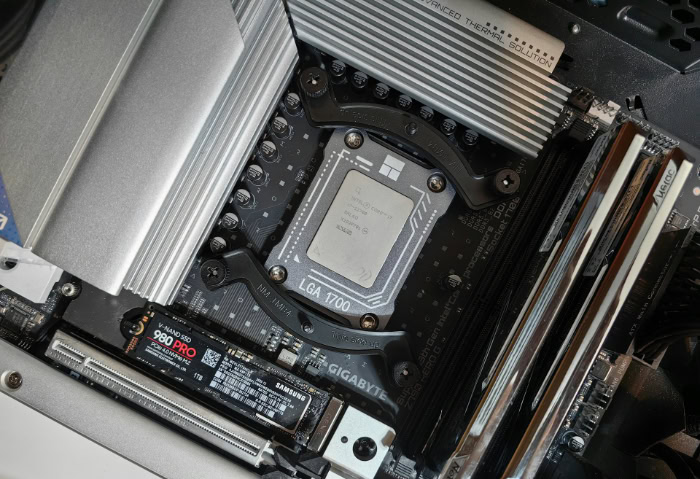
Price is often the most surprising aspect of motherboard selection. It is a common mistake to assume that less material results in a lower price tag.
In reality, the cost of a motherboard is driven by manufacturing volume, engineering complexity, and the specialized parts required to make everything fit in a compact space.
Manufacturing Volume and Retail Price
Micro-ATX is typically the most affordable form factor on the market. These boards are produced in massive quantities for office PCs and budget gaming builds, allowing manufacturers to keep prices low through economies of scale.
They provide enough features for the average user without the extra material costs of ATX or the specialized engineering required for Mini-ITX. For a builder focused on getting the most performance for every dollar, Micro-ATX is usually the smartest financial choice.
The Mini-ITX Premium
Despite their small size, Mini-ITX boards often cost more than comparable ATX models. This price increase is frequently called the ITX tax.
To fit all the necessary traces and components into a tiny square, manufacturers must use more expensive, multi-layered circuit boards and highly integrated components. The engineering required to solve the spatial and thermal puzzles of a tiny board adds a significant premium to the final retail price.
Total System Cost
The motherboard is not the only part that affects the budget of a small build. Mini-ITX systems often require specialized cases and SFX power supplies, both of which generally cost more than standard sized components.
While an ATX or Micro-ATX build can use standard, affordable parts, a small form factor build requires a higher investment in every category to ensure everything fits and remains cool within the restricted space.
Use-Case Optimization: Which Should You Choose?

The right motherboard depends entirely on the intended use of the computer and the environment where it will reside. Each size serves a different type of user, and picking the one that aligns with your specific goals will result in a more satisfying building experience and a more capable machine.
The ATX Workstation and Gaming Powerhouse
For users who want no compromises, ATX is the standard choice. It is the best option for professional workstations that require multiple storage drives and several expansion cards for video capture or high speed data transfer.
Enthusiasts who want to build a showpiece PC with elaborate liquid cooling loops and multiple lighting controllers will also benefit from the extra room. If the desk has enough space for a large tower, the ATX format provides the most freedom for future growth.
The Micro-ATX Budget Build
Micro-ATX is the practical choice for most home and office users. It offers a perfect middle ground by providing enough expansion slots for a powerful graphics card and extra memory, while remaining affordable enough to fit into a tight budget.
These boards fit into a wide variety of cases, from compact towers to standard desktops, making them a versatile foundation for any system where extreme miniaturization or extreme expansion is not required.
The Mini-ITX Specialist
The Mini-ITX format is designed for builders who prioritize a small footprint above all else. These systems are perfect for home theater PCs that need to fit into media consoles, or for gamers who travel frequently to events.
They also appeal to minimalists who want a powerful computer that does not dominate their workspace. Choosing Mini-ITX is a commitment to a specific aesthetic and size, requiring a more careful selection of parts and a higher budget to achieve the same performance as larger systems.
Conclusion
Selecting a motherboard requires a clear understanding of your current needs and your plans for the next few years. The standard ATX board provides the most room for growth, while Micro-ATX offers the best value for builders on a budget.
Mini-ITX remains a specialty choice for those who value space above all else. Instead of chasing the smallest possible size or the most slots, identify the components you absolutely need today.
Focus on the number of storage drives and expansion cards required for your specific work or gaming habits. If you can fit your hardware onto a smaller board without sacrificing performance or thermal stability, you might save money and desk space.
The best choice is the one that fits your case and your budget while leaving just enough room for essential upgrades.
Frequently Asked Questions
Can I fit a tiny motherboard into a huge case?
Yes, you can almost always install a smaller motherboard into a larger case because the mounting holes are standardized. Most mid tower and full tower cases include the necessary screw points for ATX, Micro-ATX, and Mini-ITX boards. This gives you more room for cables and better airflow, though a small board might look tiny in a cavernous chassis.
Why do small motherboards cost so much?
Mini-ITX boards are often expensive because they require complex engineering and high quality materials to fit many features into a small area. Manufacturers use dense, multi-layered circuit boards and compact components to save space. Because these boards are produced in lower volumes than standard sizes, they carry a price premium known as the ITX tax.
Will a smaller motherboard make my PC run slower?
A smaller motherboard will not directly reduce your CPU or GPU speed, but it might limit your performance through heat. Smaller boards have less room for cooling components and power delivery parts, which can lead to thermal throttling during intense tasks. As long as you have good airflow, the actual processing speed remains the same across all sizes.
How many sticks of RAM can I use on a Mini-ITX board?
Most Mini-ITX motherboards only have two memory slots due to their limited physical surface area. This means you are restricted to dual channel memory configurations and a lower total RAM capacity than larger boards. If you need more than two sticks of RAM, you should look at Micro-ATX or standard ATX options instead.
Is Micro-ATX actually better for budget builds?
Micro-ATX is widely considered the best choice for budget builds because of its high production volume and efficient design. These boards provide all the necessary slots for a standard gaming or office PC without the added cost of premium materials or excessive size. You get the best price to performance ratio while maintaining plenty of room for upgrades.
About the Author: Julio Caesar


