
Should You Turn Off Location Services on Your Phone?

Your smartphone silently records every step you take, trading your personal location data for daily convenience. This constant tracking not only drains your battery faster but also exposes your daily routines to advertisers and data brokers.
We rely on location services to order rideshares, check local weather, or avoid traffic jams. However, this creates a dilemma between device usability and personal privacy.
A complete shutdown of all location hardware might seem like the best way to protect yourself, but doing so breaks mapping apps and disables emergency safety tools. Finding the right balance means looking at how these mobile systems actually operate behind the scenes.
Adjusting your settings correctly will secure your personal information and extend battery performance while keeping your essential apps running smoothly.
Key Takeaways
- Smartphones calculate your position using a battery-draining combination of GPS satellites, Wi-Fi network scanning, and cellular tower triangulation.
- Keeping location services completely active allows data brokers to log your daily routines, categorize your habits, and sell your behavioral profile to advertisers.
- Turning off your system-wide location switch permanently breaks helpful tools like turn-by-turn navigation and remote recovery features for lost or stolen phones.
- Operating systems feature a built-in safety override that automatically shares your exact GPS coordinates with dispatchers when you call emergency services.
- You can maximize both privacy and functionality by restricting individual apps to “While Using the App” permissions and forcing weather apps to use approximate location data.
Mechanics of Mobile Location Services
Smartphones operate as highly sophisticated tracking tools that constantly calculate your exact coordinates. Knowing how these systems operate behind the scenes clarifies why location features demand so much battery power and generate vast amounts of personal data.
The process relies on a complex combination of hardware sensors, operating system permissions, and third-party software integrations.
Primary Location Technologies (GPS, Wi-Fi, and Cellular Signals)
Your phone pinpoints your physical position by combining three distinct technologies. The Global Positioning System relies on a network of satellites orbiting the Earth.
A GPS chip inside your phone receives signals from these satellites to calculate your precise location. This method offers the highest accuracy but requires a clear view of the sky and consumes a substantial amount of power.
To speed up the process and save battery, smartphones also scan for nearby Wi-Fi networks. By comparing the MAC addresses of local routers against massive databases, the device can estimate where you are even if you are indoors.
Furthermore, cellular triangulation estimates your location based on the distance between your phone and local cell towers. While cellular tracking uses the least amount of power, it provides the lowest accuracy compared to Wi-Fi and GPS.
App Access and Background System Activity
Installed applications do not simply tap into your location hardware whenever they want. The operating system acts as a gatekeeper to manage these requests.
When you actively use a mapping or ride-sharing app, it makes a foreground location request. The system grants access and provides real-time updates while the app remains open on your screen.
Background system activity operates differently. Many apps ask for permission to check your location even when they are closed.
The operating system processes these background checks periodically rather than continuously. This allows apps to trigger specific alerts, like a reminder to buy milk when you walk past a grocery store, without keeping the GPS hardware active all day.
The operating system monitors these background requests and often alerts you if an app repeatedly asks for your coordinates while you are not using it.
Data Transmission to Operating System Providers and Third Parties
Once your phone calculates your coordinates, that information rarely stays strictly on the device. Apple and Google process location data on the system level to improve their own mapping services and location databases.
They aggregate anonymous data from millions of devices to monitor traffic conditions and verify Wi-Fi network positions.
Beyond the operating system providers, third-party developers integrate software development kits into their apps. These kits often collect user location logs and transmit them to external servers.
A simple weather or flashlight app might contain hidden tracking software that silently forwards your coordinates to external marketing agencies. This background transmission happens quietly and remains entirely invisible to the average user.
Privacy and Data Security Risks

The constant stream of geographical data generated by your phone creates a permanent record of your daily movements. This continuous tracking presents significant security concerns as various entities eagerly collect and exploit this information for financial gain or malicious purposes.
Data Collection by Advertisers and Aggregators
Data brokers and advertising networks treat your physical movements as highly valuable commodities. These companies pay app developers to include tracking code in everyday applications.
As you carry your phone throughout the day, this software logs exactly where you go and how long you stay there.
Advertisers use these frequent geographic stops to build detailed behavioral profiles. If you frequently visit a particular gym, a fast-food restaurant, or a specific car dealership, data aggregators categorize you based on those interests.
They then sell these profiles to marketing firms who target you with specific advertisements. You are no longer just an anonymous user, as your physical movements directly dictate the commercial content pushed to your screens.
Stalkerware and Unauthorized Surveillance Threats
The ability to track a device remotely opens the door to severe security vulnerabilities. Malicious applications, often disguised as parental control tools or security utilities, can function as stalkerware.
These intrusive programs operate invisibly in the background and transmit your live location to unauthorized individuals. This type of software presents a direct threat to personal safety and privacy.
Additionally, public exposure of location data poses significant risks. When databases containing user location logs suffer security breaches, hackers can access exact coordinates tied to specific individuals.
This information allows criminals to monitor a person’s routines, figure out when they are away from home, and physically intercept them.
Exposure of Habitual Movement Patterns
A detailed log of your habitual movement patterns reveals highly sensitive personal information. Simply tracking where a phone rests at night and where it stays during the day easily identifies your home address and workplace.
Over time, the data exposes private routines like weekly visits to a medical clinic, attendance at a specific place of worship, or trips to a specialized legal office.
Social media check-ins and geotagged photos amplify these privacy risks. When you upload pictures taken on your smartphone, the image files often contain hidden metadata detailing the exact GPS coordinates of where the photo was captured.
Sharing these files online unintentionally broadcast your home address or current vacation spot to the public, compromising your privacy and potentially your physical security.
Impact on Battery Life and Device Performance

Tracking your exact coordinates requires significant computing power and constant communication with external networks. This heavy workload directly affects how long your phone lasts on a single charge and how smoothly it operates throughout the day.
Power Consumption of Constant GPS Hardware Usage
The GPS chipset is one of the most power-hungry components inside your smartphone. Unlike passive cellular tracking, establishing and maintaining a connection with multiple orbiting satellites demands continuous electrical current.
When location services are fully active, the battery drains noticeably faster.
This rapid power consumption has long-term consequences for your device. Because the battery drains faster, you must plug your phone into a charger more frequently.
These frequent location pings accelerate your battery charge cycles over time. As the battery goes through more charge cycles, its overall health degrades, eventually permanently reducing its maximum holding capacity.
Processor Resource Allocation and System Load
Calculating location data and responding to app requests requires active processing power. Background location processes constantly wake up the CPU to process new coordinates and log movement data.
This continuous allocation of processor resources leaves less computing power available for your active tasks, leading to slower app launches and reduced overall system responsiveness.
Furthermore, running the processor and location hardware continuously generates excess heat. Device thermal performance suffers when the phone struggles to dissipate this heat.
If the device gets too warm, the operating system will intentionally slow down the processor to prevent physical damage, resulting in a sluggish interface and choppy animations.
Cellular and Wi-Fi Data Transfer Overhead
Location services do not just calculate where you are; they must also load map graphics and send your coordinates to remote servers. This constant communication requires active cellular and Wi-Fi data transfers.
Every time an app updates your position or refreshes a map tile, it consumes a portion of your monthly cellular data allowance.
The difference in data consumption between live tracking and offline methods is substantial. Live location syncing requires a persistent internet connection to stream map graphics and report your status.
Conversely, using offline cached maps entirely removes the need to download street graphics on the fly. Relying on pre-downloaded maps allows the phone to use GPS for positioning without the massive data overhead of live synchronization.
Key Trade-Offs: Functionality and Emergency Safety
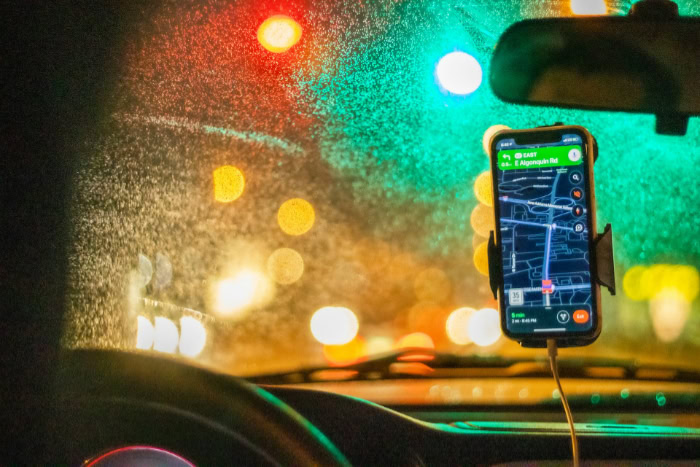
Turning off all location services immediately protects your privacy and extends battery performance. However, this absolute approach severely limits how your smartphone functions.
You lose access to convenient automated features and severely compromise essential safety tools that rely on knowing exactly where you are.
Impairment of Navigation and Local Services
Disabling your phone’s GPS completely breaks mapping and turn-by-turn navigation applications. You cannot simply open a map to see a blue dot representing your current position.
Furthermore, rideshare and food delivery applications rely heavily on this data to connect you with drivers and ensure accurate drop-offs. Without automated tracking, you will experience significant user friction.
You must manually type in your exact starting address for every route, and you lose the ability to quickly search for nearby restaurants, gas stations, or local businesses.
Disruption of Device Recovery Features
Modern smartphones include built-in recovery systems like “Find My” for iOS and “Find My Device” for Android. These tools exist to help you track down a lost or stolen phone.
If you completely disable system-wide location services, you disable these recovery tools as well. In a lost phone scenario, you will lose the ability to remotely pinpoint your device on a map.
You also lose the ability to trigger a remote lock based on geographical boundaries, making it much harder to secure your missing hardware.
Emergency Response Capabilities and Dispatch Access
Accurate geographic data plays a critical role in modern emergency response systems. When you call 911 or local emergency services, dispatchers need your exact coordinates to send help, especially if you are incapacitated or unfamiliar with your surroundings.
Fortunately, both Apple and Google have designed their operating systems to recognize emergency calls. Even if you manually turn off all location hardware, the operating system initiates a temporary override during an emergency dial.
It will automatically activate the GPS and share your coordinates directly with emergency responders, turning the sensors back off once the call ends.
Optimal Configuration and Best Practices

You do not have to choose between total surveillance and a completely disconnected device. Modern operating systems offer flexible tools to control exactly how and when your information is shared.
By adjusting a few specific settings, you can maintain high security while keeping your favorite applications fully functional.
Granular Per-App Permission Controls
The most effective way to secure your data is by setting strict limits on individual applications. Instead of granting an app the “Always Allow” permission, restrict it to “While Using the App.” This ensures the software only checks your coordinates when it is actively open on your screen.
You should also routinely audit your settings to revoke access for non-essential software. Games, calculator utilities, and most social media platforms function perfectly well without knowing your physical whereabouts.
Precise versus Approximate Location Configuration
Not every application needs your exact GPS coordinates to function properly. Both Android and iOS allow you to provide an approximate location instead of a precise one.
This approximate setting shares a broad, city-level radius rather than your exact street address. This configuration is ideal for weather applications, local news feeds, and shopping apps that only need to know your general region to provide relevant forecasts and store hours.
You should reserve precise tracking exclusively for mapping and delivery software.
Global Switch versus Selective Management Strategy
Using the global switch to shut down all location hardware at once is rarely necessary, though it remains useful for specific scenarios. A complete shutdown makes sense if you enter a maximum battery preservation mode during a power outage or a long trip away from charging ports.
For the average user, a selective management strategy offers a much better balance. By leaving the main system switch on and restricting access app by app, you keep your map tools and recovery features active while preventing unnecessary background tracking.
Conclusion
Deciding how to manage your smartphone’s tracking features requires balancing personal privacy and battery performance against daily convenience. A complete shutdown of these sensors stops data brokers from logging your routines and preserves battery life, but it immediately breaks navigation tools and device recovery features.
Instead of turning everything off completely, a selective management strategy offers the most practical solution. By keeping the main system switch active, you maintain full access to mapping software and emergency safety tools.
You can then protect your data by changing the default permissions for individual apps. Setting most applications to only access your coordinates while in active use, and providing only approximate locations to weather or news feeds, secures your personal information without causing any daily operational friction.
Frequently Asked Questions
Does turning off location on my phone save a lot of battery?
Yes, disabling location hardware significantly extends your daily battery life. The internal GPS chip requires a massive amount of continuous electrical power to communicate with orbiting satellites. By restricting these background connections, your phone consumes much less energy and requires fewer charging cycles over time.
Will emergency services know where I am if my location is turned off?
Yes, 911 dispatchers can still receive your exact coordinates during an active emergency call. Both Apple and Google built a temporary override into their operating systems for safety purposes. This system automatically activates your GPS when you dial emergency services and turns it off afterward.
Why do random apps like calculators ask for my location?
Many simple utility apps request your location to secretly collect and sell your movement data. Data brokers pay developers to include hidden tracking software within these basic applications. The developers then profit by selling your geographic profile to marketing networks for targeted advertising purposes.
Can I still use map apps if I turn off location services?
You cannot use the live turn-by-turn navigation features in mapping apps without an active GPS connection. While you can still manually type in starting addresses and view static map graphics, the app will not display your live position or provide automatic driving directions.
What is the difference between precise and approximate location settings?
Precise location uses your phone’s GPS hardware to pinpoint your exact street address. Approximate location relies on nearby Wi-Fi networks and cellular towers to estimate your general city or neighborhood radius. Approximate tracking offers far better privacy for apps that do not require exact coordinates.
About the Author: Elizabeth Baker


