
Webcam vs. DSLR: Upgrade Your Visual Presence

A high-end mirrorless camera sensor is roughly thirty times larger than the one tucked inside a standard laptop lid. This massive gap in hardware explains why some people look like they are broadcasting from a 2004 flip phone while others appear ready for a Netflix special.
Your visual presence acts as a digital handshake, and the hardware you choose dictates how much authority you project in every meeting. The choice between a USB webcam and a professional DSLR is no longer reserved for high-budget studios.
Professionals face a pressure to look their best, yet the path to a perfect image involves expensive gadgets and technical headaches. A simple plug-and-play device offers immediate convenience, but a professional camera provides a polished aesthetic that demands a significant investment.
Key Takeaways
- Larger sensors in DSLRs and mirrorless cameras capture more light than webcams, which eliminates the grainy look often seen in low-light home offices.
- A professional camera setup requires extra hardware such as a capture card for video transfer and a dummy battery for continuous power.
- Webcams offer immediate plug and play compatibility, making them more reliable for users who need to join meetings quickly without adjusting manual settings.
- Professional cameras allow for interchangeable lenses, enabling you to choose a specific focal length that flatters your features or controls how much of your room is visible.
- While 4K webcams offer high resolution, the superior image processing and glass quality of a 1080p DSLR typically result in better color accuracy and sharpness.
Visual Performance and Optics
The most immediate difference between a standard webcam and a professional camera is the physical hardware used to capture light. While software can enhance a poor image, it cannot compensate for a lack of optical data.
Professional cameras rely on superior glass and massive internal components to produce an image that looks natural and polished.
Sensor Size and Light Sensitivity
The sensor is the heart of any camera; it is the physical surface that collects light to create an image. Most webcams use tiny sensors similar to those found in budget smartphones.
Because these surfaces are small, they struggle to capture enough light in typical indoor environments, often resulting in “noise” or a grainy texture. In contrast, DSLRs and mirrorless cameras feature much larger sensors.
These larger surfaces gather significantly more light, which allows them to produce clean, sharp images even in rooms with average or dim lighting.
Depth of Field and the Cinematic Look
One of the most sought-after visual effects is a shallow depth of field, where the subject remains sharp while the background is softly blurred. This effect, often called bokeh, occurs naturally in DSLRs because of their large sensors and wide-aperture lenses.
Webcams have very small lenses and sensors that create a deep focus, meaning everything from your nose to the bookshelf behind you is equally sharp. While some software can fake a blurred background, these digital filters often look choppy around the hair and shoulders.
A professional camera achieves this look through physics, providing a much more professional and three-dimensional appearance.
Resolution versus Image Processing
A common misconception is that a 4K webcam will always outperform a 1080p DSLR. Resolution only measures the number of pixels, but it does not account for the quality of those pixels.
A professional camera uses high-quality glass lenses and sophisticated internal processors to handle color and contrast. This results in skin tones that look realistic and edges that look sharp without appearing artificial.
Many 4K webcams use heavy digital sharpening to make up for cheap plastic lenses, which can lead to an image that looks harsh or overly processed.
Ease of Use and Integration
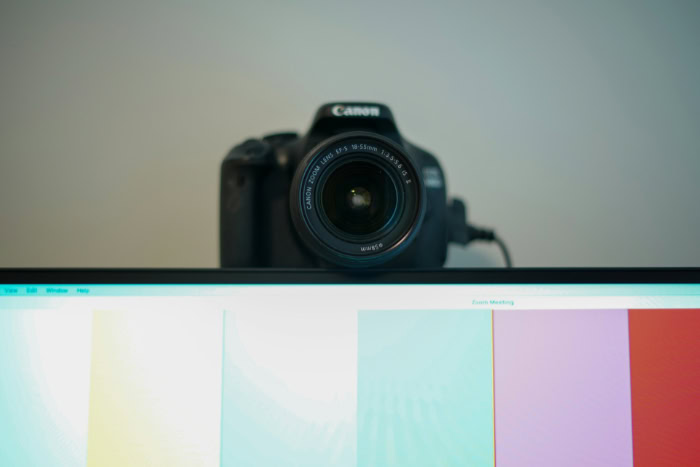
While visual quality is a strong argument for professional cameras, the day-to-day experience of using the hardware is where webcams often hold the advantage. Efficiency in a professional environment often relies on how quickly a tool can be deployed without requiring a technical degree to operate.
Plug and Play Functionality
Webcams are designed for the average user who needs to be in a meeting within seconds. They utilize a standard USB connection that the computer recognizes instantly.
There is no need for external power bricks or complex signal converters. Because they are built specifically for computer use, webcams are natively compatible with almost every video conferencing platform.
This simplicity makes them the preferred choice for those who move between different workstations or who do not want to manage a complex desk setup.
The Learning Curve of Professional Cameras
Using a DSLR as a webcam introduces a layer of complexity known as manual exposure. Unlike a webcam that automatically adjusts to changing light, a professional camera often requires the user to understand the relationship between ISO, aperture, and shutter speed.
If the sun goes behind a cloud, the image might become too dark, requiring a manual adjustment on the camera body. For a casual user, this creates a barrier to entry that can lead to frustration during high-pressure meetings.
Portability and Mounting
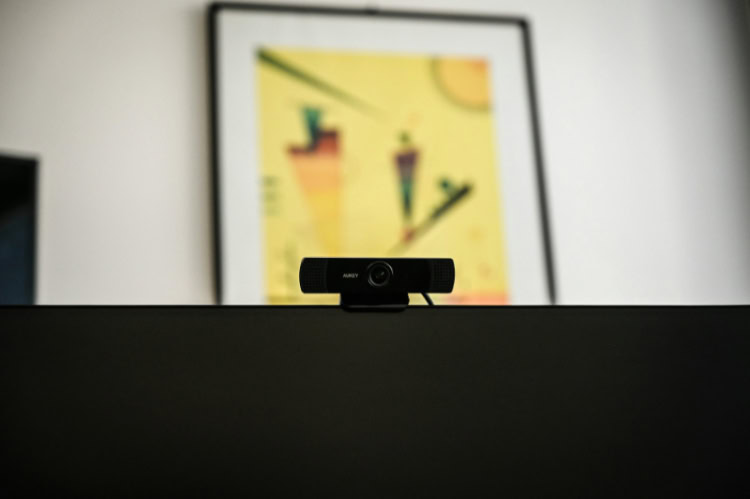
Webcams are remarkably compact. Most models feature an integrated clip that sits securely on top of a monitor or laptop screen.
This small footprint is ideal for minimalist desk setups. A DSLR, however, is heavy and bulky.
It requires a sturdy tripod or a dedicated desk arm to hold its weight. Integrating such a large device into a home office can be difficult, especially for those with limited desk space or those who need to travel with their equipment.
Technical Infrastructure and Required Hardware
To use a high-end camera for video calls, a user must build a small ecosystem of supporting hardware. A DSLR is not naturally designed to communicate with a computer over USB in a way that provides high-quality video, so additional bridges are necessary to close that gap.
Connectivity Requirements
Most professional cameras output their video signal through an HDMI port. Since computers generally have HDMI ports that only send signals out rather than receiving them, a capture card is required.
This device takes the HDMI feed from the camera and converts it into a USB signal that the computer can recognize as a webcam feed. This adds another piece of hardware to the desk and another cable to manage, increasing the potential for technical failure.
Power Management Solutions
Standard camera batteries are designed for taking photos or short video clips, not for three-hour board meetings. To use a DSLR as a permanent webcam, a “dummy battery” is usually required.
This is an adapter that fits into the battery compartment and connects directly to a wall outlet. Without this, the camera will likely die in the middle of a call, creating an unreliable setup for long-term professional use.
Field of View and Focal Length
Webcams usually come with a fixed, wide-angle lens. This is helpful for showing a large area, but it can sometimes make the user look distant or distort the edges of the frame.
One of the greatest advantages of a DSLR is the ability to change lenses. A user can choose a 35mm lens for a natural look or an 85mm lens for a tight, flattering headshot.
This versatility allows for precise control over how much of the room is visible to the audience.
Operational Reliability and Endurance

A camera’s ability to perform consistently over several hours is a major factor for remote workers. Webcams are built for constant operation, while professional cameras are primarily designed for intermittent use, which leads to different performance issues over time.
Thermal Management
Because webcams use very little power and have simple internal components, they rarely get hot. They can stay powered on for days without issue.
DSLRs, however, pack a lot of processing power into a sealed body. When a mirrorless camera runs a continuous video feed for an hour or more, it generates significant heat.
In some cases, the camera may trigger an automatic shutdown to protect its sensor from damage. This makes them less reliable for users who spend their entire day in back-to-back video calls.
Autofocus Systems
Modern professional cameras feature advanced face and eye-tracking technology that is incredibly fast and accurate. They can keep a subject in sharp focus even if they move around in their chair.
Standard webcams often use a much slower autofocus system that “hunts” for the subject. This results in the image popping in and out of focus, which can be distracting for viewers.
High-end cameras provide a smooth, sticky focus that feels more like a professional television broadcast.
Software Ecosystems
Webcams often come with companion software that allows users to adjust zoom, brightness, and digital filters from their desktop. These apps make it easy to tweak the image without touching the hardware.
Professional cameras usually require the user to press physical buttons on the camera body to change settings. While this offers more tactile control, it can be inconvenient if the camera is mounted behind a monitor or in a hard-to-reach spot.
Economic Considerations and Utility

The financial investment required for each setup varies wildly. While a webcam is a one-time purchase, a professional camera setup is often a collection of several expensive components that must be maintained and updated.
Upfront Costs and Hidden Expenses
A high-quality webcam is a straightforward purchase that rarely exceeds two hundred dollars. A DSLR setup, however, has many hidden costs.
Beyond the price of the camera body, a user must buy a lens, a capture card, a dummy battery, an HDMI cable, and a mounting system. These extras can easily double the initial price of the camera, making the total investment significantly higher than even the most expensive webcam on the market.
Multi-Purpose Versatility
The primary advantage of the DSLR path is that the camera is a standalone tool. When it is not being used for a Zoom call, it can be taken on vacation to capture high-resolution family photos or used to film high-quality video content for social media.
A webcam is a single-purpose tool; it is useless without a computer and has no value outside of its role as a communication device. For many, the ability to use the camera for hobbyist photography justifies the higher price tag.
Longevity and Scalability
Webcams are essentially disposable technology. When the internal sensor becomes outdated or the USB cable breaks, the entire unit usually needs to be replaced.
Professional cameras are modular. If a user wants a different look, they can simply buy a new lens rather than an entirely new camera.
This modularity allows the setup to grow and improve over time, providing a longer lifespan for the core investment.
Conclusion
The right choice depends entirely on your daily routine and your professional goals. A corporate employee who spends most of their time in internal team meetings will find that a high-end webcam offers the perfect balance of reliability and clear visuals.
For these users, the technical hurdles of a professional camera setup often outweigh the aesthetic benefits. However, for educators, high-stakes sales professionals, and content creators, the superior image of a DSLR provides a competitive edge that is worth the extra effort.
There is a point where chasing visual perfection yields diminishing returns, especially if the audience is viewing the feed on a small mobile screen. In the end, the decision comes down to whether you value the effortless convenience of a plug and play device or the uncompromising, cinematic polish of a professional lens.
Frequently Asked Questions
Do I really need a capture card to use my DSLR as a webcam?
Yes, most professional cameras require a capture card to translate their HDMI output into a signal your computer can understand. While some newer models offer specific software that works via USB, these often provide lower resolution and slower frame rates. A dedicated capture card ensures the highest possible video quality.
Will my camera break if I use it for long meetings every day?
Most modern cameras are durable, but they can experience thermal issues or sensor wear if used continuously for several hours. Webcams are designed for constant operation, whereas DSLRs may overheat and shut down during long calls. Using a dummy battery and keeping the room cool can help mitigate these risks.
Is a 4K webcam better than a 1080p DSLR?
A 1080p DSLR usually produces a better image than a 4K webcam because of its larger sensor and superior lens glass. Resolution is only one part of the equation; light sensitivity and color accuracy are more important for a professional look. The DSLR provides a more natural and depth-filled image.
Why does my webcam look grainy even when I have the lights on?
Graininess happens because the tiny sensors in webcams struggle to collect enough light in standard indoor settings. Even with decent lighting, the sensor must digitally boost the signal, which creates a fuzzy texture. Professional cameras have much larger sensors that capture light more efficiently, resulting in a much cleaner image.
Can I get a blurred background without buying an expensive camera?
You can use software like Zoom or Teams to blur your background, but the effect often looks artificial and clips into your hair or ears. A professional camera creates this blur naturally through its optics, which looks much smoother and more professional. Physical distance between you and your background also helps.
About the Author: Julio Caesar


