
What Is a Good Ping Speed? Ideal Ranges & How to Improve It

Most people judge their internet by a single number: download speed. Yet, you can have the fastest connection on the block and still experience frustrating delays while gaming or video calling.
This lag often stems from a metric called ping. While bandwidth determines how much data moves at once, ping measures how fast that data actually travels.
It represents the responsiveness of your connection. A high ping makes a fast connection feel sluggish, turning a competitive match into a slideshow or a business call into a series of awkward interruptions.
Real-time interaction requires more than just raw power. It demands speed and precision.
To maintain a smooth online experience, you need to know what constitutes a good ping and how to achieve it.
Key Takeaways
- Ping measures the responsiveness of your internet connection in milliseconds.
- A latency of under 50ms is the standard for a high-quality, responsive experience.
- Wired Ethernet connections are significantly more stable than Wi-Fi for reducing lag.
- Physical distance from the host server is a primary factor in determining latency.
- High bandwidth capacity does not guarantee low ping or a smooth real-time experience.
Technical Mechanics of Ping
Ping functions as a communication test for your internet connection. It determines how quickly your hardware talks to a remote server.
While many users focus on download speeds, the underlying mechanics of how data travels back and forth define whether a connection feels snappy or sluggish.
The Round-Trip Time
Round-trip time refers to the full cycle of a data packet. When you click a link or fire a weapon in a game, your computer sends a request to a server.
That server processes the request and sends a response back to your device. Ping measures the duration of this entire loop.
If the round-trip takes too long, the delay becomes noticeable to the user.
Milliseconds
Latency is measured in milliseconds. One millisecond is a thousandth of a second.
Because modern internet speeds are so fast, seconds are too large a unit to measure the tiny delays that occur during data transmission. Even a difference of 30 or 40 milliseconds can be the deciding factor in how smooth an online interaction feels.
Ping vs. Jitter
While ping measures the speed of data, jitter measures the consistency of that speed. Jitter is the variance in your ping over a period of time.
If your ping is 30ms one second and 150ms the next, you have high jitter. This inconsistency is often more disruptive than a high but stable ping because it causes unpredictable stutters and “rubber-banding” during real-time activities.
Latency vs. Bandwidth
High download speeds do not guarantee a low ping. Bandwidth represents the total capacity of your connection, much like the number of lanes on a highway. Latency, or ping, represents the speed limit.
You can have a massive amount of bandwidth available to download large files, but if the data takes a long time to start moving, your connection will still feel slow during interactive tasks.
Categorizing Ping Levels
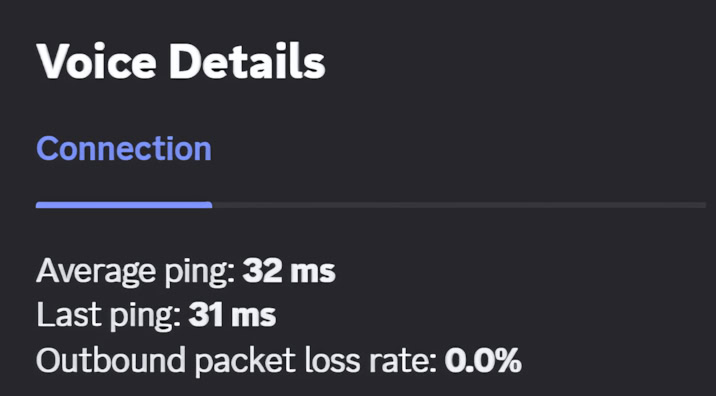
The quality of an internet connection is often categorized by the time it takes for data to complete its circuit. These tiers help define what you can expect when performing different online tasks.
Understanding these ranges allows you to diagnose whether your connection is performing at its peak or needs troubleshooting.
The Elite Tier: Under 20ms
This is the highest level of performance for a consumer connection. It is usually achieved through fiber-optic networks.
At this level, there is no perceptible delay between your actions and the server response. This tier is preferred by professional gamers and people who rely on highly responsive remote workstations.
The Standard Tier: 20ms to 50ms
Most high-quality cable and modern wireless connections fall into this range. This is an excellent benchmark for the average user.
At these speeds, online gaming is smooth, video calls remain perfectly synced, and the internet feels instantaneous. You will rarely encounter any issues caused by latency in this tier.
The Marginal Tier: 50ms to 100ms
At this level, delays start to become perceptible in fast-paced environments. While web browsing and streaming remain unaffected, gamers might notice a slight “heavy” feeling in their controls.
It is still functional for most tasks, but it is not ideal for competitive scenarios where timing is critical.
The Lag Tier: 100ms to 150ms
This range is where performance issues become hard to ignore. In a video call, you may notice people talking over one another due to the delay.
In gaming, your actions will visibly lag behind the actual events on the screen. This level of latency is typically caused by geographic distance from the server or local network congestion.
Unusable Latency: 250ms and Above
Connections in this range are generally considered broken for real-time use. This is common with satellite internet or severely overloaded mobile networks.
While you can still send emails or load static web pages, any form of live interaction or gaming becomes nearly impossible because the delay is too severe to manage.
Activity-Based Requirements

The amount of latency you can tolerate depends heavily on your specific online activity. Some tasks require near-instantaneous feedback, while others are far more forgiving of a slow response time.
Identifying your primary use case helps determine if your current ping is sufficient.
Competitive Gaming
In competitive gaming, every millisecond counts. Fast-paced titles like shooters or fighting games require pings below 50ms to ensure your inputs are registered accurately.
High latency in these games results in being hit by players you haven’t seen yet or having your commands ignored entirely, creating a significant competitive disadvantage.
Video Conferencing and VoIP
Services like Zoom, Teams, or Discord require steady latency to maintain natural conversation. If ping exceeds 150ms, the audio and video may fall out of sync.
This leads to frustrating experiences where participants accidentally interrupt each other because they are hearing a delayed version of the conversation.
Web Browsing and Social Media
Standard web browsing is largely unaffected by ping. Since you are simply requesting static data like text and images, a delay of 100ms is almost impossible for a human to notice.
As long as the data eventually arrives, the user experience remains largely the same whether the ping is 20ms or 80ms.
4K Streaming and Buffering
Streaming high-definition video relies more on bandwidth than latency. Ping only affects the “handshake” that happens when you first press play.
A high ping might cause a slight pause before a movie begins, but once the stream starts, the service buffers the data in advance. This prevents latency from interrupting the viewing experience.
Remote Work and Cloud Computing
Virtual desktops and cloud-based management tools require a low ping to feel natural. When you move your mouse on a remote computer, that movement must travel to a server and back to your screen.
If the ping is high, the cursor will feel like it is floating or lagging behind your hand, making precise work difficult and tiring.
Primary Factors Influencing Ping

Ping is not a fixed number. It is influenced by a variety of external and internal variables that dictate how quickly data travels between points.
Some of these factors are determined by the laws of physics or the infrastructure of your neighborhood, while others depend on the specific hardware used inside your home.
Physical Distance and Geography
Even though data moves quickly, physical distance remains a major constraint. If you are located in New York and the host server is in London, the signal travels thousands of miles through fiber optic cables under the ocean.
Every mile adds a fraction of a millisecond to the total travel time. Being closer to the source always results in lower latency, which is why regional performance varies so much.
The Type of Connection Medium
The technology used by your provider significantly impacts your latency levels. Fiber optics use pulses of light and offer the lowest possible latency for consumers.
Cable and DSL rely on copper wiring, which is slower and more prone to interference. Satellite internet is the slowest option because the signal must travel to space and back, creating a massive delay regardless of the quality of your home hardware.
Router and Modem Hardware
Your router and modem act as the traffic controllers of your home network. Older hardware often lacks the processing power to handle modern data loads efficiently.
If a router is outdated, it can create a bottleneck. This causes data packets to wait in a temporary queue before being sent or received, which adds unnecessary milliseconds to your ping.
Local and ISP Congestion
High traffic can slow down your connection at two levels. Locally, if multiple people in your household are streaming or downloading simultaneously, your router can become overwhelmed.
On a larger scale, provider-level congestion happens during peak hours when many people in your neighborhood are online at once, causing delays across the infrastructure of the service provider.
Strategies to Reduce Ping

While some causes of latency are outside your control, you can take practical steps to optimize your network for better performance. Improving your setup often involves a combination of hardware changes and software adjustments to ensure that data packets move as efficiently as possible.
Using Wired Connections
Wireless signals are convenient but inherently unstable. They are susceptible to interference from walls, other electronics, and even neighboring networks.
Using an Ethernet cable provides a direct path for your data. This eliminates the fluctuations common with wireless signals and is the most effective way to lower ping for gaming or video calls.
Wireless Placement and Frequency
If you must use a wireless connection, position the router in a central, elevated location. Physical obstructions like concrete walls or large appliances block signals and increase latency.
Additionally, using the 5GHz frequency band offers faster communication and less interference than the older 2.4GHz band, although it has a shorter physical range.
Bandwidth Management
Background processes often consume network resources without being noticed. Cloud backups, operating system updates, and game launchers can all saturate your upload and download capacity.
Closing these programs or pausing their updates while you need a low-latency connection ensures your data has a clear path and prevents the router from becoming bogged down.
Quality of Service Configurations
Many modern routers include Quality of Service or QoS settings. This allows you to tell your router which types of traffic are most important.
By prioritizing gaming or video conferencing, the router ensures those specific data packets are sent first, even if other devices on the network are attempting to download large files at the same time.
Regional Server Selection
Most online games and applications allow you to choose which server you connect to. Always select the region physically closest to your actual location.
If you live on the West Coast, connecting to a West Coast server will always result in a lower ping than connecting to one in Europe or Asia due to the drastically reduced physical travel distance for the data.
Conclusion
Achieving a good ping speed is essential for anyone who values a responsive online experience. While the ideal range for most interactive tasks is under 50ms, staying below 100ms is sufficient for general usage.
This performance depends on a combination of your service provider’s technology, your hardware, and how you manage your home network. Opting for fiber connections and wired setups remains the most reliable path to low latency.
However, even the best equipment requires maintenance. Periodic testing ensures that your network stays healthy and that your provider is delivering the performance you pay for.
Understanding these variables allows you to troubleshoot lag and maintain a seamless connection for work or play.
Frequently Asked Questions
What is considered a good ping for gaming?
For gaming, a ping under 50ms is considered excellent and provides a smooth experience. Anything between 50ms and 100ms is still playable but may feel slightly less responsive. If your ping exceeds 150ms, you will likely notice significant lag, which can negatively affect your performance during competitive matches.
Does higher download speed lower my ping?
Not necessarily. Download speed measures how much data moves at once, while ping measures how fast a single data packet travels. You can have a high-speed connection with high latency if the data has to travel long distances or if your network hardware is outdated and slow.
Why is my ping so high on Wi-Fi?
Wi-Fi is prone to interference from walls, furniture, and other electronic devices. These obstacles slow down the transmission of data packets and cause fluctuations in speed. Switching to a wired Ethernet cable is the most effective way to stabilize your connection and immediately lower your ping for better performance.
Can a VPN improve my ping speed?
In most cases, a VPN increases ping because it adds an extra stop for your data to travel through. However, if your internet service provider is poorly routing your traffic, a VPN might find a more direct path to the server. This is rare and usually only helps in specific scenarios.
How can I check my current ping?
You can check your ping by using online speed test tools or the built-in diagnostic tools in many video games. These tests measure the latency between your device and a local server. Frequent testing helps you identify if high ping is a temporary issue or a persistent problem with your provider.
About the Author: Julio Caesar


