
What Is a Server? How Networks Really Work

Every time you stream a movie, send an email, or open a smartphone app, you rely entirely on an invisible backbone of technology. Servers are the hidden engines driving our daily actions.
Put simply, a server is both a physical device and a software program designed to provide data, resources, and services to other computers. They wait silently in the background to answer requests and deliver exactly what you need.
Key Takeaways
- Servers act as centralized hubs that store, process, and deliver data to client devices like laptops and smartphones.
- The term refers to both the physical hardware machines and the specialized software applications running on those machines.
- Modern infrastructure relies heavily on virtualization, allowing multiple isolated virtual machines to operate efficiently on a single physical host.
- Unlike standard personal computers, enterprise machines feature highly durable components designed for continuous, round-the-clock operation.
- Cloud computing enables organizations to rent remote computing power, significantly reducing the financial burden of managing local hardware and server rooms.
The Core Mechanics: How Servers Work
To fully comprehend computing networks, you first need to look at the basic interactions that make them possible. Servers operate on a simple principle of supply and demand, functioning as centralized hubs that wait for specific instructions and then execute them rapidly.
The Client-Server Model Explained
Almost all network communications rely on the client-server model. In this setup, the “client” is any device or application making a request.
This could be the web browser on your laptop, a multiplayer video game on your console, or a weather app on your smartphone. The “server” is the centralized system on the other end that holds the data or resources.
The client is completely dependent on the server to fulfill its request. Without the server providing the necessary files, logic, or media, the client device would have nothing to display to the user.
The Request and Response Cycle
The interaction between these two entities happens in a continuous loop known as the request and response cycle. When you type a website address into your browser and hit enter, your client device sends a digital request out over the internet.
This request travels through various routers and switches until it reaches the specific server hosting that website. The server receives the message, processes the request, and gathers the necessary HTML, image, and text files.
Finally, the server packages this data into a response and sends it back across the network to your device. Your browser then translates that code into the visual webpage you see, a process that usually takes only milliseconds to complete.
Distinguishing Hardware from Software
People frequently use the word “server” to describe two entirely different things: physical hardware and software programs. A hardware server, often called the host, is the physical machine itself, complete with a motherboard, processors, memory, and storage drives.
However, a software server is the actual application running on that host. For example, a web server is a software program that actively listens for incoming web requests and delivers webpages.
You can actually install server software on a standard personal computer, technically turning your home laptop into a server. In professional environments, dedicated host machines are built specifically to run these software services efficiently.
Server Infrastructure and Form Factors

The physical shape and location of these systems vary widely depending on a business’s specific needs and budget. From towering metal boxes sitting in a back office to abstract computing resources floating in remote data centers, server infrastructure comes in several distinct formats.
Physical Server Form Factors
Traditional physical servers generally come in three distinct hardware designs. Tower servers look very similar to standard desktop computer towers.
They are bulky, take up a significant amount of floor space, and are usually favored by small businesses that only need a few machines. Rack servers are flat, rectangular machines designed to slide into standardized metal cabinets, allowing companies to stack dozens of servers securely in a single footprint.
Blade servers take space efficiency even further. These are ultra-thin, stripped-down circuit boards that slide into a massive, shared enclosure.
Because blades pack so much computing power into a confined space, they require highly advanced cooling systems to prevent massive heat buildup.
Virtualization and Virtual Machines
Historically, one physical host machine ran a single operating system and performed a single task. This was highly inefficient, as a machine might only use ten percent of its processing power, leaving the rest wasted.
Virtualization solves this problem using a specialized type of software called a hypervisor. A hypervisor takes the vast resources of one physical machine and divides them up, creating multiple isolated “virtual machines.” Each virtual machine acts like an entirely independent server with its own operating system and dedicated resources.
This allows a company to run dozens of virtual servers on a single piece of hardware, drastically reducing equipment and electricity costs.
On-Premises Versus Cloud Computing
Businesses must also decide where their infrastructure will physically live. On-premises hosting means a company buys, installs, and maintains its own physical hardware locally in a dedicated server room.
This gives the organization complete, direct control over its equipment and data. Conversely, cloud computing involves renting server space from major technology providers like Amazon Web Services, Microsoft Azure, or Google Cloud.
The physical hardware sits miles away in a vendor’s massive data center, and the business accesses its virtual servers over the internet. Cloud computing allows companies to scale their resources up or down instantly without worrying about purchasing new physical parts or paying for hardware maintenance.
Common Types of Servers and Their Roles

While the underlying technology remains similar across the board, the actual jobs these machines perform are highly specialized. Different applications require distinct types of software configurations, each optimized for specific network protocols and daily tasks.
Web and Application Servers
Web servers are responsible for hosting websites and delivering static content to users. They process incoming requests using protocols like HTTP and send back the text, images, and basic layout files needed to display a webpage.
Application servers take this a step further by handling dynamic, complex logic. If you are shopping online, a web server shows you the catalog, but an application server processes your shopping cart, calculates shipping costs, and executes the complex programming required to finalize your transaction.
File and Database Servers
Many organizations rely on central repositories to store their digital assets. File servers provide a secure, centralized location where multiple users on a network can store, share, and manage standard documents, images, and spreadsheets.
Database servers, on the other hand, manage massive volumes of structured information using systems like SQL. Instead of just holding loose files, a database server organizes raw data into complex tables.
Other programs can then query the database server to quickly retrieve incredibly specific pieces of information, such as pulling a single customer’s purchase history out of a record containing millions of entries.
Communication Servers
Real-time connection and messaging depend on dedicated communication servers. Mail servers manage corporate and personal email systems.
They use specialized protocols to route outgoing messages across the internet, receive incoming emails, and store them securely until a user opens their inbox. Chat servers perform a similar function for instant messaging and voice-over-IP platforms.
They maintain continuous, open connections between users to ensure that text messages, audio, and video streams are delivered instantly with minimal delay.
Network Utility Servers
Hidden deep in the background, network utility servers keep the internet and local networks functioning properly. Domain Name System (DNS) servers act like the phonebook of the internet. When you type a simple website name, the DNS server translates it into the complex string of numbers (the IP address) needed to locate the correct machine. Dynamic Host Configuration Protocol (DHCP) servers automatically assign unique IP addresses to every device that joins a network, ensuring no two computers try to use the same identity.
Proxy servers sit between a local network and the broader internet, intercepting requests to filter malicious traffic, improve loading speeds, and provide an essential layer of security.
Servers vs. Standard Personal Computers
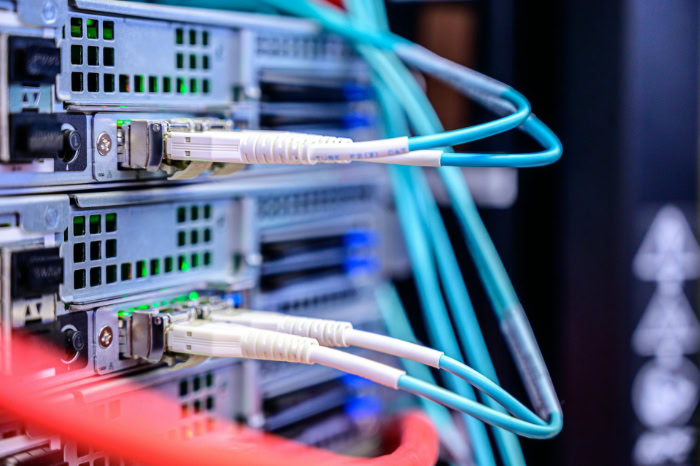
While a home computer and a backend network machine share the same basic architecture, their design philosophies are entirely different. A personal laptop is built for intermittent use by a single person, prioritizing a smooth visual interface and rapid response for one application at a time.
Dedicated host machines are built to serve hundreds or thousands of simultaneous users without ever turning off, requiring entirely different hardware and software standards.
Hardware Durability and Processing Power
Dedicated servers feature specialized, enterprise-grade components designed to handle heavy, continuous workloads. Standard consumer computers use regular memory, which can occasionally experience minor data errors.
Backend machines utilize Error-Correcting Code (ECC) RAM, which automatically detects and fixes internal data corruption to prevent catastrophic system crashes. Furthermore, enterprise machines contain high-end multi-core processors capable of juggling thousands of simultaneous calculations.
They also feature redundant power supplies, meaning if one power unit suddenly fails, a backup instantly takes over to keep the machine running perfectly.
Server Operating Systems vs. Desktop OS
The software managing these machines also differs significantly. Standard user-focused operating systems, such as Windows 11 or macOS, prioritize consumer software compatibility, gaming performance, and an intuitive visual design.
Server-specific operating systems, like Windows Server or Linux enterprise distributions, strip away flashy graphical interfaces. Instead, they are built specifically for network management, background processing efficiency, and strict security permissions.
These specialized operating systems allocate processor resources efficiently to handle thousands of background connections simultaneously, a task that would quickly freeze a standard desktop system.
Scalability and 24/7 Reliability (Uptime)
The ultimate goal of any backend infrastructure is maintaining near 100 percent uptime. Administrators expect these machines to run 24 hours a day, seven days a week, for years on end.
To support this relentless schedule, manufacturers design enterprise hardware to be highly scalable and repairable on the fly. They include “hot-swappable” parts, allowing technicians to pull out a failing hard drive or a broken cooling fan and push in a replacement while the machine continues to operate and process requests.
Standard personal computers are simply not designed to achieve this continuous reliability and require a complete shutdown for any internal hardware replacement.
Server Management: Challenges and Solutions

Managing a fleet of physical or virtual machines presents significant logistical and financial hurdles. Administrators must constantly balance hardware budgets, physical space limitations, and relentless external digital threats to keep an organization online.
Costs and Environmental Demands
The physical upkeep of hardware requires a substantial upfront financial investment. High-performance processors, massive storage arrays, and specialized memory modules cost significantly more than consumer electronics.
Beyond the initial purchase, organizations face massive ongoing costs for electricity. These machines consume vast amounts of power to operate and require even more power for cooling.
High-density equipment generates extreme amounts of heat, necessitating dedicated, climate-controlled server rooms. Businesses must also secure the physical footprint required to safely house rows of noisy, heavy hardware cabinets.
Security Vulnerabilities and Mitigation
Because these centralized systems hold highly valuable corporate data and customer information, they are constant targets for malicious activity. They face severe risks, including Distributed Denial of Service (DDoS) attacks designed to overwhelm their bandwidth, hidden malware infiltrations, and unauthorized access attempts.
To mitigate these vulnerabilities, administrators must implement rigorous layered defenses. This includes deploying strict network firewalls to monitor incoming traffic, enforcing strong encryption protocols to protect data in transit, and maintaining automated, centralized backup strategies so information can be restored instantly if a catastrophic breach occurs.
Overcoming Challenges with Modern Deployments
Modern computing solves many of these traditional operational burdens by shifting the responsibility away from local IT teams. Many businesses now rely on Managed IT services, paying external experts to handle hardware maintenance, software patches, and security monitoring.
Furthermore, the rise of “Serverless” architecture allows developers to build and run applications without ever interacting with the underlying infrastructure. In a serverless model, cloud providers automatically allocate computing resources exactly as needed on demand.
This allows businesses to offload hardware maintenance entirely and focus solely on deploying code and managing their data.
Conclusion
A server functions as both the physical hardware and the software application dedicated to providing data, resources, and services to client devices. This continuous cycle of requests and responses forms the foundation of all network communication, allowing information to flow seamlessly across local networks and the global internet.
Whether sitting in a climate-controlled physical rack or running as a flexible virtual instance in the cloud, servers remain the indispensable engine of modern computing. They silently process billions of instructions every single day, keeping our connected society functioning without interruption.
Frequently Asked Questions
What is the main purpose of a server?
A server exists to store, process, and deliver data to other computers or devices over a network. It listens for specific requests from client applications and responds with the necessary files, logic, or services required to complete a task.
Can a regular computer be used as a server?
Yes, you can install server software on a standard desktop computer or laptop to host local files or simple websites. However, personal computers lack the specialized hardware, redundant power supplies, and continuous reliability needed to handle heavy, professional network workloads.
What happens when a server goes down?
When a server experiences a failure or loses power, any applications, websites, or databases hosted on that machine become unavailable to users. This disruption breaks the client and server connection, highlighting why enterprise networks rely heavily on backup systems and redundant hardware.
How much does a small business server cost?
The price of a physical server varies widely based on processing power, memory, and storage capacity. A basic entry-level machine might cost a few hundred dollars, while advanced enterprise hardware can require an investment of thousands of dollars before maintenance expenses.
What is the difference between a server and the cloud?
A server is a specific physical machine or software program that processes data. The cloud is a vast network of remote servers maintained by third-party providers. Cloud computing allows users to rent virtual server space instead of buying their own physical equipment.
About the Author: Julio Caesar


