
What Is DDR4 RAM? Speed and Efficiency Explained

Your computer’s ability to juggle dozens of browser tabs while rendering a high-definition video depends almost entirely on a few slim sticks of hardware plugged into your motherboard. If those components fail to keep up, your entire system grinds to a halt regardless of how expensive your processor was.
For nearly a decade, DDR4 has served as the backbone of personal computing. It bridges the gap between your storage drive and your processor, ensuring that data moves fast enough to prevent frustrating lag.
While newer options exist, this specific generation remains the most cost-effective choice for many builders.
Key Takeaways
- DDR4 operates at a standard 1.2V, which significantly reduces heat output and power consumption compared to the 1.5V used by previous generations.
- The hardware features a 288 pin count for desktops and a unique curved contact edge designed to lower the pressure required during motherboard installation.
- Physical and electrical differences make this generation incompatible with other slots, meaning you cannot use these modules in motherboards designed for DDR3 or DDR5.
- Installing memory in matching pairs enables dual channel mode, which effectively doubles the data bus width to increase overall system bandwidth.
- Individual modules are available in high densities, allowing users to install up to 32GB or 64GB on a single stick for memory intensive professional applications.
Technical Specifications and Architecture
DDR4 architecture focuses on high efficiency and high volume data management. This design allows computers to handle complex software without consuming excessive power or generating more heat than necessary, which is a significant improvement over previous memory generations.
Clock Speeds and Transfer Rates
Performance is often measured in Megahertz (MHz), though the more accurate term is MegaTransfers per second (MT/s). Since DDR4 transmits data on both the rising and falling edges of the clock signal, a module with a 1600 MHz clock speed achieves a transfer rate of 3200 MT/s.
Most consumer modules fall within the range of 2133 to 3600 MT/s. Higher rates mean the processor can access data stored in RAM more quickly, which reduces bottlenecks during intense computing tasks like high resolution rendering or large scale calculations.
Voltage and Power Efficiency
One of the most significant improvements in this generation is the reduction of operating voltage. While older memory typically required 1.5V or higher, DDR4 operates at a standard 1.2V.
This lower voltage results in less power consumption and reduced heat output. Lower heat generation is particularly beneficial for laptops and small form factor PCs where airflow is limited; it also provides more headroom for enthusiasts who wish to push their hardware beyond factory settings through overclocking without risking thermal damage.
Memory Density and Capacity
The manufacturing process for DDR4 allows for much higher density than its predecessors. This means more memory cells can be packed onto a single silicon chip.
As a result, individual sticks of RAM are commonly available in capacities of 8GB, 16GB, and 32GB. Some specialized modules even reach 64GB or higher.
For a standard motherboard with four slots, a user can easily reach 128GB of total system memory, providing ample space for memory intensive applications like virtual machines or professional 3D modeling software.
Physical Attributes and Hardware Identification
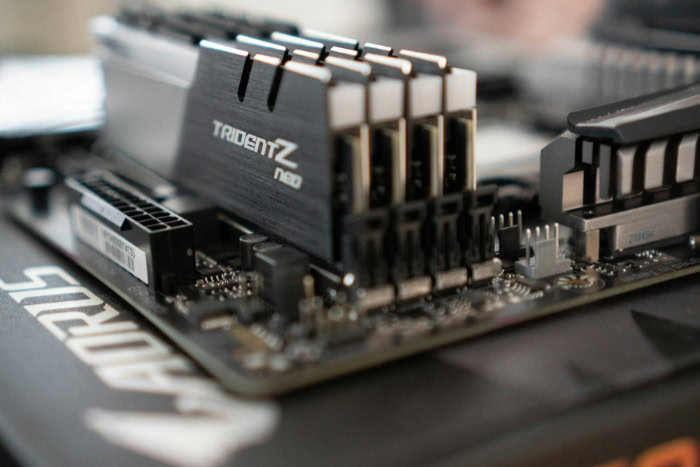
Physically identifying DDR4 is relatively straightforward if you know what specific design choices to look for. These physical traits serve both to facilitate easier installation and to prevent users from damaging their components by using incompatible parts in the wrong slots.
Pin Count and Form Factors
Desktop computers use the Dual In-line Memory Module (DIMM) form factor, which features 288 pins. These pins are smaller and more densely packed than those on older modules.
Laptops and small devices use the Small Outline Dual In-line Memory Module (SO-DIMM), which is much shorter and features 260 pins. Despite the different physical sizes, both types utilize the same underlying technology and offer similar performance levels for their respective platforms.
The Physical Key Notch
Every generation of RAM includes a physical notch in the bottom connector row. For DDR4, this notch is located in a different position than on DDR3 or DDR5 modules.
This design choice acts as a mechanical safety. If you try to force a DDR4 stick into a slot meant for a different generation, the notch will not align with the protrusion in the slot.
This prevents electrical shorts or physical damage to the motherboard and the memory stick that could occur from improper installation.
The Curved Contact Edge
A unique visual trait of DDR4 modules is the slight curve at the bottom edge where the gold contacts meet the slot. Rather than being a perfectly straight line, the connector is slightly thicker in the middle and tapers toward the ends.
This curved shape reduces the amount of pressure required to seat the module into the motherboard. It also ensures a more secure connection across all 288 pins, minimizing the risk of a loose stick causing system instability or boot errors.
Key Performance Metrics and Efficiency
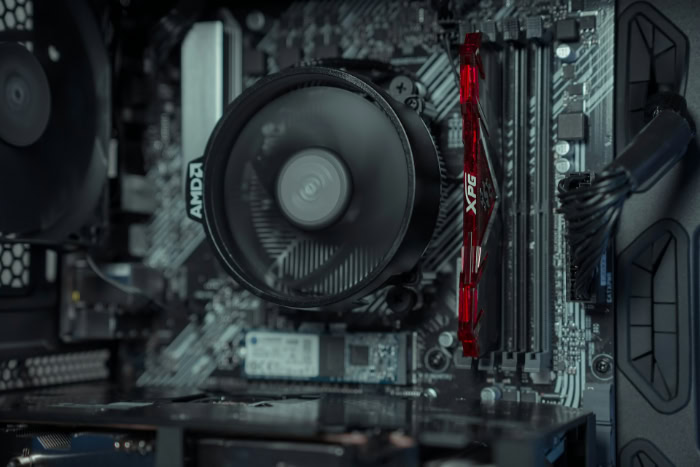
Evaluating the performance of a memory kit requires looking at more than just the advertised speed on the box. Various timings and configurations determine how efficiently the RAM interacts with the processor and how much data it can handle simultaneously.
CAS Latency (CL) Explained
Column Address Strobe (CAS) latency refers to the delay, measured in clock cycles, between the moment a memory controller tells the RAM to access a specific data column and the moment that data becomes available. For example, a module rated at CL16 takes 16 clock cycles to respond to a request.
While higher transfer rates move more data, lower latency ensures that the data starts moving as quickly as possible. Balancing high speeds with low latency is the primary goal for most performance oriented builds.
Memory Bandwidth
Bandwidth is the total amount of data that can be read from or written to the memory in a given second. It is the result of the clock speed and the bus width working together.
Higher bandwidth is essential for tasks that involve moving massive files, such as 4K video editing or large scale data analysis. If the bandwidth is too low, the processor will spend valuable time idling while it waits for information to arrive from the RAM, leading to stuttering or slow application response times.
Single-Channel vs. Dual-Channel
Most modern motherboards support dual-channel architecture, which doubles the available data bus width from 64 bits to 128 bits. By installing RAM in pairs in the correct slots, the system can access two modules at once.
This configuration significantly increases total bandwidth compared to using a single stick of memory. For gaming and professional software, running in dual-channel mode often provides a noticeable boost in frame rates and overall system responsiveness.
Compatibility and System Integration

Compatibility is a fixed constraint when choosing hardware. Because DDR4 is a specific hardware standard, it must be paired with components that are electrically and physically designed to communicate with its specific architecture.
Chipset and CPU Requirements
The memory controller is integrated directly into the processor, meaning the CPU dictates which type of RAM you must use. Most Intel processors from the 6th generation through the 12th generation support DDR4, as do AMD Ryzen processors from the 1000 series through the 5000 series.
You must also ensure the motherboard chipset is compatible. Checking the manufacturer’s website for a Qualified Vendor List (QVL) is the most reliable way to verify that a specific RAM kit will work with a motherboard without stability issues.
Non-Backward Compatibility
DDR4 is not backward compatible with DDR3, nor is it forward compatible with DDR5. The differences are not just physical, such as the notch placement mentioned earlier, but also electrical.
DDR4 uses different voltages and communication protocols than other generations. Attempting to use an adapter or forcing a module into the wrong slot will likely result in permanent hardware failure.
When upgrading an older system, you must usually replace the motherboard and CPU if you want to move to a different generation of memory.
Mixing RAM Modules
While it is technically possible to mix different brands or speeds of DDR4, it is not recommended. The system will usually default to the speed and timings of the slowest module installed to ensure stability.
Mixing modules with different voltage requirements can cause frequent system crashes or prevent the computer from booting entirely. For the most reliable experience, it is best to buy memory in factory tested kits of two or four matching sticks to ensure they operate in perfect synchronization.
Comparative Analysis: DDR4 in the Memory Hierarchy

DDR4 occupies a middle ground in the history of memory technology. It offers a massive improvement over older standards while remaining a viable, cost-effective alternative to the newest hardware currently on the market.
DDR4 vs. DDR3
The transition from DDR3 to DDR4 brought about higher frequencies and greater densities. DDR3 generally topped out around 2133 MT/s, which is where DDR4 begins.
Additionally, DDR4 can support 32GB on a single stick, whereas DDR3 was generally limited to 8GB or 16GB for consumer boards. The move to 1.2V from 1.5V also made DDR4 much more efficient, allowing for cooler operation in high performance environments.
DDR4 vs. DDR5
DDR5 is the latest standard, offering much higher speeds starting at 4800 MT/s and reaching well beyond 7000 MT/s. However, DDR5 is also more expensive and requires the latest motherboards and processors.
For many users, the performance gap does not yet justify the increased cost of the platform. DDR4 remains the more practical choice for budget conscious builders or those who do not require the extreme bandwidth provided by the newer standard.
Workload Suitability
DDR4 is more than sufficient for the vast majority of modern computing tasks. For basic office work and web browsing, 8GB to 16GB of DDR4 provides a smooth experience.
Gamers typically find 16GB to 32GB to be the optimal amount for modern titles. Only users involved in heavy workstation tasks, such as 8K video production or massive database management, will truly feel the need to move beyond what DDR4 can offer in terms of capacity and speed.
Conclusion
DDR4 remains the most practical choice for the majority of PC users today because it offers a mature balance of high speed and low cost. While newer technology has arrived, the stability and wide availability of these modules make them a safe bet for both budget builders and professionals.
This generation provides enough bandwidth to handle modern software without the steep price tag associated with bleeding edge hardware. Its presence in the market is so deep that it will continue to be a viable option for years to come.
Choosing this memory ensures a reliable system that performs well across diverse workloads, from gaming to intensive content creation.
Frequently Asked Questions
Can I put DDR4 RAM into a DDR3 motherboard?
No, you cannot install DDR4 into a DDR3 slot because the physical notch is in a different location and the electrical voltages are incompatible. Forcing a module into the wrong slot will cause permanent hardware damage to your motherboard. You must match your memory generation to the specific requirements of your processor.
Does it matter if I mix different brands of RAM?
You should avoid mixing different brands or speeds because your computer will force all modules to run at the speed of the slowest stick. This can lead to system instability, random crashes, or a failure to boot. For the best performance, always install matching kits that were tested together at the factory.
Why is my RAM stick curved at the bottom?
The curved contact edge is a specific design feature of DDR4 that makes it easier to install while reducing pressure on the motherboard. This slight taper toward the ends helps ensure all 288 pins make a secure connection. It is not a manufacturing defect but a functional improvement over older modules.
Is 16GB of DDR4 enough for gaming in 2026?
Yes, 16GB is currently the sweet spot for most modern games and provides enough headroom for background tasks like Discord or a web browser. While some high end titles benefit from 32GB, you likely will not see a major difference in frame rates with more memory. It remains the standard recommendation.
What is the difference between MHz and MT/s?
MT/s refers to the actual number of data transfers occurring every second, while MHz represents the clock frequency of the hardware. Because DDR4 transfers data twice per clock cycle, a module running at 1600 MHz is actually performing 3200 MT/s. Most retailers use these terms interchangeably even though they describe different measurements.
About the Author: Julio Caesar


