
What Is Refresh Rate and Why It Matters?

Every screen you look at tricks your eyes into seeing fluid motion by rapidly flashing a series of still images. The speed of this optical illusion is your display’s refresh rate.
If you recently shopped for a new smartphone, computer monitor, or television, you likely saw numbers like 60Hz or 120Hz plastered across the marketing materials. Tech companies push these specs heavily because a faster display fundamentally changes how smooth and responsive a device feels in your hands.
However, bigger numbers do not automatically guarantee a better experience.
Key Takeaways
- Refresh rate measures how many times per second a screen redraws an image, quantified in Hertz (Hz).
- A higher refresh rate creates a dramatically smoother visual experience for everyday tasks and video games.
- Frame rate (FPS) is generated by your internal hardware, while refresh rate (Hz) is the physical limit of your display.
- Your computer or console must have enough processing power to match the speed of your monitor, otherwise the extra speed goes to waste.
- Faster displays consume significantly more battery power, though modern adaptive screens can adjust their speeds dynamically to save energy.
Understanding the Basics of Refresh Rate
A television or smartphone screen might look like a single, solid panel of light, but it is actually in a constant state of motion. Your display continuously redraws the image you see, creating the illusion of smooth movement from thousands of tiny updates.
To understand how your device achieves this, you need to look at the mechanics of the screen itself.
The Core Definition
The process begins with the display actively painting and repainting the current image. A screen does not hold a static picture; instead, it rapidly flashes a sequence of individual frames.
The refresh rate is simply the speed at which the monitor, TV, or phone screen can completely draw a new frame. Faster drawing times mean smaller gaps between each frame, resulting in a much more fluid visual output.
The Unit of Measurement (Hertz)
We measure this speed using Hertz, commonly abbreviated as Hz. Hertz quantifies the exact number of times your screen updates its image every single second.
A standard monitor with a 60Hz rating refreshes its image 60 times per second. Upgrading to a 120Hz display means the screen draws a new image 120 times per second, effectively doubling the amount of visual information your eyes receive in the same timeframe.
The Flipbook Analogy
Think of a traditional flipbook animation. If you flip the pages slowly, the animation looks choppy and disjointed because you can clearly see the pauses between the individual drawings.
However, if you thumb through the pages rapidly, the distinct drawings blend together to create the illusion of seamless motion. Your screen operates on the exact same principle.
A higher refresh rate is the digital equivalent of flipping the pages faster, making movement appear smooth and natural to the human eye.
Refresh Rate (Hz) vs. Frame Rate (FPS)

While the screen handles the final visual output, it relies entirely on the computer or console to provide the actual images. This dynamic introduces a second measurement that frequently causes confusion among tech shoppers: frame rate.
To get the best possible performance from your setup, you need both the display and the internal components to work together seamlessly.
Defining Frame Rate
Frame rate, measured in frames per second (FPS), represents the amount of images your device’s internal hardware generates. Instead of the screen, FPS relies completely on the processing power of your graphics processing unit (GPU) and central processing unit (CPU).
A powerful graphics card can render complex 3D environments quickly, pushing out hundreds of frames every second. This number constantly fluctuates depending on how much action is happening on the screen and how demanding the software is.
The Display-Hardware Relationship
The monitor’s refresh rate acts as a strict ceiling for the computer’s frame rate output. If your powerful gaming PC generates 120 frames per second, but you connect it to a standard 60Hz monitor, you will only actually see 60 frames per second.
The monitor physically cannot draw images fast enough to keep up with the graphics card, rendering the extra performance practically invisible.
The Mismatch Problem (Screen Tearing)
Problems arise when the graphics card and the monitor fall out of sync. If the GPU pushes frames faster than the monitor can display them, the screen might try to draw multiple frames simultaneously.
This results in screen tearing, a harsh visual glitch where the image appears split horizontally, with the top and bottom halves misaligned. Similar stuttering occurs if the GPU runs slower than the display’s refresh rate, forcing the screen to repeat the same frame multiple times.
Synchronization Technologies
To fix these annoying visual artifacts, tech companies developed Variable Refresh Rate (VRR) technologies. Solutions like NVIDIA G-Sync and AMD FreeSync force the monitor to dynamically adjust its refresh rate to perfectly match the current frame rate output of the graphics card.
If your GPU drops to 73 frames per second during a heavy explosion in a video game, a G-Sync or FreeSync monitor instantly adjusts its refresh rate to 73Hz. This real-time synchronization eliminates screen tearing and provides perfectly smooth visuals regardless of performance fluctuations.
Benefits of Higher Refresh Rates
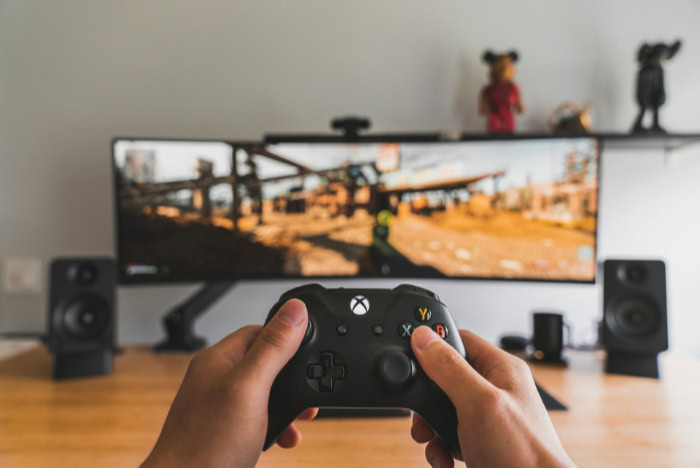
Upgrading to a faster display provides noticeable improvements across almost every type of device you use. From high-end desktop computers to the smartphone in your pocket, pushing past the standard 60Hz barrier offers immediate, tangible upgrades to how you interact with technology.
Smoother User Interface Experience
The most obvious benefit of a high refresh rate is the dramatic improvement in everyday interface interactions. Swiping through menus, opening applications, and scrolling down long web pages feel significantly more responsive.
On a 120Hz smartphone, text remains perfectly legible as you scroll, whereas a slower screen would reduce the words to a blurry streak. The entire operating system simply feels faster, as the reduced delay between your finger swiping and the screen reacting creates a remarkably fluid user experience.
Competitive Gaming Advantages
For people who play fast-paced video games, a higher refresh rate offers a massive competitive advantage. Faster displays drastically reduce input lag, which is the time it takes for a physical mouse click to translate into an on-screen action.
Furthermore, a 144Hz or 240Hz monitor minimizes motion blur during rapid camera movements. This exceptional clarity allows players to track fast-moving targets accurately and react to enemies fractions of a second faster than opponents playing on standard screens.
Visual Comfort and Health
Beyond raw performance, faster screens also contribute to better physical comfort during long hours of use. Older monitors and slower displays suffer from micro-flickering as they update the image.
While often invisible to the naked eye, this constant flickering forces your eye muscles to work harder, eventually leading to headaches and fatigue. Modern high-refresh-rate displays update the image so rapidly that the flickering is practically eliminated.
This provides a much more stable image, significantly decreasing eye strain for professionals who spend eight hours a day reading text and staring at a computer screen.
Technical Challenges and Hardware Limitations

A faster display offers undeniable visual benefits, but pushing massive amounts of data to a screen every second comes with strict hardware demands. Before upgrading your setup, you must consider the processing power, battery life, and physical connections required to drive these high speeds.
Buying a fast monitor without the right supporting equipment will result in a frustrating experience and unfulfilled performance promises.
System Bottlenecks
Having a monitor capable of 240Hz means nothing if your computer cannot generate 240 frames per second. If you plug a low-end laptop into a premium gaming monitor, the internal graphics processor will struggle to push past 60 frames per second on demanding applications.
The extra refresh cycles of the monitor go to waste, simply drawing the same frame multiple times. You must ensure your computer or console has the raw processing power to actually reach the high frame rates your new display supports.
Battery Consumption
Speed requires energy. Forcing a smartphone or laptop display to redraw an image 120 times every second drains the battery noticeably faster than a standard 60Hz screen.
The internal hardware works twice as hard to generate the images, and the screen itself demands more power to maintain the rapid update cycle. Users who prioritize all-day battery life on their mobile devices often find themselves manually lowering the refresh rate in their system settings to keep their phones alive until the evening.
Adaptive Display Solutions
To combat rapid battery drain, hardware manufacturers developed Low-Temperature Polycrystalline Oxide (LTPO) technology. Instead of forcing the screen to run at a static high speed all day, LTPO allows the device to dynamically adjust the refresh rate based on your immediate actions.
If you swipe through a heavy interface, the screen ramps up to 120Hz for maximum smoothness. If you stop touching the screen to read a static text message, the refresh rate instantly drops down to 1Hz or 10Hz, saving massive amounts of power without affecting the visual experience.
Cable and Bandwidth Constraints
Transmitting hundreds of high-resolution images every second requires immense data bandwidth. Older display cables physically lack the capacity to transfer this much information at once.
If you try to run a 4K resolution monitor at 144Hz using an outdated HDMI cord, the screen will likely black out or force you to accept a significantly lower resolution. To achieve high refresh rates alongside crisp visual fidelity, you must use modern, high-bandwidth cables and ports, specifically DisplayPort 1.4 or HDMI 2.1.
Choosing the Right Refresh Rate for Your Needs

Not everyone needs the absolute fastest screen on the market. Selecting the correct display requires matching the underlying technology to your daily habits and budget.
Overspending on a hyper-fast monitor for basic tasks offers no tangible benefit, while settling for a slow screen can severely hinder competitive gaming performance. Here is a breakdown of which speeds suit different types of users.
60Hz (The Baseline)
Sixty updates per second remains the standard for television broadcasts, general office monitors, and budget-friendly laptops. If your primary computer usage involves typing documents, answering emails, browsing the web, and watching streaming video, 60Hz provides a perfectly adequate experience.
Most film and television content is shot at 24 or 30 frames per second anyway, meaning a faster monitor will not make movies look any better. For casual users, sticking to this baseline saves money without sacrificing essential functionality.
90Hz to 120Hz (The Sweet Spot)
Stepping up to the 90Hz or 120Hz range offers the most noticeable visual upgrade for the average person. This speed sits in the sweet spot for modern technology.
Premium smartphones use these rates to make scrolling feel incredibly fluid, and current-generation gaming consoles like the PlayStation 5 and Xbox Series X target 120Hz for smooth, responsive gameplay. Casual PC gamers also benefit greatly from this tier, striking an excellent balance between visual clarity and hardware requirements without demanding an absurdly expensive graphics card.
144Hz to 240Hz+ (The Enthusiast Tier)
Pushing past 144Hz and into the 240Hz or even 360Hz territory is strictly for gaming enthusiasts and esports professionals. At these extreme speeds, the differences become harder for the average person to notice, but they provide crucial fractions of a second in reaction time for competitive players.
Achieving these numbers requires highly powerful desktop computers. Unless you are playing fast-paced, competitive shooters where absolute minimal latency dictates winning or losing, speeds in this enthusiast tier offer diminishing returns for daily use.
Conclusion
Refresh rate defines exactly how many times per second a screen redraws an image. Upgrading to a faster display provides a noticeably smoother user experience, from simple web browsing to competitive gaming.
However, achieving these fluid visuals requires careful planning. You must always ensure your computer or mobile device has the processing power to generate the necessary frame rates.
A fast monitor can only display the frames it receives. By aligning your display capabilities with your internal hardware, you guarantee optimal performance and a truly seamless viewing experience.
Frequently Asked Questions
Is a 120Hz refresh rate better than 60Hz?
Yes, a 120Hz display updates its image twice as fast as a standard 60Hz screen. This provides a much smoother visual experience. You will immediately notice more fluid animations when scrolling through websites, opening applications on your phone, and playing fast-paced video games.
Does a higher refresh rate drain battery life?
Yes, forcing a screen to redraw images more frequently requires significantly more power. This causes laptop and smartphone batteries to drain faster. To combat this issue, many modern devices use adaptive technology to lower the refresh rate when you are viewing static images.
What happens if my frame rate is higher than my refresh rate?
If your graphics card pushes out more frames than your monitor can display, you will likely experience screen tearing. This visual glitch makes the image appear sliced horizontally. You can easily fix this synchronization problem by enabling technologies like G-Sync or FreeSync.
Do I need a special cable for high refresh rates?
Achieving high refresh rates at high resolutions requires transferring massive amounts of data. Older cables lack the necessary bandwidth to support this data transfer. You will need a modern, high-capacity cable like DisplayPort 1.4 or HDMI 2.1 to properly run a fast monitor.
Can the human eye see 240Hz?
Most people can easily detect the jump from 60Hz to 120Hz. Recognizing the difference between 144Hz and 240Hz is much more difficult for the average person. However, highly competitive gamers can perceive and benefit from the minimal input lag provided by a 240Hz display.
About the Author: Elizabeth Baker


