
What Is Wi-Fi Direct? Fast Local Sharing Explained

You can transfer a massive 4K video file from your phone to a laptop in seconds even if you are in a remote forest with zero cell signal or internet access. This capability removes the frustration of waiting for cloud uploads or hunting for a Wi-Fi password when you simply need two devices to talk to each other.
While most people rely on a home router for every wireless task, your electronics likely possess a hidden ability to bypass that middleman entirely. This specific protocol creates a high-speed private link that functions anywhere.
By moving past traditional network limitations, you can unlock faster data speeds and more reliable connections for your hardware. Gaining a clear perspective on how this invisible bridge functions will change how you share media and manage your devices.
Key Takeaways
- Wi-Fi Direct allows two devices to connect at high speeds without a router or an internet connection by letting one device act as a virtual access point.
- The technology provides significantly faster data transfer speeds than Bluetooth, making it the superior choice for moving 4K video files and large image folders.
- While it is natively supported by Windows and Android, Apple devices are incompatible because they rely on proprietary alternatives such as AirDrop and AirPlay.
- Security is maintained through WPA2 or WPA3 encryption, ensuring that peer to peer data streams remain private and protected from nearby unauthorized users.
- You can use the Miracast standard to mirror your screen to a television or monitor with very low latency, even if there is no local network available.
How Wi-Fi Direct Works
The mechanics of this technology rely on making hardware more flexible than traditional networking allows. Instead of requiring a stationary router to manage traffic, the hardware itself takes on the management role to facilitate a direct link.
This creates a flexible environment where devices can interact regardless of the available infrastructure.
The Soft Access Point Concept
In a standard network, a router acts as the central hub that directs data. Wi-Fi Direct changes this by allowing one device to function as a “Soft Access Point.” This device creates a limited wireless network that other hardware can join.
For example, a laptop might act as the host, broadcasting a signal that a printer or smartphone can see and join. This transformation happens via software; consequently, the hardware does not need additional antennas to provide this router-like functionality.
Device Discovery and Negotiated Connections
Connecting two devices involves a specific discovery process where they scan for nearby signals. Once a user initiates a request, the two units perform a handshake to verify compatibility and security permissions.
This negotiation determines which device will lead the connection and what security protocols to apply. This process is generally faster than manual pairing because the technology was built to identify and link compatible hardware automatically without requiring complex network credentials.
Bandwidth and Frequency
Modern P2P connections utilize both the 2.4 GHz and 5 GHz bands, similar to modern home routers. The 2.4 GHz band provides a longer range and better penetration through walls, while the 5 GHz band offers significantly higher data speeds for heavy tasks like streaming video.
By using these standard frequencies, the technology achieves speeds far beyond older wireless standards. This allows for the rapid movement of large files without the interference often found on crowded public networks.
Wi-Fi Direct vs. Alternative Technologies

Choosing the right wireless tool depends on the specific requirements of the task. While several technologies offer wireless connectivity, each serves a different purpose based on range, speed, and power needs.
Comparing Wi-Fi Direct and Bluetooth
Bluetooth is effective for low power tasks like connecting a keyboard or wireless earbuds, but it fails when high data volume is required. Wi-Fi Direct offers significantly higher bandwidth, making it the better choice for sending large folders or high resolution images.
While Bluetooth usually tops out at a few megabits per second, P2P Wi-Fi can reach speeds comparable to traditional home networks. However, this speed comes at the cost of higher power consumption compared to the efficiency of Bluetooth.
Peer to Peer vs. Infrastructure Wi-Fi
Standard Wi-Fi relies on an infrastructure model where every device must connect to a central router to communicate. If the router fails or is out of range, the network disappears.
In contrast, a P2P connection creates a specific link between the units themselves. This independence allows for data transfers in locations where no external network exists, such as in a car or outdoors.
It eliminates the need for a middleman, reducing the steps required to sync data between two pieces of hardware.
Advantages Over Cellular Data
Using cellular data for file transfers can be expensive and slow, especially in areas with poor reception. P2P wireless provides a free, localized alternative that does not count against a monthly data cap.
Because the connection is direct and local, it is not subject to the throttling or congestion that often plagues mobile towers during peak hours. It provides a reliable way to maintain high speed links when a cellular signal is non existent or prohibitively expensive.
Ecosystem Support and Compatibility
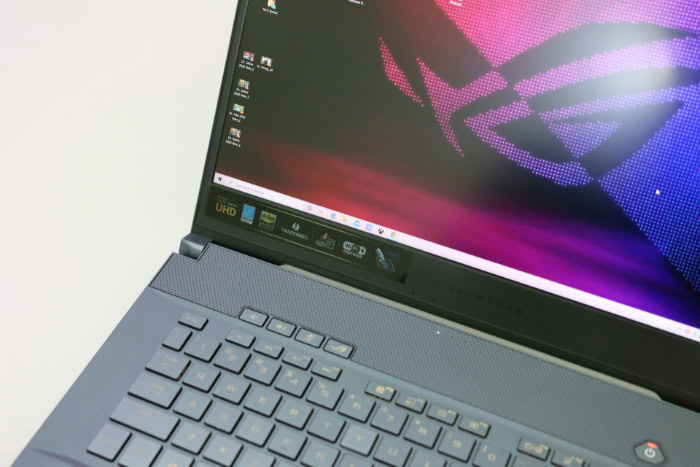
Adoption of this standard varies across the tech industry, with some manufacturers embracing the open protocol while others prefer closed systems. Knowing which devices support the standard helps in building a functional collection of gadgets.
Native Support in Windows and Android
Microsoft and Google have integrated this technology into their operating systems for many years. On Android, it is often found within the connection settings, enabling features like Nearby Share to function effectively.
Windows uses it for various tasks, including projecting a screen to a wireless display or connecting to compatible printers. Because these systems use the standard protocol, an Android phone can often communicate directly with a Windows laptop without third party software.
The Apple Proprietary Approach
Apple takes a different path by using its own technologies, AirDrop and AirPlay. While these features use a combination of Bluetooth and Wi-Fi to create P2P connections, they are not compatible with the standard Wi-Fi Direct protocol found on other devices.
This means an iPhone cannot natively use a Wi-Fi Direct link to send a file to an Android tablet or a Windows PC. Apple users must stay within the company ecosystem or use cloud services to bridge the gap between platforms.
Wi-Fi Alliance Certification
To ensure different brands work together, the Wi-Fi Alliance provides a certification program. When a product features a “Wi-Fi Certified” label specifically for Direct, it means the manufacturer has tested the device for compatibility with other certified hardware.
This is common in peripherals like smart TVs, digital cameras, and office printers. Checking for this certification before a purchase ensures that the device will easily link with other hardware regardless of the brand name on the box.
Practical Applications in Everyday Use

The utility of a direct wireless link becomes clear when looking at common daily tasks. This technology simplifies several processes that previously required cables or complex network configurations.
High Speed File Sharing
Sending a 4K video or a large collection of high resolution photos can take a long time over Bluetooth or a slow internet connection. A P2P link handles these files with ease, often finishing the transfer in a fraction of the time.
This is especially useful for creative professionals who need to move media between a camera and a tablet while in the field. The high bandwidth ensures that file integrity is maintained without the compression sometimes used by messaging apps.
Wireless Printing on the Go
In a traditional office, a printer is connected to a local network that everyone joins. In mobile or temporary environments, such as a client office or a hotel, this infrastructure might not be available.
A printer with Direct capabilities allows a user to print documents straight from a smartphone or laptop. The device creates its own signal; as a result, the user can connect, print, and disconnect without ever needing to ask for a network password.
Screen Mirroring and Casting
Miracast is a popular display standard that utilizes Wi-Fi Direct to beam a device screen to a television or monitor. Unlike some casting methods that require both devices to be on the same internet connected network, Miracast creates a direct link.
This is ideal for giving presentations in boardrooms or watching movies in a vacation rental where the available Wi-Fi might be slow. It provides a low lag experience that is essential for mirroring video content accurately.
Local Multiplayer Gaming
For gamers, latency is a significant issue that can ruin the experience. By connecting two handheld consoles or mobile devices directly to each other, players can enjoy multiplayer games with minimal delay.
This setup bypasses the internet entirely, meaning the game speed is not dependent on the quality of a web connection. It is a reliable solution for gaming during travel or in public spaces where shared networks are often too slow for real time play.
Security, Performance, and Troubleshooting

Maintaining a stable and secure connection requires an awareness of how these signals interact with the environment. Users must also manage how these high performance links impact their hardware.
Security Protocols
Because a P2P connection creates a temporary network, security is a priority. These links are protected by WPA2 or WPA3 encryption, which are the same standards used to secure modern home and business routers.
During the initial handshake, devices exchange security credentials to ensure that only authorized users can join the link. This prevents unauthorized nearby individuals from intercepting the data being transferred between the two devices.
Managing Power Consumption
High speed data transfers require significant energy, which can drain the battery of a mobile device more quickly than Bluetooth would. While the technology is efficient for short bursts of activity, leaving a P2P link active for extended periods can impact the overall charge of a smartphone.
Many devices are designed to automatically close the connection once the data transfer is complete to help conserve battery life. Users should be mindful of this when performing large transfers while away from a power source.
Overcoming Connection Barriers
Physical obstacles like thick walls or heavy furniture can degrade the signal strength and slow down transfer speeds. Electronic interference from other wireless devices or appliances can also cause connections to drop.
If hardware from different manufacturers fails to recognize each other, it is often due to minor variations in how they implement the discovery protocol. Restarting the wireless radio on both units or moving them closer together usually resolves these common pairing issues.
Conclusion
The speed and convenience of this wireless protocol make it an essential tool for any tech user. By removing the need for a central router or an active internet connection, it allows for seamless interaction between mobile phones, laptops, and peripherals.
This versatility ensures that hardware remains functional even in isolated environments or congested public spaces. As personal electronics grow more powerful, the ability to create instant, high bandwidth links becomes even more necessary for efficient workflows.
This technology functions as a vital bridge in a modern environment where data must move freely between disparate devices. It offers a robust solution for the growing demands of high resolution media and low latency connectivity.
Frequently Asked Questions
Does Wi-Fi Direct use my phone’s data plan?
No, this technology does not use any cellular data because it creates a direct link between two devices. It works like a private wireless network that exists only between your hardware; consequently, you can transfer files or print documents for free. This makes it a perfect alternative when you have no signal.
Why can’t I send files from my iPhone to an Android phone using this?
Apple uses its own proprietary systems like AirDrop rather than the standard Wi-Fi Direct protocol. While both technologies use similar wireless hardware, they speak different software languages and are not compatible with each other. You must use a cross platform app or a cloud service to move files between these platforms.
Is it safer to use than a regular public Wi-Fi network?
Generally, it is much safer because you are connecting directly to a device you own or trust rather than a shared router. The connection is encrypted using modern WPA2 or WPA3 security standards. This prevents strangers on a public network from seeing your data or intercepting the specific file transfer.
Will using Wi-Fi Direct kill my battery?
It uses more battery power than Bluetooth but is efficient for quick tasks because of its high speed. Since it can move large files very quickly, the wireless radio is often active for only a short period. Most modern devices are smart enough to shut down the connection immediately once the transfer finishes.
Do I need a special app to make this work on my laptop?
Most modern Windows laptops have this feature built into the operating system and do not require extra software. You can usually find it in the connection or display settings when looking for a wireless printer or monitor. Many Android phones also include it natively within their standard sharing or connection menus.
About the Author: Julio Caesar


