
16GB vs. 32GB RAM: Is More Always Better?
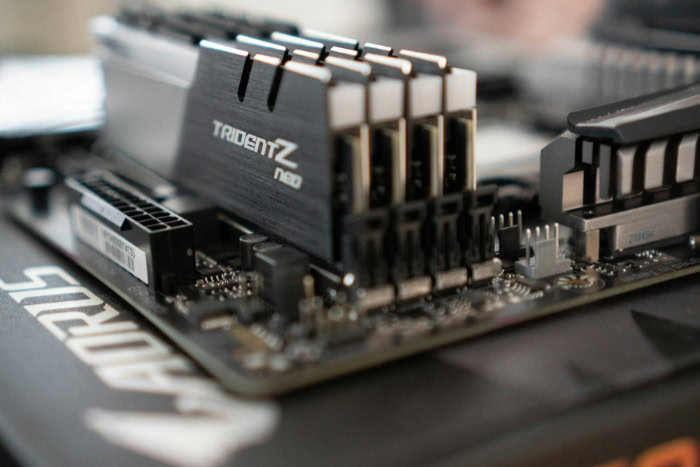
Random Access Memory (RAM) dictates how swiftly your computer handles active tasks, acting as the short-term workspace for everything from heavy gaming to complex video editing. Choosing the right capacity directly determines if your machine operates flawlessly or stutters under intense pressure.
As modern operating systems and robust applications demand more resources upon boot, the baseline for sufficient memory has noticeably shifted. While sixteen gigabytes once provided absolute abundance for almost any task, demanding game engines and creative software suites routinely push that boundary today.
Key Takeaways
- Modern operating systems immediately consume between three and six gigabytes of RAM upon boot, reducing the actual space available for your games and applications.
- A 16GB memory capacity perfectly supports standard 1080p gaming, moderate web browsing, and general office productivity without causing system lag.
- Upgrading to 32GB prevents micro-stutters and frame rate drops in hardware-intensive open-world games, especially when running background applications like voice chat or web browsers.
- Professional workflows involving 4K video editing, complex 3D asset design, and large virtual machines require at least 32GB to avoid slow rendering times and application crashes.
- Excess memory provides zero speed benefits, so budget-constrained builders should prioritize spending on a faster graphics card or processor before paying for unused RAM capacity.
Fundamentals of RAM Capacity
Everything inside a computer operates at different speeds and serves a specific purpose in processing information. The processor calculates data incredibly fast, while permanent storage drives are comparatively slow.
Memory sits directly between them to balance the flow of information and keep the system responsive.
Role of System Memory in Computer Performance
RAM acts as a temporary, high-speed workspace holding the data your processor needs immediately. When you open a program, active data moves from the permanent storage drive, like a solid-state drive (SSD) or hard disk drive (HDD), into the system memory.
From there, the processor can pull small chunks of that data into its ultra-fast internal caches for immediate calculation. Once the task is complete, the memory clears that space to make room for the next set of instructions.
Difference Between Capacity, Speed, and Latency
Memory capacity, measured in gigabytes (GB), determines how much active data the system can hold at one time. Transfer speed, measured in megahertz (MHz) or mega-transfers per second (MT/s), dictates how quickly data moves in and out of those modules.
Memory timings, often referred to as CAS Latency, represent the delay before the RAM responds to a system request. Increasing capacity only improves overall performance if your computer is currently running out of space.
If you already have enough gigabytes to hold your active programs, upgrading to memory with higher transfer frequencies and lower latencies will yield better system speed.
Baseline Memory Requirements for Modern Operating Systems
Modern operating systems claim a significant portion of memory the moment you turn on the computer. Windows, macOS, and Linux all load core background services, system registries, and interface managers directly into RAM during the boot process.
This default allocation usually consumes between three and six gigabytes of capacity before you even open a single application, leaving only the remainder available for your actual software and daily tasks.
Game Performance and Memory Demands

Gaming pushes nearly every hardware component to its absolute limits. Because textures, physics calculations, and game logic must be accessed instantly to keep the action smooth, memory capacity plays an enormous role in maintaining a seamless visual experience.
Impact on Frame Rates and Frame Time Stability
When comparing 16GB and 32GB setups in games, the average frames per second (FPS) might look quite similar. The real performance difference appears in frame time stability.
Systems with higher memory capacity suffer fewer sudden drops in performance, directly improving the 1% and 0.1% low metrics. This reduction in micro-stutter makes the gameplay feel significantly smoother, even if the absolute maximum frame rate barely changes.
Requirements of High-End Titles and Complex Simulations
Hardware-intensive open-world games and intricate flight simulators demand massive memory buffers. These expansive digital environments require constant asset streaming to seamlessly load high-resolution texture packs, complex geometry, and environmental data as the player moves.
Titles like Microsoft Flight Simulator or heavily modded role-playing games can easily consume well over twelve gigabytes on their own, severely crowding a 16GB system.
System Load from Concurrent Background Applications
Gamers rarely run a game in total isolation. Having voice chat software, hardware monitoring tools, a web browser, and music playing in the background adds a heavy load to the system.
On a 16GB setup, running these concurrent applications alongside a demanding game often forces the operating system to move active data back to the slower storage drive in a process called paging. Expanding to 32GB prevents this reliance on the swap file and keeps everything running smoothly from the fast system memory.
Professional Workloads and Content Creation

Professional software suites demand a different level of system resources compared to standard applications. Content creators and software engineers rely heavily on enormous memory reserves to manage massive files and complex computational workflows without freezing their machines.
Requirements for High-Resolution Video Production and Motion Graphics
High-resolution video editing and motion graphics require substantial system resources. When editors scrub through a timeline in programs like Premiere Pro or After Effects, the computer caches those video previews directly into RAM for instant playback.
Working with standard 1080p footage is perfectly manageable on 16GB of memory. Moving up to 1440p projects starts to strain those limits, while editing raw 4K media makes 32GB practically mandatory to avoid stuttering playback and painfully slow project rendering times.
Demands of Software Development, Virtual Machines, and 3D Asset Design
Integrated development environments (IDEs) consume large amounts of memory during intense code compilation processes. Furthermore, software engineers often run local containers or full virtual machines, effectively forcing the computer to run multiple operating systems simultaneously.
Similarly, 3D asset designers need vast memory allocations to manipulate high-polygon meshes and render detailed viewports without the application crashing.
System Response to High Memory Usage in Web Browsers and Office Tools
Even standard productivity tasks can consume staggering amounts of resources over the course of a workday. Large-scale web browsing across dozens of active tabs creates a surprisingly heavy memory footprint.
When you combine an intense browser session with massive spreadsheet calculations and background communication software, a 16GB system can quickly begin to lag. Providing the system with more capacity ensures that active office tools remain highly responsive under heavy multitasking pressure.
Cost Analysis and Hardware Balance
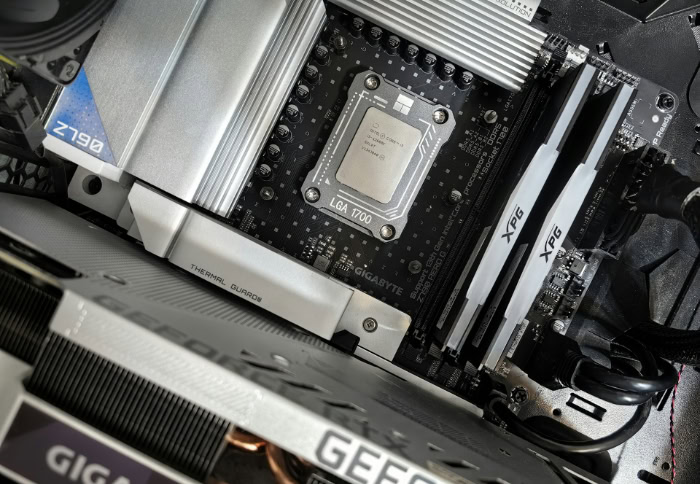
Allocating a computer building budget requires careful financial strategy. Expanding memory capacity offers clear benefits, but throwing money at unnecessary upgrades can restrict the performance of other vital components.
Price-to-Performance Ratio of Capacity Upgrades
Evaluating the financial impact of a memory upgrade depends heavily on the generation of hardware inside your computer. Standard DDR4 memory has matured significantly, making 32GB kits highly affordable and accessible for most builders.
Upgrading from 16GB to 32GB on a DDR4 platform offers an excellent cost-per-gigabyte ratio. Older systems benefit greatly from this cheap upgrade path.
Conversely, DDR5 memory modules command a higher premium due to their faster transfer speeds and newer architecture. Doubling capacity on a DDR5 system requires a larger financial commitment, altering the cost-per-gigabyte metric.
Buyers must weigh if the expense of high-tier DDR5 memory makes sense for their specific daily tasks.
Budget Prioritization: Memory versus Graphics Processing and CPU Speed
Strictly constrained PC builds force users to make difficult financial compromises. While 32GB sounds appealing, prioritizing memory capacity over a faster processor or a more capable graphics card often leads to unbalanced system performance.
If an upgrade to 32GB prevents you from affording a better Central Processing Unit (CPU) or Graphics Processing Unit (GPU), sticking with 16GB is usually the wiser choice. A stronger GPU will yield vastly superior frame rates in games, and a faster CPU will accelerate complex calculations far more effectively than excess, unused RAM.
Memory is also one of the easiest components to upgrade later, making it a prime target for budget optimization during an initial build.
The Threshold of Reduced Returns for Unused Memory
Modern operating systems utilize passive memory allocation, meaning they will cache frequently used files in available RAM to speed up overall responsiveness. However, this passive caching is entirely different from active usage by heavy software.
Excess memory capacity yields zero operational advantage if your programs never actually demand the space. Buying 32GB of RAM for a machine that only ever requires 12GB to run a web browser and a word processor provides absolutely no speed boost.
Unused memory simply sits empty. Hitting the threshold of reduced returns happens the moment your capacity exceeds the maximum demands of your heaviest daily workflow.
Recommendation Framework and User Personas

Finding the correct hardware balance ultimately depends on identifying your primary computing habits. By matching your daily tasks to a specific user profile, you can avoid both performance bottlenecks and wasted money.
Optimal Scenarios for 16GB Memory Configurations
The ideal candidate for a 16GB configuration includes budget-conscious gamers, general office workers, and mainstream media consumers. For these users, 16GB provides plenty of space to maintain a smooth experience.
The task boundaries for this capacity are quite broad, easily covering 1080p gaming, moderate web browsing, and standard productivity applications. As long as the user avoids launching a dozen heavy programs simultaneously, a 16GB system remains fully capable of delivering snappy performance without hitting any operational limits.
Optimal Scenarios for 32GB Memory Configurations
Power users, professional content creators, software engineers, and enthusiast gamers fall firmly into the 32GB category. These individuals regularly push their systems past the limits of basic multitasking.
The operational boundaries shift drastically when editing 4K video, running massive virtual machines, or playing expansive simulation games with high-resolution texture packs. Under these demanding conditions, 32GB transitions rapidly from an unnecessary luxury to a strict operational necessity.
Having that extra capacity ensures heavy applications remain stable and responsive during extended working or gaming sessions.
Identification and Diagnostic Procedures for Memory Bottlenecks
If you are unsure if your current computer requires an upgrade, built-in diagnostic tools provide definitive answers. Windows users can open Task Manager, while macOS users can utilize Activity Monitor to assess current memory saturation.
By leaving these hardware monitoring tools running in the background during your heaviest typical workload, you can track exactly how much RAM your system consumes. Primary indicators of insufficient capacity include memory usage hovering near 100 percent and sudden, high disk usage spikes as the system struggles to page data to the storage drive.
You might also notice applications freezing, hanging indefinitely, or suffering forced closures.
Conclusion
Deciding between 16GB and 32GB of RAM comes down to identifying your specific daily tasks and matching them with your available budget. While 16GB remains perfectly adequate for casual gaming, general office work, and standard media consumption, heavier workloads demand much more space.
Moving to a 32GB configuration provides immediate benefits for 4K video editing, complex 3D rendering, and hardware-intensive gaming with multiple background applications running. If you are building a computer on a tight budget, prioritize spending money on a faster graphics card or processor before paying for extra memory capacity.
You can always add more RAM later if your software begins to stutter, lag, or crash due to high memory saturation. Choosing the right capacity ensures your system runs smoothly without wasting money on unused hardware.
Frequently Asked Questions
Do I really need 32GB of RAM for gaming?
You only need 32GB of RAM for gaming if you play heavy simulation titles or run multiple background applications simultaneously. While 16GB handles most standard games perfectly fine, doubling your capacity prevents micro-stutters in demanding open-world environments and keeps voice chat software running smoothly alongside your game.
Will adding more RAM make my computer faster?
Adding more RAM will only speed up your computer if you are currently running out of memory. If your system already has enough capacity to handle your active programs, installing extra gigabytes will provide zero performance boost and simply leave you with empty unused space.
Is 16GB of RAM enough for video editing?
A 16GB memory configuration works well for editing standard 1080p video projects. However, if you plan to edit raw 4K media or create complex motion graphics, you will need 32GB to avoid severely slow rendering times and frustrating playback stutters during your creative process.
How can I tell if I need a RAM upgrade?
You can check if you need an upgrade by opening Task Manager or Activity Monitor during your heaviest daily tasks. If your memory usage consistently hovers near 100 percent or your applications frequently crash, your system is running out of capacity and requires an immediate hardware upgrade.
Should I spend my budget on a better GPU or more RAM?
You should prioritize upgrading your graphics card over buying excess memory for the best gaming performance. A stronger GPU directly improves your frame rates and visual quality, while having more RAM than your system actively uses provides absolutely no operational advantage or speed increase.
About the Author: Julio Caesar


