
AMD vs. Intel: Which CPU Should You Buy?

Choosing the wrong processor can bottleneck an expensive graphics card before you even boot up a game. You are about to spend serious money upgrading your computer, and the processor you select dictates exactly how smoothly your system handles your daily workload.
For decades, AMD and Intel have fought fiercely for dominance inside your PC case. Their rivalry has driven massive leaps in performance and slashed prices across the board.
Declaring a single absolute winner is impossible, though. The ideal processor for a competitive gamer pushing ultra-high frame rates looks drastically different from the chip a budget-conscious student or professional video editor needs.
Key Takeaways
- AMD processors utilize stacked 3D V-Cache memory to deliver exceptional frame rates for competitive gaming, while Intel relies on ultra-high clock speeds for rapid frame processing.
- Professional video editors benefit heavily from Intel’s Quick Sync Video technology for smooth timeline scrubbing, whereas AMD chips provide raw brute force for faster final video exports.
- Upgrading an AMD system is generally easier because the company supports motherboard sockets for several years, whereas Intel typically requires a full motherboard replacement every two generations.
- Current AMD desktop processors draw less electricity and run efficiently under load, while top-tier Intel chips demand significant power and often require premium liquid cooling systems.
- AMD mobile chips excel at preserving battery life and providing strong integrated graphics for ultra-portable laptops, while Intel dominates the market for thick, premium gaming laptops.
Gaming and Productivity
Raw speed determines how fast a game renders and how quickly a complex application compiles. Both brands design processors with distinct architectural philosophies aimed at specific types of stress.
Picking the right hardware requires looking closely at how these internal structures handle different everyday computing loads.
Top-Tier Gaming Capabilities
High-refresh-rate gaming demands a processor that can feed instructions to the graphics card without hesitation. Intel traditionally attacks this problem with incredibly high clock speeds.
Their top-tier chips push frequencies to the absolute limit to ensure individual game frames are processed rapidly. AMD takes a completely different approach with their 3D V-Cache technology.
By stacking a massive amount of high-speed memory directly on top of the processor, AMD drastically reduces the time it takes for the chip to access game data. This massive cache produces exceptional frame rates and smoother overall gameplay in many demanding titles.
Multi-Threaded Workloads
Professional applications like 3D rendering software, code compilers, and heavy data analysis tools rely heavily on core and thread counts. Intel utilizes a hybrid architecture that splits resources between powerful performance cores and smaller efficiency cores.
This design creates high overall thread counts, allowing Intel processors to tear through heavily parallel tasks. AMD relies on a more traditional layout using uniform, full-strength cores across their high-end Ryzen chips.
While their total thread count might be lower than Intel’s flagship models, the sheer power of every individual AMD core still delivers blistering speeds for heavy processing tasks.
Content Creation and Video Editing
Video editors and content creators face unique hardware bottlenecks. Raw multi-core speed helps significantly with rendering final video files, an area where AMD processors excel.
However, Intel holds a distinct advantage for timeline performance due to a technology called Quick Sync Video. This dedicated hardware encoder smoothly processes common video formats, allowing editors to scrub through high-resolution footage in software like Adobe Premiere without frustrating stuttering.
While AMD offers immense brute force for final exports, Intel often provides a more responsive editing experience during the actual creation process.
Value and Price-to-Performance Ratio

Building a computer is always a balancing act between computing demands and budget restrictions. The retail price of the processor only tells part of the story.
System builders must evaluate the entire hardware ecosystem to understand the true cost of their new machine.
Entry-Level and Budget Options
For everyday office tasks, web browsing, and casual gaming, both companies offer fantastic baseline performance. Intel provides highly capable processors in their lower tiers that handle routine tasks effortlessly.
AMD frequently keeps previous generations of their processors on the market at heavily discounted prices. These older chips represent an incredible bargain for builders trying to hit the absolute lowest entry price while maintaining the ability to play modern games at reasonable settings.
The Mid-Range Sweet Spot
The vast majority of consumers purchase processors in the mid-range tier. This category offers the perfect blend of performance per dollar.
Mid-range Intel chips provide fantastic multitasking capabilities thanks to their inclusion of efficiency cores. Competitor chips from AMD offer excellent power efficiency and gaming performance that punches well above their price bracket.
Both brands deliver enough power in this tier to handle modern gaming and moderate content creation without forcing buyers to empty their wallets.
Total Platform Cost
The final cost of a computer depends heavily on the supporting components. Processors require compatible motherboards and memory.
Intel currently builds platforms that support both older DDR4 memory and newer DDR5 memory. This flexibility allows builders to save money by reusing older RAM.
AMD’s latest platform is exclusively designed for DDR5 memory. While this raises the initial cost of building an AMD system, it ensures the user has modern, high-speed memory that will remain relevant for future upgrades.
Power Consumption, Thermals, and Cooling
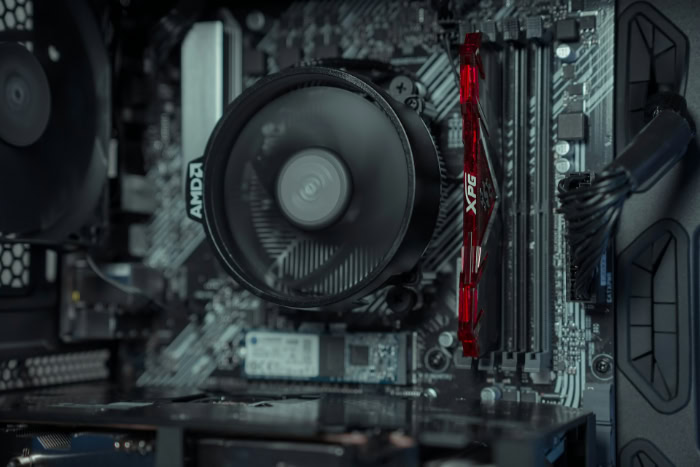
Pushing hardware to its limits generates a massive amount of heat and draws substantial electricity from the wall. Managing these thermal and power footprints is critical for maintaining system stability.
Failing to cool a processor properly forces the chip to throttle its own speeds to survive.
Architecture Efficiency and Power Draw
Electrical efficiency dictates how much power a chip needs to hit its target speeds. Current AMD desktop processors generally consume less electricity under load than their Intel counterparts.
AMD’s modern architecture focuses heavily on delivering high performance per watt. Intel prioritizes raw performance and high clock speeds, which frequently results in substantial power draw during heavy multitasking and intense gaming sessions.
Thermal Output and Cooling Requirements
High power consumption directly translates to high thermal output. The top-tier chips from Intel generate significant heat under load.
Users buying these flagship processors generally need to invest in premium liquid cooling solutions, like large all-in-one liquid coolers, to keep temperatures safe. AMD chips are designed to safely run at higher base temperatures to maximize performance, but they generally require less aggressive cooling hardware.
Standard air coolers are entirely sufficient for the mid-range offerings from both brands.
Considerations for Small Form Factor Builds
Building a computer in a compact desktop case restricts airflow and traps heat. The efficiency metrics of a processor become vital in these constrained spaces.
AMD’s ability to deliver top-tier performance while drawing less power makes their chips highly desirable for miniature builds. Intel systems can certainly work in small cases, but they often require users to manually restrict the power limits of the processor to prevent overheating the tiny chassis.
Platform Lifespan and Hardware Upgradability
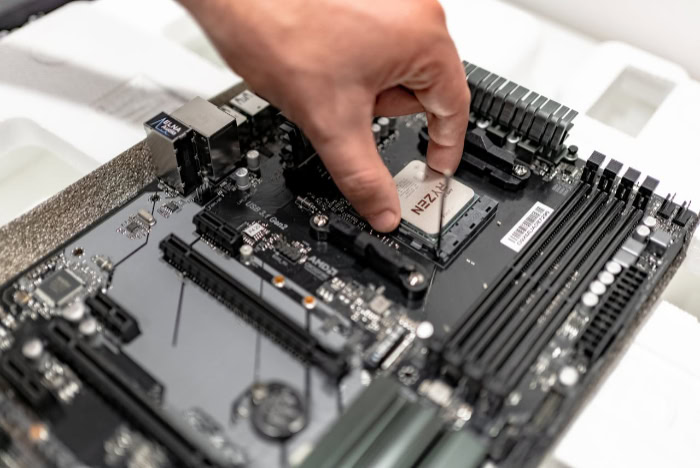
Processors plug into a specific physical slot on the motherboard. This connection defines what hardware you can buy today and limits the upgrades you can make several years from now.
A smart purchase involves looking at how long a manufacturer supports their hardware.
Understanding Motherboard Sockets
A CPU socket is the physical array of pins and contacts that links the processor to the memory, graphics card, and storage drives. Motherboards are built with a specific socket design.
If you want to buy a new processor that uses a different socket shape, you are forced to replace the entire motherboard. Replacing a motherboard requires completely disassembling the computer, which adds significant cost and effort to an upgrade.
AMD’s Socket Strategy
AMD is famous for supporting their motherboard sockets for an extended period. Their previous AM4 platform hosted multiple generations of processors over several years.
This strategy allowed early adopters to drastically improve their computer speeds years later with a simple processor swap. AMD aims to repeat this consumer-friendly approach with their current AM5 platform, giving buyers confidence that their motherboard will support future chip releases.
Intel’s Generational Lifecycles
Intel operates on a much faster hardware rotation. They typically retire their motherboard sockets and introduce a new physical design every two generations.
Buying an Intel system today often limits your future upgrade paths. If you want to install a significantly faster Intel processor three or four years down the line, you will almost certainly need to purchase a brand new motherboard to accommodate the new socket design.
The Mobile Market: Laptops and Handhelds

Portability shifts the engineering priority away from maximum speed and places massive importance on battery management. Laptops and handheld devices require processors that can balance processing power with severe electrical limitations and confined cooling spaces.
Thin-and-Light Laptops
Ultra-portable laptops need chips that sip power while remaining snappy for web browsing and office work. Both brands engineer highly efficient mobile processors for this category.
AMD mobile chips consistently deliver exceptional battery life, allowing users to work all day without searching for a wall outlet. Intel counters with strong thermal management and excellent single-core speeds, making their thin-and-light laptops feel incredibly responsive during bursty tasks like opening large applications.
High-Performance Mobile Workstations and Gaming Laptops
Thicker laptops provide the cooling capacity needed for dedicated mobile graphics cards and high-power processors. Intel dominates the premium gaming laptop space with chips that offer massive core counts and aggressive clock speeds.
These processors easily feed data to high-end mobile graphics cards. AMD provides highly competitive options for thick workstations, but Intel remains the heavily favored brand among laptop manufacturers building flagship gaming models.
Integrated Graphics Capabilities
Many mobile users want to play games or edit media on the go without the bulk and battery drain of a dedicated graphics card. Processors with powerful built-in graphics handle these workloads.
AMD has historically dominated this category. Their integrated graphics are so capable that they currently power almost the entire market of modern handheld gaming PCs.
Intel is rapidly upgrading their own built-in graphics to close this gap, bringing surprisingly strong gaming performance to their newest ultra-portable laptops.
Conclusion
Matching your specific daily habits directly to the hardware strengths of each company is the only way to choose the right processor. Hardcore gamers wanting ultra-high frame rates might lean toward AMD to take advantage of their massive 3D V-Cache.
Professional video editors scrubbing through timelines usually benefit from Intel and their dedicated Quick Sync Video technology. Budget builders can find incredible value in discounted older generation AMD chips or Intel’s highly capable entry-tier options.
Laptop buyers needing all-day battery life or strong built-in graphics should look closely at AMD, while those wanting desktop-level gaming power on the go will find Intel inside most premium chassis. Both brands build incredibly powerful processors that will serve you well.
Selecting a final winner simply comes down to buying the architecture designed to handle your exact workload.
Frequently Asked Questions
Which CPU brand is better for gaming right now?
AMD currently holds a slight edge for absolute maximum frame rates due to their 3D V-Cache technology. By stacking memory directly on the processor, AMD chips minimize data delay during intense gameplay. However, high-end Intel processors still provide blistering speeds that easily handle any modern release.
Do I need a new motherboard if I switch from Intel to AMD?
Yes, you must buy a completely new motherboard to switch between processor brands. AMD and Intel chips have completely different physical pin layouts and require entirely different sockets. You cannot physically plug an Intel processor into an AMD motherboard or vice versa.
Is liquid cooling required for high-end processors?
Premium liquid cooling is highly recommended if you purchase a top-tier Intel processor. These flagship chips draw substantial electricity and generate massive heat under heavy load. Conversely, most mid-range chips from both brands operate safely using a standard, inexpensive air cooler.
Which processor is best for a laptop battery?
AMD mobile processors currently deliver superior battery life for ultra-portable laptops. Their modern chip architecture prioritizes extreme electrical efficiency, allowing you to browse the web and work on documents all day. Intel chips offer great speed but tend to drain batteries slightly faster.
Does integrated graphics mean I don’t need a graphics card?
Integrated graphics allow you to use your computer and play casual games without buying a dedicated graphics card. AMD processors feature incredibly strong built-in graphics capable of running modern titles at lower visual settings. For demanding 3D rendering or high-end gaming, a dedicated card remains necessary.
About the Author: Julio Caesar


