
Are Wireless Chargers Worth It? A Realistic Look

Fumbling with frayed charging cables in the dark or dealing with worn-out device ports is a universal frustration that cord-free power promises to fix. As inductive charging pads become standard fixtures on office desks and nightstands, deciding if this upgrade truly benefits your daily routine requires more than just buying into the hype.
The appeal of simply setting your phone down to replenish its battery is undeniable. However, abandoning traditional plug-ins introduces a unique set of trade-offs regarding charging speed, energy efficiency, and hardware health.
A sleek magnetic stand might clear away desk clutter, but it also alters how you interact with your phone while it powers up.
Key Takeaways
- Magnetic alignment standards like MagSafe and Qi2 provide a more reliable charge than older pads by locking the device into the perfect position.
- Relying on a charging pad prevents daily mechanical wear and dust accumulation inside your smartphone’s physical charging port.
- Inductive charging typically caps out at fifteen watts and loses significant energy as heat, making it noticeably slower and less efficient than a direct wired connection.
- The persistent heat generated during inductive power transfer can degrade your internal battery chemistry faster over several years of use.
- While physical cables break easily, a solid-state wireless pad lasts much longer, offering excellent value for stationary spots like a nightstand or an office desk.
Understanding the Technology
To properly evaluate cord-free power, it is helpful to know exactly how it operates. The technology relies on a few fundamental scientific principles and specific hardware components to function effectively.
Inductive Charging Explained
Wireless power transfer relies on electromagnetic fields to move energy from a charging base to a receiving device. The base contains a transmitter coil that generates an alternating electromagnetic field when plugged into a power source.
Compatible devices house a corresponding receiver coil. Placing the device on the pad aligns the two coils, allowing the magnetic field to induce an electrical current within the receiving coil.
This current is then converted into direct current to charge the battery. This process happens entirely without physical metal contacts touching one another.
Charging Standards
For years, the standard Qi protocol dominated the market. It provided a universal baseline that allowed devices from different manufacturers to use the same charging pads.
Apple later introduced MagSafe, which improved upon the basic Qi design by surrounding the charging coil with a ring of magnets. This ensured perfect alignment between the charger and the phone.
Recently, the industry introduced the Qi2 standard. Qi2 adopts the magnetic alignment concept from MagSafe and makes it available across all compatible smartphone brands.
This unified approach eliminates the guesswork of compatibility.
Hardware Essentials
A common misconception is that the charging pad alone dictates performance. In reality, the pad is only one piece of the puzzle.
The wall adapter supplying power to the pad is equally important. Most modern wireless pads require a compatible USB Power Delivery adapter to function at their maximum rated speeds.
Using an older or underpowered wall brick will severely limit the energy output of the charging pad, leading to drastically slower charging times or a complete failure to charge.
The Advantages of Wireless Charging

The primary appeal of this technology lies in simplifying how we manage our electronic devices. It removes friction from daily routines and offers a cleaner approach to power management.
Convenience and Streamlined Workspaces
The most immediate benefit is the simple drop-and-go convenience. You no longer need to fumble for a specific cable on a dark nightstand or untangle wires on a busy desk.
Placing a phone on a pad requires minimal effort and keeps workspaces looking tidy. By eliminating multiple loose cables, charging stations seamlessly blend into home or office decor.
Preserving Physical Charging Ports
Plugging and unplugging a physical cable multiple times a day puts mechanical stress on a smartphone port. Over time, USB-C and Lightning connectors can accumulate dust, suffer from bent pins, or simply wear out from constant friction.
Utilizing a wireless pad reduces reliance on the physical connection. This preserves the structural integrity of the port, ensuring it remains fully functional for data transfers or traditional fast charging when absolutely necessary.
Multi-Device Integration
Modern users often carry a smartphone, wireless earbuds, and a smartwatch. Charging all three traditionally requires three separate cables and wall outlets.
Specialized wireless charging stands solve this problem by offering dedicated zones for multiple devices on a single unit. These all-in-one stations consolidate power delivery, requiring only one wall outlet to simultaneously charge an entire device ecosystem.
The Performance Limitations
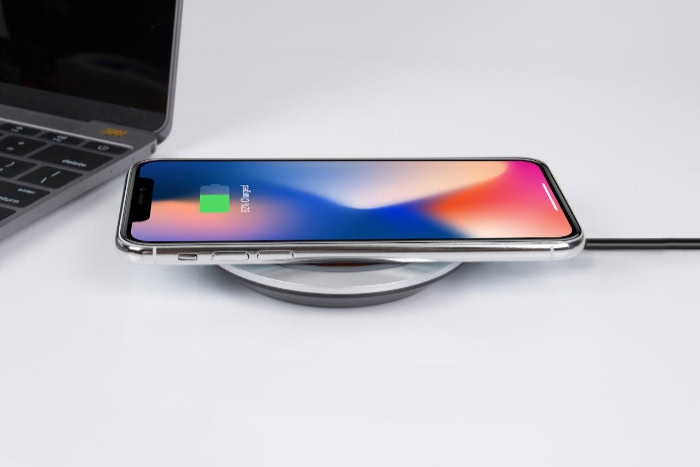
Despite the obvious convenience, dropping the physical cable introduces several technical compromises. Transferring power through the air is inherently less effective than sending it directly through a copper wire.
Charging Speed Disparities
Raw speed is the most noticeable sacrifice. While fast wired charging can deliver anywhere from twenty to over one hundred watts of power, wireless charging limits are much lower.
Most wireless pads cap out between seven and a half and fifteen watts. This means a standard cable can often charge a phone completely in less than an hour, while a wireless alternative might take more than two hours to achieve the same result.
Energy Inefficiency and Power Loss
Inductive transfer is not perfectly efficient. During the process of generating an electromagnetic field and converting it back into electricity, a significant portion of energy escapes as heat.
This means a wireless charger consumes more electricity from the wall outlet to deliver the same amount of battery power as a direct physical connection. The constant power loss makes it a less environmentally friendly option for daily charging routines.
Alignment and Placement Sensitivity
Older or non-magnetic wireless pads require precise positioning. If a phone is slightly off-center, the internal coils will not align correctly.
This misalignment can drastically slow down the charging rate or cause the process to stop entirely. Users may wake up to a dead battery simply because their phone was nudged a few millimeters off the optimal charging zone during the night.
Practical Usability and Device Health Impacts

Beyond charging speeds and efficiency, wireless pads change how you physically interact with your hardware. These systems also have subtle effects on the internal components of a phone over time.
Operational Heat and Battery Health
The energy lost as heat during inductive charging does not just vanish; it radiates directly into the device. Lithium-ion batteries are highly sensitive to elevated temperatures. Subjecting a phone to persistent heat from a wireless pad can degrade the internal battery chemistry faster than standard cable charging.
Over months and years, this accelerated degradation results in a lower maximum battery capacity.
Restricting Device Handling During Charge Cycles
A physical cable provides a tether that still allows you to pick up and use a phone while it charges. Wireless charging binds the device to the surface of the pad.
If you need to answer a text, scroll through social media, or take a call, lifting the phone immediately halts the charging process. Magnetic chargers alleviate this slightly by sticking to the back of the device, but heavy desktop pads completely restrict comfortable handling.
Protective Case Compatibility
Adding physical distance between the charger and the phone weakens the electromagnetic field. Thick, rugged phone cases often disrupt the connection entirely.
Furthermore, materials like metal or thick leather will block the transfer of power. Even standard cases can cause issues if they are equipped with accessories like pop sockets or wallet attachments.
Users frequently find themselves forced to remove their protective cases just to use a wireless pad.
Financial and Situational Value Assessment
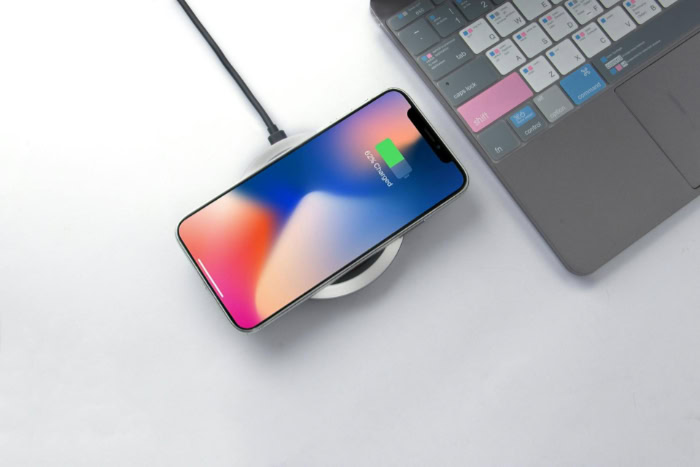
Determining the true worth of cord-free charging involves weighing its monetary price against specific daily use cases. It is important to assess where and how these chargers will actually be utilized.
Upfront Costs of Hardware
Adopting wireless power requires a noticeable financial premium. A standard charging cable is relatively inexpensive to replace.
In contrast, a high-quality wireless stand or multi-device pad commands a much higher price. Furthermore, since many wireless pads do not include the necessary high-output wall adapter in the box, consumers face an additional hidden cost to unlock the maximum charging speeds.
Scenario-Based Utility
The value of a wireless setup depends entirely on the environment. On a bedside table, the slower charging speeds are irrelevant during an eight-hour sleep cycle, making the drop-and-go convenience highly valuable.
Similarly, a pad on a workstation allows an office worker to keep their phone topped up throughout the day. However, for quick top-ups during travel or heavy usage scenarios, a traditional wired connection remains far superior.
Lifespan and Durability of Accessories
Physical cables are notorious for fraying, bending, and eventually breaking near the connector. They require regular replacement depending on user habits.
Wireless charging pads feature a solid-state design with no moving parts or delicate connectors being constantly stressed. A well-built charging pad will likely outlast several generations of smartphones and multiple standard cables, potentially balancing out the higher initial purchase price over time.
Conclusion
Adopting cord-free power requires balancing ultimate physical convenience against technical compromises. You are trading raw charging speed and energy efficiency for the simplicity of dropping your phone onto a pad.
The process generates excess heat and consumes more electricity, yet it also preserves your physical charging ports and eliminates unsightly cable clutter. Deciding if this upgrade makes sense depends entirely on your daily routine.
If you need rapid battery replenishment during a busy day or prefer using your phone heavily while it charges, traditional cables remain the superior choice. On the other hand, if you want a centralized charging station for multiple devices on a nightstand or a frictionless way to maintain your battery level at an office desk, investing in a high-quality magnetic charging stand offers undeniable daily value.
Frequently Asked Questions
Do wireless chargers degrade your phone battery faster?
Yes, they can accelerate battery degradation over a long period. The inductive transfer process generates excess heat, and lithium-ion batteries are highly sensitive to high temperatures. Relying strictly on wired charging keeps the device cooler and preserves the battery capacity slightly better.
Why is my wireless charger blinking and not charging?
A blinking light usually indicates a poor connection or an obstruction. This happens if your phone is not aligned perfectly with the internal coils or if a thick case is blocking the signal. Removing the case and centering the phone should fix the issue.
Can I leave my phone on a wireless charger overnight?
Yes, leaving your phone on a pad overnight is perfectly safe. Modern smartphones feature built-in battery management systems that stop drawing power once the battery reaches full capacity. The pad will simply switch to a low-power state until your device needs more energy.
Do you need a special wall plug for a wireless charging pad?
You almost always need a compatible fast-charging wall adapter to get full speeds. Most modern pads require a USB Power Delivery brick capable of at least twenty watts. Plugging the pad into an old or weak adapter will severely limit your charging speed.
Will a pop socket or magnetic wallet stop my phone from charging wirelessly?
Yes, thick accessories attached to the back of your phone will block the electromagnetic field. Materials like metal and thick plastic prevent the energy transfer between the pad and the device coils. You must remove these accessories before placing the phone on the charger.
About the Author: Julio Caesar


