
Is 8GB of RAM Enough for a Laptop? The Honest Truth
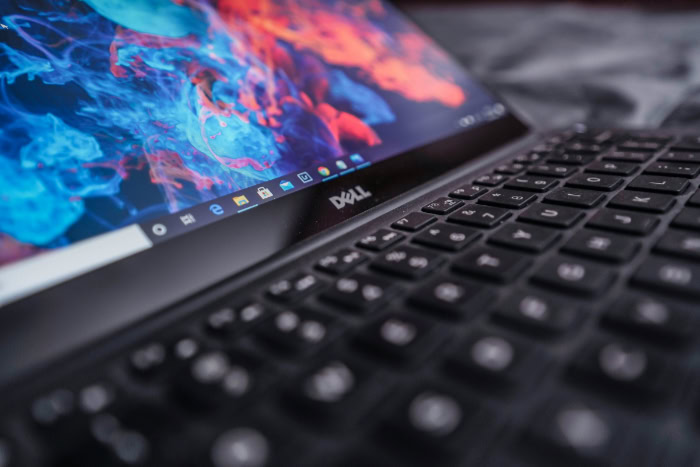
Staring at a laptop spec sheet often leads to a hesitation on the RAM line. The old 4GB baseline has vanished.
It has been replaced by 8GB as the absolute minimum for modern computing. Upgrading to a 16GB model usually commands a steep price premium.
This leaves many buyers asking if they can save the cash without sacrificing necessary speed. The answer is rarely a simple yes or no.
For basic tasks like web browsing or streaming media, 8GB remains perfectly capable. However, its true viability depends on your operating system and specific workload.
We must also consider if the laptop allows for future upgrades or if you are permanently locked into that initial decision.
The 8GB Experience
Most modern laptops handle single tasks with ease. A machine with 8GB of RAM usually feels snappy right out of the box.
You will likely not notice any stutter or lag during the first few weeks of ownership. The system manages resources efficiently enough that general computing feels smooth.
However, this performance baseline begins to shift once you move past simple activities and start demanding more from the hardware at once.
The Everyday Workflow
For the average user, 8GB provides a perfectly adequate experience. If your daily routine consists of opening a web browser to read the news, streaming music on Spotify, or watching high-definition content on Netflix, you will rarely encounter issues.
Word processing and spreadsheet management also fall well within this capacity. Microsoft Word and Excel are optimized to run on modest specifications.
You can type documents or organize finances without the system hanging or freezing. The laptop operates exactly as intended for these standard productivity tasks.
Multitasking Limits
The limitations of 8GB become apparent when you pile on multiple tasks. You have a “ceiling” that is easy to hit if you are not careful.
A browser with five to ten active tabs runs fine. Once you push past fifteen tabs while simultaneously running a communication app like Discord and a music player, the system starts to struggle.
You might notice a slight delay when switching between windows or a momentary freeze when opening a new application. Background processes compete for the limited memory space.
This forces the computer to prioritize the active window while slowing down everything else.
Responsiveness and Boot Times
Modern storage technology masks many of the shortcomings of lower RAM. Almost all current laptops use Solid State Drives (SSDs).
These drives are incredibly fast. They allow the computer to boot up in seconds and launch applications near instantly.
This creates a perception of speed even if the RAM is near full capacity. The system remains responsive for file navigation and basic searching because the SSD handles data retrieval quickly.
While an SSD cannot replace the function of system memory, it ensures the laptop does not feel sluggish during basic interaction.
Use-Case Scenarios

Determining if this amount of memory works for you comes down to your specific profile. A college student has vastly different requirements than a freelance video editor.
What counts as a smooth experience for one person might be unusable for another.
Students and Office Workers
This demographic sits right in the “sweet spot” for 8GB laptops. Most academic work involves writing papers, creating slide presentations, and conducting research via web browsers.
Corporate office roles often mirror these demands with a focus on email, video calls, and light data entry. These applications are not resource-heavy.
A student can comfortably research an essay with several sources open while listening to music. An office worker can join a Zoom call while reviewing a PDF.
For these users, paying extra for more memory often yields diminishing returns.
Creatives: Photo and Video Editing
Content creation is where the cracks begin to show. Light photo editing in Adobe Photoshop or Lightroom is viable on 8GB if you stick to basic adjustments and smaller file sizes.
However, complex layering or high-resolution batch processing will slow the machine down significantly. Video editing presents a harder barrier.
You can likely cut together simple 1080p clips for social media. Attempting to render 4K video or work with complex 3D modeling software like Blender will result in frustration.
The system simply lacks the headroom to process that much graphical data smoothly.
Gamers
Gaming on 8GB requires managing expectations. Casual titles, indie games, and older classics will run without major issues.
Popular e-sports titles like League of Legends or Counter-Strike are also playable if you keep the graphical settings on low to medium. The situation changes with modern “AAA” titles.
Games like Cyberpunk 2077 or the latest Call of Duty releases often list 8GB as a bare minimum or insufficient requirement. Attempting to play these graphics-heavy games often results in low frame rates, stuttering visuals, and crashes.
Programmers and Developers
The feasibility for coding depends entirely on the type of development. Web developers working with HTML, CSS, and JavaScript generally find 8GB sufficient for their needs.
Text editors like VS Code are lightweight. The problem arises when the workflow involves virtualization.
Running virtual machines, Docker containers, or mobile emulators for Android and iOS development demands massive amounts of memory. These tools simulate entire operating systems within your main system.
Doing this on an 8GB machine will likely bring your workflow to a grinding halt.
The Operating System Context

The hardware specification on the box is only half the equation. The operating system controls how that memory gets used.
Some systems are lean and efficient while others are resource-hungry. An 8GB laptop running one OS might feel sluggish while the exact same amount of RAM on a different platform feels lightning fast.
Windows 11 Memory Usage
Windows 11 is a feature-rich operating system, but that functionality comes at a cost. The OS itself consumes a significant portion of your available RAM just to stay on.
After boot, it is common to see Windows utilizing 3GB to 4GB of memory for background processes, telemetry, and system services. This leaves only about half of your total RAM available for your actual applications.
If you plan to stick with the Windows ecosystem, 8GB is the functional floor. It leaves very little room for error or future software bloat.
macOS and Unified Memory
Apple handles memory differently than Windows manufacturers. Their current laptops use “Unified Memory” architecture built directly into the M1, M2, and M3 chips.
This design allows the processor and graphics components to access data instantly without copying it back and forth. Because of this high efficiency and the optimization of macOS, 8GB on a MacBook often goes much further than 8GB on a PC.
It handles heavier multitasking loads with less strain. While it is still not limitless, the experience is generally smoother and more responsive for longer periods.
Chrome OS and Linux
If you step away from the two main giants, the value of 8GB skyrockets. Chrome OS is designed to be incredibly lightweight because it is essentially a web browser acting as an operating system.
On a Chromebook, 8GB is considered a high-end luxury specification. It allows for dozens of tabs and seamless Android app integration.
Similarly, many Linux distributions are built for efficiency. A Linux laptop with 8GB performs exceptionally well for development and general use because the operating system does not hog resources in the background.
Hidden Performance Factors

The number printed on the box does not always tell the whole story. While a laptop might ostensibly have 8GB of RAM installed, the amount available for your applications is often lower.
The operating system and other hardware components claim their share before you even open a web browser. It is essential to realize that memory acts as a shared pool for various system functions rather than a dedicated resource for your software alone.
The “Shared Memory” Tax
Most entry-level and mid-range laptops rely on integrated graphics processors (iGPUs) rather than dedicated video cards. Dedicated cards have their own video memory (VRAM) to handle graphics, but integrated chips do not.
Instead, they borrow directly from the system's main RAM. The system reserves a portion of your memory specifically for powering the display and rendering images.
This reservation can range from 512MB up to 2GB. Consequently, an “8GB” laptop effectively becomes a 6GB or 7GB machine the moment you turn it on. This creates a tighter bottleneck than many buyers anticipate.
The Role of Virtual Memory (Swap)
When you exceed your available physical RAM, the computer does not simply stop working. It utilizes a feature called virtual memory or “swap.”
The operating system takes data that is not currently active and moves it from the fast RAM to the slower Solid State Drive (SSD). This frees up space for the immediate task at hand.
While this prevents the system from crashing, it introduces a performance penalty. Even the fastest SSD is significantly slower than RAM.
If you rely heavily on swap files, you will notice the computer slowing down as it constantly shuffles data back and forth between the drive and the memory.
Impact on SSD Health
Relying on the SSD to act as overflow memory has long-term physical consequences. Solid State Drives have a finite lifespan measured in write cycles.
Every time the system writes a swap file to the drive, it uses up a tiny fraction of that lifespan. Occasional swapping is normal and harmless.
However, if an 8GB laptop is constantly maxed out, it will write gigabytes of data to the drive every day. Over several years, this excessive wear can degrade the health of the drive.
This might lead to potential data errors or drive failure sooner than expected.
The “Soldered RAM” Trap

The physical construction of modern laptops has shifted toward thin and light designs. This trend has fundamentally changed how memory is installed.
In the past, upgrading a slow computer was as simple as buying a new memory stick and plugging it in. Today, manufacturers often prioritize form factor over flexibility.
Permanent vs. Upgradable
Laptops generally fall into two categories regarding memory. The first type uses SODIMM slots, which are accessible sockets that allow a user to remove old RAM and insert new sticks.
This design is common in gaming laptops and business workstations. The second type uses soldered RAM.
In this configuration, the memory chips are fused directly onto the motherboard. There are no slots and no way to add more capacity.
Most ultrabooks and thin consumer laptops now use the soldered approach to save space. If you buy a soldered 8GB model, that is all the memory that machine will ever have.
The Risk of Buying for Today
Purchasing a soldered 8GB laptop carries a specific risk. You are betting that your needs will not change for the life of the machine.
A workflow that fits comfortably within 8GB today might feel cramped in two or three years as software updates demand more resources. Operating systems and web browsers tend to become heavier over time.
If you hit a performance wall in the future with a soldered laptop, you cannot fix it with a fifty-dollar upgrade part. You are forced to replace the entire computer.
This makes the initial savings of the 8GB model less appealing when viewed as a long-term investment.
Resale Value
The broader market is slowly shifting toward 16GB as the standard baseline. As this transition continues, the resale value of 8GB laptops will likely decline sharply.
When you decide to sell your machine a few years down the line, savvy buyers will be looking for models that can handle future applications. An 8GB laptop with non-upgradable memory will be a harder sell and will command a lower price.
Choosing the lower specification now essentially borrows money from the future value of the device.
Conclusion
8GB of RAM now represents the functional baseline for modern computing. It is capable of handling daily tasks like web browsing and streaming without major issues.
However, it offers very little headroom for multitasking or heavy software loads. As applications become more demanding, what feels adequate today may feel restrictive in the near future.
The era where 8GB was considered ample memory is effectively over for power users and is quickly closing for everyone else.
If your budget allows for the upgrade, 16GB is the safer recommendation. This amount of memory ensures the system remains snappy as operating systems update and software requirements grow.
It provides peace of mind that your device will not struggle with a few extra browser tabs or a background update. Paying the premium now often extends the usable life of the laptop by a significant margin.
Your final decision should depend on your specific constraints. Stick with an 8GB model if funds are strictly limited, your workload is light, or the laptop features accessible slots for future upgrades.
However, you should avoid 8GB if the memory is soldered to the motherboard and you intend to keep the machine for more than three or four years. In that specific case, the initial savings are rarely worth the risk of premature obsolescence.
Frequently Asked Questions
Is 8GB of RAM enough for gaming?
8GB is sufficient for casual gaming. You can comfortably play indie titles, older classics, and popular e-sports games like League of Legends or Minecraft. However, most modern AAA titles now require 16GB as a minimum for smooth performance. You will likely experience stuttering or low frame rates if you try to run graphically intensive games.
Can I upgrade my laptop RAM from 8GB to 16GB later?
This depends entirely on the specific model you purchase. Many gaming and business laptops feature accessible slots that allow you to swap in new memory sticks. In contrast, most thin ultrabooks and MacBooks use soldered RAM that is permanently fused to the motherboard. You must check the manufacturer specifications before buying to confirm if upgrades are possible.
Does Windows 11 run well on 8GB RAM?
Windows 11 runs on 8GB, but the experience is often limited. The operating system itself consumes a large portion of that memory for background processes and security features. This leaves less room for your active applications. While it is functional for basic tasks, 16GB provides a much smoother experience with fewer slowdowns during multitasking.
Is 8GB of RAM enough for college students?
For most students, 8GB is the ideal balance of price and performance. It handles essay writing, web research, and streaming lectures without any issues. Unless your major involves heavy video editing, 3D modeling, or engineering software, 8GB will meet your academic needs perfectly. It is a cost-effective choice for general productivity.
Is 8GB RAM sufficient for video editing?
You can perform simple cuts and edits on 1080p video with 8GB of RAM. However, the system will struggle significantly with 4K footage or complex effects. Rendering times will be slow, and the software may crash if the memory fills up. Content creators looking for a professional workflow should strongly consider starting with 16GB or 32GB.
About the Author: Julio Caesar


