
Is a Refurbished Laptop Worth It? Pros and Cons

Buying a brand new laptop often means draining your savings to secure reliable performance. On the flip side, purchasing a cheap used device from a stranger feels like a massive gamble with your hard-earned money.
Refurbished tech steps in as a highly appealing middle ground for cost-conscious buyers. Unlike a standard used computer sold as-is, a refurbished laptop has been professionally tested, repaired, thoroughly cleaned, and repackaged to guarantee functionality.
Still, stepping into the pre-owned market requires a careful evaluation of the upfront financial benefits against potential hardware compromises.
Key Takeaways
- Refurbished laptops are rigorously tested, repaired, and restored by professionals, making them far safer and more reliable than standard used electronics sold directly by previous owners.
- Purchasing a pre-owned machine typically yields a 15 to 50 percent discount off retail prices, allowing buyers to afford high-tier processors and larger storage drives on a strict budget.
- Corporate-grade business laptops flood the refurbished market, giving average consumers access to durable materials like magnesium alloy frames and spill-resistant keyboards that outlast cheap plastic consumer models.
- Buyers should always secure a minimum 30-day return policy without restocking fees, providing enough time to test all hardware ports, inspect for dead screen pixels, and evaluate battery health.
- Anticipate degraded battery capacity on any pre-owned device, as most vendors only guarantee an 80 percent original charge threshold unless the battery completely fails during their initial diagnostics.
What “Refurbished” Actually Means
People often use various terms interchangeably when shopping for pre-owned electronics. Learning the specific differences between these labels helps buyers set realistic expectations for condition and functionality.
Refurbished vs. Used vs. Open-Box
A “used” laptop is typically sold as-is by a previous owner. It receives no testing or repairs, making it a high-risk purchase. “Open-box” items are usually customer returns.
These laptops have opened packaging but are generally unused and fully functional. “Refurbished” devices sit in a different category entirely. These computers undergo professional diagnostic testing, hardware repairs if necessary, thorough cleaning, and a complete software wipe and restoration before being sold again.
Manufacturer Certified vs. Third-Party Refurbished
Not all refurbished laptops come from the same source. “Manufacturer certified” means the original brand, like Apple or Dell, handled the restoration. They use original equipment manufacturer parts and often attach warranties identical to those on new products. “Third-party refurbished” devices are processed by authorized retailers or independent repair shops.
These sellers might use compatible third-party parts instead of original ones, and their warranty terms vary wildly depending on the vendor.
Understanding Refurbished Grading Systems
To communicate a laptop’s physical condition, sellers use cosmetic grading systems. A Grade A laptop looks nearly flawless, showing minimal to no signs of wear.
Grade B devices have noticeable but minor cosmetic blemishes like light scratches on the casing. Grade C units display significant wear, including heavy scuffs, dents, or shiny keyboards.
Buyers willing to accept a Grade C laptop can often secure much steeper discounts, trading physical appearance for lower prices.
The Primary Benefits of Buying Refurbished

Opting for a refurbished computer offers compelling advantages that go beyond merely getting a cheap device. The pre-owned market opens doors to better technology and more sustainable purchasing habits.
Significant Cost Savings and Better Specifications
The most obvious appeal of buying refurbished is the price tag. Buyers usually see discounts ranging from 15 to 50 percent off the original retail cost.
These savings allow shoppers to stretch a limited budget significantly further. Instead of settling for an entry-level new laptop with basic specs, you can buy a refurbished model with a faster processor, more RAM, and a larger solid-state drive for the exact same amount of money.
Access to Enterprise-Grade Durability
The secondary market is flooded with business-class laptops, such as Lenovo ThinkPads or Dell Latitudes. Corporations lease these machines in bulk and cycle them out every few years.
Business laptops feature magnesium alloy frames, spill-resistant keyboards, and easily upgradeable components. By buying a refurbished enterprise laptop, everyday consumers gain access to high-end build quality that far outlasts cheap plastic laptops found in big-box retail stores.
Environmental Benefits
Buying a refurbished laptop directly reduces electronic waste. Extending the life of an existing computer keeps toxic materials like lead and cadmium out of landfills for a few more years.
Furthermore, manufacturing a brand new laptop requires vast amounts of water, raw minerals, and energy. Choosing a refurbished unit lowers the overall carbon footprint associated with your technology consumption.
Potential Risks and Challenges to Consider
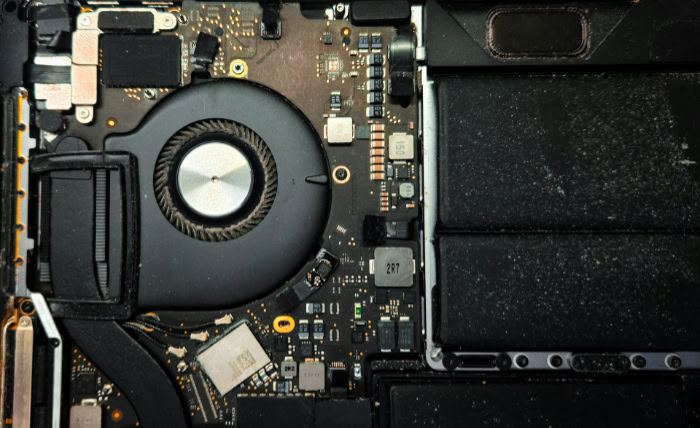
While the discounts are attractive, buying pre-owned electronics introduces specific uncertainties. Shoppers need to anticipate potential hardware wear and prepare for differing levels of seller support.
Battery Lifespan and Degradation
Lithium-ion batteries naturally lose their capacity to hold a charge over time. A pre-owned laptop will rarely offer the same battery life it had on day one.
Refurbishers handle this reality differently. Some sellers guarantee the battery will hold at least 80 percent of its original capacity.
Others perform minimal testing and only replace the battery if it fails to hold a charge completely. Buyers should expect shorter battery life and factor a future battery replacement into their budget.
Shorter and Varying Warranty Terms
A brand new laptop almost always includes a standard one-year warranty backed directly by the manufacturer. Refurbished warranties are much less predictable.
Some third-party sellers offer a generous one-year guarantee, while others limit protection to a mere 30 days. Filing a claim through an independent shop can also be frustrating compared to utilizing a streamlined corporate support system.
Inconsistent Quality Control and Cosmetic Wear
The restoration process is performed by humans, meaning human error occasionally slips through. You might receive a laptop with cosmetic imperfections that were not clearly detailed in the listing.
There is also a risk of secondary component issues going unnoticed during testing. Small defects like a loose USB port, a faulty webcam, or uneven keyboard backlighting might require you to initiate a return or exchange shortly after receiving the computer.
Is It Worth It for You?

Figuring out if a refurbished laptop matches your lifestyle requires an honest look at how you plan to use the device. The right choice depends heavily on individual computing requirements and personal comfort with minor troubleshooting.
Analyzing Your Use Case and Performance Needs
Refurbished computers are highly recommended for casual browsing, standard office tasks, student coursework, and budget-restricted professional environments. Modern processors from the past few years handle these workloads effortlessly.
However, buying new is a much safer bet for cutting-edge gaming or specialized tasks like heavy 3D rendering. Professionals who require absolute hardware reliability with zero downtime might also prefer a brand-new device to avoid any unforeseen disruptions.
Calculating the Price-to-Age Ratio
Not all older laptops represent a good deal. It is important to evaluate the exact generation of the processor inside the machine.
If a refurbished laptop is more than three or four years old, it might soon lose support for the latest operating system updates. Once a computer stops receiving security patches, it becomes vulnerable and quickly loses its usefulness.
A massive discount on an outdated machine often results in negligible savings over time.
Assessing Personal Risk Tolerance
Buyers must gauge their own comfort level with potential technical hiccups. A refurbished purchase might require updating drivers, returning a defective unit, or dealing with a third-party support team.
If you are comfortable troubleshooting minor setup issues, the savings are usually worth the effort. Conversely, if you strongly prefer a seamless plug-and-play experience and absolute peace of mind, a brand new laptop is likely the better choice.
Purchasing Safeguards and Post-Purchase Best Practices

Taking proactive steps before and immediately after your purchase minimizes the risks of the secondary market. Smart shopping habits protect your wallet and ensure you receive exactly what you paid for.
Vetting the Seller
Finding a trustworthy refurbisher is the most critical step in the buying process. Look for sellers with transparent return policies, readily visible customer feedback, and responsive support channels.
If purchasing from a third party, check if they hold official authorization status from major manufacturers, as this indicates a higher standard of diagnostic testing and repair.
Crucial Return and Warranty Policies to Verify Before Buying
Never purchase a pre-owned computer without a minimum 30-day “no-questions-asked” return window. You need this time to test the hardware thoroughly in your own environment.
Scrutinize the fine print for hidden restocking fees. You should also explicitly confirm if the buyer or the seller pays for return shipping if the device arrives with a defect.
The First-Day Inspection Checklist
Once the laptop arrives, perform a comprehensive diagnostic check immediately. Test every single USB and display port.
Open a pure white image on the screen to look for dead or stuck pixels. Check the battery health percentage using built-in system reports.
Finally, run a free hardware diagnostic tool and physically press every button on the keyboard to ensure proper registration. Identifying problems on day one makes the return process significantly smoother.
Conclusion
Deciding to purchase a refurbished laptop ultimately requires balancing substantial financial savings against minor compromises in physical appearance and warranty length. The upfront discount allows you to secure superior hardware specifications and durable business-class frames that would normally cost a premium.
A pre-owned computer is absolutely a worthwhile investment when purchased from a highly rated seller offering a comprehensive return policy and a solid warranty. As long as you inspect the hardware immediately upon arrival and test the battery health, the financial benefits far outweigh the minor inconveniences of buying pre-owned.
Frequently Asked Questions
Do refurbished laptops come with a warranty?
Yes, refurbished laptops generally include some form of warranty coverage from the seller. Manufacturer certified devices often carry a full one-year warranty, while independent shops might only offer coverage for thirty to ninety days. Always check the exact terms before paying.
How long does a refurbished laptop battery usually last?
A refurbished laptop battery typically holds less charge than a brand-new unit due to normal wear. Reputable sellers guarantee the battery will maintain at least eighty percent of its original capacity. Buyers should anticipate needing a battery replacement sooner rather than later.
Is it safe to buy a used computer online?
Purchasing a pre-owned computer online is safe if you strictly buy from reputable platforms with clear buyer protection policies. You must verify that the seller offers a minimum thirty-day return window with no restocking fees. This allows you to test everything safely at home.
What does grade B refurbished actually mean?
Grade B signifies that the laptop is fully functional but shows minor cosmetic wear on the chassis. You can expect to see light scratches, small scuffs, or slight shine on the keyboard keys. Choosing this grade usually provides a deeper discount than pristine models.
Can I use a refurbished laptop for gaming?
You can definitely use a refurbished laptop for gaming if you select a model specifically built with a dedicated graphics card. Older business or budget laptops will struggle with modern games. Always review the exact processor and graphics specifications to match your gaming requirements.
About the Author: Julio Caesar


