
Is AppleCare+ Worth It? Calculate Your Risk

Unboxing a pristine, thousand-dollar Apple device triggers a distinct psychological conflict: the thrill of new technology instantly colliding with the terror of shattering it on the pavement. Apple happily offers a safety net in the form of AppleCare+, but peace of mind comes with a steep price tag.
The primary dilemma is simple. Does the statistical risk of breaking your device actually justify the high cost of an extended warranty? Many buyers simply add the coverage to their cart out of panic.
Before making that expensive choice, you need hard facts.
Key Takeaways
- The standard one-year warranty only covers manufacturing defects, meaning accidental drops and liquid spills require an out-of-pocket fix.
- Upgrading to AppleCare+ drastically reduces repair costs for unlimited incidents of accidental damage, though specific deductibles still apply to each claim.
- High-risk portable electronics like iPhones and Apple Watches benefit most from extended warranties, while stationary desktop setups rarely need extra protection.
- Coverage extends beyond screen repairs to include free battery replacements if capacity degrades below 80 percent, along with express replacement services to minimize downtime.
- Consumers can often find comparable or cheaper protection through premium credit card benefits, robust phone cases, or personal self-insurance savings strategies.
Unpacking the Coverage: What Are You Actually Buying?
Before handing over extra money at checkout, you need to know exactly what kind of protection you are buying. Apple offers different tiers of security, starting with the default guarantee included with every new product and scaling up to comprehensive premium plans.
The Free Baseline (1-Year Limited Warranty)
Every new Apple device includes a one-year limited warranty and 90 days of technical support. This baseline protection guarantees that the hardware will function as intended straight out of the box.
If the logic board fails after three months or the camera module simply stops working due to a manufacturing defect, Apple will fix or replace it for free. However, this coverage strictly applies to internal hardware failures and manufacturing flaws.
It offers absolutely zero protection against accidental damage. If you drop your new phone on the sidewalk or spill coffee on your laptop keyboard, the standard warranty is completely useless.
The AppleCare+ Upgrade
Stepping up to AppleCare+ changes the equation by introducing accidental damage coverage. This is the primary reason most people consider the upgrade.
If your screen shatters, the back glass cracks, or your device takes an unexpected swim, AppleCare+ allows you to get it repaired for a fraction of the standard retail price. A major update to this plan means Apple now covers unlimited incidents of accidental damage, rather than capping it at two incidents per year as they did previously.
While this is a massive benefit for accident-prone users, it only covers the device as long as you still physically possess it.
The “Theft and Loss” Tier
A frequent point of confusion for consumers is assuming that standard AppleCare+ covers a stolen or misplaced device. It does not.
If your hardware goes missing, standard AppleCare+ provides no relief. To protect against these scenarios, you must purchase the specific “AppleCare+ with Theft and Loss” tier, which is now available for iPhones, iPads, and Apple Watches.
This upgraded plan costs more upfront and carries a specific deductible for a replacement. However, it ensures that you can get a brand-new device if yours is left in a taxi or stolen from your bag, provided the Find My feature was enabled at the exact time of the loss.
The Financial Breakdown: Premiums, Deductibles, and Out-of-Pocket Realities

The price tag of AppleCare+ is not a single, flat rate. The total cost of protecting your device depends heavily on how you choose to pay for the plan and the severity of the damage you inflict on the hardware.
Upfront Pricing vs. Monthly Subscriptions
Apple allows customers to pay for AppleCare+ in full at the time of purchase or through a rolling monthly subscription. Paying upfront typically secures two years of coverage for iPhones and iPads, or three years for MacBooks, locking in the price and ensuring uninterrupted protection.
The monthly subscription option softens the immediate blow to your bank account, making the plan feel more affordable on a given day. However, rolling month-to-month subscriptions often result in paying significantly more over the lifetime of the device.
The subscription does offer the flexibility to cancel at any time, but keeping it active for three or four years adds up to a surprisingly high premium.
The Deductible Factor (The “Hidden” Cost)
A crucial detail often overlooked during checkout is that AppleCare+ repairs are not entirely free. You are buying the right to access cheaper repairs, but deductibles still apply.
For example, fixing an iPhone screen or back glass under AppleCare+ incurs a relatively low flat fee. However, if the device suffers catastrophic damage, such as getting run over by a car or completely submerged beyond repair, the deductible jumps higher.
You have already paid for the coverage plan, and now you must pay an additional fee to actually use it, turning a seemingly straightforward purchase into a calculated expense.
The “Naked Phone” Cost Comparison
To evaluate the true value of the plan, you have to run the math against a completely uninsured device. If you drop a brand-new iPhone without a case or screen protector and shatter the display, an out-of-pocket repair at the Apple Store can easily exceed several hundred dollars.
If the damage extends to the internal components, the out-of-pocket cost can rival the price of a refurbished phone. By comparison, adding the upfront cost of AppleCare+ to the low deductible for a screen repair usually totals less than a single uninsured repair.
If you break your device even once during the coverage window, the math generally works in your favor. If you never break it, you simply paid for peace of mind.
Assessing the Risk: Does the Device Type Matter?
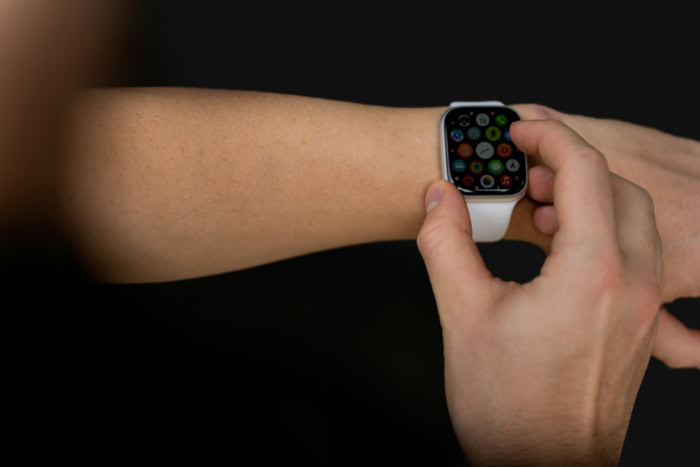
Not all hardware faces the same level of danger. The decision to buy an extended warranty should be heavily influenced by how, where, and how often a specific device is used in your daily routine.
High-Risk Devices (The Daily Carriers)
iPhones and Apple Watches exist in a constant state of vulnerability. These devices go everywhere you go, meaning they are repeatedly pulled in and out of pockets, balanced on tables, and exposed to unpredictable environments.
An Apple Watch sits exposed on your wrist, ready to scrape against doorframes or brick walls. A phone is one bumped elbow away from tumbling onto concrete.
Because they endure continuous movement and high exposure to the elements, these daily carriers have the highest statistical probability of suffering physical damage, making them the strongest candidates for an extended warranty.
Moderate-Risk Devices (The Portable Workstations)
iPads and MacBooks fall into a middle ground of risk. They are portable and frequently travel in backpacks, briefcases, or carry-on luggage, which exposes them to crushing forces or accidental drops during transit.
However, unlike a phone, a laptop or tablet is typically used while seated and securely placed on a desk or table. They are rarely handled with one hand while walking down a busy street.
The primary threats to these portable workstations are usually spilled liquids over a keyboard or a sudden drop off a coffee table. The risk is real, but it is considerably lower than the constant danger facing a smartphone.
Low-Risk Devices (The Stationary Tech)
For hardware that never moves, paying for accidental damage coverage is rarely a logical financial move. Devices like Mac Minis, iMacs, Apple TVs, and HomePods are set up once and generally stay completely stationary.
They sit safely on an entertainment center or desk, far removed from the perils of concrete sidewalks and accidental drops. The chances of smashing an iMac screen or drowning an Apple TV in liquid are exceptionally low.
Since the standard one-year warranty already covers manufacturing defects, buying AppleCare+ for these stationary machines provides very little practical utility.
Beyond Broken Screens: The Hidden Value Additions

While AppleCare+ is famous for rescuing shattered displays, the extended warranty offers more than just damage control for clumsy drops. The program includes several lesser-known benefits designed to streamline the ownership experience and maintain the daily performance of the hardware over the long term.
The Battery Health Guarantee
Lithium-ion batteries naturally degrade, holding less charge after hundreds of depletion cycles. Once a device’s battery capacity drops significantly, performance throttling and random shutdowns often follow.
AppleCare+ includes a specific provision that entitles users to a completely free battery replacement if their device’s maximum capacity degrades below 80 percent during the active coverage period. Since an out-of-pocket battery replacement can easily cost around one hundred dollars, this guarantee provides a massive, tangible financial return for heavy users who drain their phones or laptops multiple times a day.
Express Replacement Service
Mailing a broken phone to a repair center usually means days or even weeks completely disconnected from work, family, and digital life. Apple attempts to eliminate this downtime through its Express Replacement Service.
If a hardware failure or accident occurs, Apple will ship a certified replacement device directly to your door before you even have to pack up your broken unit. You simply restore your data from an iCloud backup onto the new device, put the damaged hardware into the same box, and send it back.
While this requires a temporary authorization hold on a credit card to ensure the broken device is actually returned, the sheer convenience of uninterrupted device access is immense.
Priority Technical Support
Troubleshooting software bugs, resolving complex iCloud syncing errors, or managing cross-device ecosystem problems can frustrate even experienced users. An active protection plan grants 24/7 priority access to Apple support experts via phone or chat.
Instead of waiting in standard customer service queues or relying on internet forums for technical solutions, users can immediately connect with specialists trained to solve deep-level software conflicts. This immediate access provides significant relief for professionals who rely on their devices for income and cannot afford software-related downtime.
Exploring the Alternatives: Are There Better Ways to Protect Your Tech?

Handing extra money directly to Apple is not the only method for safeguarding an expensive piece of electronics. Consumers have access to multiple alternative strategies, ranging from utilizing existing financial tools to investing in physical defenses, that offer comparable peace of mind without the high premium.
Credit Card Perks
Many premium credit cards offer built-in cellular telephone protection as a standard benefit. By simply paying your monthly phone bill with an eligible credit card, the financial institution provides accidental damage and theft coverage at absolutely no additional monthly cost.
These benefits typically cover hundreds of dollars per claim with deductibles that are often cheaper than Apple’s own repair fees. Furthermore, purchasing a MacBook or iPad outright with a major credit card will frequently extend the original manufacturer’s warranty by an entire year, effectively mimicking the baseline hardware protection of AppleCare+ for free.
Carrier and Third-Party Insurance
Mobile carriers push their own device protection plans, which are often managed by external companies like Asurion. Independent providers like SquareTrade also fiercely compete in this space.
These third-party options sometimes offer lower monthly rates or bundle entire families of devices under a single plan. However, third-party claims often require mailing the device to an off-site facility or relying on non-Apple repair technicians who might use aftermarket parts.
AppleCare+ generally wins on convenience, as users can simply walk into any Apple Store globally for guaranteed authentic repairs, but the external competition remains a financially viable alternative for strict budgeters.
The “Self-Insurance” Strategy
A strictly mathematical approach to device protection is the self-insurance method. Instead of paying a monthly subscription fee or a high upfront premium to Apple, users place that exact amount of cash into a dedicated personal savings account.
If a phone shatters or a laptop keyboard fails, the cash is already waiting there to pay for the out-of-pocket repair. If the device survives its entire lifespan without a scratch, the user keeps their money instead of forfeiting unused premiums to an insurance provider.
This strategy shifts the financial risk back to the owner but guarantees zero wasted dollars.
Preventative Hardware
The most direct way to bypass insurance costs entirely is to physically stop the damage before it occurs. Heavy-duty, military-grade cases and premium tempered glass screen protectors cost a fraction of an extended warranty.
While a thick, shock-absorbing case admittedly hides the sleek industrial design of a new device, it provides a formidable first line of defense. A quality case with raised bezels and reinforced corners will absorb the kinetic energy of a concrete drop, preventing screen cracks and chassis dents before an insurance claim is ever needed.
Conclusion
Deciding to purchase an extended warranty ultimately comes down to an honest assessment of your personal habits and financial situation. The mathematical cost-to-benefit ratio heavily favors the protection plan if you are buying a high-value, highly portable item.
For the accident-prone user, someone who prefers the sleek feel of an uncased phone, or a student who simply cannot afford a sudden structural repair bill, the upfront premium is a sound, practical investment. On the other end of the spectrum, careful owners who meticulously protect their gear have far less to gain.
If you upgrade your hardware annually, rely on sturdy military-grade cases, or already possess excellent cellular coverage through a premium credit card, you can safely skip the purchase and keep that extra money in your own wallet.
Frequently Asked Questions
Can you buy AppleCare+ after purchasing your device?
You generally have up to 60 days from the original purchase date to add the protection plan to your new device. Apple requires a remote diagnostic test or an in-person inspection at an Apple Store to verify the hardware is not already damaged before approving the coverage.
Does AppleCare+ cover loss or theft?
The standard protection plan strictly covers hardware failures and accidental damage. If you want protection against losing your device or having it stolen, you must purchase the specific theft and loss tier. This upgraded option is now available for iPhones, iPads, and Apple Watches.
Can you cancel an AppleCare+ subscription?
Yes, you can cancel your monthly or annual subscription at any time through your device settings or by contacting customer support. If you paid upfront for a fixed term, Apple will usually issue a prorated refund based on the remaining unexpired coverage months.
Is a cracked screen covered for free under the warranty?
The standard one-year warranty does not cover accidental damage like shattered displays. With AppleCare+, screen repairs are significantly discounted but still require a small out-of-pocket deductible. You will pay a flat fee rather than the full retail cost of a brand new display assembly.
Does the plan transfer if you sell your device?
If you paid for the coverage completely upfront, you can transfer the remaining plan to the new owner. Monthly subscription plans are tied to your personal Apple ID and billing account, meaning they cannot be transferred to a buyer if you sell the electronics.
About the Author: Elizabeth Baker


