
Is DDR5 Worth It? The Real Cost of Speed

Building a new PC today forces a frustrating choice right at the checkout screen. You must decide between affordable DDR4 memory or paying a significant premium for the latest DDR5 kits, a decision that dictates your entire hardware budget.
This single component locks you into specific motherboards and processors, meaning a wrong move could cost you hundreds of dollars. DDR5 promises massive leaps in bandwidth and raw speed, but high technical specifications do not automatically guarantee higher gaming frame rates or smoother video editing.
The true benefit of upgrading heavily depends on exactly how you use your computer.
Key Takeaways
- DDR5 provides significant frame rate improvements for 1080p gaming, but the performance gap virtually disappears at 4K resolution where the graphics card acts as the primary bottleneck.
- Motherboards are physically engineered for only one memory generation, meaning you cannot mix RAM types or use physical adapters to fit new sticks into older motherboard slots.
- The new standard moves voltage regulation directly onto the memory module itself, which improves overall power efficiency and maintains stability at incredibly high data transfer speeds.
- Upgrading to the modern memory format requires purchasing a compatible modern processor, locking builders into the AM5 platform for AMD or recent Intel Core generations.
- Budget builders are better off spending their money on a cheaper DDR4 platform and putting the motherboard and RAM savings toward a more powerful graphics card for maximum value.
Performance Analysis
Upgrading to a new memory standard guarantees higher raw numbers on a spec sheet. However, theoretical maximums do not always translate to a noticeably faster computer.
Reviewing actual applications and daily usage reveals exactly how the extra speed impacts your workflow and playtime.
Gaming Benchmarks
DDR5 brings higher transfer rates, but the impact on gaming depends heavily on your display resolution. At 1080p, where the CPU works hardest to feed frames to the graphics card, fast memory helps push much higher frame rates.
You will notice better 1% lows, which translates to fewer stutters and smoother gameplay. As you scale up to 1440p and 4K, the graphics card takes over as the primary bottleneck.
At these higher resolutions, the performance gap between DDR4 and DDR5 shrinks significantly, making the memory speed less critical to the overall visual experience.
Professional Productivity
Creative professionals see the most tangible benefits from the newer memory standard. Tasks that process massive amounts of data rely heavily on memory bandwidth.
Rendering 4K video timelines, exporting complex 3D models, and compressing heavy project files all finish faster. The massive data throughput speeds up these heavy workloads and saves valuable time over a typical workday.
If your computer pays your bills through content creation, the upgrade yields an immediate return on investment.
System Responsiveness
Beyond games and heavy rendering applications, increased bandwidth affects how the operating system handles daily operations. Having dozens of browser tabs open while running background applications feels incredibly fluid.
The system moves data between the RAM and the fast NVMe storage drives with remarkable speed. Multitasking remains snappy even under heavy loads, ensuring the desktop environment never feels sluggish or unresponsive.
The Total Cost of Ownership

Building a modern PC involves balancing hardware performance against a strict budget. Moving to the latest memory standard requires looking past the price tag of the RAM sticks themselves.
The upgrade triggers a chain reaction of required hardware changes that completely reshape the financial math of your build.
Memory Kit Pricing
Comparing retail prices reveals a noticeable gap between the two generations. A standard 32GB kit of DDR4 remains highly affordable and offers excellent value for standard builds.
An equivalent capacity of DDR5 still carries a premium. While prices have dropped significantly since the initial launch window, early adopters and new builders still pay a noticeable tax for access to the newer technology.
The Motherboard Premium
The choice of memory directly dictates the exact motherboard you must buy. Manufacturers produce specific boards for each memory type, and motherboards equipped with DDR5 slots generally cost more than their older counterparts.
This added cost stems from the more complex circuitry required to handle extreme memory speeds and strict signal integrity requirements.
Platform Ecosystem Costs
Choosing newer memory hardware forces you into modern processor generations. AMD’s AM5 platform strictly requires DDR5, meaning builders must purchase the newest Ryzen chips and compatible boards.
Intel offers a choice between the two memory types on certain processor generations, but opting for the newer standard still locks you into a more expensive tier of components overall.
Platform Requirements and Hardware Compatibility
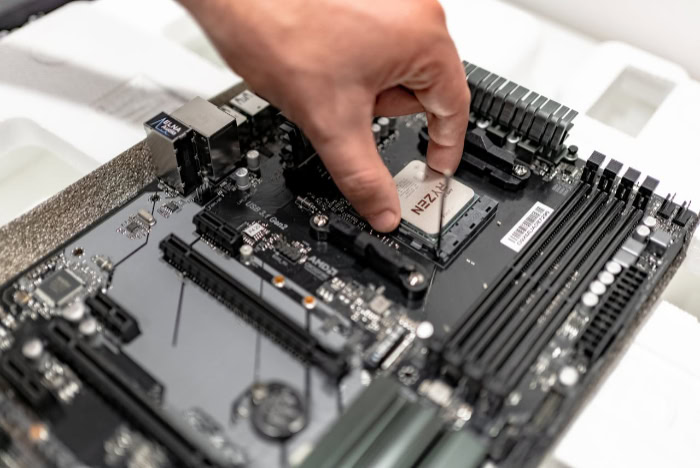
You cannot simply buy a new set of high-speed memory sticks and plug them into an older computer. The transition between generations involves strict physical boundaries and electronic limitations.
Knowing these hardware constraints prevents costly buying mistakes.
CPU Support
Modern processors handle system memory in very specific ways. AMD’s Ryzen 7000 and 9000 series processors drop older memory support entirely.
You must use the new standard if you buy these specific chips. Intel’s 12th, 13th, and 14th generation Core processors feature a dual memory controller.
They officially support both older and newer memory types, giving builders slightly more flexibility.
Physical Incompatibility
The memory modules themselves look similar at first glance, but they feature subtle design differences. The alignment notch cut into the bottom edge of the RAM stick sits in a slightly different position.
This physical barrier prevents you from inserting a newer stick into an older motherboard slot. It is a foolproof design that protects your components from receiving incorrect voltages and short-circuiting.
The “One or the Other” Choice
Even with Intel processors that support both formats, motherboards do not offer mixed memory slots. A motherboard is engineered with trace pathways designed specifically for one electrical standard.
You cannot install both types of RAM on the same board, nor can you buy adapters to make them fit. You must make a firm choice regarding your memory generation before purchasing the motherboard.
Technical Advancements Over DDR4
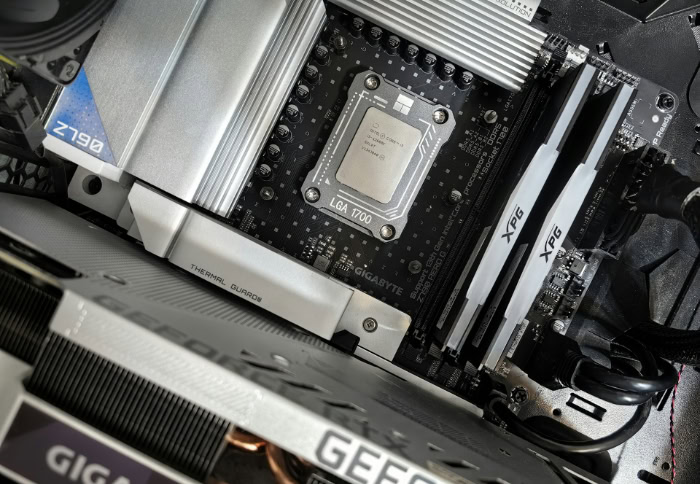
The generational leap introduces massive internal changes designed to push computing limits forward. Engineers completely reworked how the memory modules handle data, manage power, and ensure stability.
These advancements provide the required foundation for future computing demands.
Bandwidth and Data Rates
The defining feature of the new standard is raw speed. Megatransfers per second (MT/s) measure how fast the memory moves data.
The newer format easily doubles the starting speeds of the previous generation. This massive pipeline allows the processor to access information faster, feeding data-hungry applications without hesitation.
Integrated Power Management (PMIC)
Previous generations relied heavily on the motherboard to regulate voltage. The new standard moves the Power Management IC directly onto the memory module itself.
This localizes power delivery, improving electrical efficiency and ensuring a much cleaner power signal. It helps maintain perfect stability at incredibly high speeds.
On-Die Error Correction Code (ECC)
Pushing data at extreme speeds increases the risk of bit flips and data corruption. To combat this, the new modules feature internal On-Die Error Correction Code.
This internal system automatically detects and fixes memory errors before sending the data back to the processor. It dramatically improves system stability under heavy loads.
Module Density
High-end workstations require massive amounts of RAM. The internal architecture of the newer chips allows for much higher storage capacities on a single stick.
While mainstream users might stick to 16GB or 32GB sticks, the technology supports massive density, making it easier to build systems with 128GB or 192GB of memory without filling every slot on the board.
Value Breakdown by User Type

Evaluating the actual value of the latest hardware requires looking at who is using it. The performance gains hold different weight depending on your daily computing habits.
Matching the technology to your specific workload helps clarify the final buying decision.
The Enthusiast and Prosumer
Power users easily justify the extra expense. If you are building a top-tier gaming PC with a flagship graphics card, fast memory ensures your processor can keep up at high frame rates.
Professional video editors and 3D animators see a direct return on investment. The hours saved rendering large projects quickly make up for the initial hardware premium.
The Budget-Conscious Builder
Value-oriented buyers should pause before spending extra on the latest memory. A mid-range gaming PC using a highly capable processor and an older memory standard will easily max out modern games at 1080p and 1440p.
The money saved on the motherboard and RAM can be pushed toward upgrading the graphics card. That reallocation of funds provides a much larger boost to gaming performance.
The Upgrade Path Decision
Refreshing an existing desktop presents a different set of challenges. If you currently own a capable AM4 or older Intel motherboard, slotting in a newer processor and maxing out your DDR4 capacity offers undeniable value.
Building a brand-new system changes the math entirely. Investing in the modern memory standard gives you a foundation that will last for years, allowing for easy processor and graphics card upgrades down the line without needing a total system rebuild.
Conclusion
The current performance gains of DDR5 justify the financial premium primarily for professionals and high end enthusiasts. If you are building a massive workstation for heavy video rendering or pushing a flagship graphics card to its absolute limits at 1080p, the extreme bandwidth provides a tangible advantage.
However, budget builders can confidently stick with DDR4 to save money on the memory and the motherboard. Funneling those combined savings into a better graphics card will provide a much larger overall performance boost for gaming.
Your final decision should hinge on whether you are upgrading an older compatible platform or starting entirely fresh. Investing in a completely new DDR5 platform today secures an upgrade path for years to come.
This extended lifespan makes the initial cost easier to swallow for PC builders who want a reliable foundation.
Frequently Asked Questions
Can I put DDR5 memory into my current DDR4 motherboard?
No, you cannot physically install the new memory into an older motherboard. The modules feature a different pin layout and the alignment notch sits in a slightly altered position. This physical design prevents accidental insertion and protects your components from serious electrical damage.
Does faster memory actually increase my frame rates in games?
Faster memory primarily improves gaming performance at 1080p resolution by helping your processor feed data to the graphics card more efficiently. You will see higher average frame rates and fewer stutters during intense action. At 4K resolution, the memory speed matters significantly less.
Is it worth upgrading to DDR5 just for video editing?
Yes, content creators see a massive benefit from the dramatically increased data bandwidth. Rendering 4K timelines, exporting heavy 3D models, and applying complex visual effects all happen much faster. The time saved during intensive production workloads easily justifies the higher initial hardware cost.
Why are DDR5 motherboards more expensive than the older ones?
They require more complex internal circuitry to handle extreme speeds and maintain perfect signal integrity. Manufacturers must use higher quality materials and advanced trace routing to prevent data corruption at high transfer rates. This specialized physical engineering directly increases the base manufacturing cost.
Do I need to buy a new processor to use DDR5?
You need a compatible modern processor to communicate with the latest memory standard. AMD requires their Ryzen 7000 series or newer, while Intel supports it on their 12th generation Core processors and up. Older CPU generations simply lack the required internal memory controllers.
About the Author: Elizabeth Baker


