
Kindle vs. Kindle Paperwhite: Why Pay More?

Choosing the wrong e-reader can turn a relaxing reading session into an exercise in eye strain and physical discomfort. Selecting between Amazon’s standard Kindle and the Paperwhite means weighing your daily reading habits against your budget to avoid immediate buyer’s remorse.
While both handheld devices serve the basic purpose of displaying digital books, their physical variations dictate how and where you can enjoy them. A minor variation in screen technology, lighting, or water protection can mean the difference between reading peacefully by the pool or shielding a fragile device from splashes.
Key Takeaways
- The standard Kindle features a compact 6-inch recessed screen with a physical bezel, while the Kindle Paperwhite offers a larger 7-inch flush-front screen that eliminates distracting shadows.
- While the standard model uses four LEDs for basic illumination, the Paperwhite has 19 LEDs for uniform brightness and includes an adjustable warm light to reduce blue light strain at night.
- The Kindle Paperwhite carries an IPX8 waterproof rating, allowing it to survive immersion in water, whereas the standard Kindle has no water resistance and is vulnerable to liquid damage.
- The Paperwhite provides up to 12 weeks of battery life on a single charge, which is double the six-week battery capacity of the standard Kindle.
- The standard Kindle is lighter and fits easily into coat pockets for commutes, making it the most cost-effective option for casual readers who primarily read indoors.
E-Reader Comparison At a Glance
| Feature | Standard Kindle | Kindle Paperwhite |
| Screen Size & Design | 6-inch recessed display | 7-inch flush-front display |
| Pixel Density | 300 ppi | 300 ppi |
| Front Light LEDs | 4 LEDs | 19 LEDs |
| Adjustable Warm Light | No | Yes (Amber transition) |
| Water Resistance | None | IPX8 Waterproof |
| Battery Endurance | Up to 6 weeks | Up to 12 weeks |
| Storage Capacity | 16 GB | 16 GB (32 GB on Signature Edition) |
| Charging Port | USB-C | USB-C (Wireless charging on Signature) |
Display and Screen Technology
The quality of an e-reader depends heavily on its display, as the screen directly replicates the appearance of ink on paper. Both the standard Kindle and the Kindle Paperwhite utilize electronic paper technology to present text that remains clear even under direct sunlight.
However, the physical structure of these displays and how they sit within their respective frames create a noticeably different reading experience.
Screen Size and Bezel Design
The standard Kindle features a 6-inch recessed screen, meaning the display sits slightly below the surrounding plastic border. This physical lip can catch light or create small shadows along the edges of the page.
In contrast, the Kindle Paperwhite boasts a larger 7-inch display with a flush-front design. The glass cover extends entirely across the front of the device from edge to edge, creating a smooth, flat surface.
This flat front eliminates distracting shadows and provides a more modern appearance, while the larger screen size shows more text per page, reducing the frequency of page turns.
Resolution and Text Clarity
For many years, budget e-readers suffered from blurry text due to lower resolutions, but both of these modern models offer a sharp resolution of 300 pixels per inch. This high density means that curves in small fonts look crisp, mimicking printed books.
Regardless of which model you choose, the clarity of the letters remains identical, ensuring that reading small footnotes or dense text does not cause eye fatigue.
Page Turn Speed and Contrast
The latest generations of both devices offer highly responsive page turns, though the Paperwhite utilizes a slightly more advanced processor and newer electronic paper technology. This results in snappier performance when flipping pages or typing on the on-screen keyboard.
Contrast is also slightly sharper on the Paperwhite. Its flush screen surface allows the dark ink to appear slightly deeper against the light background, whereas the recessed frame of the standard model can occasionally diffuse light and make the background look marginally darker.
Illumination and Reader Comfort

While paper-like displays are excellent for daytime reading, they require an active light source when the sun goes down. Built-in illumination is a standard feature on both of these models, but the sophistication of their lighting systems differs significantly.
These differences directly affect how comfortable your eyes feel during long reading sessions in dark rooms.
Front Light LED Count and Brightness Levels
The standard Kindle relies on four built-in light-emitting diodes to illuminate its screen from the sides, spreading light across the page. While this is sufficient for basic visibility in the dark, the low number of lights can sometimes lead to slight shadowing or uneven bright spots along the edges.
The Paperwhite addresses this with a far more robust setup of 19 light-emitting diodes. This higher density ensures that the light is distributed uniformly across the display, removing any dark patches and allowing you to fine-tune the brightness to a much higher level.
Adjustable Warm Light
One of the most notable features exclusive to the Paperwhite is the adjustable warm light, which allows you to shift the screen color from a cool, blue-white tone to a warm, amber hue. This warm light is highly beneficial for late-night reading, as it reduces exposure to blue light before sleep.
Users can manually adjust the warmth level from mild cream to deep amber, or set a schedule for the screen to transition automatically as evening approaches. The standard Kindle lacks this feature, offering only the standard white front light.
Dark Mode and Eye Strain
Both the standard Kindle and the Paperwhite include a high-contrast dark mode, which inverts the screen colors to display white text on a black background. This mode is exceptionally useful when reading in total darkness, as it minimizes the amount of light emitted by the device, making it easier on your eyes and less disruptive to anyone sleeping nearby.
Because the Paperwhite distributes light more evenly across its larger surface, its dark mode looks slightly more uniform, but the overall functionality remains equally effective on both models.
Physical Design and Portability

An e-reader is meant to be held for hours at a time, making its physical dimensions and weight highly important. While a larger screen is generally preferred for reading comfort, a smaller footprint offers undeniable advantages for active lifestyles.
Comparing the physical structure of these two devices shows how Amazon has balanced screen real estate against portability.
Dimensions and Weight
The standard Kindle is the lighter and more compact option, weighing approximately 5.56 ounces and measuring roughly 6.2 by 4.3 inches. This small footprint makes it easy to hold with a single hand without causing fatigue over long periods.
The Paperwhite is noticeably larger and heavier, weighing around 7.4 ounces and measuring 7 by 5 inches. This extra weight and size are the direct result of the larger screen and larger battery, making the Paperwhite feel more substantial but also more demanding to hold for extended periods without support.
Material Quality and Grip
In terms of build materials, the standard Kindle has a plastic shell with a slightly textured matte finish, which resists fingerprints but can feel somewhat basic in hand. The Paperwhite features a more premium construction with a soft-touch, rubberized back that provides a secure, comfortable grip.
The flush glass front of the Paperwhite also feels smoother to the touch than the plastic bezels of the standard model, reinforcing its position as a higher-end device.
Portability for Travel and Daily Commute
For readers who take their books on the subway, on flights, or during a daily commute, the standard Kindle is highly practical. It is small enough to slide easily into a coat pocket, a small purse, or a backpack sleeve, taking up minimal space.
The Paperwhite, while still relatively thin, is wide enough that it rarely fits into standard pockets and usually requires a dedicated bag. However, both devices are exceptionally easy to transport compared to a stack of physical paperbacks.
Durability and Water Resistance
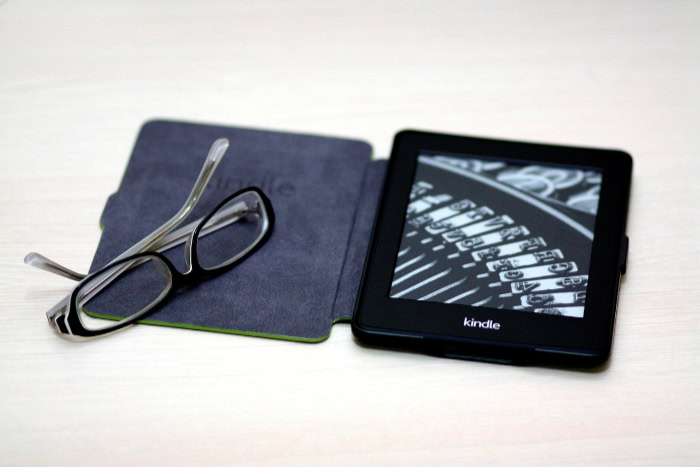
The environments where you read can expose your device to unexpected hazards. From accidental coffee spills at a desk to a splash of water by the pool, durability features dictate how relaxed you can be while enjoying your books.
While one device is designed to handle messy environments, the other requires a bit more caution during use.
IPX8 Waterproof Specification
The Paperwhite is certified with an IPX8 waterproof rating, meaning it can withstand immersion in up to two meters of fresh water for up to 60 minutes, or 0.25 meters of seawater for up to three minutes. This protection means you can read in the bathtub, beside a pool, or at the beach without worrying about splashes or accidental drops.
The standard Kindle does not have any water resistance rating, so even minor liquid contact can permanently damage its internal components.
Vulnerability to Dust and Debris
The physical construction of the standard Kindle, with its recessed screen, creates a raised border that is prone to collecting dust, pocket lint, and hair. Debris easily gets trapped in the tight corners where the screen meets the plastic frame, requiring frequent cleaning with a small brush or cloth.
The Paperwhite, with its sealed flat front, has no such crevices. Its continuous sheet of glass makes it incredibly easy to wipe clean, as dust and sand simply slide off the surface.
Ideal Environments for Use
Because of these design choices, the two models suit different environments. The standard Kindle is best suited for controlled indoor spaces, such as bedrooms, living rooms, and office desks, where it remains safe from elements like sand and water.
The Paperwhite is the superior choice for outdoor adventures, vacation travel, poolside lounging, and relaxing baths, where its weatherproofing allows you to read without anxiety.
Performance, Battery Life, and Value Analysis

Under the hood, both e-readers are designed to run efficiently, ensuring that you spend more time reading and less time waiting for pages to load or searching for a charger. However, the higher price tag of the Paperwhite promises upgraded internals and more time between charges.
Looking closely at these performance metrics helps determine if the financial upgrade is justified.
Battery Endurance and Charge Intervals
E-reader batteries are notoriously long-lasting, but there is still a wide gap between these two models. The standard Kindle provides up to six weeks of battery life on a single charge, assuming about thirty minutes of reading per day with wireless turned off.
The Paperwhite doubles this endurance, offering up to twelve weeks of power under the same conditions. This massive battery capacity means you can head out on a long vacation without even packing a USB-C charging cable.
Storage Capacity and Processor Efficiency
Both devices come standard with 16 gigabytes of storage, which is enough to hold thousands of standard books or hundreds of audiobooks. System performance is smooth on both, but the Paperwhite features a faster processor that makes library management, browsing the store, and switching between books noticeably quicker.
This increased efficiency also prevents sluggishness when handling large PDF files or books with numerous illustrations.
Price Comparison and Return on Investment
The price gap between the two models is roughly fifty dollars, which represents a significant percentage increase over the base model. For casual readers who primarily read indoors and do not mind charging their device every month, the standard Kindle offers exceptional value and an excellent return on investment.
However, for avid readers who value waterproofing, a larger screen, and the soothing amber light for night reading, the extra cost of the Paperwhite is easily justified by the sheer comfort and utility it adds to the daily reading experience.
Conclusion
The primary differences between the standard Kindle and the Kindle Paperwhite come down to screen size, lighting, water protection, and battery endurance. The standard model offers a smaller, lighter frame with a 6-inch recessed screen and a six-week battery life.
The Paperwhite enhances this experience with a 7-inch flush-front screen, 19 LEDs, adjustable warm lighting, an IPX8 waterproof rating, and a twelve-week battery lifespan.
For readers on a budget, the standard Kindle is the most practical choice. It provides the exact same sharp 300 ppi text clarity as the premium model and is highly portable, making it excellent for daily travel and indoor reading.
For those who read frequently in bed, near water, or on extended trips, the Kindle Paperwhite is worth the extra investment. The combination of water resistance, adjustable amber light, and double the battery capacity provides a much more comfortable and versatile reading experience that easily justifies the higher price tag.
Frequently Asked Questions
Is the Kindle Paperwhite worth the extra money?
Yes, the Paperwhite is worth the extra cost if you read in the tub, near a pool, or late at night. The waterproof rating and adjustable warm light prevent damage and eye strain, which justifies the premium. Casual indoor readers might still prefer the more affordable base model.
Can I read the standard Kindle in the bathtub?
No, you should not read the standard Kindle in the bathtub because it lacks any water resistance rating. Exposure to splashes or a drop into water will likely cause permanent damage to the device. For reading near water, you should choose the waterproof Paperwhite instead.
Which Kindle is easier on the eyes at night?
The Kindle Paperwhite is much easier on the eyes at night due to its adjustable warm light feature. This option allows you to swap the harsh blue-white light for a soft, amber tone that reduces eye strain. The standard Kindle only offers basic white illumination.
Does the standard Kindle show books just as clearly as the Paperwhite?
Yes, both devices display text with the exact same level of sharpness. Each model features a screen resolution of 300 pixels per inch, meaning fonts look crisp and easy to read. The only major screen differences are physical size and lighting uniformity.
How often do I need to charge these e-readers?
You will need to charge the standard Kindle every six weeks and the Paperwhite every twelve weeks, based on light daily use. Both models use USB-C ports for fast charging. The Paperwhite is highly convenient for long trips where chargers are unavailable.
About the Author: Elizabeth Baker


