
Malware vs. Virus: What Is the Real Difference?

While news reports and casual conversations often use “malware” and “virus” as if they are the exact same thing, they actually refer to different levels of danger. The basic rule is simple: every computer virus is a form of malware, but most malicious programs you encounter today are not viruses at all.
Sorting out this confusion makes it much easier to choose the right security tools and build a defense that actually keeps your personal data safe.
Key Takeaways
- Malware is the broad category for all malicious code, while a virus is a highly specific sub-type that requires a host file and human action to run.
- Unlike viruses, autonomous threats like worms can spread across networks on their own by exploiting software vulnerabilities without any human interaction.
- Trojans rely on deception rather than replication, masquerading as harmless applications to trick users into installing them.
- Security software labeled “antivirus” is often a legacy marketing name; modern suites actually protect against a broad range of malware, including ransomware and spyware.
- Keeping operating systems and applications updated patches security vulnerabilities, preventing many silent, zero-click attacks from accessing your files.
Threat Classification
Before trying to secure your systems, you must first establish how different online threats relate to one another. The terminology used in technology media can easily mislead you into thinking these threats are completely separate issues, but they actually exist in a structured hierarchy.
What is Malware?
The word “malware” is a portmanteau, a combination of the words “malicious” and “software.” It serves as the broad, all-encompassing category for any code, script, or program designed to harm, exploit, compromise, or steal from devices, networks, or users. If a program runs on your system with harmful intent, it is malware, regardless of how it got there or what it does.
What is a Virus?
A computer virus is a highly specific, narrow sub-category within the broader malware family. Just like a biological virus, a computer virus cannot survive or act on its own.
It must attach itself to a legitimate host file, document, or program. Once inside, it replicates itself and spreads to other files, disrupting the normal operation of the infected system.
The Hierarchy Analogy
To visualize this connection, consider a simple geometric analogy: all squares are rectangles, but not all rectangles are squares. In the same way, every single computer virus is a form of malware, but the vast majority of malware threats you face today are not computer viruses.
Alternatively, think of malware as the general category of “vehicles,” while a virus represents a highly specific vehicle type, such as a “motorcycle.”
Anatomy of a Computer Virus

To defend your devices effectively, you must learn how a computer virus operates and spreads. While other forms of malicious code can run automatically, a virus relies on highly specific conditions to cause damage and infect other systems.
Host Dependency
Unlike some independent malicious programs, a virus suffers from a strict host dependency. It lacks the ability to execute its code or spread to other systems without a helper.
It must insert its malicious instructions into a legitimate host file, an executable program, or a document with active macros. It lies dormant inside this clean file until the file is accessed.
The Requirement for Human Action
A virus cannot activate itself; it requires explicit human action to start running. This trigger typically occurs when a user runs the infected program, opens a compromised email attachment, or permits an infected macro to run within a document.
Without this initial user interaction, the virus remains completely inactive and harmless on the storage drive.
Self-Replication and Infection Mechanics
Once the user triggers the host file, the virus activates its self-replication routine. It immediately begins copying its own malicious code into other clean files, applications, or operating system components on the hard drive.
If the infected computer is connected to a shared office network or if you share files via a USB drive, the virus will infect those connected files as well, spreading the contamination.
Non-Virus Malware

Because computer viruses require human interaction and host files, cybercriminals have created more efficient and independent ways to attack systems. These alternative threat vectors represent modern malware, which works through entirely different mechanisms of delivery and execution.
Trojans (Deception without Replication)
Named after the ancient Greek myth, a Trojan is a type of malware that masquerades as legitimate, useful software to trick you into downloading and installing it. A Trojan might look like a free game, a video player, or a system utility.
Once you grant it permission to run, it quietly runs its malicious payload in the background. Unlike a virus, a Trojan does not have the ability to self-replicate or infect other files on your computer.
Worms (Autonomous Replication)
In contrast to viruses, worms are entirely autonomous. A worm does not need to attach itself to an existing host file, nor does it require any human interaction to activate or spread.
Instead, it scans networks for open ports or software vulnerabilities. Once it identifies a weak system, it automatically copies itself over the network to the new machine, replicating rapidly without anyone ever clicking a file.
Ransomware and Spyware (Payload and Intent)
Some categories of malware are defined by what they do once they infect a system, rather than how they replicate. For example, ransomware is designed to encrypt your personal files and demand a payment in exchange for the decryption key. Spyware, on the other hand, operates in complete secret to harvest your keystrokes, passwords, and browsing habits.
These threats represent specialized payloads that can be delivered by Trojans, worms, or other vectors.
Antivirus vs. Anti-Malware Software

The security industry can be confusing because the software products designed to protect your computer often use outdated terminology. Clear definitions of these terms can help you make sense of the security options available today.
The Legacy of “Antivirus” Branding
In the early days of personal computing, viruses were the primary threat to security. As a result, the early defensive software programs were naturally branded as “antivirus.” Decades later, even though computer viruses make up only a tiny fraction of modern threats, security companies continue to use the term “Antivirus” because the public is highly familiar with the name.
Comprehensive Endpoint Protection
Today, the distinction between antivirus and anti-malware software has mostly disappeared. Modern security programs are comprehensive endpoint protection suites.
They combine traditional virus defenses with advanced anti-malware technologies, allowing them to shield your computer from Trojans, ransomware, active software exploits, and old-school viruses all at the same time.
How Modern Detection Works
To catch these varied threats, security programs use two main methods of analysis. The first is signature-based detection, which acts like a digital mugshot database, checking files against a list of known malicious code snippets.
The second is behavioral or heuristic analysis, which monitors how programs behave. If a new, unrecognized file suddenly attempts to encrypt your documents or modify sensitive system settings, the software blocks it based on this suspicious activity, even if no known signature exists.
Practical Defense and Prevention Strategies
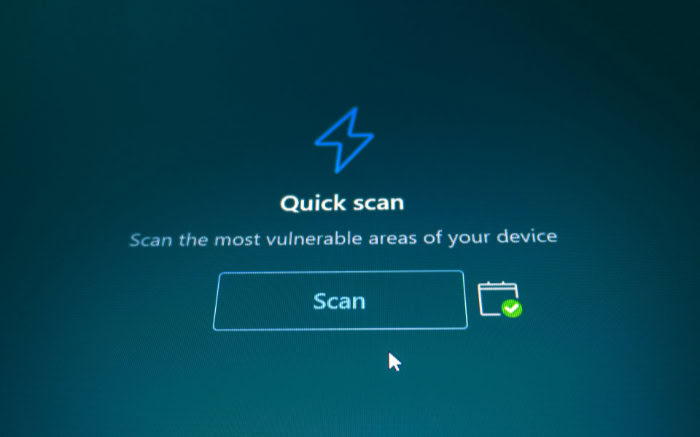
Securing your computer does not require advanced technical degrees; it relies on a combination of defensive tools and regular habits. By establishing several layers of security, you can prevent most malicious programs from ever accessing your files.
Multi-Layered Software Security
Cybercriminals constantly look for flaws in your operating system, web browsers, and applications to slip malware onto your device. Keeping all your software updated is your first line of defense.
Software developers regularly issue updates to patch these vulnerabilities, meaning that enabling automatic updates can stop many silent, zero-click attacks before they can begin.
User Behavior and Digital Hygiene
Good digital hygiene is just as important as running security software. You can avoid many common traps by verifying the sender of every email before opening an attachment or clicking a link.
Additionally, always avoid downloading files from untrusted websites or peer-to-peer networks. You should also ensure that automatic macro execution is disabled in your office applications, as macros are a favorite hiding place for malicious code.
Backup and Recovery Protocols
No security program can promise perfect protection against every threat. Therefore, maintaining offline, redundant backups of your important data is the ultimate safety net.
If your system is infected by destructive malware, such as ransomware that locks up your files, having a recent backup stored on an external drive that is disconnected from your network ensures you can restore your data without paying a ransom or losing your files forever.
Conclusion
Sorting out these terms reveals that malware serves as the broad category for all malicious code, while a virus is merely one specific sub-type. Because modern cyber threats are highly complex and constantly changing, learning exactly how different programs operate is the first step toward securing your files.
Relying solely on software is not enough. The most reliable defense combines modern, multi-layered security suites with smart daily habits, such as verifying email senders and keeping all applications updated.
Frequently Asked Questions
What is the main difference between a virus and malware?
Malware is an all-inclusive term for any malicious program, whereas a virus is a specific type of malware that must attach to a host file and be opened by a user to run. While every computer virus is a form of malware, most modern malicious software threats do not fall under the virus category.
Does my antivirus software protect me from all types of malware?
Yes, modern antivirus software is designed to protect your device from a wide range of malware threats, not just traditional viruses. Security companies still use the word “antivirus” for branding purposes, but these programs combine multiple defensive tools to block Trojans, worms, and spyware simultaneously.
Can a computer virus spread to my phone or other devices on my Wi-Fi?
A computer virus can spread to other devices on your home network if those devices access and execute the infected shared host files. However, most modern mobile phone infections occur through malicious apps rather than local network sharing. To protect all devices, keep your Wi-Fi password secure and update your software.
How can I tell if my computer has a virus or malware?
You can usually tell your system is infected if you notice unexpected behavior, such as a sudden slowdown, frequent crashes, or spam pop-ups. Some malicious programs operate in complete silence to harvest your personal data without causing visible issues. Running a full system scan with reputable security software is the most reliable detection method.
Can malware damage my computer hardware physically?
Most malware cannot physically destroy your hardware, though it can cause serious system instability and heat issues. Malicious code is designed to corrupt software, delete files, or steal sensitive information. In very rare cases, malicious code can manipulate hardware controls to cause overheating, but physical damage remains highly unlikely.
About the Author: Julio Caesar


