
HDMI vs. DisplayPort for Gaming: Which Is Best?
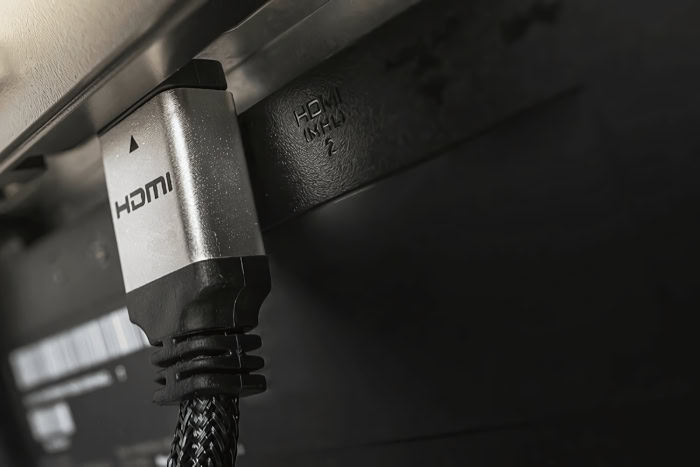
Plugging a high-performance graphics card into a premium monitor with the wrong cable can bottleneck an entire gaming setup, locking you out of smooth frame rates and ultra-high resolutions. Choosing between High-Definition Multimedia Interface (HDMI) and DisplayPort determines if your hardware actually delivers its promised refresh rates, minimal latency, and adaptive synchronization.
While HDMI dominates living room televisions and modern gaming consoles, DisplayPort remains the default choice across desktop PC rigs. Both specifications continually push bandwidth boundaries to transport high dynamic range signals and uncompressed color profiles.
Evaluating how these interfaces manage data throughput, multi-monitor arrays, and variable refresh rate technologies ensures every hardware investment yields flawless visual performance without hidden display restrictions.
Key Takeaways
- DisplayPort is the preferred connection for PC gaming systems, offering native support for NVIDIA G-Sync, AMD FreeSync, and multi-monitor daisy chaining through Multi-Stream Transport.
- Modern gaming consoles like the PlayStation 5 and Xbox Series X rely exclusively on HDMI 2.1, requiring a compatible 48 Gbps HDMI port to output 4K visuals at 120Hz.
- DisplayPort 2.1 offers bandwidth caps up to 80 Gbps under UHBR standards, whereas HDMI 2.1 tops out at 48 Gbps using Fixed Rate Link architecture.
- Enabling NVIDIA G-Sync over an HDMI cable requires an HDMI 2.1 connection; older HDMI 2.0 connections generally fail to support G-Sync variable refresh rates.
- Always verify monitor firmware capabilities, as many display manufacturers restrict high refresh rates like 144Hz or 240Hz strictly to their DisplayPort inputs.
Fundamentals of HDMI and DisplayPort
Modern display interfaces bridge the gap between processing hardware and visual output devices. Though both HDMI and DisplayPort transmit high-definition video and audio, their underlying architecture reflects the distinct needs of the industries that created them.
Overview of HDMI Standards
High-Definition Multimedia Interface was created in the early 2000s by a coalition of consumer electronics manufacturers, including Sony, Panasonic, and Toshiba. Its primary objective was to consolidate video and audio signals into a single cable format for living room entertainment systems.
Over time, HDMI became the universal connection standard for televisions, audio receivers, Blu-ray players, and video game consoles.
Overview of DisplayPort Standards
DisplayPort was designed in 2006 by the Video Electronics Standards Association, a group representing personal computer hardware vendors. Created specifically to replace legacy computer connectors like VGA and DVI, DisplayPort handles the high-bandwidth demands of desktop computing environments.
As a result, graphics card manufacturers and computer monitor makers build their high-end hardware around DisplayPort connections.
Physical Connector Designs and Hardware Variations
The physical structure of these two standards reveals clear operational differences. Standard HDMI uses a 19-pin connector that relies on friction to stay seated inside a device port.
DisplayPort uses a 20-pin configuration featuring built-in locking latches, requiring the user to press a mechanical release button before removing the cable.
Smaller form factors exist for portable hardware. HDMI offers Mini-HDMI and Micro-HDMI ports commonly found on DSLRs and compact tablets.
DisplayPort includes Mini-DisplayPort, a format widely adopted on older laptops and graphics expansion cards. Additionally, modern USB-C ports frequently pass DisplayPort video signals directly through DisplayPort Alt Mode.
Version Specifications and Bandwidth Capacities

The performance ceiling of a display connection depends entirely on the version revision supported by both the sending device and the receiving monitor. Higher revision numbers unlock larger data channels, allowing displays to refresh more quickly while showing higher pixel densities.
Performance Breakdown of HDMI 2.0 vs. HDMI 2.1
HDMI 2.0 supports a maximum raw bandwidth of 18 Gigabits per second. This capacity limits uncompressed output to 4K resolution at 60Hz or 1440p resolution at 144Hz.
For higher performance, HDMI 2.1 elevates total throughput to 48 Gigabits per second. This leap permits uncompressed 4K gaming at 120Hz and 144Hz, as well as 8K resolution at 60Hz.
To achieve this, HDMI 2.1 replaces the older Transition Minimized Differential Signaling protocol with Fixed Rate Link, a transmission architecture designed to maximize data efficiency across all available channels.
Performance Breakdown of DisplayPort 1.4 vs. DisplayPort 2.1
DisplayPort 1.4 provides a total bandwidth limit of 32.4 Gigabits per second, translating to an effective data rate of 25.92 Gigabits per second after protocol overhead. This allows native 4K output at 120Hz or 1440p output up to 240Hz.
DisplayPort 2.1 dramatically expands these figures, offering bandwidth tiers up to 80 Gigabits per second under Ultra-High Bit Rate standards. Under DisplayPort 2.1, monitors can drive uncompressed 4K frames at 240Hz and handle 8K displays at high refresh rates without visual compromises.
Bandwidth Limits for High Resolution and Refresh Rate Configurations
As frame rate targets move from 144Hz to 240Hz, 360Hz, and 480Hz, data demands scale linearly. Pushing higher frame rates requires the cable connection to move tens of gigabits per second without dropping packets.
Resolution increases exert an even greater demand on the display pipeline. Moving from 1080p to 1440p almost doubles the pixel count per frame, while shifting from 1080p to 4K quadruples the data payload.
When high resolutions combine with extreme refresh rates, older cable revisions hit bandwidth saturation, resulting in black screens, dropped refresh rates, or forced color compression.
Adaptive Sync and Image Quality Features

High throughput alone does not guarantee a clean visual output. Managing image composition requires features that eliminate screen tearing, accurately render vibrant color gamuts, and compress large datasets without adding noticeable delay.
NVIDIA G-Sync and AMD FreeSync Compatibility
Variable Refresh Rate technology matches the display refresh rate dynamically to the output of the graphics processor, eliminating screen tearing and stutter. DisplayPort natively supports open VESA Adaptive-Sync standards, making it compatible with both AMD FreeSync and NVIDIA G-Sync across nearly all monitor models.
HDMI handled variable refresh rates differently in earlier revisions, often restricting NVIDIA G-Sync functionality. While AMD FreeSync functioned over HDMI 2.0 using custom driver implementations, NVIDIA G-Sync over HDMI requires the official HDMI 2.1 Variable Refresh Rate specification.
As a result, PC gamers using older HDMI cables with NVIDIA graphics cards often lose variable refresh rate functionality entirely.
High Dynamic Range (HDR) and Color Depth Capabilities
Color presentation relies heavily on bit depth. Standard 8-bit signals produce roughly 16.7 million colors, while 10-bit and 12-bit modes output over a billion color variations, smooth gradients, and extended High Dynamic Range details.
When raw bandwidth falls short, cables enforce color compression through chroma subsampling. Full 4:4:4 signal transmission carries uncompressed luminance and color data for every pixel.
Compressing signals to 4:2:2 or 4:2:0 drops color information to fit bandwidth budgets, which causes color bleeding around sharp edges and text. Both HDMI 2.1 and DisplayPort 1.4 convey HDR10 and Dolby Vision metadata alongside full 4:4:4 color depth, provided the total bandwidth headroom remains unconstrained.
Display Stream Compression and Latency Impacts
To push high frame rates at maximum resolutions without exceeding physical bandwidth limits, modern displays utilize Display Stream Compression. This visually lossless algorithm compresses video data in real time before sending it across the cable, where the monitor decompressing pipeline restores it instantly.
Display Stream Compression adds virtually no input lag, maintaining latency figures under a fraction of a millisecond. Signal propagation speeds between HDMI and DisplayPort are functionally identical.
Differences in input lag stem from panel processing logic inside the display itself rather than the physical cable choice.
Platform Compatibility and Environment Configurations

Hardware platforms dictate display cable choices based on their available physical outputs and internal display controller designs. Understanding how graphics cards, home consoles, and multi-monitor workstations handle display signals helps prevent matching high-end hardware with incompatible physical connections.
Desktop PC Graphics Card Requirements
Modern graphics processing units from NVIDIA GeForce and AMD Radeon feature physical port configurations heavily weighted toward DisplayPort connections. A standard desktop graphics card usually features three DisplayPort outputs alongside a single HDMI port.
This port distribution highlights the priority graphics card manufacturers assign to DisplayPort for desktop computing environments. Gamers building multi-monitor configurations rely on these extra DisplayPort slots to connect two, three, or four monitors simultaneously to a single GPU without needing specialized adapters.
Console Integration for PlayStation 5 and Xbox Series X
Current-generation video game consoles like the PlayStation 5 and Xbox Series X exclude DisplayPort connectors entirely. Microsoft and Sony designed their home hardware specifically for living room integration, outfitting both consoles exclusively with HDMI 2.1 ports.
To achieve full 4K output at 120Hz on a console, users must connect the system to a television or monitor featuring an HDMI 2.1 input port. Plugging a console into an older HDMI 2.0 port caps the output at 4K at 60Hz or forces the output resolution down to 1080p or 1440p to reach 120Hz.
Multi-Monitor Setups and Daisy Chain Connections
DisplayPort includes a feature called Multi-Stream Transport, which enables users to connect multiple monitors in a daisy chain layout using a single output port on a graphics card. The primary monitor connects to the GPU, while a second monitor connects directly into a DisplayPort output on the first monitor, reducing cable clutter across a desk.
HDMI lacks native single-port multi-monitor routing capabilities. Each HDMI monitor requires an independent cable connected directly to a separate output port on the host system or AV receiver.
Splitting an HDMI output signal with a standard hardware splitter duplicates the same image across screens rather than extending the desktop across distinct monitors.
Hardware Selection Criteria

Choosing the right connection requires evaluating your specific platform, display specifications, and audio requirements. Selecting a cable based on system demands prevents unexpected refresh rate caps and ensures stable visual output.
Primary Connection Recommendation for PC Systems
For desktop PC systems, DisplayPort remains the default recommendation, particularly for users targeting ultra-high refresh rates or running NVIDIA G-Sync monitors. DisplayPort connectors provide a secure mechanical lock and seamless compatibility with desktop GPU control panels.
Hardware buyers must also inspect monitor specifications carefully. Many high-refresh-rate gaming monitors restrict their full bandwidth capabilities, such as 144Hz or 240Hz refresh rates, to their DisplayPort inputs while limiting their built-in HDMI ports to lower refresh rates through display controller firmware.
Primary Connection Recommendation for Console and TV Systems
Living room gaming setups, media centers, and console displays rely almost exclusively on HDMI connections. For PlayStation 5 and Xbox Series X users, an Ultra High Speed HDMI 2.1 cable is mandatory to enable 4K resolution at 120Hz alongside Variable Refresh Rate support.
HDMI also serves as the standard for home audio integrations. Features like Enhanced Audio Return Channel allow a single HDMI cable to send high-resolution audio signals from a television back to a soundbar or AV receiver.
DisplayPort lacks consumer audio passthrough capabilities like eARC, making HDMI the appropriate option for living room home theater gear.
Summary Matrix for Cable Selection
The following matrix outlines the recommended interface based on target display resolutions, desired refresh rates, and primary hardware platforms.
| Gaming Goal / Platform | Recommended Interface | Target Specification |
| Desktop PC (1080p / 1440p High Refresh) | DisplayPort | DisplayPort 1.4 or higher |
| Desktop PC (4K 144Hz+ / Multi-Monitor) | DisplayPort | DisplayPort 1.4 / 2.1 |
| PlayStation 5 / Xbox Series X (4K 120Hz) | HDMI | HDMI 2.1 (Ultra High Speed) |
| PC to Living Room TV (4K 120Hz + eARC) | HDMI | HDMI 2.1 (Ultra High Speed) |
| Legacy PC Gaming (1080p 60Hz) | Either Interface | HDMI 2.0 or DisplayPort 1.2 |
Conclusion
Selecting between HDMI and DisplayPort comes down to matching physical connection capabilities with specific platform hardware. DisplayPort leads in desktop PC environments by offering robust locking connectors, native multi-monitor daisy chaining via Multi-Stream Transport, and universal variable refresh rate support across AMD and NVIDIA graphics cards.
HDMI remains the mandatory standard for living room setups, providing exclusive compatibility with modern consoles like the PlayStation 5 and Xbox Series X alongside living room audio features like eARC. Assessing target frame rates, available port standards, and system hardware guarantees your display setup operates at its maximum potential.
Frequently Asked Questions
Can I use HDMI to get 144Hz on my PC monitor?
Yes, you can get 144Hz over HDMI if both your graphics card and monitor support at least HDMI 2.0. However, some monitors cap their HDMI inputs to 60Hz or 120Hz via firmware, requiring a DisplayPort connection to unlock higher refresh rates. Checking your monitor manual confirms if HDMI supports 144Hz.
Is DisplayPort better than HDMI for gaming?
DisplayPort is generally better for PC gaming due to its higher bandwidth options and native variable refresh rate support. It easily handles NVIDIA G-Sync and multi-monitor daisy chaining. However, HDMI 2.1 is superior for console gaming on televisions, as consoles like the PlayStation 5 lack DisplayPort outputs entirely.
Do I need HDMI 2.1 to play PS5 at 120Hz?
Yes, an HDMI 2.1 connection is required to play PS5 games in full 4K resolution at 120Hz. While older HDMI 2.0 ports can run 120Hz at lower resolutions like 1080p or 1440p, only HDMI 2.1 provides the 48 Gbps bandwidth needed for uncompressed 4K at high frame rates.
Does DisplayPort carry audio to monitor speakers?
Yes, DisplayPort carries high-definition audio signals alongside video data to your monitor or speakers. It handles multiple digital audio channels seamlessly without needing a separate audio cable. However, DisplayPort does not support living room audio features like eARC, which return TV audio back to a home theater soundbar.
Will using a DisplayPort to HDMI adapter cause lag?
Passive DisplayPort to HDMI adapters generally do not add noticeable input lag to your gaming display. However, adapters can restrict advanced features like Variable Refresh Rate, HDR, or high refresh rates. To preserve full gaming performance without dropped frames, using a direct cable connection between matching ports is recommended.
About the Author: Elizabeth Baker


