
TCP vs. UDP: Choosing Speed or Reliability

Every time your video call stutters while a file download remains perfectly intact, you are witnessing a silent conflict between two fundamental rules of the internet. These protocols dictate how your data moves across the globe, determining if your online gaming session is smooth or if your bank transfers arrive without a single missing character.
The Transport Layer of the OSI model serves as the traffic controller for every byte of information sent or received. Gaining a perspective on these technical foundations provides the clarity needed to optimize performance and troubleshoot the invisible systems that keep our modern lives connected.
Key Takeaways
- TCP ensures total data accuracy by using a three-way handshake to establish a connection and sequence numbers to reorder packets at their destination.
- UDP minimizes latency by removing session overhead and error-checking delays, making it the preferred choice for real-time video and gaming.
- Header size impacts efficiency; TCP adds a 20-byte header for management, while UDP uses only 8 bytes to maximize the space for actual data.
- TCP manages network health through congestion control, slowing down transmission speeds if the network becomes saturated or if the receiver cannot keep up.
- The choice between protocols depends on the application’s tolerance for loss; web browsing requires the reliability of TCP, while VoIP thrives on the speed of UDP.
Core Architectural Philosophies
The foundational difference between networking protocols lies in how they establish and maintain a conversation between two devices. Some protocols require a formal introduction and a verified connection before a single byte of data is sent.
Others operate with a more casual approach, sending information immediately without checking if the recipient is ready or even present. These architectural choices dictate the behavior of every application running on a network.
Connection-Oriented Communication in TCP
Transmission Control Protocol (TCP) is built on the concept of a formal session. Before data transfer begins, the sender and receiver engage in a three-step process known as the three-way handshake.
The sender first transmits a SYN (Synchronize) packet to the receiver. The receiver responds with a SYN-ACK (Synchronize-Acknowledgment) to indicate it is ready.
Finally, the sender sends an ACK (Acknowledgment) to confirm the connection is active. This structured approach ensures that both parties are synchronized and prepared for the transmission, creating a reliable virtual circuit between them.
Connectionless Communication in UDP
User Datagram Protocol (UDP) follows a fire-and-forget logic. There is no handshake, no session establishment, and no formal greeting between devices.
When an application has data to send, UDP simply wraps it in a packet and places it on the wire. This lack of session overhead makes the protocol significantly leaner than TCP.
Because there is no initial setup, data starts moving instantly, which is ideal for scenarios where the time required for a handshake would cause a noticeable delay.
Stateful vs. Stateless Protocols
TCP is a stateful protocol, meaning it maintains a continuous record of the communication session. It tracks which packets have been sent, which have been received, and which need to be resent.
This state information requires memory and processing power on both ends of the connection. In contrast, UDP is stateless.
It treats every packet as an independent entity with no relationship to the packets that came before or after it. The protocol does not remember the history of the transmission, allowing it to remain lightweight and fast.
Reliability and Error Handling Mechanisms

Reliability in networking refers to the guarantee that data will arrive at its destination exactly as it was sent. While some protocols go to great lengths to ensure this outcome, others prioritize speed and leave error correction to the application layer.
The choice between these two methods determines how a system responds to the inevitable hiccups and interference that occur on physical network hardware.
Acknowledgment and Retransmission
TCP achieves high reliability through a rigorous acknowledgment system. For every segment of data received, the destination device must send back an acknowledgment signal.
If the sender does not receive this confirmation within a specific timeframe, it assumes the packet was lost or destroyed. The sender then automatically retransmits the missing data.
This cycle continues until every piece of information is successfully accounted for, ensuring that the final file or message is complete.
Data Integrity and Checksums
Both TCP and UDP utilize checksums to detect data corruption. A checksum is a calculated value based on the contents of the packet header and data.
When a packet arrives, the receiver performs the same calculation. If the results do not match, it indicates that bits were flipped or corrupted during transit.
TCP automatically discards these corrupted packets and requests a retransmission. UDP also uses checksums, but it lacks the mechanism to request a new copy.
In many UDP implementations, corrupted packets are simply dropped, and the application must decide how to handle the missing information.
Best-Effort Delivery
UDP is often described as a best-effort delivery protocol. It makes no promises regarding the arrival of data.
If a packet is lost due to network congestion or hardware failure, UDP does not attempt to recover it. There are no acknowledgments and no retransmission timers.
This absence of guarantees is a deliberate design choice that prevents the protocol from slowing down to fix errors. While this might seem risky, it is a necessary trade-off for real-time systems that cannot afford the wait times associated with TCP recovery cycles.
Performance Metrics and Packet Overhead

Every protocol adds a layer of administrative data to the actual information being sent. This extra data, contained in the packet header, acts as the envelope and shipping label for the payload.
The complexity of this header directly impacts the efficiency of the transmission and the amount of work the hardware must perform to process each packet.
Header Complexity
The TCP header is relatively large and complex, typically measuring 20 bytes in size. It contains numerous fields required for its advanced features, including sequence numbers, acknowledgment numbers, and various control flags.
This complexity is the price paid for reliability. UDP uses a much simpler header that is only 8 bytes long.
It contains only the essential information: source port, destination port, length, and checksum. The smaller UDP header means that a higher percentage of each packet consists of actual application data.
Latency and Throughput
Latency is the delay between sending a request and receiving a response. TCP generally has higher latency because of the time spent on handshakes, acknowledgments, and error checking.
If a single packet is lost, TCP pauses the entire stream to wait for a retransmission, a phenomenon known as head-of-line blocking. UDP offers much lower latency because it never pauses.
It provides higher throughput for time-sensitive data by bypassing the administrative delays that define TCP.
Resource Utilization
The administrative work required by TCP places a higher demand on CPU and memory resources. Both the sender and the receiver must maintain tables to track connection states, buffers to hold out-of-order packets, and timers for retransmissions.
UDP requires almost no resource overhead beyond the basic processing of the packet itself. This makes UDP a preferred choice for simple devices with limited processing power or for high-volume servers that must handle thousands of simultaneous connections without exhausting their memory.
Traffic Management and Data Sequencing
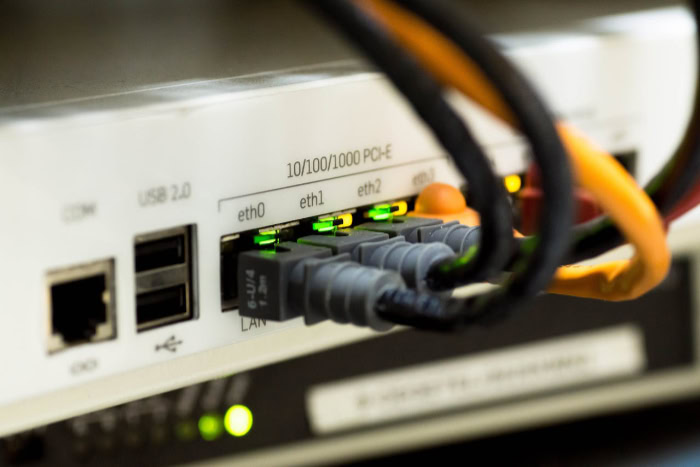
The path between two devices is rarely a straight line, and data packets often take different routes to reach the same destination. As a result, information can arrive out of order or at speeds the receiver cannot handle.
Protocols must implement strategies to manage this flow and reorganize the data into a usable format once it arrives.
Sequencing and Reassembly
TCP assigns a unique sequence number to every packet it sends. Because the internet is a packet-switched network, pieces of a single file might arrive at the destination in a completely different order than they were sent.
The receiver uses these sequence numbers to reassemble the packets in the correct order. If a gap is detected in the sequence, the protocol holds the subsequent data in a buffer until the missing piece arrives, ensuring the application receives a seamless stream of information.
Flow and Congestion Control
To prevent a fast sender from overwhelming a slow receiver, TCP uses a mechanism called windowing. The receiver tells the sender how much data it can accept before sending an acknowledgment.
As the connection proves stable, the window size increases, allowing more data to flow. If the network becomes congested and packets start dropping, TCP automatically shrinks the window and slows down the transmission.
This self-regulating behavior helps maintain the stability of the entire network by preventing saturation.
Handling Jitter and Out-of-Order Packets
UDP does not support sequencing or flow control. If packets arrive out of order, they are passed to the application in whatever sequence they were received.
For many modern applications, such as live audio or video, an out-of-order packet is useless by the time it could be rearranged. UDP allows the application to process the most recent data immediately.
While this can result in jitter or brief glitches in a video stream, it prevents the entire broadcast from falling behind the live event.
Comparative Application Use Cases

The choice between TCP and UDP is usually determined by the specific requirements of the software. Developers must decide if their application can tolerate occasional data loss in exchange for speed, or if every bit must be perfectly preserved regardless of the time it takes to deliver.
Data-Critical Services in TCP
Applications that require absolute accuracy rely on TCP. File Transfer Protocol (FTP) and web browsing via HTTP are prime examples.
When downloading a software update or loading a webpage, even a single missing bit can lead to a crashed program or a broken layout. Email protocols like SMTP also use TCP to ensure that messages arrive exactly as they were written.
In these scenarios, a slight delay caused by retransmissions is a minor inconvenience compared to the disaster of corrupted data.
Time-Sensitive Services in UDP
UDP is the standard for services where timing is more important than perfect accuracy. In online gaming, players need to know where their opponents are right now, not where they were half a second ago.
VoIP and live video broadcasting also use UDP. If a packet of audio is lost, it results in a tiny, often unnoticeable click or pop, which is far better than the entire conversation pausing for several seconds while the system tries to recover a missing fragment of a word.
Hybrid and Infrastructure Protocols
Some essential network services utilize both protocols or choose one based on specific technical constraints. The Domain Name System (DNS) typically uses UDP because its queries are small and require rapid responses; however, it can switch to TCP if the data size exceeds certain limits.
Virtual Private Networks (VPNs) often use UDP for the actual data tunnel to avoid the performance penalties of “TCP-over-TCP” overhead. DHCP, the system that assigns IP addresses to devices, uses UDP because it must function before a formal connection can even be established.
Conclusion
The choice between TCP and UDP ultimately rests on a fundamental trade-off between absolute reliability and maximum speed. TCP offers a safety net for critical information, ensuring that every packet arrives in the correct order and without corruption.
This reliability is indispensable for the infrastructure of the web, where missing data can lead to complete system failure. Conversely, UDP prioritizes the immediate delivery of information, accepting occasional packet loss to maintain the fluid motion required for modern communication.
Selecting the correct protocol is not about finding a superior technology, but rather about identifying the specific demands of an application. As high-speed networks and real-time streaming continue to dominate online interactions, both protocols remain essential.
They function as the dual pillars of the internet, working together to provide a balanced environment where security, accuracy, and performance can coexist.
Frequently Asked Questions
Why does my video call sometimes get blurry instead of just pausing?
Your video call uses UDP, which prioritizes keeping the stream live even if some data packets are lost or corrupted. Instead of stopping the entire conversation to retransmit missing bits, the application simply ignores the gaps, resulting in temporary visual artifacts or blurriness. This approach keeps your call moving in real time without lag.
Is one protocol actually safer or more secure than the other?
TCP is considered more reliable for data integrity, but neither protocol provides built-in encryption for security. While TCP ensures that all your data arrives correctly, both protocols require additional layers like TLS or SSL to protect information from hackers. Most secure websites use TCP because it provides the stable connection necessary for these encryption handshakes.
Can a single application use both TCP and UDP at the same time?
Yes, many complex applications utilize both protocols to handle different types of traffic simultaneously. For example, a multiplayer game might use TCP for logging in and processing store purchases where accuracy is vital. It will then switch to UDP for the actual gameplay movement to ensure there is no noticeable delay for the players.
Does using UDP always make my internet speed feel faster?
UDP reduces the delay or ping in your connection, but it does not technically increase your maximum bandwidth or download capacity. Because UDP skips the time-consuming process of acknowledging every packet, it makes activities like gaming or voice calls feel much more responsive. However, for large file downloads, TCP is often just as efficient while being safer.
What happens if I try to send a large file over UDP?
Sending a large file over UDP is risky because any network interference could result in a corrupted or incomplete file that cannot be opened. Since UDP does not check for errors or reorder packets that arrive out of sequence, the receiving computer would have no way to fix the broken data. This is why FTP and email rely on TCP.
About the Author: Julio Caesar


