
Thunderbolt 5 vs. Thunderbolt 4: Is the Upgrade Worth It?
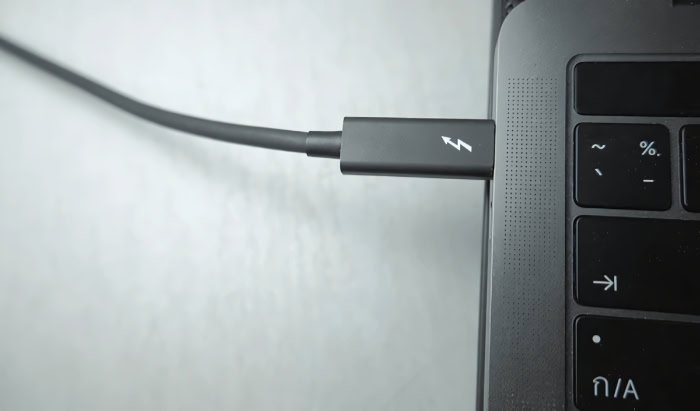
For years, Thunderbolt 4 has reigned as the gold standard for single-cable connectivity. It simplified our desks by successfully handling video, data, and power through one reliable port.
Now, Thunderbolt 5 has arrived to challenge that dominance with promises of shattering bandwidth limits and delivering desktop-class performance to mobile devices. But with great power comes the question of necessity.
Does the average laptop owner actually need 80Gbps transfer speeds? Or is this specific upgrade reserved strictly for video professionals and hardware enthusiasts?
Speed and Bandwidth
The primary reason to consider an upgrade to the new standard lies in the raw numbers. While the previous generation provided enough throughput for general office tasks and moderate data movement, content creators and data-heavy professionals often hit a ceiling.
Thunderbolt 5 removes this ceiling by fundamentally changing how data moves between devices, offering speeds that rival internal connections.
Baseline Data Transfer
Thunderbolt 4 standardized a bi-directional bandwidth of 40Gbps. This speed was sufficient for connecting a few peripherals or a standard dock but often required data compression when pushing high-resolution video and fast file transfers simultaneously.
Thunderbolt 5 doubles this baseline performance. It offers 80Gbps of bi-directional bandwidth, meaning data can flow at high speeds in both directions at once.
This standard configuration ensures that your backups don't slow down just because you are also pulling footage from a server.
The Bandwidth Boost Feature
A unique innovation in the new specification is a feature known as Bandwidth Boost. Standard connections use four lanes of traffic, with two dedicated to sending data and two for receiving.
Thunderbolt 5 can dynamically reconfigure these lanes when a display-heavy workflow demands it. The system shifts to three lanes for transmitting and leaves one for receiving.
This adjustment pushes the transmit speed to 120Gbps. This flexibility is essential for driving multiple high-resolution monitors that require massive amounts of video data, ensuring the display signal never fights with your external hard drive for bandwidth.
Impact on External Storage
Fast external SSDs have technically outpaced the capabilities of Thunderbolt 4 ports for some time. A high-end NVMe drive inside an external enclosure is often capped around 3,000 MB/s, even if the drive itself is capable of 7,000 MB/s, because the port simply cannot carry data any faster.
Thunderbolt 5 alleviates this bottleneck. By doubling the available PCIe throughput, users can now experience external storage speeds that are nearly identical to internal drive performance.
Real-World Transfer Scenarios
This theoretical speed translates directly to time saved during project transfers. Moving a folder containing 8K raw video footage or a massive photogrammetry library on a Thunderbolt 4 connection might take five minutes.
With Thunderbolt 5, that same transfer could finish in under two and a half minutes. For professionals who move terabytes of data daily, these incremental savings add up to hours of reclaimed productivity every week.
Display Capabilities

Visual fidelity is the second major pillar where the new standard creates a noticeable gap. As monitor technology has advanced toward higher pixel densities and faster refresh rates, the connection cable has become the weakest link.
Thunderbolt 5 provides the necessary pipeline to drive the next generation of screens without compromising on color depth or motion clarity.
Multi-Monitor Support
A common frustration with Thunderbolt 4 docks is the limitation on external displays. Most setups cap out at two 4K monitors running at 60Hz.
If you attempt to add a third screen or increase the refresh rate, the system often forces a lower resolution or simply fails to output a signal. Thunderbolt 5 supports three 4K displays running at 144Hz.
This allows editors and stock traders to maintain a sprawling, high-fluidity workspace without needing multiple cables plugged directly into the laptop.
High-Resolution Single Displays
For users who prefer a single, immersive canvas, the new specification offers native support for 8K displays. While Thunderbolt 4 could technically support 8K, it often required aggressive display stream compression that could introduce visual artifacts or reduce color accuracy.
The massive bandwidth of Thunderbolt 5 allows for uncompressed 8K HDR output. This ensures that what you see on the screen is a pixel-perfect representation of the source file, which is critical for color grading and graphic design.
The Gamer’s Perspective
Competitive gaming monitors have pushed refresh rates well beyond the standard 144Hz, with some panels now reaching 540Hz. Previous connection standards could not carry enough frames per second to utilize these monitors fully, especially at 1440p resolutions.
Thunderbolt 5 has the headroom to support these extreme refresh rates. This makes it possible for a laptop user to dock into a tournament-grade monitor and utilize the full speed of the panel without performance degradation.
Power Delivery

The dream of a true “one-cable solution” has always been hindered by power requirements. High-performance laptops consume more energy than earlier Thunderbolt iterations could provide, forcing users to plug in a dock for data and a separate, bulky power brick to keep the battery charged.
Thunderbolt 5 aims to retire the proprietary barrel plug permanently.
Standard Charging Minimums
Thunderbolt 4 mandated a minimum charging capability that ensured thin-and-light laptops could charge reliably, typically around 100W. However, this was often a ceiling rather than a floor.
Thunderbolt 5 raises the bar for power delivery certification. This ensures that any certified cable or dock can handle higher wattages, reducing the confusion where some cables charge a device slowly while others charge it at full speed.
Maximum Power Potential
The most practical upgrade is the support for up to 240W charging via the Extended Power Range (EPR) standard. Most Thunderbolt 4 hubs max out at 100W, which is barely enough to keep a creator laptop running under load.
The jump to 240W means the port can deliver more than double the energy. This capacity covers the power draw of almost every laptop on the market, excluding only the most extreme desktop-replacement models.
Workstation Implications
For owners of mobile workstations and gaming laptops, this change is significant. Previously, using a Thunderbolt dock meant watching your battery slowly drain while rendering video or gaming because the dock could not provide enough juice.
With 240W support, these power-hungry machines can finally rely on a single USB-C connection for full performance. This simplifies desk setups and travel kits, as the heavy, proprietary charger can finally be left in the drawer.
Gaming and PCIe Throughput

For gamers and hardware enthusiasts, the most significant limitation of previous connection standards was how they handled external graphics cards. While the concept of plugging a desktop-class GPU into a thin laptop was appealing, the reality often fell short due to bandwidth restrictions.
Thunderbolt 5 addresses this specific data lane issue, promising to make external graphics setups a viable alternative to bulky gaming laptops or desktop towers.
The PCIe Bottleneck
To understand why performance suffered in the past, one must look at how bandwidth is allocated. Thunderbolt 4 advertises 40Gbps, but that number is a total aggregate.
In reality, it limits the data available for PCIe traffic (the language graphics cards speak) to roughly 32Gbps. The rest is reserved for video signals.
This creates a bottleneck where a high-end graphics card cannot receive data from the processor fast enough to perform at its peak. Thunderbolt 5 doubles this specific allocation.
It provides 64Gbps of PCIe throughput, effectively widening the highway so that data can travel to the GPU without hitting a traffic jam.
External GPU Performance
This increase in bandwidth directly impacts frame rates and stability. When you connect a powerful card like an RTX 4090 over a Thunderbolt 4 connection, you might lose 20% to 30% of its potential performance compared to plugging it directly into a motherboard.
The card spends time waiting for instructions rather than rendering frames. With the doubled throughput of Thunderbolt 5, this performance penalty shrinks considerably.
It allows the GPU to stretch its legs, delivering frame rates that are much closer to a native desktop experience. This makes the dream of carrying a lightweight ultrabook by day and docking into a gaming monster by night far more practical.
AI and Machine Learning
The benefits of higher throughput extend beyond gaming. As local artificial intelligence tools become more common, many users are leveraging external GPUs to train models or run large language models (LLMs) locally on their machines.
These tasks require moving massive datasets into the video memory (VRAM) of the card quickly. The increased PCIe bandwidth of Thunderbolt 5 ensures that loading these models or swapping data during training happens significantly faster, making a laptop a capable station for AI development.
Compatibility and Cabling

Upgrading to a new connectivity standard often brings anxiety about whether existing accessories will become obsolete. Fortunately, the engineers behind Thunderbolt have prioritized interoperability.
However, unlocking the full speed of the new generation requires specific physical hardware, meaning you cannot simply rely on the cables sitting in your drawer.
Backward Compatibility
The transition to Thunderbolt 5 is designed to be seamless regarding device interaction. The ports are physically identical USB-C connectors, and the protocol is fully backward compatible.
If you plug a Thunderbolt 5 laptop into an older Thunderbolt 3 or 4 dock, it will work perfectly fine. The system simply negotiates a connection at the highest speed supported by the older device.
You do not need to replace all your existing peripherals immediately; they will continue to function exactly as they do now, just without the speed benefits of the new standard.
The Cable Requirement
While the ports look the same, the technology inside the cables has changed. Thunderbolt 5 utilizes a new signaling technology called PAM-3 to achieve 80Gbps and 120Gbps speeds.
Standard USB-C cables or older Thunderbolt 4 cables generally use NRZ signaling, which cannot handle this density of data. To get the performance you paid for, you must use cables specifically marked with the Thunderbolt 5 logo (often a lightning bolt with a “5”).
Using an older cable will automatically throttle the connection back to Thunderbolt 4 speeds, rendering the upgrade moot.
Peripheral Availability
A major consideration for early adopters is the maturity of the market. Thunderbolt 4 has been around for years, meaning there is a vast selection of affordable hubs, docks, and enclosures available from dozens of manufacturers.
Thunderbolt 5 is still in its infancy. Options for docks that actually utilize the full 80Gbps bandwidth are currently scarce and carry a premium price tag.
For the immediate future, buying a Thunderbolt 5 laptop is largely an investment in future-proofing, as the ecosystem of accessories catches up to the capabilities of the computer.
Conclusion
The leap from Thunderbolt 4 to Thunderbolt 5 represents more than just a simple specification upgrade; it solves the bandwidth limitations that have frustrated high-performance users for years. With double the standard data speeds, triple the potential charging power up to 240W, and support for high-refresh displays, the new standard effectively eliminates the compromises previously associated with single-cable setups.
For the average laptop owner, Thunderbolt 4 remains perfectly adequate. If your daily routine involves web browsing, standard office applications, or connecting a typical 4K monitor, the previous generation still offers more bandwidth than you likely utilize.
There is no urgent need to upgrade your hardware or replace your docks if your current workflow runs smoothly.
However, specific groups should consider this upgrade essential. Video editors handling 8K footage, gamers looking to maximize external GPUs, and workstation users tired of carrying heavy power bricks will find immediate value here.
The ability to shift lanes for video traffic and the massive increase in PCIe throughput finally allows laptops to perform like desktop replacements without the usual bottlenecks. Thunderbolt 5 effectively closes the gap between mobile convenience and desktop muscle.
It turns the promise of a universal port into reality, proving that you no longer need to be tethered to a tower to experience top-tier performance.
Frequently Asked Questions
Is Thunderbolt 5 faster than Thunderbolt 4?
Yes, Thunderbolt 5 provides double the standard bandwidth. It offers 80Gbps of bi-directional speed compared to the 40Gbps limit of Thunderbolt 4. For video-intensive workflows, it can even boost one direction up to 120Gbps, which is three times the bandwidth available on the previous generation.
Can I use Thunderbolt 5 devices with Thunderbolt 4 ports?
You can connect Thunderbolt 5 peripherals to Thunderbolt 4 ports without any issues. The technology is fully backward compatible with previous versions. However, the connection will operate at the slower speeds and lower power limits of the Thunderbolt 4 port, so you will not see any performance gains.
Do I need to buy new cables for Thunderbolt 5?
To utilize the full 80Gbps or 120Gbps speeds, you must use cables specifically certified for Thunderbolt 5. These cables use advanced PAM-3 signaling to handle the higher data density. Older Thunderbolt 4 cables will physically fit the port but will restrict the connection speed to 40Gbps.
How does Thunderbolt 5 improve gaming?
Thunderbolt 5 significantly improves gaming performance by doubling the PCIe data bandwidth to 64Gbps. This allows external graphics cards (eGPUs) to communicate faster with the laptop, reducing the performance loss often seen with older connections. It also supports ultra-high refresh rates up to 540Hz for competitive gaming monitors.
How many monitors can I connect with Thunderbolt 5?
The new standard supports up to three 4K displays running at 144Hz, which offers much smoother motion than the 60Hz limit typical of Thunderbolt 4. If you prefer a single screen, it can drive an 8K HDR monitor with full color precision and no compression artifacts.
About the Author: Elizabeth Baker


