
TV vs. Projector: Pros, Cons, and Value

Designing a home entertainment space comes down to one fundamental split. Do you prioritize the overwhelming immersion of a massive projection screen or the absolute precision of a high-performance TV panel?
For years the answer depended on simple logistics, but recent advancements have complicated the equation. Ninety-eight-inch televisions now compete directly with ultra-bright laser projection systems, blurring the line between living room convenience and cinema magic.
To find the right match for your home, we must evaluate how each technology handles ambient light, installation limits, and specific content needs.
The Environment Test
Your viewing habits usually depend less on the display technology itself and more on the room where you plan to put it. The amount of sunlight, the color of your walls, and the layout of your furniture all dictate which device will perform best.
While a dedicated theater room offers a blank canvas, a multipurpose living room often imposes limits that favor one format over the other.
Handling Ambient Light
Light is the enemy of projection. Because projectors work by reflecting light off a screen, any other light source in the room competes with the image.
In a sun-drenched living room, a projector image often suffers from “washout,” where colors look faded and blacks turn into a milky gray. To get a passable image during the day, you usually need heavy blackout curtains or a specialized Ambient Light Rejecting (ALR) screen, which can be quite expensive.
Televisions do not face this struggle to the same degree. Modern LED and OLED panels are emissive displays, meaning they generate their own light.
High-end Mini-LED and QLED TVs can get bright enough to overpower sunlight streaming through a window, maintaining vibrant colors and visibility even at noon. If you cannot control the lighting in your room, a TV is almost always the safer bet.
Viewing Angles
If you often host movie nights with guests scattered around the room, viewing angles become a major factor. Televisions vary significantly here.
OLED and IPS panels offer excellent off-axis viewing, meaning the picture looks perfect even if you are sitting on the floor or to the side. However, VA panels found in some LED TVs can lose color saturation when viewed from an angle.
Projectors are more complicated. The viewing angle depends heavily on the screen material.
Standard matte white screens usually offer wide viewing angles, but ALR screens sacrifice this flexibility. To reject ambient light, ALR screens reflect projector light directly back toward the center viewing position.
If you sit too far off to the side, the image naturally dims.
Room Color and Reflections
The color of your walls plays a surprising role in picture fidelity. Projectors throw a massive amount of light onto the screen, and much of that light bounces off into the room.
If you have white walls and a white ceiling, that light scatters and reflects back onto the screen, washing out the image contrast. This is why dedicated home theaters usually have dark gray or black walls.
Televisions are indifferent to wall color. A bright TV looks the same in a white room as it does in a black one.
However, TVs have a glass or glossy plastic surface that acts like a mirror. If you have windows or lamps directly opposite the screen, the glare can be distracting.
Projector screens are generally matte, making them immune to sharp reflections, though they still suffer from the washout mentioned earlier.
Picture Quality and Visual Fidelity

Choosing between a TV and a projector often requires prioritizing specific visual elements. Televisions currently hold the technical advantage in pure performance metrics like dynamic range and resolution, but projectors offer a softer, more cinematic image that some enthusiasts prefer.
The right choice depends on whether you value technical perfection or the sheer scale of the motion picture experience.
Contrast and Black Levels
Contrast is arguably the most important metric for picture quality. It defines the difference between the brightest white and the darkest black in an image.
OLED TVs are the undisputed leaders here. Because each pixel can turn off completely, they produce “infinite” contrast and perfect, inky blacks.
High-end LED TVs with local dimming zones also perform exceptionally well, shutting off backlight in dark areas to preserve depth.
Projectors struggle to compete because they cannot project black. They can only project light. “Black” on a projector screen is simply the absence of light, meaning the blackest part of your image is only as dark as the screen itself.
In a pitch-black room, this can look convincing. In a room with even a tiny amount of ambient light, shadows will look dark gray rather than true black.
Brightness and HDR
High Dynamic Range (HDR) content relies on the ability to display intense brightness highlights alongside dark shadows. TVs measure brightness in “Nits,” and premium models can push thousands of nits to create blindingly realistic explosions or sunlight reflections.
This capability gives HDR content on a TV a vivid, three-dimensional pop.
Projectors measure brightness in “Lumens,” which refers to the light output at the source rather than what reaches your eyes. Because the light must travel across the room and reflect off a screen, much of that intensity is lost.
Consequently, projectors rely on tone-mapping to compress the HDR signal to fit their limited brightness range. While high-end laser projectors are improving, they rarely match the searing impact of a modern HDR television.
Resolution and Sharpness
If you sit close to the screen, sharpness matters. Native 4K televisions have a distinct pixel structure that renders fine text and textures with razor-sharp clarity.
Every pixel is physically present on the panel.
Many affordable “4K” projectors use a technology called pixel shifting. These devices use a lower-resolution chip (often 1080p) and flash it multiple times per second at slightly different positions to trick the eye into seeing a 4K image.
While the result is surprisingly sharp and usually indistinguishable from native 4K at a normal viewing distance, it lacks the surgical precision of a flat-panel TV. This softer image is not necessarily a defect; many find it more organic and film-like.
Installation, Audio, and Aesthetics

Beyond the image on the screen, you must consider the hardware required to get that image there. A television is generally a self-contained unit, while a projector system is a component-heavy setup that demands planning and space.
The logistical differences between the two can often be the deciding factor for renters or those with limited room depth.
Space Requirements
Projectors are demanding when it comes to geometry. Standard “Long Throw” projectors need to be placed several feet back from the wall to create a large image.
You must calculate the throw ratio carefully to ensure you have enough distance between the lens and the screen. “Ultra Short Throw” (UST) projectors solve this by sitting directly beneath the screen, but they require a precise, flat surface to avoid warping the image.
TVs are simpler to place but harder to move. While you can mount a TV on almost any wall or place it on a stand, the sheer physical size of ultra-large panels (85 inches and up) creates logistical headaches.
You must verify that a massive TV box can fit through your doorways, turn tight corners in hallways, or go up a stairwell. A 120-inch projection screen comes rolled in a tube; a 98-inch TV arrives in a crate the size of a mattress.
Equipment Footprint
A smart TV is an all-in-one solution. It houses the tuner, the speakers, the streaming apps, and the inputs in a single chassis.
You plug it into power, connect to Wi-Fi, and you are done. It is clean, minimal, and unobtrusive.
Projectors are rarely standalone devices. To get a picture, you usually need a separate screen mounted to the wall or ceiling.
Because most projectors lack smart interfaces or multiple HDMI ports, you will likely need an AV receiver and an external streaming stick. This means running HDMI cables through walls or across ceilings from your source components to the projector.
The result is a more complex ecosystem that requires cable management and extra shelving.
Audio Solutions
Sound is an often-overlooked differentiator. Televisions come with built-in speakers that, while rarely excellent, are sufficient for watching the news or casual YouTube viewing.
They allow the TV to function independently.
Projectors generally have poor internal speakers, and because the projector is often located behind the viewer (ceiling mounted), the sound originates from the wrong place. A projection setup practically demands a dedicated audio system, such as a soundbar or a full surround sound setup.
You cannot rely on the projector itself for audio, which adds to the total cost and complexity of the installation.
Fan Noise and Heat
Televisions run silently. Even after hours of use, they generate minimal heat and make no noise.
Projectors differ significantly here. They use high-powered lamps or lasers that generate substantial heat, requiring active cooling fans to prevent overheating.
While modern laser projectors are quieter than older bulb-based models, they still produce a steady hum. If the projector is mounted directly above your head on a sofa, this fan noise can be audible during quiet movie scenes.
Additionally, in a small, enclosed room, a projector acts as a space heater, noticeably raising the room temperature over the course of a long film.
Performance by Content

Hardware specifications tell only half the story. The rest depends on what you actually put on the screen.
A display that excels at rendering the dark, moody cinematography of a thriller might falter when trying to keep up with the fast-twitch reflexes required for competitive gaming. Your viewing habits should dictate which technology takes precedence.
Movies and Immersion
For the dedicated film enthusiast, projectors offer a distinct advantage known as the “reflected light” effect. Televisions emit light directly into your eyes, which can cause fatigue during long viewing sessions in a dark room.
Projectors beam light onto a screen, which then bounces back to you. This creates a softer, more organic image that mimics the look and feel of a commercial cinema.
The sheer scale of a projection setup also changes the experience. While an 85-inch TV is impressive, a 120-inch projection screen fills your peripheral vision.
This immersion tricks your brain into focusing entirely on the movie, making the walls of your room disappear. If your goal is to recreate the theater experience at home, size is the most critical metric.
Gaming
For a serious gamer, a modern television is the superior tool. High-end TVs, particularly OLEDs, support HDMI 2.1 features like Variable Refresh Rate (VRR) and 120Hz or 144Hz refresh rates.
These features ensure that gameplay is buttery smooth and free of screen tearing. Furthermore, TVs offer incredibly low input lag, meaning the action on screen reacts instantly to your controller inputs.
Projectors generally lag behind in this area. While newer “gaming” projectors have introduced low-latency modes to reduce input delay, they rarely match the responsiveness of a monitor or TV.
Most projectors are limited to 60Hz at 4K resolution, putting them at a disadvantage for fast-paced shooters or competitive multiplayer games where every millisecond counts.
Sports and Broadcasts
Watching sports requires a display that can handle rapid, unpredictable motion without blurring. Televisions generally have superior motion processing engines that keep a fast-moving football or hockey puck sharp.
Projectors can struggle here, sometimes resulting in a “smear” effect during chaotic plays unless you invest in a high-end model.
Broadcast TV often features static elements like scoreboards, news tickers, or channel logos. On an OLED TV, leaving these static bright images on screen for hours daily carries a slight risk of burn-in, where the image leaves a permanent ghost on the panel.
Projectors are immune to burn-in, making them a worry-free option for leaving a sports channel or news feed running in the background all day.
Cost and Longevity
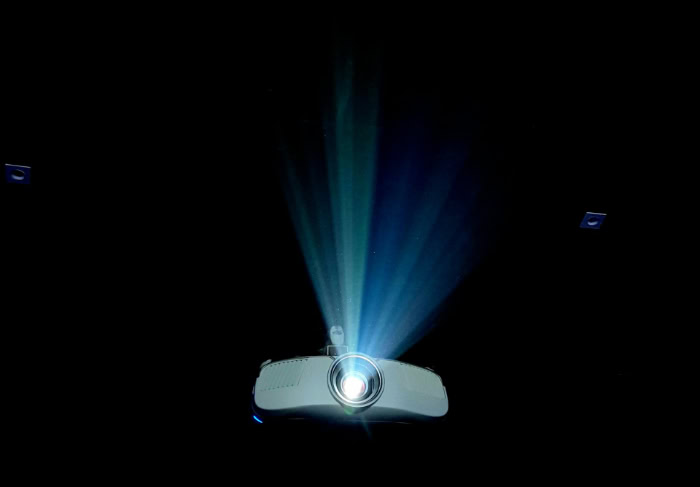
The economics of home theater have shifted dramatically in recent years. While televisions have dropped in price, the cost of going truly big still commands a premium.
Calculating the true value of your setup requires looking at the upfront price per inch as well as the long-term costs of electricity and maintenance.
The Price-Per-Inch Ratio
If you are looking for a screen size under 85 inches, the television is the undisputed value winner. You can find high-quality 65-inch and 75-inch 4K TVs for a fraction of the cost of a decent 4K projector setup.
At these sizes, a projector makes little financial sense.
However, once you cross the 100-inch threshold, the math flips. An older 98-inch or 100-inch TV can cost thousands of dollars, and newer 115-inch models are priced like luxury cars.
In contrast, a high-quality 4K projector and a 120-inch screen can be assembled for significantly less. If your heart is set on a massive wall-to-wall image, projection remains the only cost-effective route.
Lifespan and Maintenance
Televisions are essentially zero-maintenance appliances. A modern LED or OLED panel is rated to last between 50,000 and 100,000 hours.
You buy it, install it, and likely replace it due to obsolescence long before the panel actually fails.
Projectors have a more complex maintenance history. Traditional lamp-based projectors require bulb replacements every 2,000 to 5,000 hours, which adds a recurring cost and a slow dimming of the image over time.
Modern laser and LED projectors have largely solved this, offering light engines rated for 20,000 hours or more. However, unlike a bulb, if a laser light engine fails, the entire unit usually needs to be replaced or serviced professionally.
Energy Consumption
Power consumption is rarely the first thing buyers check, but it adds up over the life of the device. Large televisions are becoming more efficient, but a massive bright HDR panel still draws significant power.
Projectors can be even more power-hungry. The energy required to project a bright image across a room, combined with the active cooling fans needed to keep the unit from overheating, results in a higher consistent draw.
Furthermore, because projectors almost always require a separate AV receiver and subwoofer system to operate, the total energy footprint of a projection home theater is generally higher than that of a standalone TV.
Conclusion
For the dedicated home theater enthusiast, the projector remains the king of immersion. If you have a light-controlled room and crave the overwhelming scale of a 100-inch screen or larger, nothing replicates the cinematic experience quite like reflected light.
It offers a softness and grandeur that turns a movie night into an event.
However, for the mixed-usage living room, a television is the superior choice. Its ability to combat glare, deliver perfect blacks, and support high-refresh-rate gaming makes it the versatile winner for daily life.
Ultimately, while TVs win on technical specifications and convenience, projectors win on size and magic. The right choice depends entirely on the room where it lives.
Frequently Asked Questions
Do projectors last as long as TVs?
Modern televisions typically outlast projectors. An LED or OLED TV can run for 50,000 to 100,000 hours with zero maintenance. Projectors often require bulb replacements every few thousand hours, though newer laser models are closing the gap with 20,000-hour lifespans before the light engine dims significantly.
Is a projector good for gaming?
Projectors can handle casual gaming, but serious gamers should stick to TVs. Televisions offer faster response times, variable refresh rates, and support for 120Hz gameplay via HDMI 2.1. Projectors often have higher input lag, which can make fast-paced competitive games feel sluggish compared to a responsive OLED panel.
Is a projector better for your eyes?
Yes, many viewers find projectors easier on the eyes over long periods. This is because projectors reflect light off a screen rather than emitting it directly into your retina like a TV. This reflected light is softer, has lower contrast intensity, and generally produces less blue light fatigue.
Can I use a projector in a bright room?
You can, but the image will look washed out unless you have a specialized setup. To view a projector during the day, you need a high-brightness model and an Ambient Light Rejecting (ALR) screen. Even with this equipment, a TV will almost always look brighter and more vivid in sunlight.
Is a 4K projector as sharp as a 4K TV?
Generally, no. A 4K TV uses native resolution where every pixel is physically present. Most affordable 4K projectors use pixel-shifting technology to simulate 4K by flashing a lower-resolution chip rapidly. While the projector image looks great, the TV will always have a sharper, crisper edge definition.
About the Author: Julio Caesar


