
Virus vs. Trojan: How to Tell Them Apart
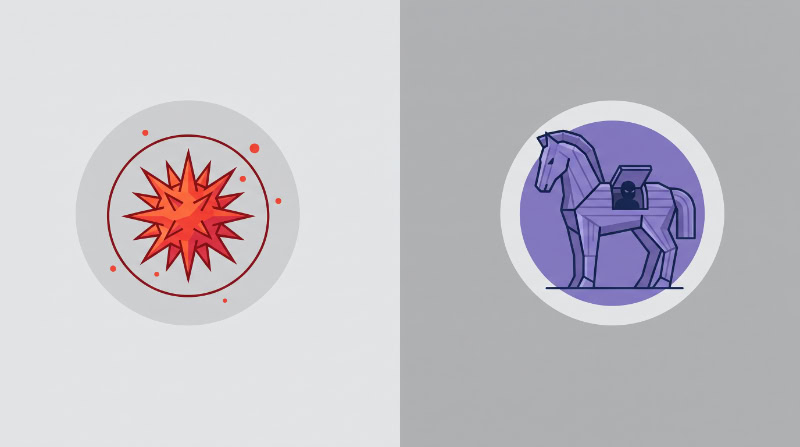
Many computer users label every intrusive program a virus, treating all malicious software as identical hazards. In everyday discussions, people frequently conflate separate cyber threats, blurring the line between infectious code that duplicates itself and deceptive programs that masquerade as harmless utilities.
Separating a true computer virus from a Trojan horse reveals fundamental contrasts in architectural design, behavior, and overall operation. While one relies on hijacking healthy host files to reproduce, the other depends on tricking users into granting it entry.
Key Takeaways
- Computer viruses are parasitic programs that must attach to clean host files to spread, whereas Trojans exist as independent, standalone executables that lack self-replicating abilities.
- Viruses activate automatically whenever a compromised file runs, while Trojans depend on social engineering tricks like fake software updates or malicious attachments to deceive users into installing them manually.
- Viruses primarily cause operational disruption through file corruption and boot sector damage, while Trojans prioritize covert espionage, remote backdoor access, and login credential theft.
- Warning signs of a viral infection include corrupted files and unexpected increases in file sizes, whereas Trojans betray their presence through abnormal outbound network traffic and heavy idle processor usage.
- Eradicating a virus requires peeling malicious code out of infected host files or replacing damaged applications, while removing a Trojan requires terminating its active process and deleting the malicious executable entirely.
Malware Taxonomy and Foundational Concepts
Hostile software encompasses a wide variety of intrusive programs built to compromise computing environments. To understand the operational differences between these threats, one must look at how security analysts categorize intrusive programs and how specific code structures interact with host computers.
The Spectrum of Malicious Software
Malware is a collective term combining “malicious” and “software.” It covers distinct threats designed for specific disruptive outcomes. Worms spread independently across local networks without needing human assistance. Ransomware scrambles private data using strong encryption, demanding payment for restoration. Spyware runs silently in the background, harvesting personal details, while rootkits dig deep into the operating system to hide unauthorized access.
Every piece of malware separates its delivery vehicle from its payload. The delivery mechanism is the vehicle used to reach and execute on a target machine; the payload is the actual action executed once inside, such as deleting files or stealing login records.
Decades ago, programmers used “virus” as a catch-all term for any computational anomaly. As programming evolved and threats diversified, security specialists adopted specific technical categories to describe hostile programs accurately.
Architecture of a Computer Virus
A computer virus is parasitic code that cannot run or spread on its own. Much like a biological virus that attaches to organic cells to multiply, a software virus attaches its programming to a legitimate file on a computer.
It possesses two primary structural parts: an infection routine and a payload.
The infection routine finds clean files within the storage drive and inserts malicious instructions into them. The payload delivers the intended damage, which can range from displaying pop-up messages to erasing entire storage drives.
Because it lacks a standalone executable structure, a virus relies entirely on the local file system. It remains dormant on hard drives, solid-state drives, or portable USB storage devices until a user opens or runs the infected file.
Historical Context and Definition of a Trojan Horse
The Trojan horse takes its name from ancient Greek mythology, where Greek soldiers hid inside a giant wooden horse presented as a gift to enter the fortified city of Troy. In computing, a Trojan relies on that exact concept of deception.
Unlike a virus, a Trojan is an independent, standalone executable file. It does not latch onto other programs; instead, it masquerades as useful, harmless software to trick users into downloading and installing it voluntarily.
It might look like a media player update, a system optimization utility, or a free game. A Trojan lacks automated distribution routines.
It cannot copy itself to other programs or spread automatically across a network; it relies entirely on social deception to find new targets.
Propagation Methods and Activation Triggers

Malicious programs spread and initiate actions through very different technical paths. The primary division between viruses and Trojans lies in how they duplicate, how they interact with file systems, and how they trick users into initiating the initial compromise.
Mechanisms of Self-Replication
A virus features dedicated reproduction algorithms that scan local directories and shared drives for compatible targets. Whenever an infected program runs, the virus executes its duplication routine, copying its malicious instructions into uninfected files.
This process creates an expanding chain of contaminated software across the system.
A Trojan contains no self-duplicating code. Once it lands on a hard drive, it stays in that specific directory unless moved or replaced by an external operator.
While a virus creates hundreds of copies of itself across internal storage partitions, a single Trojan binary remains solitary. When viruses travel across local networks, they do so because a user shared an executable file that already carries the parasitic infection.
Host File Dependency and Code Injection
Viruses rely on code injection to survive, embedding themselves directly into legitimate host files. In prepending techniques, the virus places its instructions at the beginning of an executable file, ensuring its malicious code runs before the legitimate software launches.
In appending techniques, it attaches its code to the end of the file and redirects the initial execution path. Cavity injection finds unused spaces within the original file code, inserting pieces of the virus without expanding the overall file size.
In contrast, Trojans are self-contained executable files, dynamic link libraries (.dll), or automated scripts. They do not alter the code of legitimate operating system files.
Instead, they run alongside standard applications while pretending to perform a helpful function. When a virus injects code into system files, it degrades the binary integrity of the host application, which frequently causes the original software to crash, display syntax errors, or fail integrity checks.
User Deception and Manual Execution Vectors
Trojans depend completely on social engineering to infect a system. Attackers craft convincing lures that manipulate human trust or curiosity, tricking victims into running the malicious installer manually.
Common lures include unauthorized software cracks, fake video codec updates, pirate games, or fraudulent email attachments claiming to be unpaid shipping invoices.
Viruses require the execution of an already compromised host file. An infected file can sit harmlessly on a backup drive for years without causing damage.
The parasitic code only wakes up and begins spreading when a user or an automated operating system process launches the infected binary into active memory.
Primary Payloads and System Disruption

Once an infection secures a foothold on a machine, its internal payload determines the scope of the damage. Viruses often generate direct operational disruption and file loss, whereas Trojans prioritize covert control, financial theft, and espionage.
Data Corruption and Operating System Damage
Classic virus payloads frequently target local data storage and system stability. A boot sector virus overwrites the master boot record on a drive, preventing the computer from loading the operating system during startup.
Other viral strains systematically corrupt file allocation tables, delete user documents, or alter binary configurations needed for standard computing tasks.
This damage can be intentional or accidental. Some malware creators deliberately script viruses to wipe data partitions on a specific calendar date.
In other instances, system destruction happens accidentally because poorly written viral code interferes with normal memory allocation or corrupts critical system libraries. As thousands of files become corrupted, the operating system experiences severe stability issues, frequent application crashes, and permanent data loss.
Backdoor Creation and Unauthorized Access
A common objective of a Trojan is establishing an illicit backdoor. A Remote Access Trojan, often abbreviated as a RAT, creates a hidden communications channel back to an attacker’s command-and-control server.
This channel grants an unauthorized remote user full administrative privileges over the compromised machine without alerting the legitimate owner.
The Trojan maintains persistence by modifying registry entries or scheduling background tasks that execute every time Windows or macOS boots up. Once connected to a central control server, the compromised computer becomes an obedient node in a botnet.
Attackers can then enlist thousands of hijacked machines simultaneously to launch distributed denial-of-service attacks, relay spam email, or route illicit web traffic.
Credential Theft and Espionage Tools
Trojans frequently function as silent espionage platforms designed to harvest valuable user credentials. Specialized spyware components record typed inputs to capture banking passwords, usernames, and credit card numbers.
Advanced variants intercept web browser cookies, extract active session tokens, and capture live screenshots of the user’s desktop whenever financial applications open.
Beyond data theft, Trojans frequently serve as initial staging platforms for secondary infections. Once a Trojan confirms that a machine is vulnerable, it can quietly download and deploy high-impact payloads.
An attacker may drop file-encrypting ransomware across a corporate network or run stealthy cryptocurrency miners that silently consume 90% of the system’s graphics processing capacity to generate digital currency.
Infection Indicators and Detection Challenges

Identifying malicious software requires monitoring both system behavior and underlying file structures. Modern security defenses face complex obstacles when attempting to detect and isolate threats that actively conceal their presence from standard scanning engines.
System Performance Anomalies and Resource Drain
A compromised system often exhibits noticeable performance anomalies. When malware runs rogue processes, the machine may experience unexplained spikes in processor utilization, random access memory consumption, and disk activity.
An idle computer should maintain minimal resource consumption, yet an active infection can push processor usage to 100% without any visible software running.
Users may encounter frequent operating system freezes, unprompted application crashes, and blue-screen events caused by corrupted system memory. Additionally, viral infections leave physical traces across the file system.
Because a virus injects code into clean programs, the file sizes of standard applications will unexpectedly increase, and their recorded modification timestamps will shift to recent dates without user input.
Stealth Techniques and Masquerade Artifacts
Threat developers utilize sophisticated techniques to conceal their code from antivirus tools. Advanced viruses use polymorphism, which encrypts the viral payload with a unique cipher routine each time it infects a new file, altering its internal appearance while retaining its intended function.
Even more complex metamorphic viruses completely rewrite their own binary code with each infection cycle, changing instruction sequences without altering the underlying logic.
Trojans rely heavily on masquerading to evade casual inspection. They borrow process names that mimic essential operating system services, such as svchost.exe or taskhostw.exe, often differing by only one subtle character.
To evade deeper scrutiny, sophisticated Trojans incorporate rootkit components that attach directly to the operating system kernel. These rootkits intercept system queries, hiding the malicious processes, files, and network connections from task managers and security scanners.
Heuristic and Signature-Based Analysis
Antivirus software traditionally relies on static signature scanning, comparing file contents against a database of known malicious code snippets. When a scanner recognizes a specific string of binary characters belonging to a documented virus, it flags and quarantines the file immediately.
To combat newer threats that lack established signatures, modern protection programs utilize heuristic and behavioral analysis. Heuristic scanners inspect code structures for suspicious routines, such as attempts to modify protected system files.
Behavioral monitoring observes live program actions, intercepting unauthorized outbound connections to unknown foreign servers or unprompted attempts to modify user accounts. Static signatures offer little protection against newly compiled, customized malware variants, making dynamic behavior monitoring essential for defense.
Remediation Protocols and Preventive Security

Recovering from an infection demands a structured approach to prevent recontamination and clean the affected environment thoroughly. Applying proven defensive practices ensures that both individual workstations and enterprise networks remain resilient against persistent threats.
Isolation and Threat Eradication Procedures
The initial step in handling an active infection is disconnecting the compromised device from local Wi-Fi networks and Ethernet cables to halt command-and-control communication and prevent lateral spread. Rebooting the machine into a clean environment, such as Safe Mode or a bootable rescue drive, prevents malicious background scripts from launching alongside the operating system.
Eradication tactics differ depending on whether the infection is a virus or a Trojan. With a viral infection, security tools attempt host file disinfection, peeling away the injected malicious instructions while leaving the original program intact.
If the host file is too severely corrupted, it must be deleted and replaced from a known good backup. For a Trojan, remediation is more direct; because it is a self-contained entity, security software simply terminates the running process and permanently deletes the malicious executable.
If rootkits or deep system corruptions remain, administrators must wipe the drive completely and execute a clean operating system installation.
Endpoint Protection and Behavioral Analysis Tools
Legacy antivirus utilities focused on scanning files during write operations using fixed definition databases. In modern environments, these tools have been superseded by Endpoint Detection and Response platforms, commonly known as EDR.
These advanced security suites maintain constant vigilance over system memory, process trees, and network sockets.
When an EDR platform detects an unauthorized process attempting to inject code or harvest data, it executes automated containment mechanics within seconds. It instantly terminates the offending process and moves associated binaries into an encrypted quarantine repository to prevent further execution.
Concurrently, network firewalls enforce egress filtering, blocking unauthorized outbound traffic on suspicious network ports and cutting off the attacker’s communication channel to infected machines.
Patch Management and Administrative Access Control
Preventive security depends heavily on restricting privileges and maintaining software updates. Users should conduct daily computing activities through standard, non-administrator accounts.
Restricting administrative rights limits the damage an infection can inflict, preventing unauthorized software from modifying critical system directories or creating background services without explicit administrative authorization.
Regular patch management is equally critical. Applying security updates to operating systems like Windows 11 and updating third-party applications eliminates vulnerabilities that malware exploits to bypass security checks.
Finally, organizations should use content filtering and strict digital certificate verification on all downloaded files. Requiring verified cryptographic certificates for executable software ensures that users do not inadvertently launch unsigned, deceptive binaries.
Conclusion
The operational divide between computer viruses and Trojans centers on self-replication versus covert deception. A virus behaves as parasitic code, systematically attaching itself to clean host files and duplicating across storage volumes whenever an infected program executes.
In contrast, a Trojan functions as an independent application that lacks any internal mechanism for self-duplication, relying instead on social manipulation to trick users into manually granting it system access.
These mechanical differences define their respective risk profiles. While viruses historically cause overt operational destruction through corrupted file allocation tables, altered boot sectors, and sudden system crashes, Trojans prioritize stealthy exploitation.
A Trojan covertly harvests sensitive credentials, captures active browser sessions, and builds persistent backdoors that integrate compromised machines into broader botnet networks.
Because these threats compromise systems through entirely different methods, single-layer antivirus tools cannot provide complete protection. Defending against both hazards requires a layered security model.
Combining principle-of-least-privilege account restrictions, aggressive software patching, behavioral endpoint detection, and vigilant downloading habits ensures that neither self-replicating code nor disguised utilities can compromise the operating environment.
Frequently Asked Questions
Can a Trojan spread to other computers on its own?
No, a Trojan cannot spread to other computers on its own because it lacks self-replicating code. Unlike a virus, which injects itself into clean files automatically, a Trojan depends on human deception. It only infects another device when a user is tricked into downloading and executing the disguised file.
Which one is more dangerous, a virus or a Trojan?
Trojans are generally considered more dangerous today because they provide attackers with prolonged, covert access to private data. While a virus damages local files and crashes your operating system, a Trojan silently steals bank credentials, logs typed passwords, or installs ransomware. This invisible exploitation often causes severe financial and privacy harm.
Can my antivirus software remove both viruses and Trojans?
Yes, modern security software can detect and remove both viruses and Trojans. However, the cleanup process works differently for each threat. Antivirus tools clean a virus by stripping the malicious code out of an infected host file, whereas removing a Trojan involves terminating its process and deleting the entire rogue file.
How do I know if my computer has a virus or a Trojan?
You can tell them apart by checking for corrupted programs versus signs of hidden background activity. Viruses typically reveal themselves through damaged files, sudden application crashes, and modified document sizes. In contrast, Trojans remain covert, leaving clues like unauthorized account modifications, unexplained outbound internet connections, or heavy processor usage while idle.
Why do people call every type of malware a virus?
People call all malicious software a virus because early computational threats were almost exclusively file-infecting viruses, making the term popular in everyday speech. Over time, the public adopted “virus” as a catch-all phrase for any computing issue. Security professionals classify them separately because distinct threats demand specific defensive responses.
About the Author: Elizabeth Baker


