
What Is a Computer Virus? Signs, Risks, and Protection

Computers store personal information, financial records, work, and memories, so an infection can disrupt far more than a single device. A computer virus can damage files, compromise privacy, spread to other systems, and create costly problems before its presence becomes obvious.
A virus is malicious code that attaches itself to a host file or program and replicates when that host runs. Although “virus” is often used to describe any malicious software, viruses are only one form of malware, alongside worms, Trojans, ransomware, and spyware.
Key Takeaways
- A computer virus attaches itself to a host file or program and replicates when the infected host is activated.
- Unexpected attachments, deceptive links, unofficial downloads, compromised websites, USB drives, and shared network folders are common infection routes.
- Slow performance alone does not confirm an infection; crashes, altered files, unfamiliar programs, disabled security tools, and unusual network activity provide stronger warning signs.
- If you suspect an infection, isolate the device, run a trusted security scan, quarantine confirmed threats, and restore data only from a verified clean backup.
- Reduce risk by installing updates promptly, downloading software from trusted sources, limiting account permissions, using active antivirus protection, and maintaining separate backups.
Computer Virus Fundamentals
A computer virus is a specific form of malicious software. Its ability to attach itself to other files and reproduce separates it from many threats that operate independently.
Definition of a Computer Virus
A computer virus is malicious code designed to insert itself into a host file, application, document, or system area. The host carries the virus and provides a way for it to run.
Many viruses remain inactive until someone opens the infected file or launches the affected program. After execution, the virus may copy its code into additional files or locations.
This replication allows the infection to persist and potentially reach other devices.
Virus Structure and Operation
A virus usually contains an infection mechanism, replication instructions, and a payload. The infection mechanism determines which files or system areas the virus targets.
It may search for executable files, documents that support macros, or boot records.
The replication code creates new copies or inserts the virus into additional hosts. The payload performs the intended harmful action.
Some payloads corrupt data or interfere with system functions, while others install additional malware, change settings, or collect information. A virus may execute its payload immediately or wait for a certain date, action, or system condition.
Virus Life Cycle
The life cycle begins when an infected file, program, document, or storage device enters a computer. At first, the virus may remain dormant because its host has not been opened or executed.
Activation occurs when the required action or condition is met. The virus then runs, searches for suitable targets, and creates copies of itself.
Those copies may spread through shared files, removable media, or network locations. The payload may operate during this stage or activate later, depending on how the virus was programmed.
Common Virus Infection Routes

Viruses often reach devices through routine activities such as reading email, downloading software, or sharing files. Attackers frequently combine technical methods with deceptive messages that encourage users to open infected content.
Email, Links, and File Attachments
Email attachments can carry infected documents, executable files, compressed archives, or scripts. A message may present the attachment as an invoice, delivery notice, résumé, security alert, or other familiar document.
Deceptive links can direct users to sites that host harmful downloads or imitate legitimate sign-in pages. Attackers often impersonate coworkers, businesses, government agencies, or service providers to make their messages appear credible.
Warning signs include unexpected urgency, unusual sender addresses, unexplained attachments, and requests to enable document macros.
Downloads and Compromised Websites
Software obtained from untrusted sources may contain a virus hidden inside an installer or bundled file. Pirated applications, unofficial activation tools, game modifications, and fake updates carry a higher risk because their contents may have been altered.
Legitimate websites can also become dangerous if attackers exploit security weaknesses or compromise advertising networks. A malicious advertisement may redirect the browser or attempt to download harmful content.
Updated browsers and operating systems reduce the chance that website code can exploit a known vulnerability without direct approval from the user.
Removable Media and Network Access
An infected USB drive or external storage device may carry malicious files between computers. Some viruses rely on users opening these files, while others attempt to take advantage of automatic execution settings or system vulnerabilities.
Shared folders and network drives can give an active virus access to many files. Weak passwords, excessive user permissions, poor network separation, and missing security patches can increase the possible spread.
Restricting access and scanning removable storage before use can reduce these risks.
Computer Virus Types and Malware Differences

Viruses can be grouped by the files or system areas they infect and by the methods they use to avoid detection. However, the term “virus” should not be applied to every harmful program.
Major Computer Virus Types
File-infection viruses attach themselves to executable files. They activate when an affected program runs and may infect other executables found on the device or connected storage.
Boot-sector viruses target the information a computer uses during startup. They can activate before the operating system fully loads, which may make diagnosis and recovery more difficult.
Macro viruses use scripting functions in applications such as word processors or spreadsheet programs. They are commonly carried in documents and may spread through shared files or email attachments.
Polymorphic viruses alter parts of their code or appearance when they reproduce, making simple signature matching less reliable. Multipartite viruses use more than one infection method, such as targeting both executable files and boot records.
Viruses Versus Other Malware
A worm copies and spreads itself without attaching to a host file. It may move automatically across networks by exploiting software vulnerabilities or weak access controls.
A virus generally depends on an infected host and often requires that host to be executed.
A Trojan pretends to be useful or legitimate software but performs hidden malicious actions after installation. Unlike a virus, it does not need to reproduce by infecting other files.
Ransomware blocks access to data or systems, often by encrypting files and demanding payment. Spyware secretly collects information such as browsing activity, account details, or stored data. These threats can be delivered by viruses, but they are separate forms of malware.
Common Virus Myths
Not all malware is a virus. Worms, Trojans, ransomware, spyware, and other threats behave differently, even though people often use “virus” as a general label.
A slow computer is not automatic proof of infection. Limited storage, failing hardware, excessive background programs, overheating, outdated drivers, and software errors can produce similar symptoms.
Proper diagnosis is needed before removing files or reinstalling the system.
No operating system or device category is completely immune. Risk levels vary according to platform design, software support, user behavior, and attacker interest.
Phones, tablets, desktop computers, and servers can all be affected by malicious software.
Virus Symptoms and Potential Harm

Virus activity can affect performance, files, security controls, and network behavior. Some infections produce obvious disruption, while others attempt to remain unnoticed for as long as possible.
Common Signs of Infection
Possible warning signs include unexplained slowdowns, frequent crashes, repeated error messages, or unusually long startup times. Users may also notice unwanted pop-ups, changed browser settings, unfamiliar applications, or programs opening without permission.
Files may disappear, become corrupted, change size, or acquire unfamiliar names. Security software might stop working, fail to update, or close unexpectedly.
None of these signs proves that a virus is present, but several unexplained symptoms occurring together justify a security scan and closer inspection.
Effects on Devices and Data
A virus may modify, overwrite, encrypt, or delete files. Damage can affect personal documents, business records, application files, backups, or system components.
If no clean backup exists, some information may be difficult or impossible to recover.
System changes can also cause crashes, startup failures, reduced performance, or unstable applications. A virus may alter registry entries, scheduled tasks, permissions, browser settings, or startup instructions.
These changes can remain after the main malicious file has been removed, so recovery may require additional repairs.
Privacy, Financial, and Network Risks
Some virus payloads collect stored passwords, personal records, financial information, or confidential business data. Stolen credentials can lead to unauthorized purchases, account takeover, identity fraud, or access to additional services.
An infected computer may also send harmful files or messages to contacts, making the activity appear to come from a trusted person. In a workplace, the virus could reach shared storage, disrupt operations, or expose information belonging to customers and employees.
Network access may also allow attackers to install further malware or control the device remotely.
Virus Detection, Removal, and Prevention
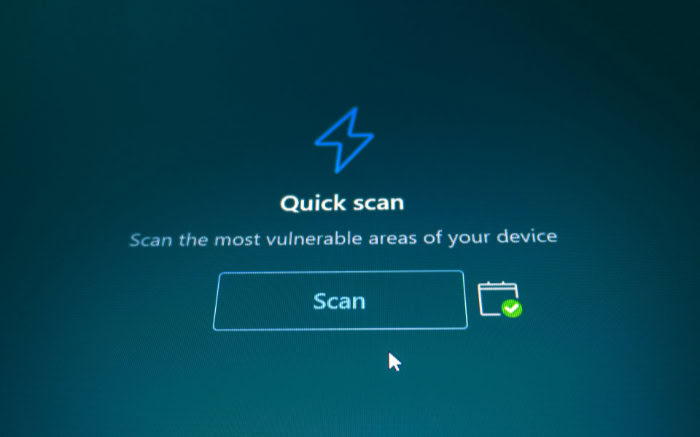
Effective protection combines reliable security software, careful user behavior, updates, access controls, and recoverable backups. If an infection is suspected, a controlled response can limit its spread and reduce damage.
Detection and Diagnosis
Antivirus and anti-malware tools can scan files, applications, memory, startup locations, and other system areas. These tools may use known threat signatures, behavioral monitoring, or both.
Running a full scan is often more useful than checking only recently downloaded files.
Unexpected network traffic, unknown startup programs, unexplained account activity, and altered security settings may provide further evidence. However, many technical problems resemble malware symptoms.
Hardware faults, low disk space, damaged system files, and software conflicts should also be considered during diagnosis.
Safe Virus Removal
A suspected device should be disconnected from local networks, shared storage, and the internet when doing so will not interfere with essential recovery steps. Isolation can prevent the virus from spreading or communicating with an attacker.
Security software may quarantine an infected file, placing it in a restricted location where it cannot run. Deletion may be appropriate when the file is confirmed as malicious and is not needed by the system.
More serious infections may require an offline scan, system recovery tools, or a complete operating-system reinstall.
Clean backups can restore damaged or missing data, but they should be scanned before use. Professional support may be appropriate if sensitive information is involved, the device cannot start, the infection returns, or the affected system belongs to an organization.
Prevention and Security Practices
Operating systems, browsers, applications, and security tools should receive updates promptly. Updates often repair vulnerabilities that malicious code could exploit.
Unsupported software should be replaced when possible because it may no longer receive security fixes.
Programs should come from trusted developers, official stores, or verified websites. Users should treat unexpected links and attachments cautiously, confirm unusual requests through another communication method, and avoid enabling macros without a valid reason.
Digital signatures and file hashes can help verify certain downloads.
Active antivirus protection can block many known threats and monitor suspicious behavior. Strong passwords, multifactor authentication, limited user permissions, protected network shares, and disabled automatic execution for removable media provide additional safeguards.
Regular backups should be stored separately from the main device and tested periodically to confirm that the data can be restored.
Conclusion
A computer virus is malicious code that attaches itself to a host and reproduces after activation. Early detection can limit file damage, data exposure, and spread to other devices, but removal should be handled carefully to avoid destroying clean files or restoring an infected backup.
Prompt software updates, trusted download sources, reliable security tools, controlled access, and tested backups provide strong protection against infection and data loss. A virus is only one type of malware, and symptoms such as slow performance or crashes may also result from hardware faults, software conflicts, or limited system resources.
Accurate diagnosis should guide every response.
Frequently Asked Questions
What exactly makes a computer virus a virus?
A computer virus is malicious code that attaches itself to a host file, program, document, or system area and copies itself when activated. Many viruses depend on someone opening or running the infected host. This need for a host, combined with replication, separates viruses from several other types of malware.
How can I tell if my computer has a virus?
Common warning signs include unexplained slowdowns, repeated crashes, unfamiliar programs, altered files, persistent pop-ups, or disabled security tools. One symptom alone does not prove an infection because hardware faults and software conflicts can look similar. Run a full security scan and review recent system changes before deciding.
What should I do first if I think my computer is infected?
Disconnect the device from networks and shared storage if you suspect an active infection. Then run a trusted full security scan, quarantine confirmed threats, and avoid entering passwords or payment details. Restore affected files only from a clean, verified backup, and seek professional help if the infection persists.
Can Macs and phones get viruses too?
Yes, Macs and phones can be affected by viruses and other malicious software. The exact risk varies by operating system, app controls, update status, and user behavior. Keep the device updated, install apps from trusted sources, review permissions, and avoid suspicious links or configuration profiles.
Is antivirus software enough to protect my computer?
No, antivirus software is important but cannot prevent every infection or recover every damaged file. Combine it with prompt software updates, cautious handling of links and attachments, limited account permissions, and multifactor authentication. Keep separate, tested backups so you can restore data if prevention fails.
About the Author: Elizabeth Baker


